

 Your photo
 1Photograph the kitchen
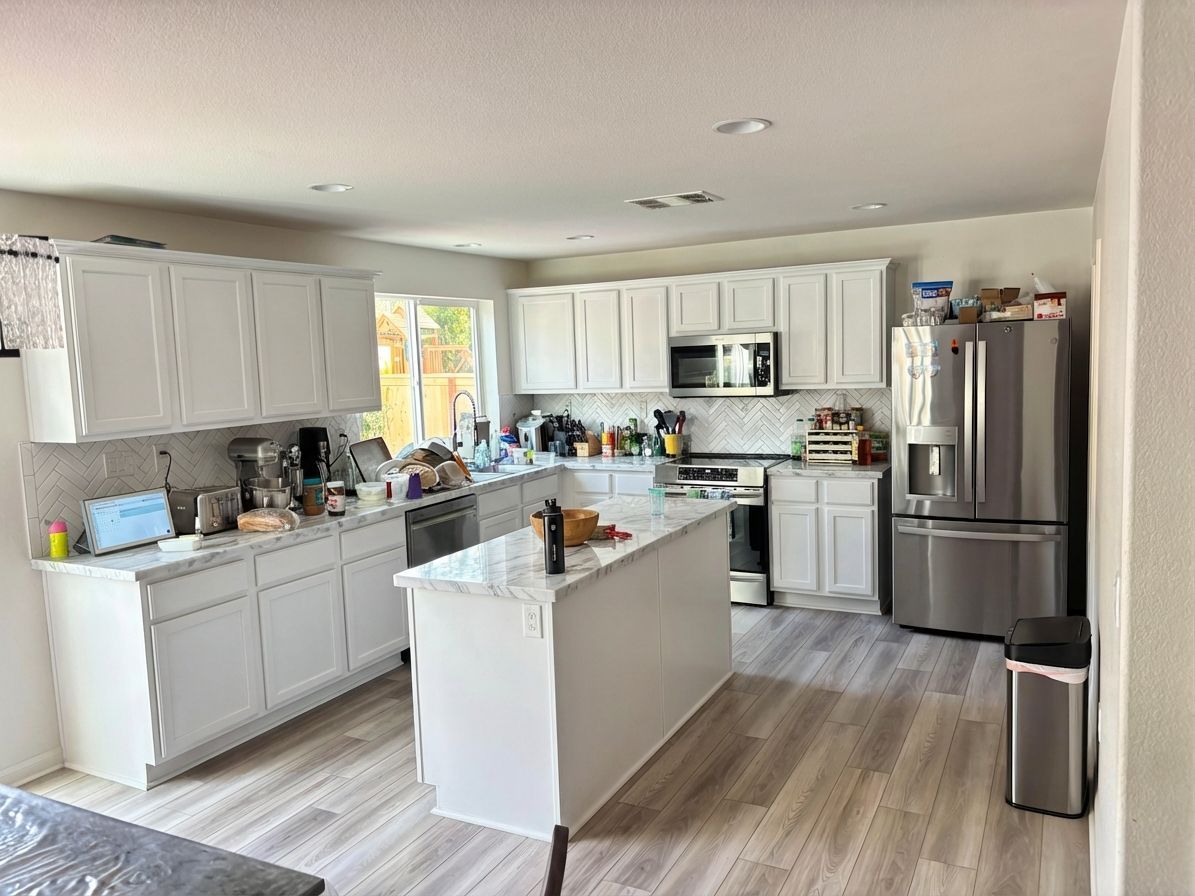
One photo from the doorway. A phone snap is enough — no measuring, no floor plan, no 3D model, and the clutter on the counter does not matter.
Free to try
Photograph your kitchen, describe the cabinet colour, countertops and backsplash you want, and see it rendered into your own room in seconds. Pick a question and a direction below — every before and after on this page is a real homeowner’s kitchen, unretouched.
What should change in the kitchen?
Remodel this kitchen in a bright modern style: white shaker cabinets, white quartz countertops, matte black hardware, and a white subway tile backsplash.
How it works
No floor plan, no 3D model, no showroom appointment. The photo you can take from the kitchen doorway right now is the input — dishes in the sink and all.
Your photo One photo from the doorway. A phone snap is enough — no measuring, no floor plan, no 3D model, and the clutter on the counter does not matter.
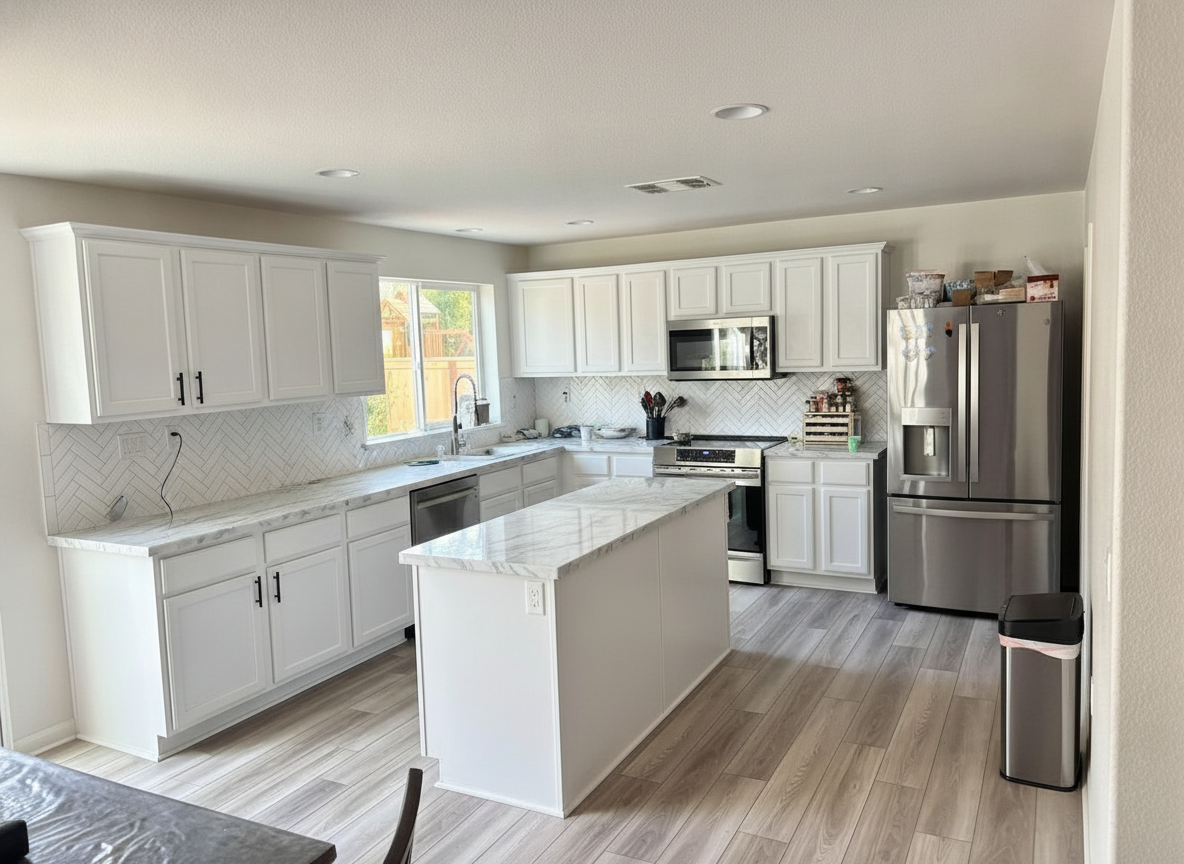
Remodel this kitchen in a bright modern style: white shaker cabinets, white quartz countertops, matte black hardware, and a white subway tile backsplash.
Type it the way you would say it to a contractor. Name one surface or redo the whole kitchen — everything you do not mention stays put.
 7s The render
 A photorealistic render of that change in your kitchen, in seconds. Keep it, swap the cabinet colour, or run another direction on the same photo.
The render above came back in 7 seconds. Run the same kitchen photo through three cabinet colours and you have a decision before the paint store closes.
Every surface
A whole remodel or a single surface — just the cabinets, just the counters, just the backsplash. Every image below is a real render from a real homeowner photo.
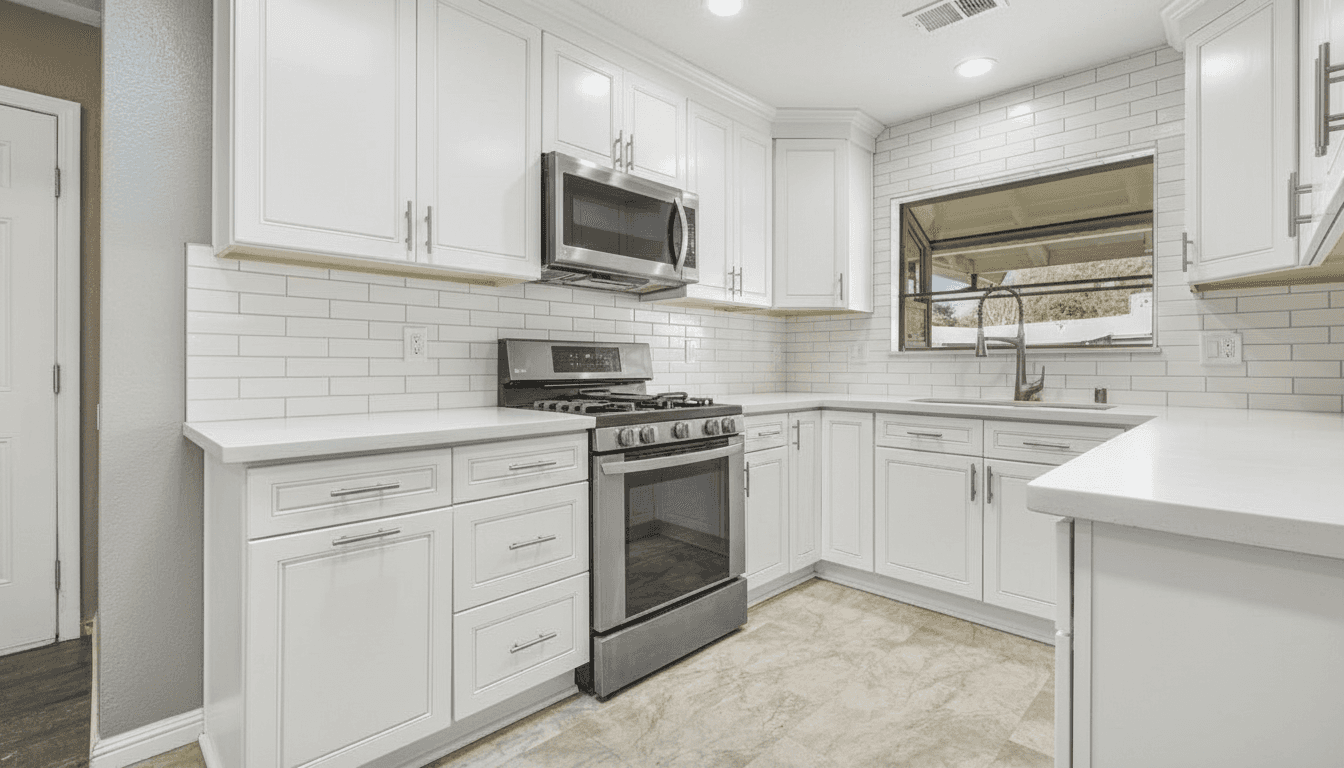
Repainted or fully replaced. Cabinet colour is the biggest single lever in a kitchen and the hardest thing to judge from a 2-inch paint chip.
Change cabinet colour with AI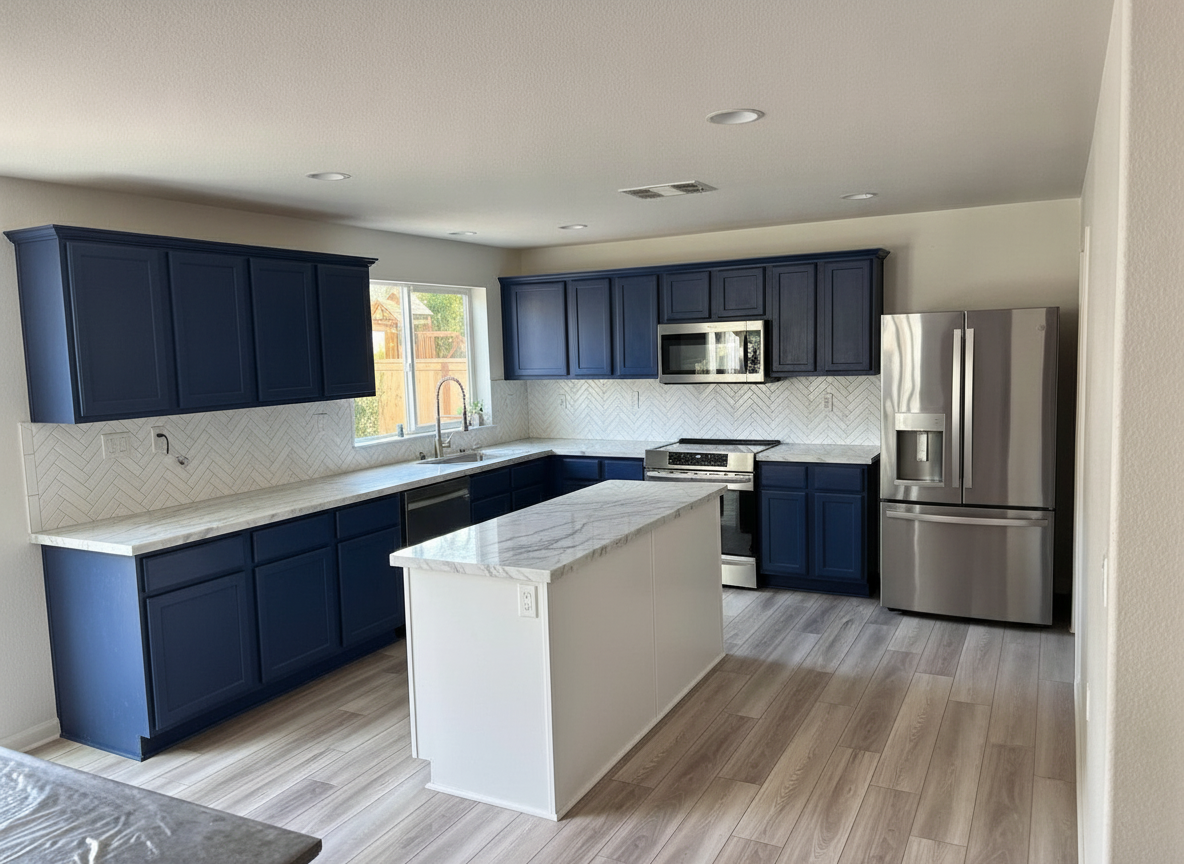
Quartz, marble, butcher block, honed stone. See the slab against your own cabinets and your own light before you pay for a template.
Remodel a kitchen from a photo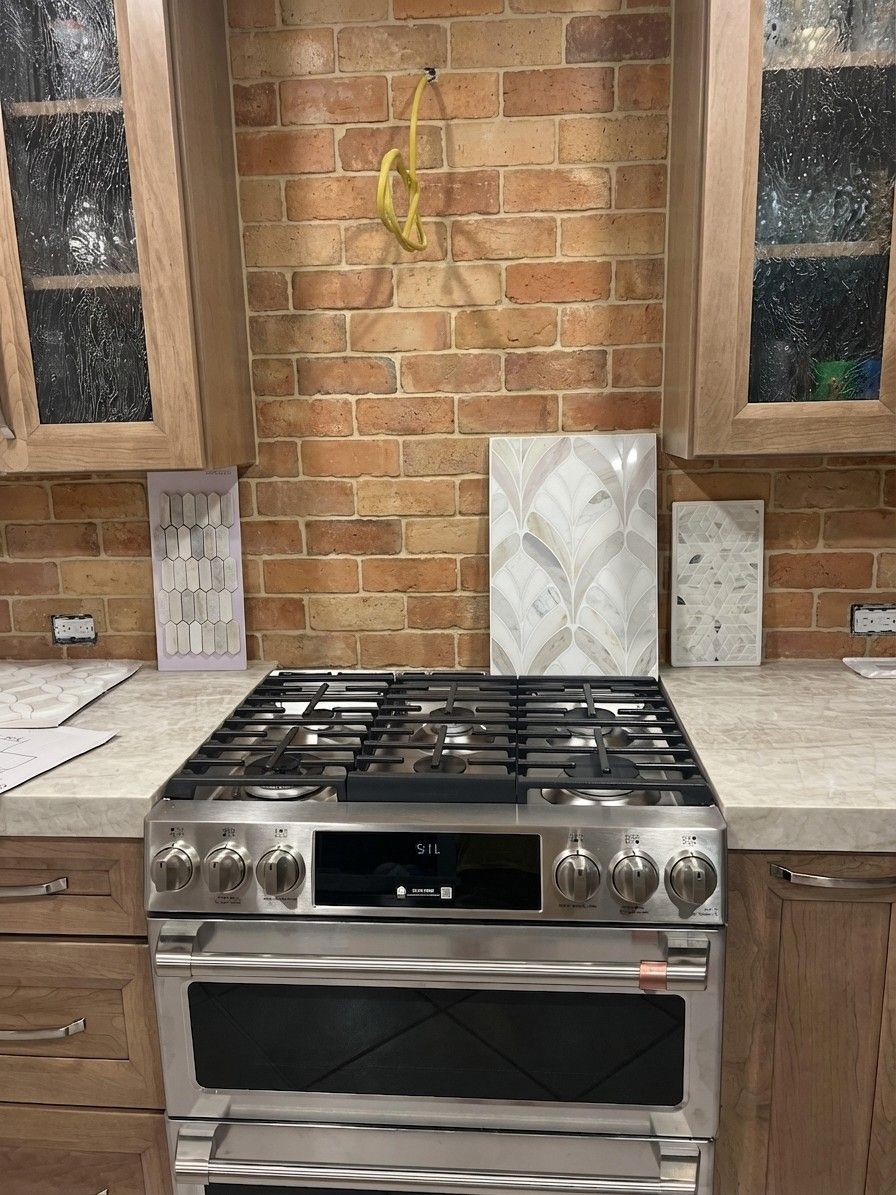
Subway, zellige, terracotta, slab. Tile samples propped against the wall never look like a finished run — a render does.
Pick a backsplash colour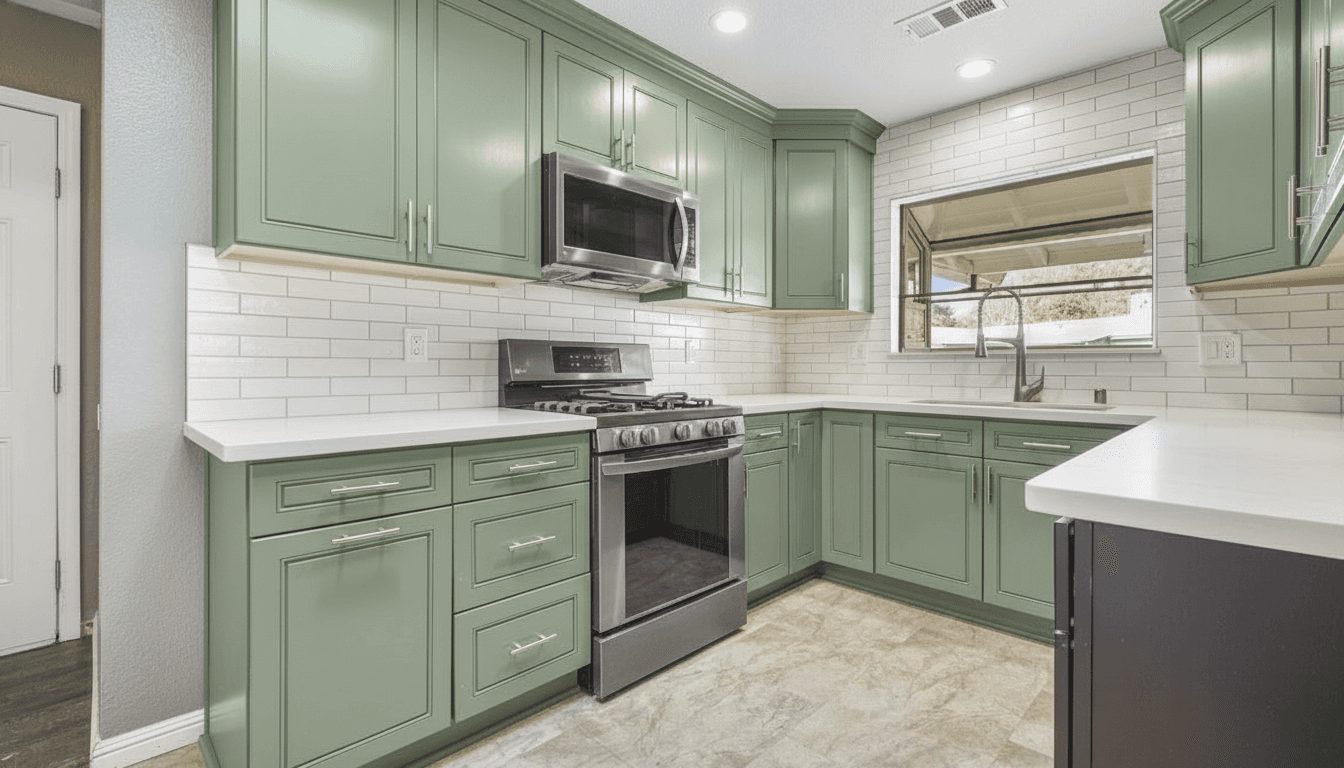
Matte black, brushed gold, polished nickel, brass. The cheapest change in the kitchen and the one that sets its whole temperature.
Choose a cabinet colour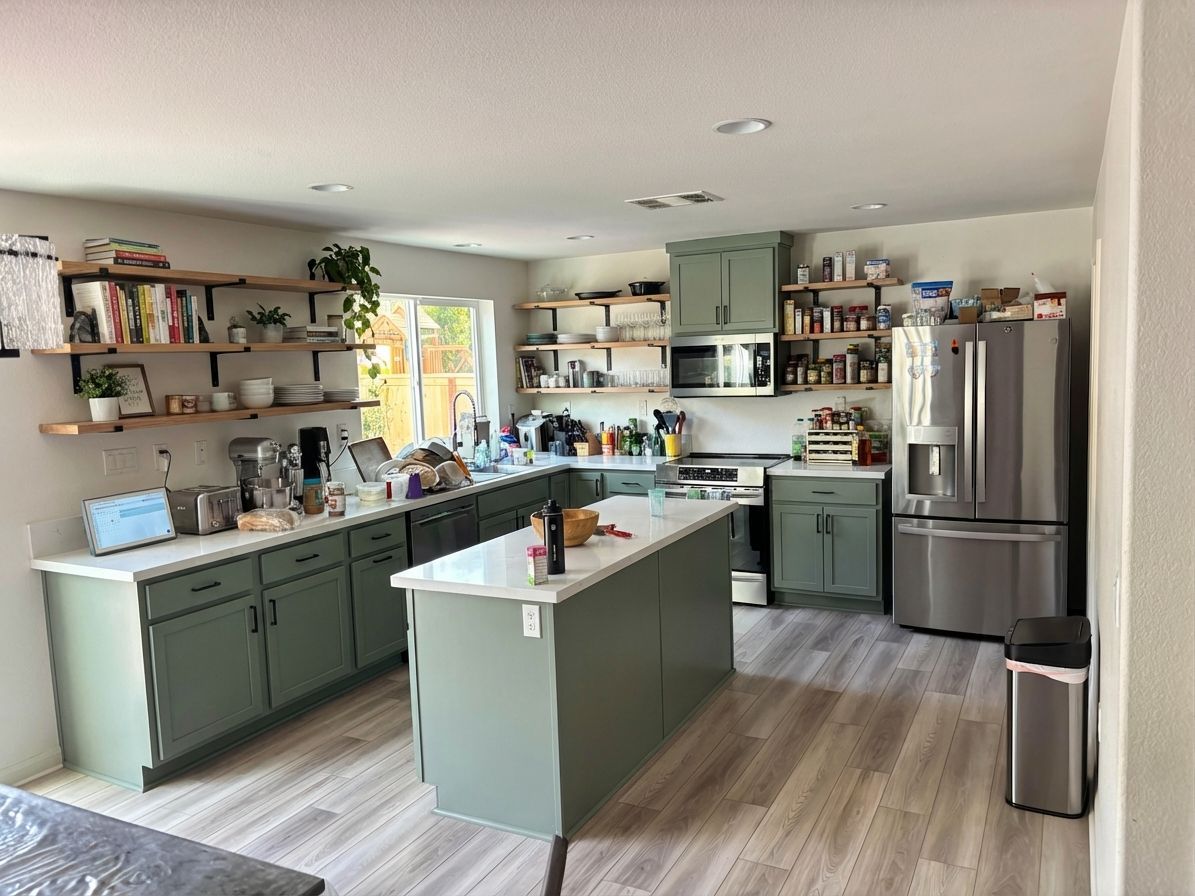
Open shelving instead of uppers, an island where the peninsula is, a wall of pantry. Good for imagining, not for planning — a photo cannot see your plumbing.
Redesign a kitchen in order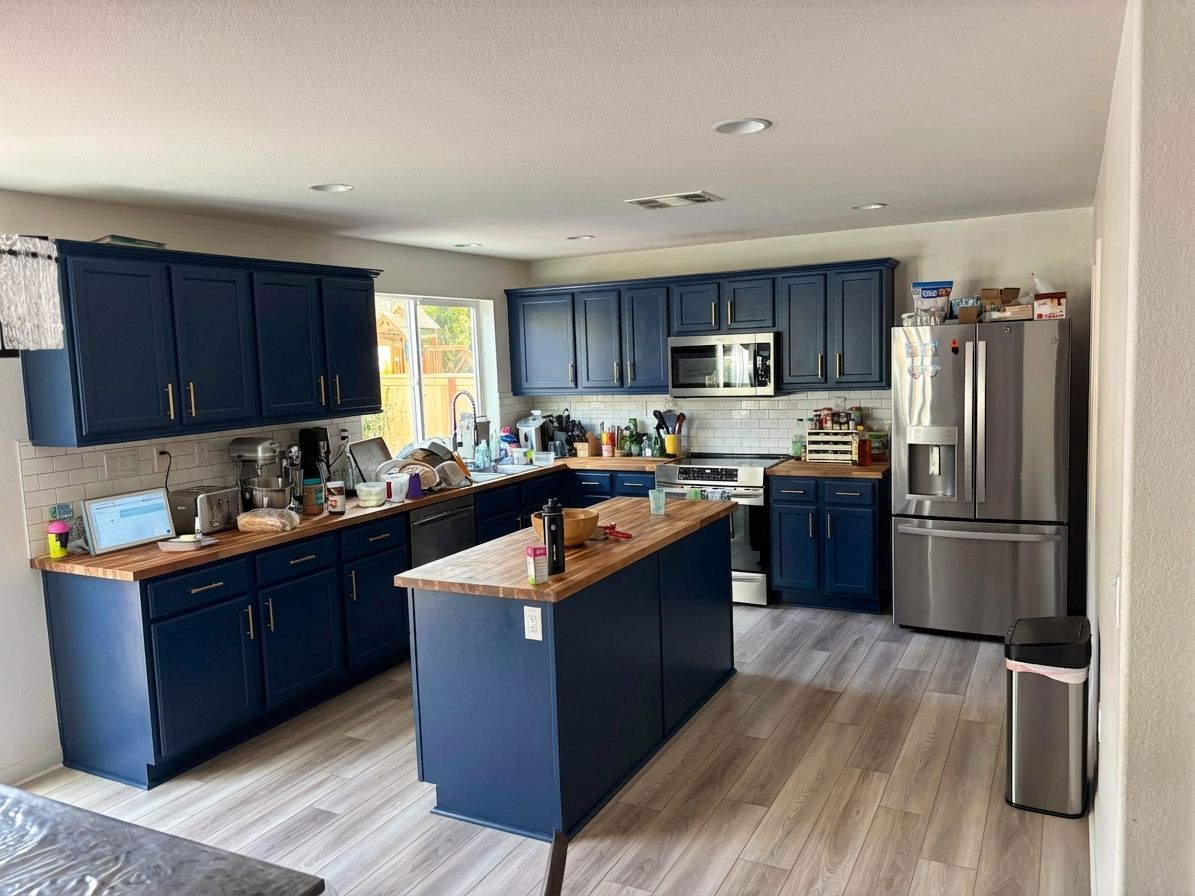
Galley kitchens and apartment kitchens you cannot back out of to photograph. One shot from the doorway is enough to see the whole run redone.
Design a small kitchenPrefer to read it first? Is there an app where I can take a picture of my kitchen and remodel it? walks the whole thing through step by step, and how to change cabinet colour using AI goes deeper on the colour decision itself.
App, software or tool?
Call it a kitchen design app, a free kitchen design tool or kitchen design software — the thing people actually want is the same: show me my kitchen with different cabinets before I commit to them. This is that. It runs in the browser and as a free app on iPhone and Android, and the only input is a photo.
It is not a kitchen layout planner. There is no floor plan, no measurements and no cabinets to drag around — if you need to know whether an island leaves 42 inches of clearance, a tape measure beats any free online kitchen design tool. What a photo-based tool is good at is the question a plan cannot answer: what would it look like?
The five renders below are the same three kitchens from the top of the page — the builder-grade kitchen, the espresso kitchen and the honey-oak kitchen — run through five more directions, prompts included. Two of them got something wrong, and the captions say what.
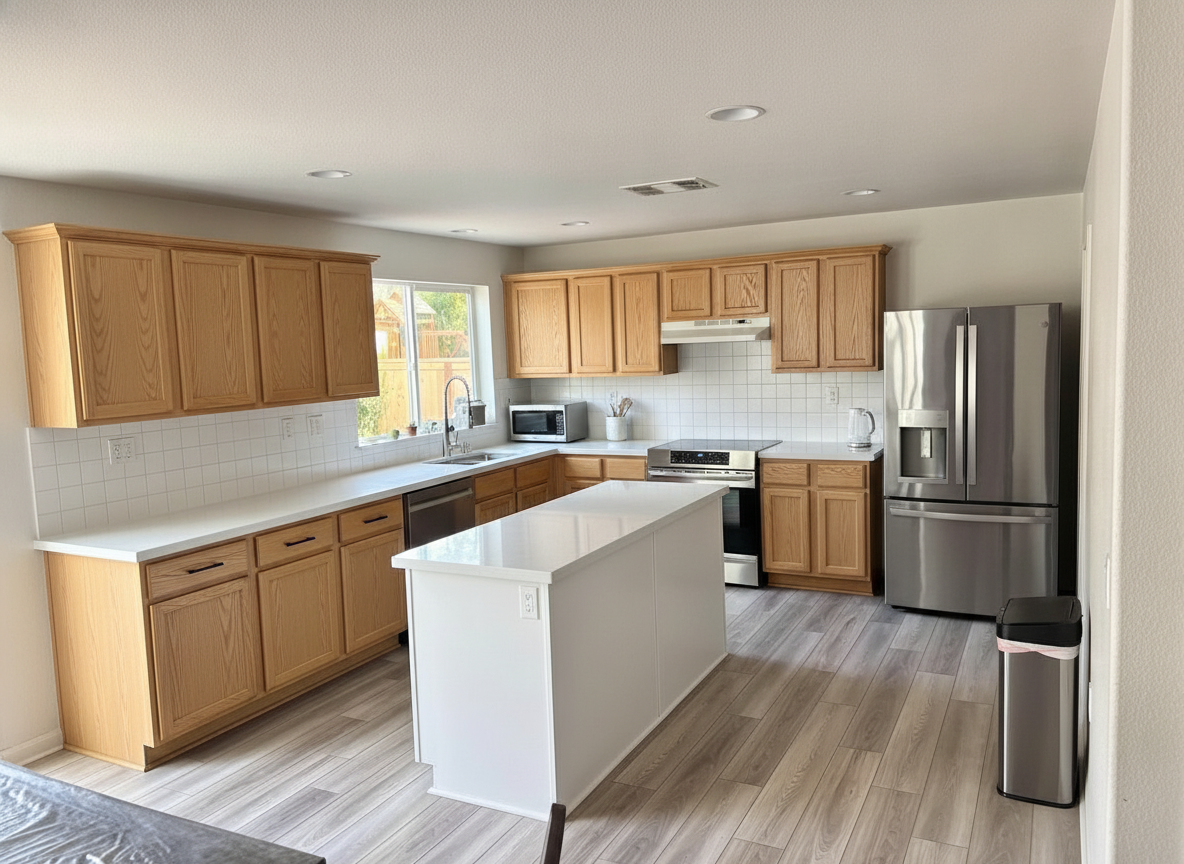 9s
9s “Remodel this kitchen in a Scandinavian style: pale oak flat-panel cabinets and island, white quartz countertops, a plain white square tile backsplash, slim black handles and a white range hood. Keep the window, the island, the appliances and the floor exactly where they are.”
We asked for pale flat-panel oak and got raised-panel oak a shade off honey, plus a white island nobody asked for. It heard the wood and not the style. Left in on purpose: “Scandinavian” is not a spec, “flat slab doors, no raised panels” is.
Try this on your kitchen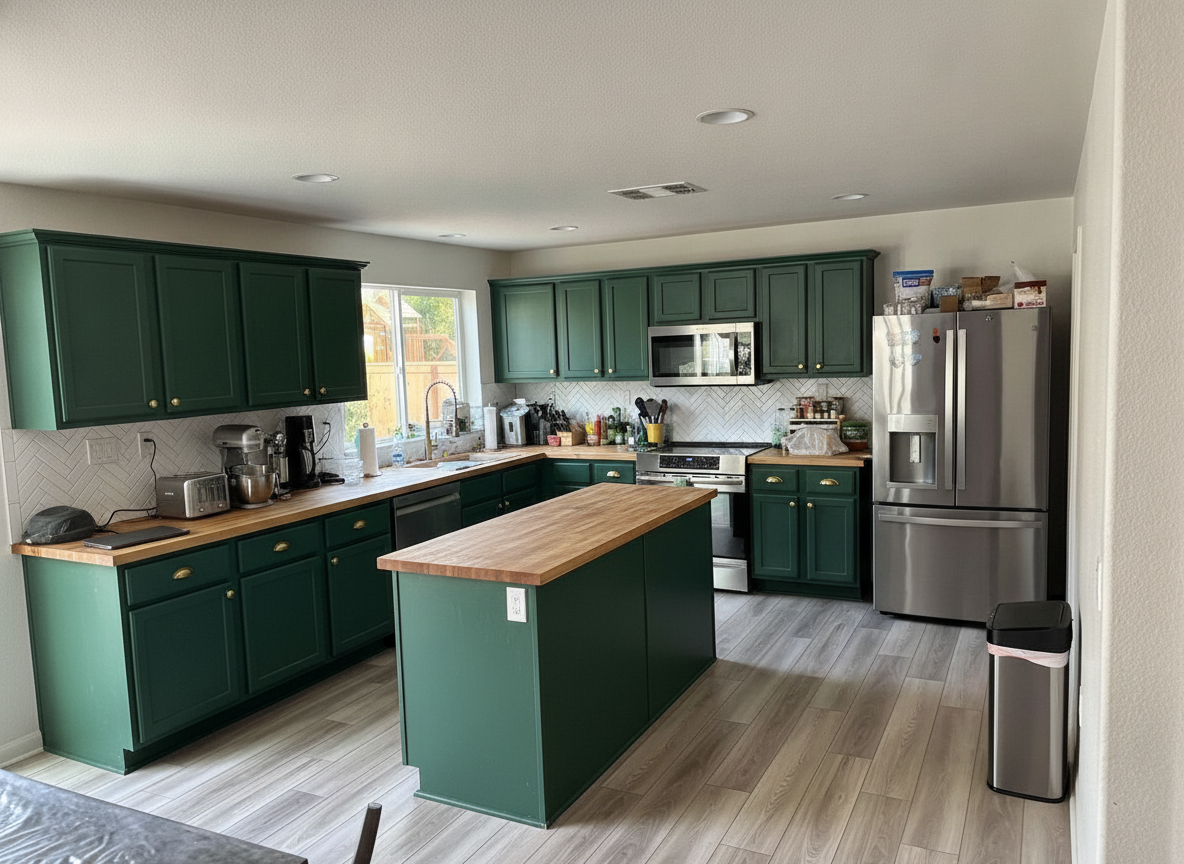 7s
7s “Remodel this kitchen with dark green shaker cabinets and a matching island, butcher block countertops, a white zellige tile backsplash, brushed brass cup pulls and knobs, and a brass faucet. Keep the window, the island, the appliances and the floor exactly where they are.”
The clutter on the counter is still there, which is the point — this is your kitchen on a Tuesday, repainted. It kept the herringbone backsplash instead of switching to zellige; the colour and the wood are exactly right.
Try this on your kitchen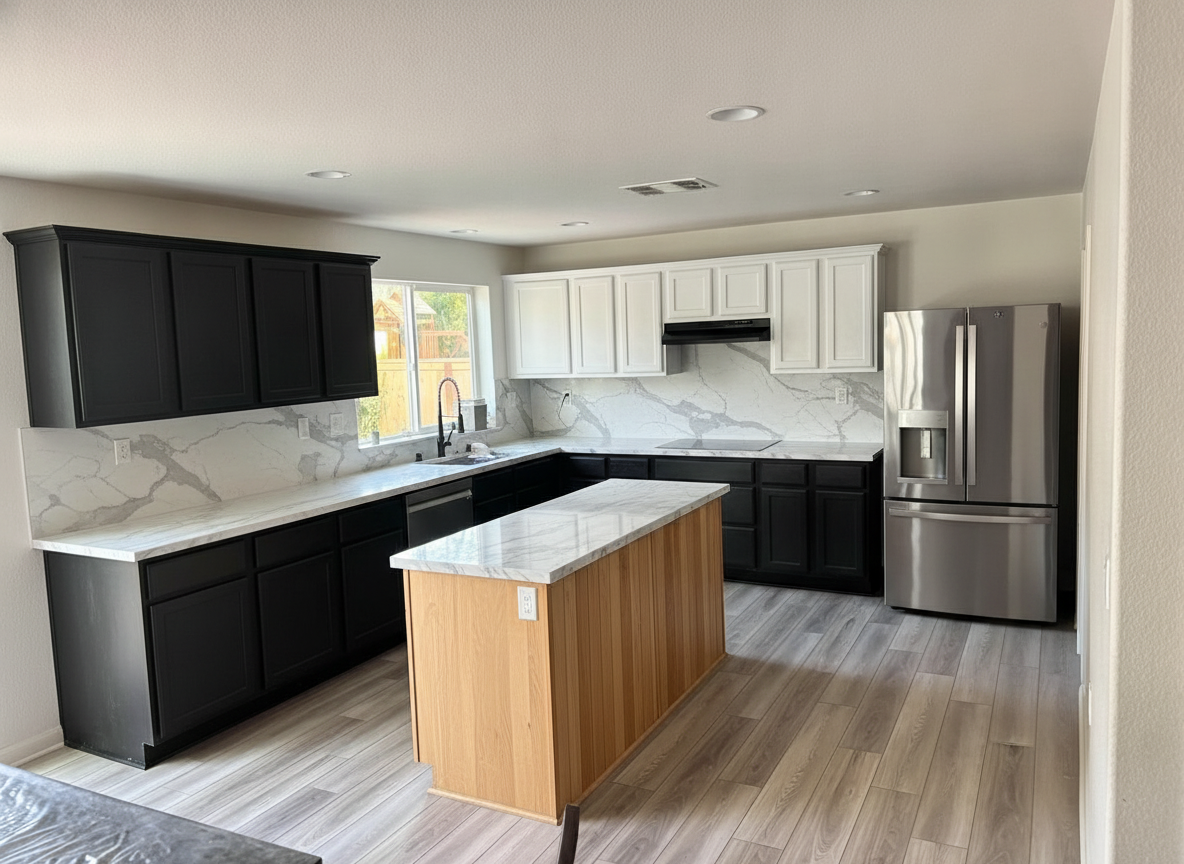 8s
8s “Remodel this kitchen in a modern style: matte black flat-panel cabinets, a white oak island with a white marble-look countertop, a full-height white marble slab backsplash, black fixtures and a slim black range hood. Keep the window, the island, the appliances and the floor exactly where they are.”
The biggest swing of the five. The uppers on the back wall stayed white, so what came back is two-tone rather than all black — a happy accident worth keeping, and a reminder to say “all cabinets” when you mean all.
Try this on your kitchen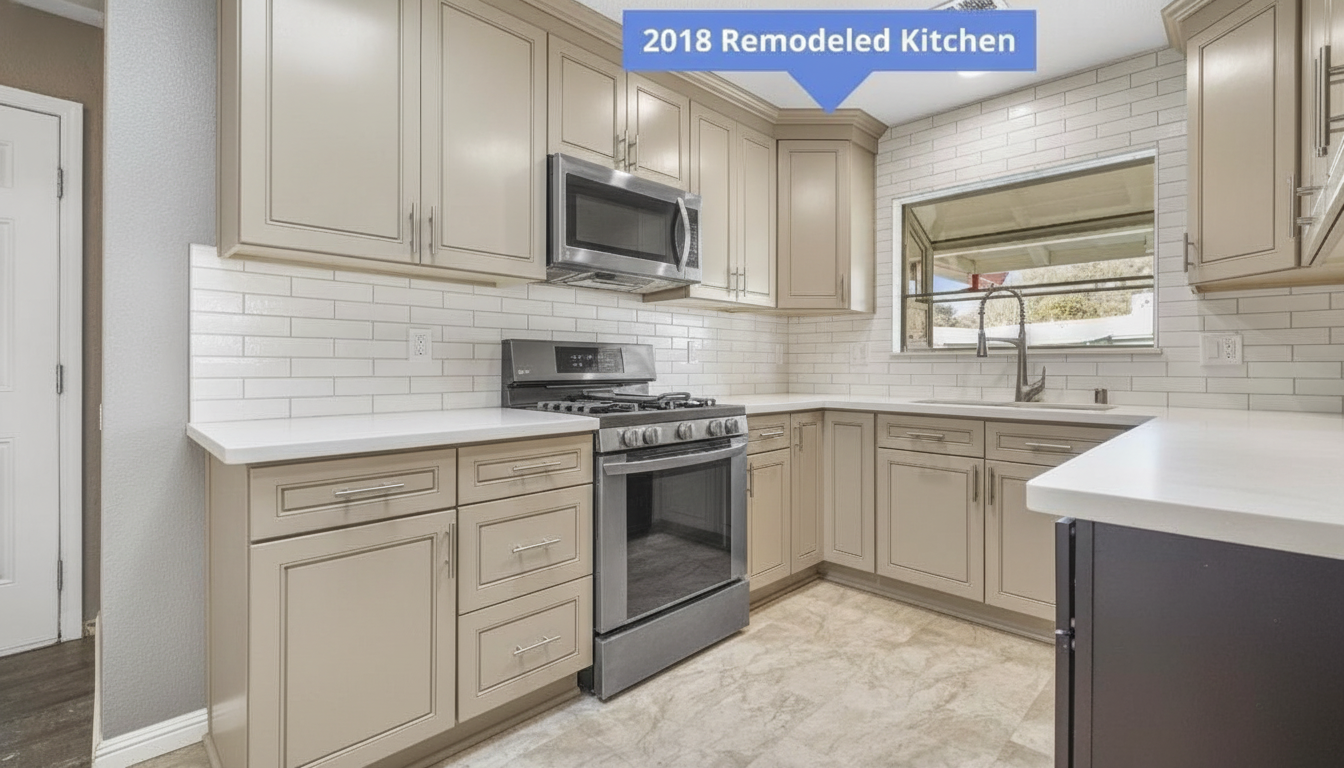 6s
6s “Paint the dark espresso cabinets a light warm greige with brushed nickel hardware. Keep the white subway tile backsplash, the quartz countertops, the range and the floor exactly as they are.”
One sentence, one change. The peninsula on the right kept a strip of espresso, which is the kind of thing you spot in two seconds on a render and two weeks into a paint job.
Try this on your kitchen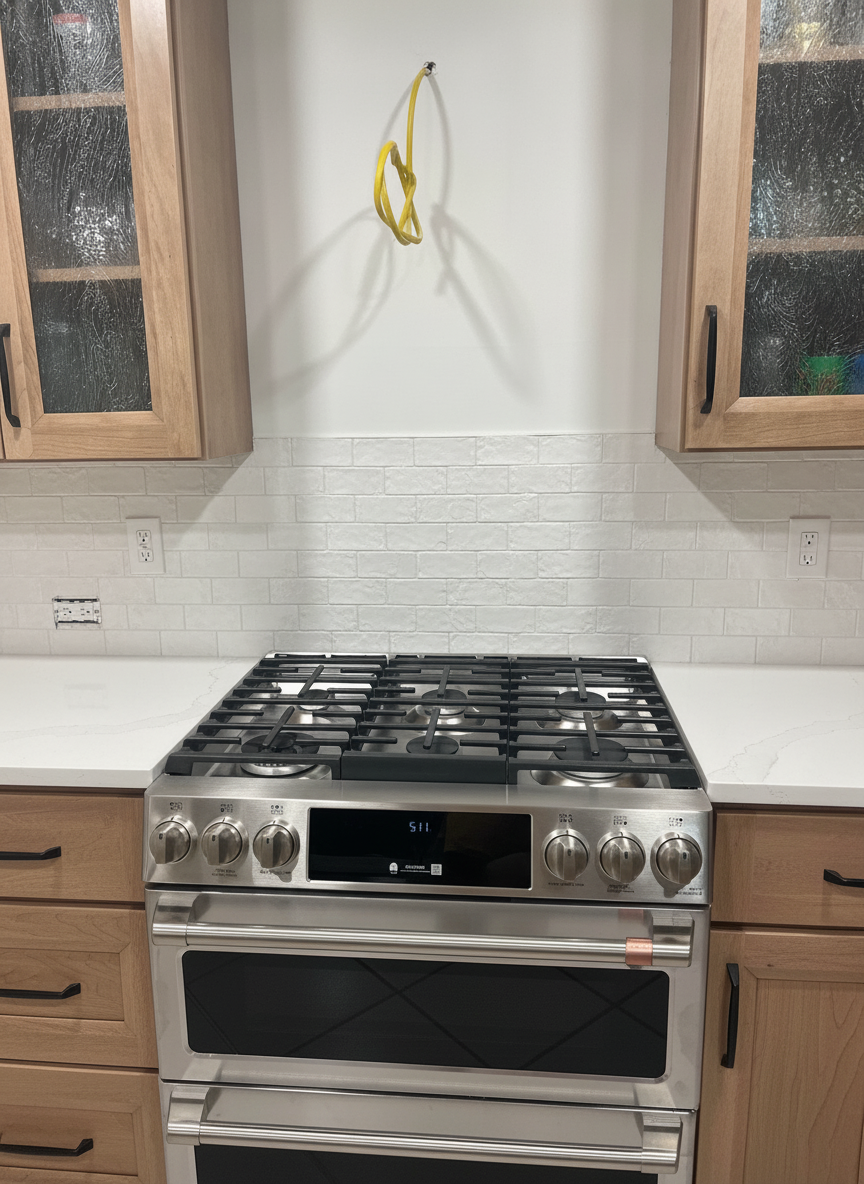 8s
8s “Keep the honey oak cabinets but replace the countertops with white quartz, add a white zellige tile backsplash on the bare wall behind the range, swap the hardware for matte black and remove the tile samples from the counter. Keep the range and the cabinets exactly where they are.”
The mid-project kitchen, finished without painting a door. White quartz and a white tile run make the oak read as a choice instead of a leftover. The gas line on the wall is real and still there.
Try this on your kitchenWant a direction before you type one? Modern kitchen ideas and corner kitchen cabinet ideas are the same engine run on other real kitchens — pick the one you keep coming back to, then run it on yours.
The question we get most
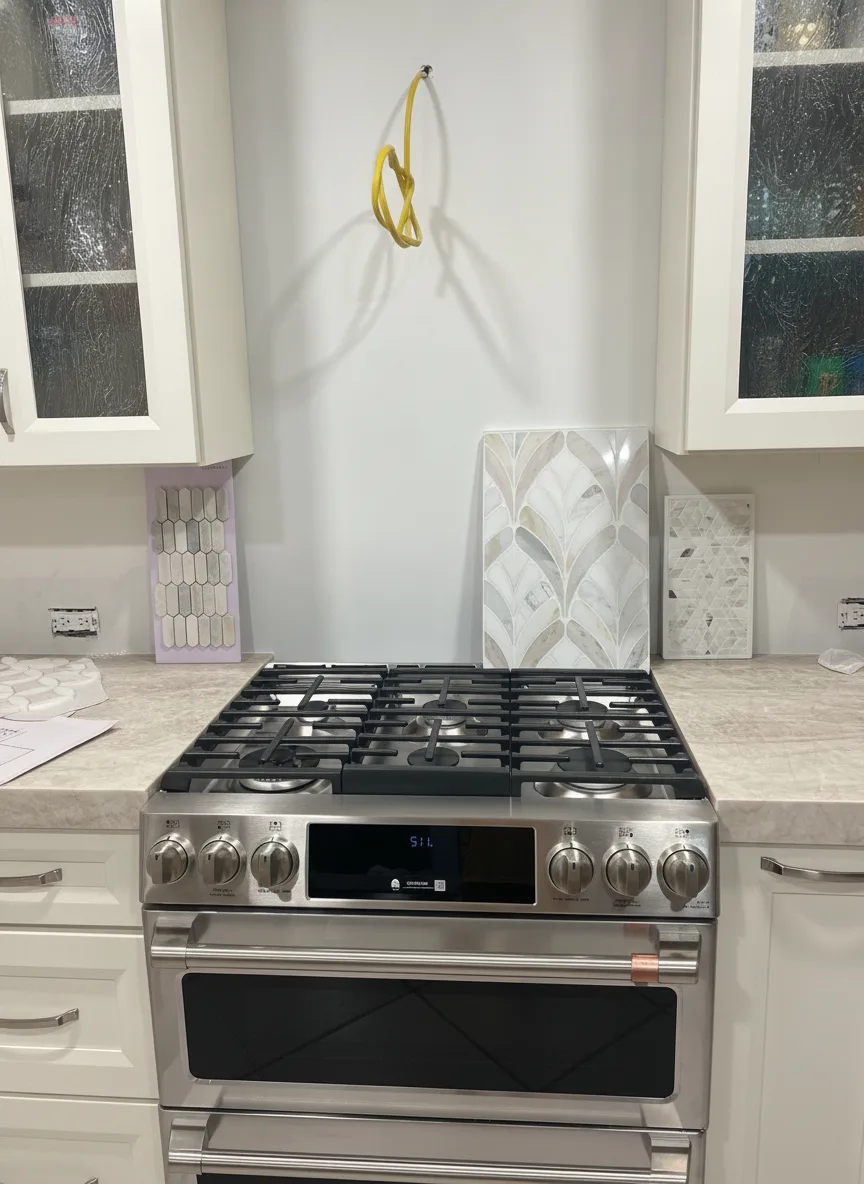
Dark cabinets going light is the easy case. The harder question is the opposite one: my cabinets are honey oak, can AI show me those painted? We ran it on a real homeowner photo taken mid-project — bare backsplash wall, tile samples still propped against it, no colour chosen yet.
 Creamy white
 “Paint the honey oak cabinets a creamy warm white. Keep the stainless range, the cream stone countertops and the tile samples propped against the wall exactly as they are.”
White is what most people picture when they say “update the oak.” Notice what it costs: the cream counters now read as the warmest thing in the frame. If your counters lean beige, white cabinets push them yellower, not cleaner.
Try this on your kitchen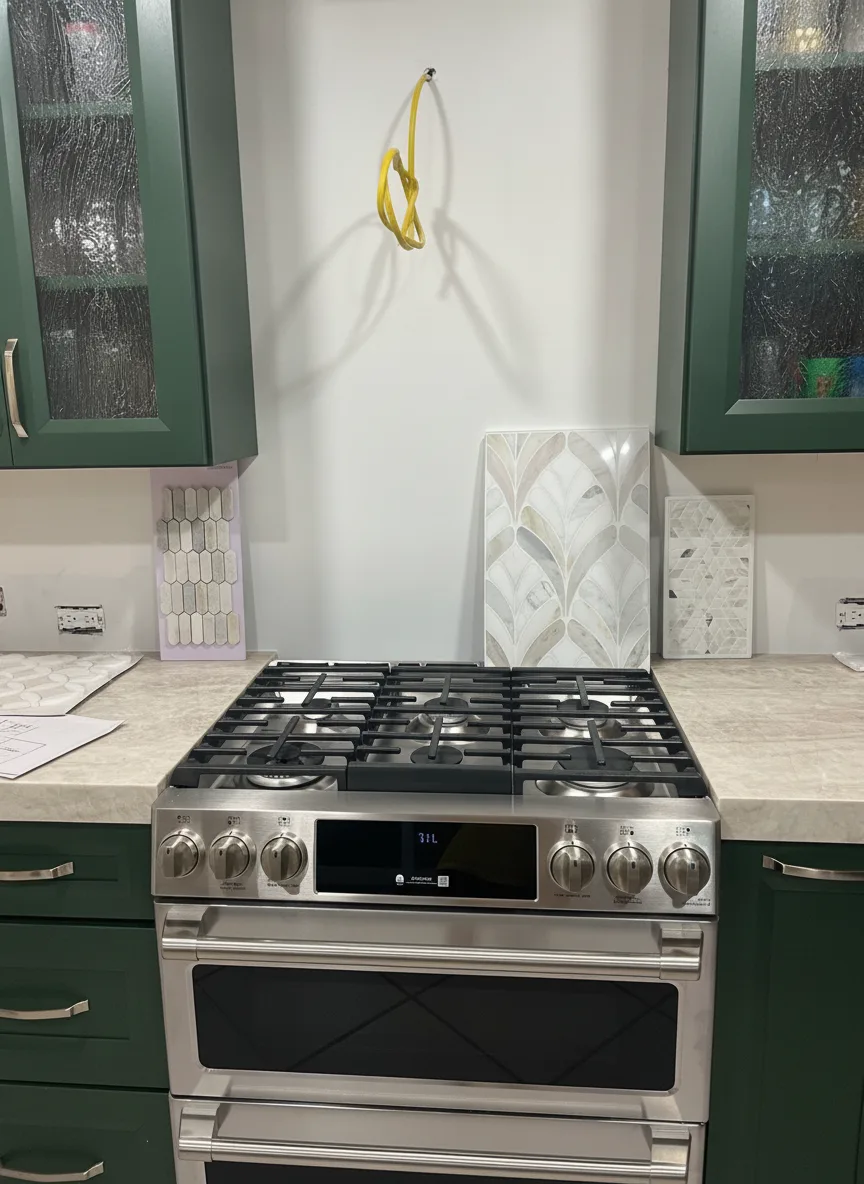 Deep forest green
 “Paint the honey oak cabinets a deep forest green with brushed brass hardware. Keep the stainless range and the cream stone countertops exactly as they are.”
Green does the opposite of white: it makes the cream counters read as light and deliberate instead of dated. This is where a preview earns its keep, because almost nobody can picture a dark saturated colour in their own kitchen from a paint chip.
Try this on your kitchen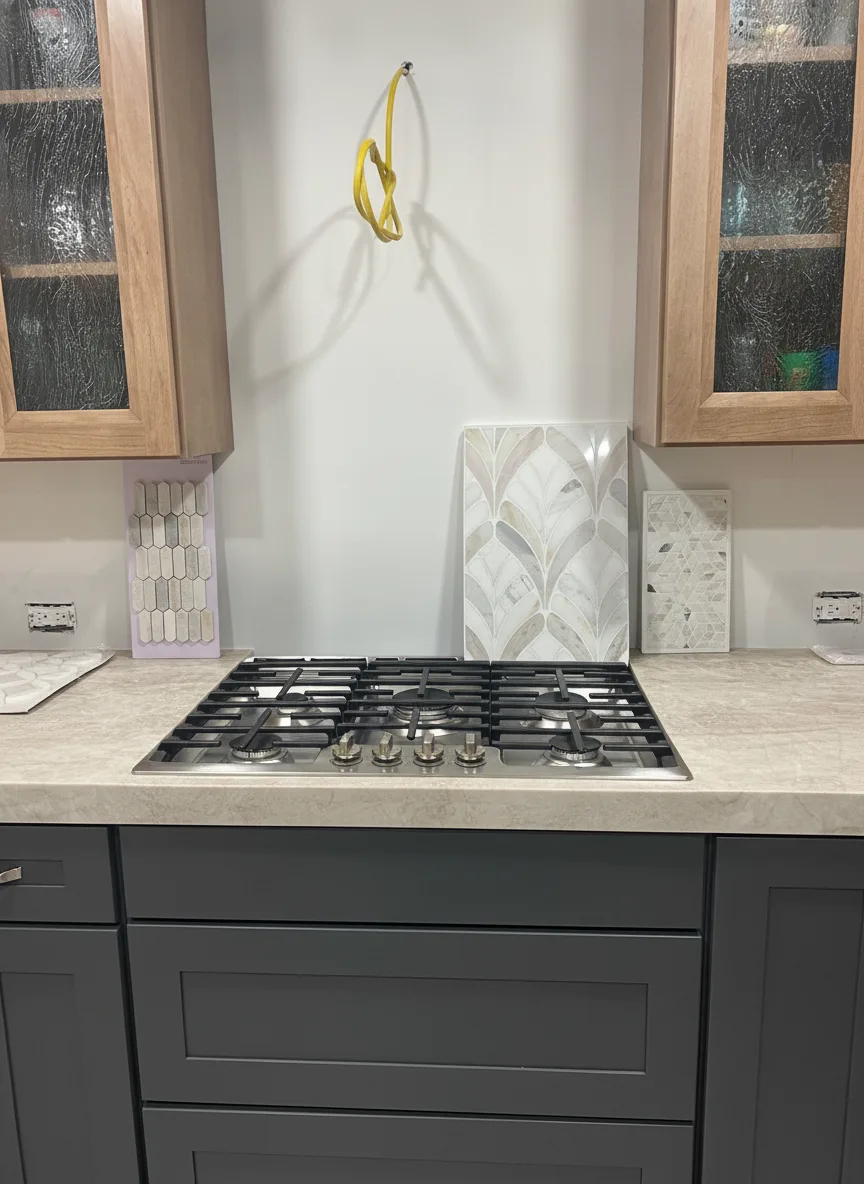 Two-tone charcoal
 “Paint only the lower oak cabinets deep charcoal and leave the upper glass-front cabinets in natural oak. Keep the stainless range and the cream stone countertops exactly as they are.”
Two-tone is the answer for people who like their oak but not all of it. Dark below, wood above: the lowers ground the room and take the abuse, the uppers keep the warmth.
Try this on your kitchenOne caveat worth knowing before you read your own render: look closely at the two-tone version and the double-oven range from the original came back as a cooktop with drawers under it. Nobody asked for that. The colour is real; the inventory is not. Trust the hue and the way the room’s light changes, verify the appliances and the hardware, and never hand a render to a contractor as a spec.
Straight answers
A kitchen render is a decision tool. It answers “would I like my kitchen like this?” in seconds, for free, before a cabinet shop quotes you.
Questions
Yes. New accounts get free credits to design your own kitchen photos with no card, and the free tier stays available after that. Pro unlocks higher volume, higher-resolution downloads and unwatermarked exports. Every before and after on this page was produced on the same engine you get for free.
That is exactly what this does. Photograph the kitchen from the doorway, say what you want in plain English, and Renovate AI renders that design into your photo — same cabinets, same window, same camera angle. It is your kitchen, not a catalog picture of someone else’s.
Yes, and it is the most common thing people ask it for. Name the colour the way you would to a painter — "sage green", "creamy warm white", "deep navy with brushed gold hardware" — and it repaints the doors while holding the counters, the backsplash and the appliances. The cabinet-colour examples above are a real dark espresso kitchen repainted three ways.
Yes, and oak is the case worth testing before you commit, because oak going light behaves differently from dark going light. The honey-oak section on this page is one real mid-project kitchen painted three ways. One thing a render will not tell you: oak has deep open grain, and painted oak still reads as oak in person unless someone fills that grain first. A render gives you a smoother door than a painter will.
Yes. Backsplash is a large flat surface with clear edges, which is exactly the kind of change a render gets right. Describe the tile and the lay pattern — "muted dusty blue subway tile, brick lay" — and it fills the run while keeping the cabinets and counters. Beats propping a 6-inch sample against the wall and squinting.
Yes. Renovate AI runs on iPhone and Android as well as in the browser, so you can stand in the kitchen, photograph it and redesign it on the spot. The same account and the same renders follow you across every device.
The render keeps your kitchen — cabinet runs, window, ceiling height and camera angle stay put — so you are judging the change and not a different room. Trust the colour, the value and the way the room’s light shifts. Do not assume the inventory came back untouched: in one of the renders on this page a double-oven range came back as a cooktop with drawers under it, and nobody asked for that. Trust the hue, verify the appliances, and never hand a render to a contractor as a spec.
Seconds. The renders on this page came back in roughly 7 to 10 seconds each. You can run three cabinet colours on the same kitchen photo and compare them side by side in under a minute.
Yes. Renovate AI is a free kitchen design app on iPhone and Android and a free kitchen design tool in the browser, on the same account. New accounts get credits to design their own kitchen photos with no card. The app is the easier way to take the photo; the browser is the easier way to compare five renders side by side.
It is kitchen design software in the sense that matters — you describe a change and see it — but not in the sense of CAD. There is no floor plan, no cabinet catalogue to drag from and no measurements. If you need a layout drawn to scale, a kitchen designer or a planner tool is the right call. If you need to see your own kitchen with different cabinets before you commit, a photo and a sentence is enough.
That is the whole idea. Free online kitchen design here means one photo from the doorway, the change typed in plain English, and a photorealistic render in seconds — no plan, no measuring, no 3D model. What you give up is precision: it shows you what the kitchen would look like, not whether the island clears the dishwasher door.
Keep going
The other room everyone wants to redo. Tile, vanity, fixtures and how far to go, rendered into your own bathroom from one photo.
Design a bathroomThe same engine pointed at the whole house — living rooms, bedrooms, basements and exteriors remodelled from a photo.
Remodel a roomTake one picture from the doorway, describe the cabinets, counters and backsplash, and see your kitchen redesigned in seconds. Free to try — on iPhone, Android and the web.


