

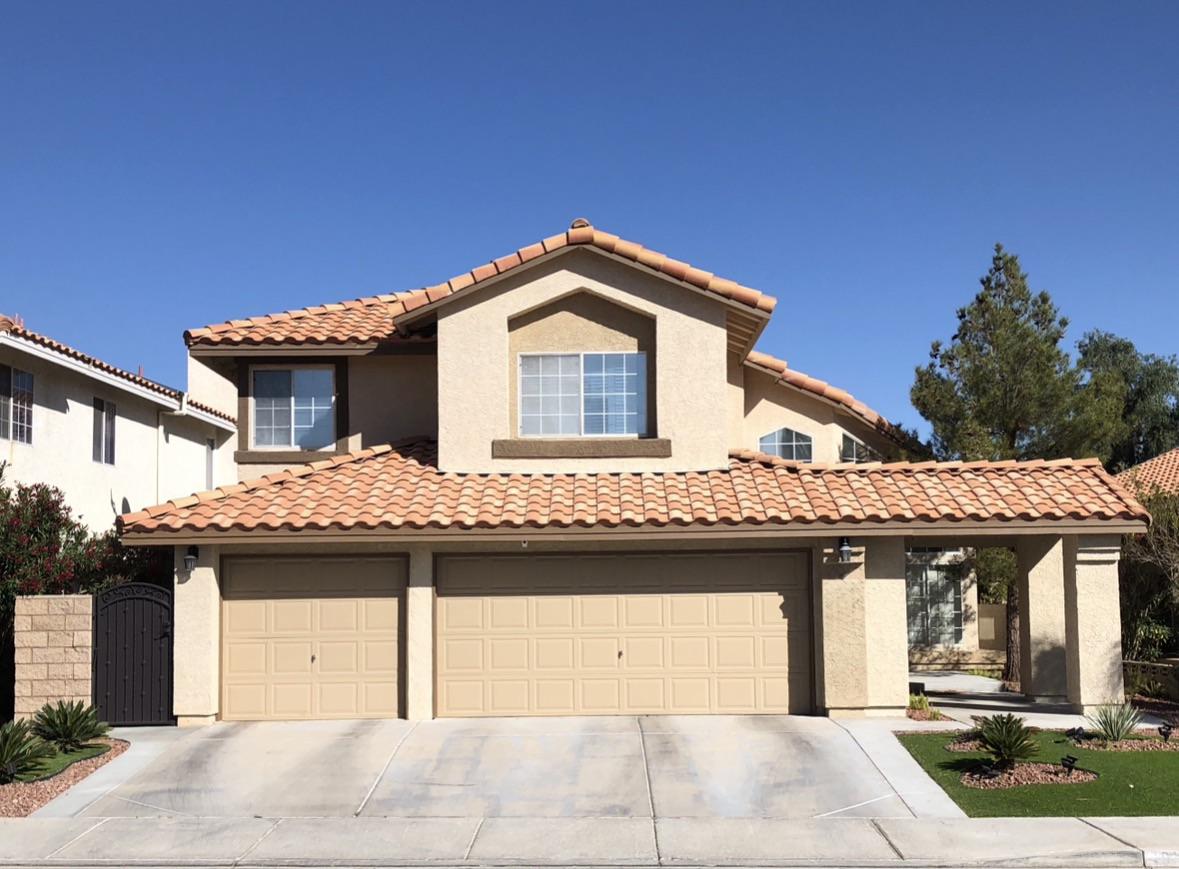
 Your photo
 1Photograph the surface
One shot from the street or the back door. A phone snap is enough — no site plan, no survey, no measuring the square footage.
Free to try
Photograph your driveway, patio, walkway or front path, pick a material, and see it laid on your own ground in seconds. Pick a surface and a material below — every before and after on this page is unretouched output from the live Renovate AI engine.
What should the surface become?
Replace this plain concrete driveway with a paver driveway: large charcoal and grey concrete pavers laid in a herringbone pattern with a soldier-course border, and a matching paver apron at the street. Keep the house, the tile roof, the garage doors and the landscaping exactly as they are.
How it works
No site plan, no CAD, no measuring the square footage. The photo you can take standing at the end of your own driveway right now is the input.
Your photo One shot from the street or the back door. A phone snap is enough — no site plan, no survey, no measuring the square footage.
Replace this plain concrete driveway with charcoal and grey concrete pavers in a herringbone pattern with a soldier-course border.
Type it the way you would say it to a contractor. Name a material and a pattern, or just say “make it pavers” — everything you do not mention stays put.
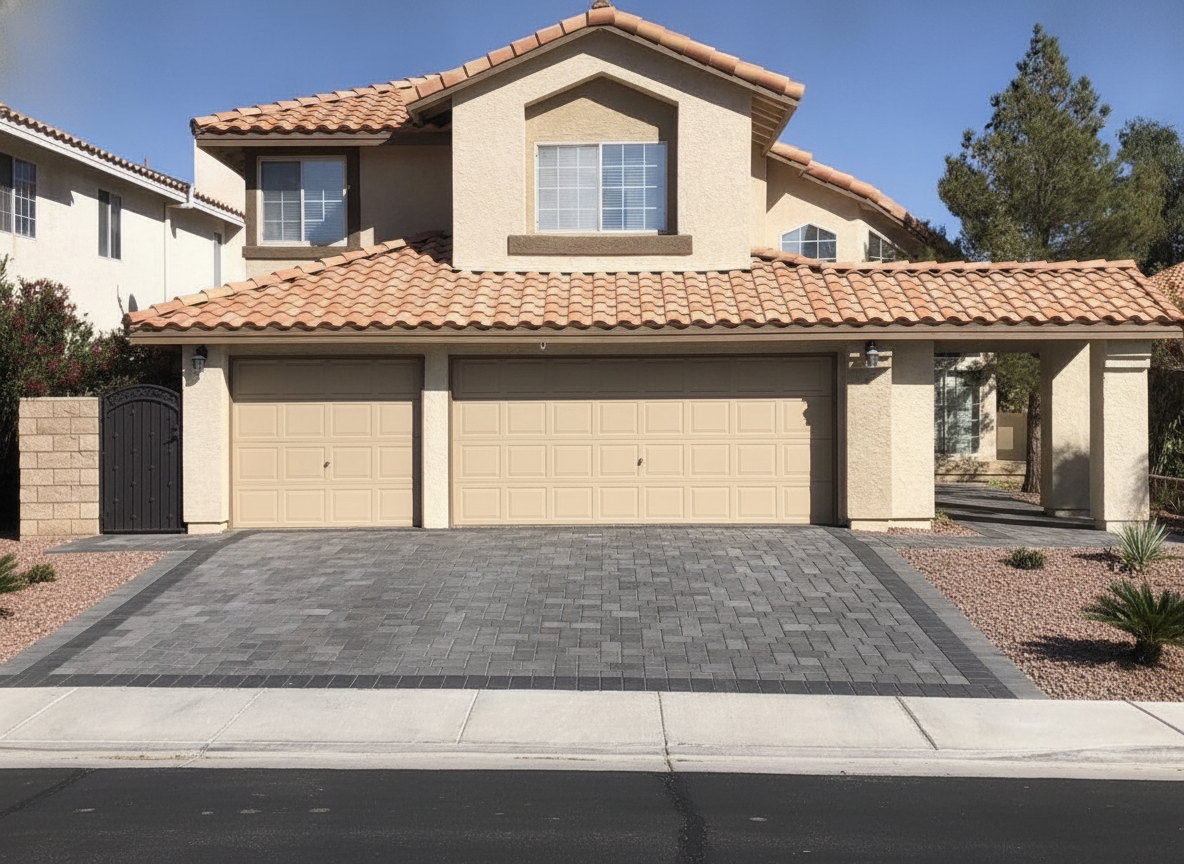 7s The render
 A photorealistic render of that surface on your own ground, in seconds. Keep it, change the border, or run three more materials on the same photo.
The render above came back in 7 seconds. Four materials on one driveway photo is about a minute, and it is a decision most people make from a brochure.
One driveway, four materials
A driveway contractor will show you a sample board and a folder of other people’s houses. Neither answers the only question that matters: what does it look like on my frontage, against my garage doors. Below is one real concrete driveway resurfaced four ways from a single photograph, camera angle held still.
7s Charcoal and grey pavers in herringbone with a soldier border. The most expensive of the four, and the only one you can lift and relay in sections.
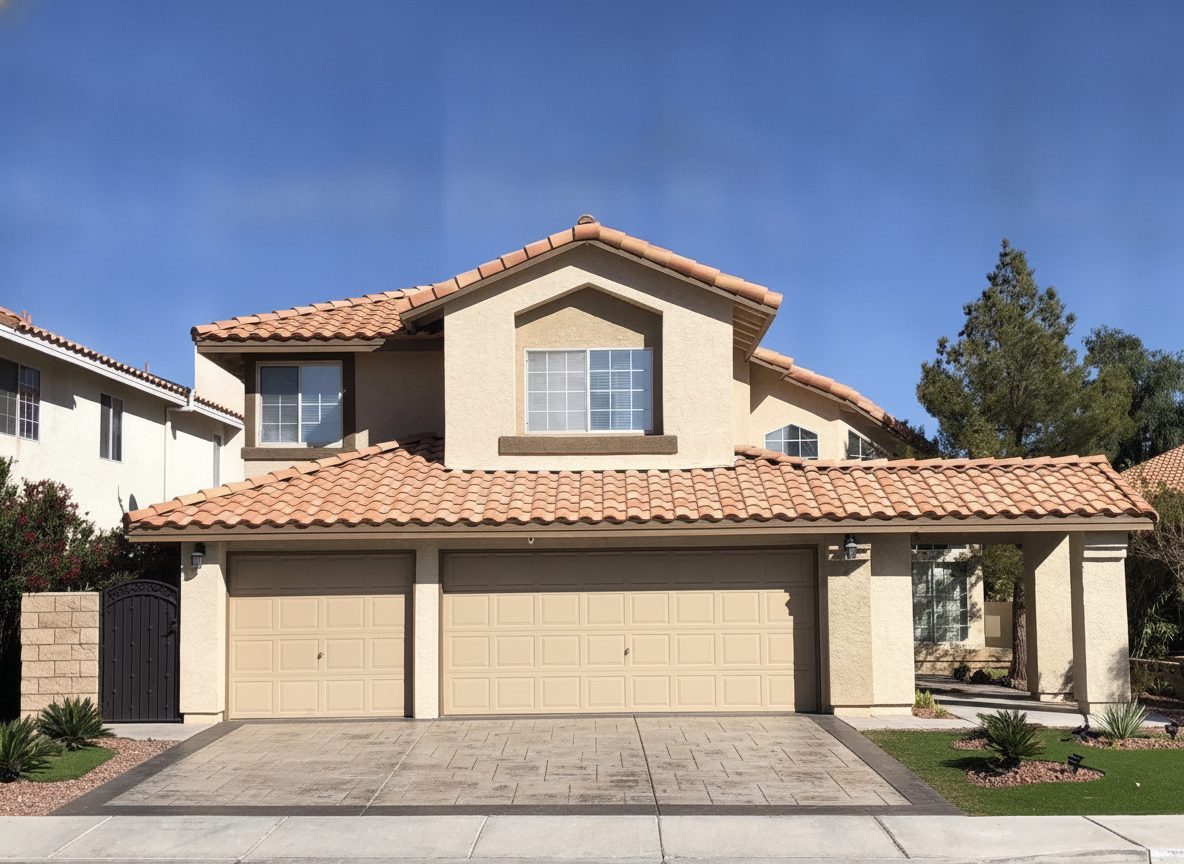 7s
7s Poured concrete stamped into an ashlar slate pattern with a darker border band. Reads as stone from the street and pours as one slab.
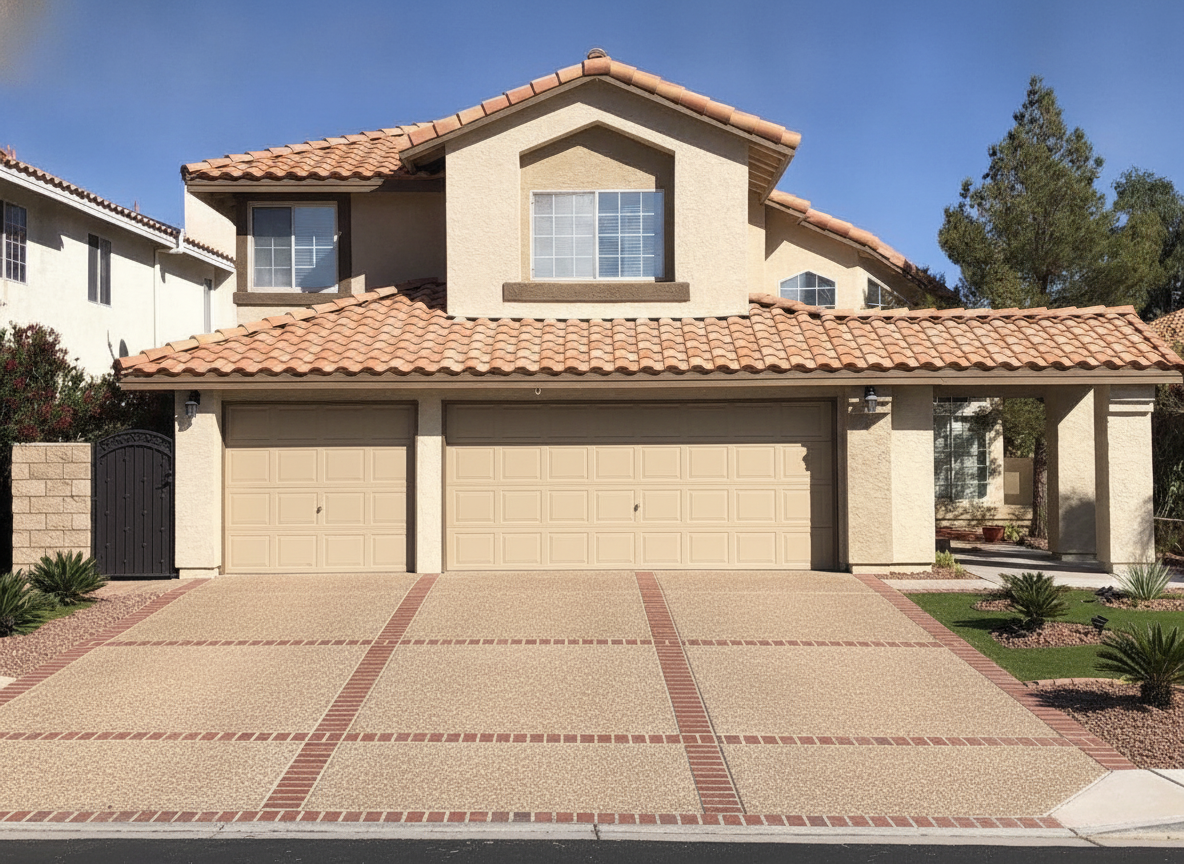 6s
6s Exposed aggregate panels divided by clay brick banding. Grippiest surface of the four, and the one that hides staining best.
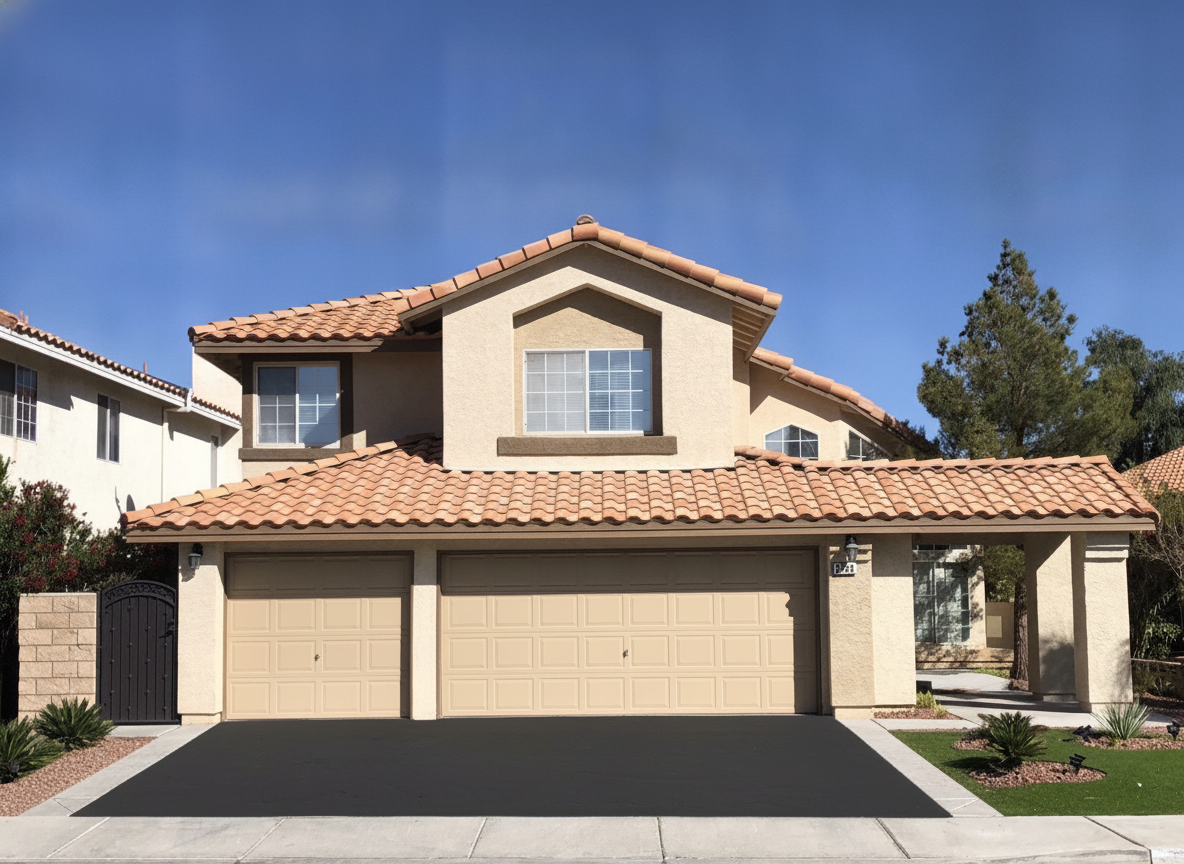 7s
7s Dark asphalt with a poured concrete ribbon curb down both edges. Cheapest to lay, and the edging is what stops it looking cheap.
Four renders, one photograph, under half a minute of wall-clock time. The house, the tile roof, the garage doors and the planting are identical in all four because the engine was told to hold them — the only thing that changed is what is under the car.
Two halves of one yard
This page is about the hard surfaces — driveways, patios, walkways, entry paths, the pavers and concrete and stone. They are the expensive half of an outdoor project, the half you cannot easily undo, and the half a photograph settles fastest.
The soft half — planting beds, grasses, hedging, lawn replacement, gardens — lives on our landscape design tool. Most real projects need both, and you can run the same photo through each: settle the surface first, because the planting has to work around it, then design what frames it.
Design the planting on the AI landscape design tool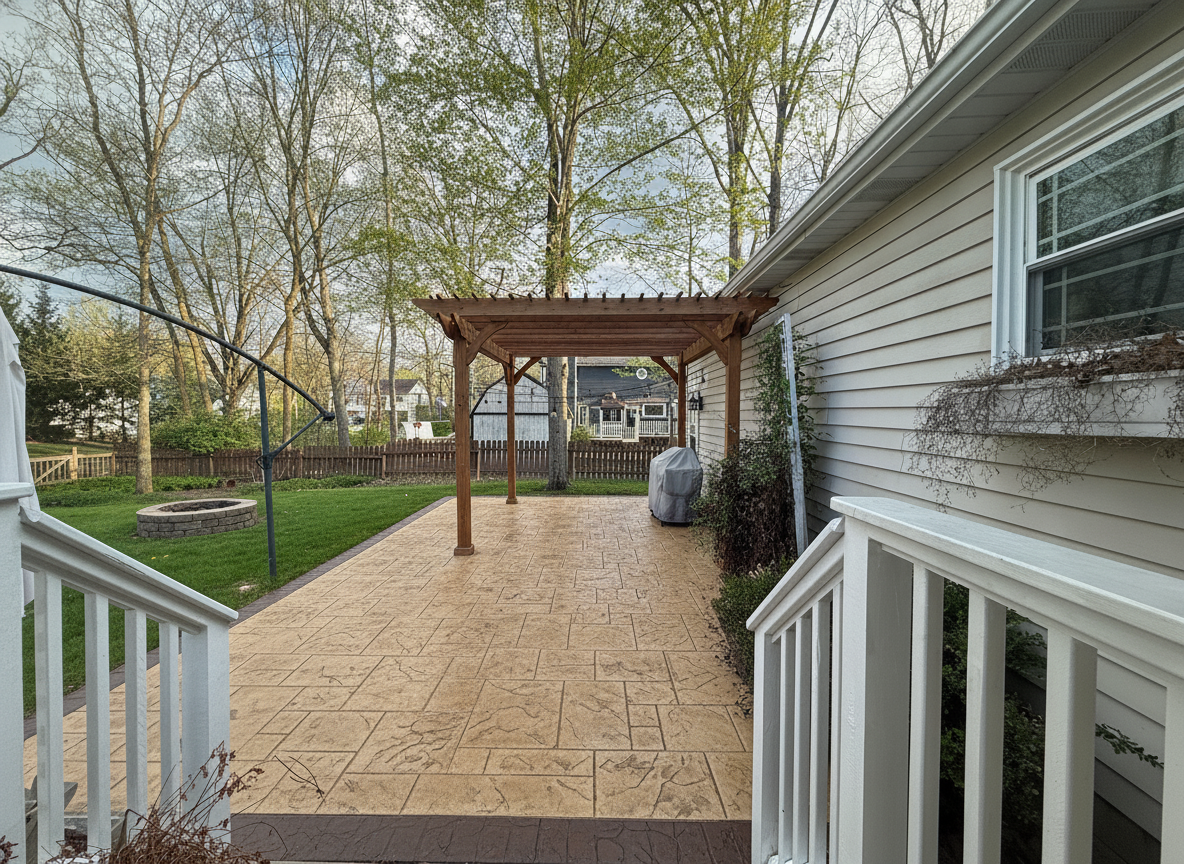 Patio · stamped concrete · 8s
 Every hard surface
A whole driveway or a single detail — just the border, just the apron, just the path across the lawn. Every image below is a real render from a real homeowner photo.
Pavers, stamped concrete, exposed aggregate, asphalt with a concrete ribbon. Usually the largest single surface on the property and the one nobody pictures before it is poured.
Get free AI landscape design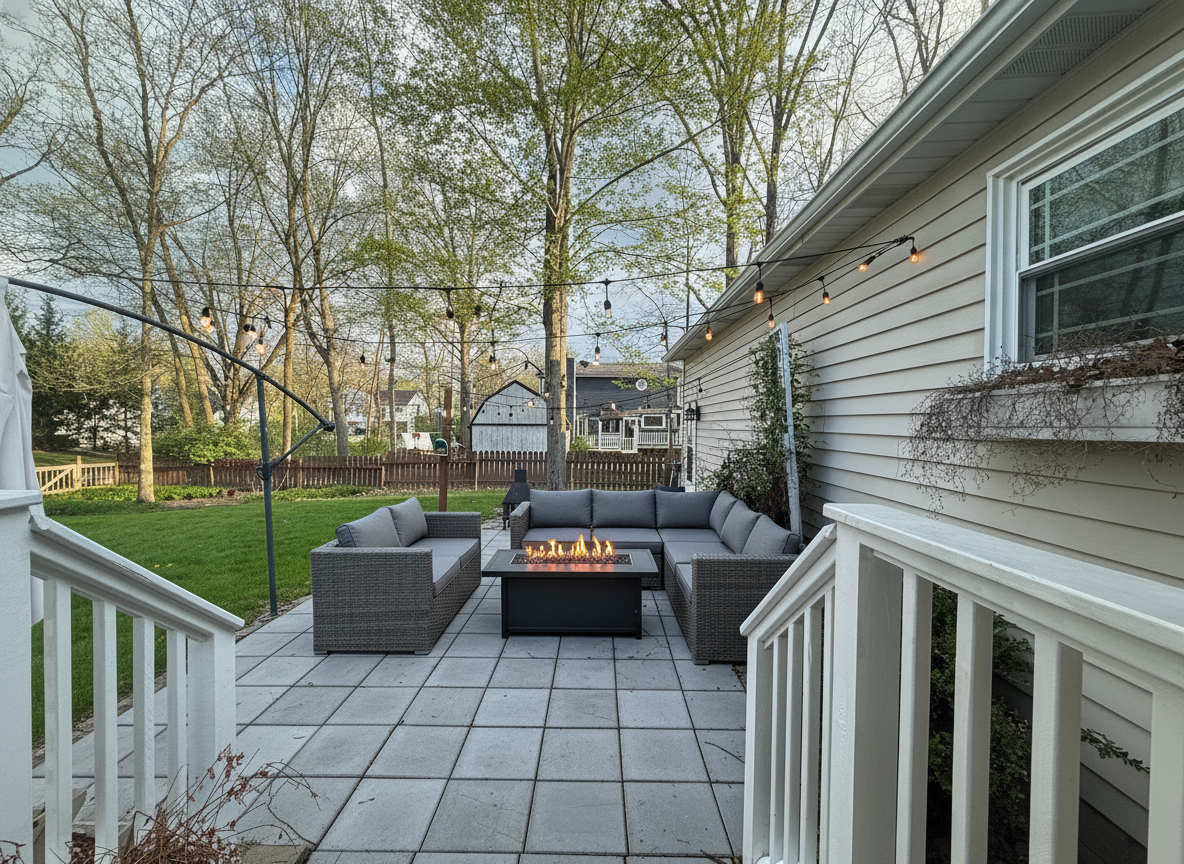
Porcelain pavers, flagstone, stamped concrete, brick. Add the seating, the fire pit and the pergola in the same render so you are judging the finished thing.
Preview an outdoor makeover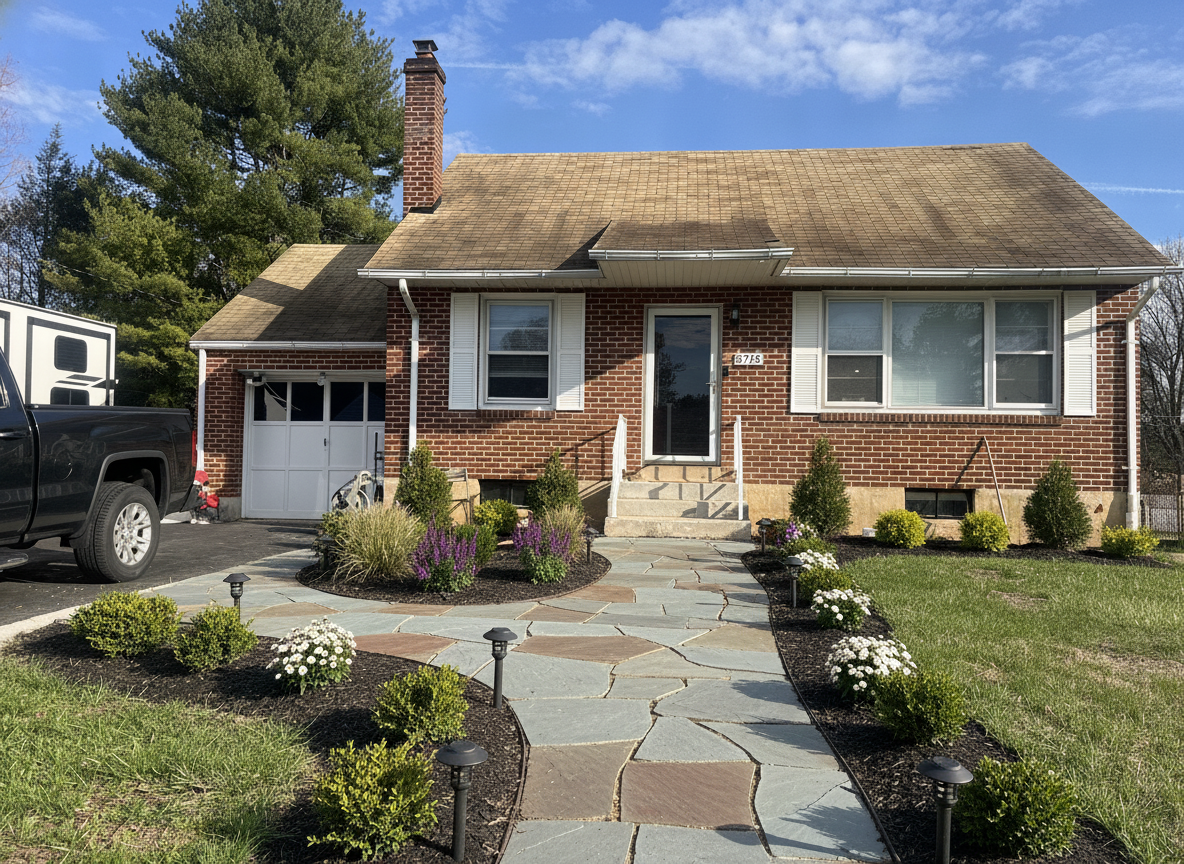
Widening a narrow path is the highest-return hardscape change there is, and the hardest to picture from a quote. See the width before you agree to it.
Visualize your yard makeover free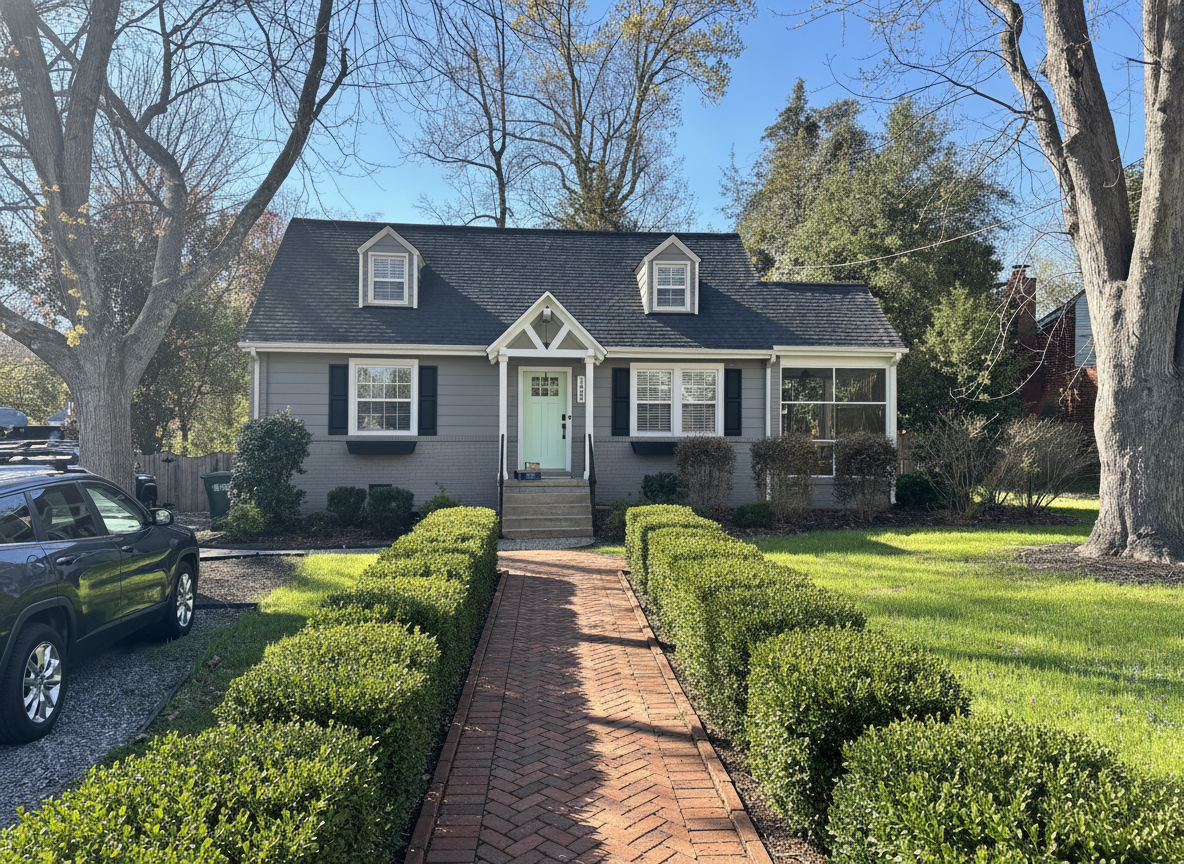
A house with no path from the driveway to the door has a curb-appeal problem you can fix in a weekend. Try three routes across the lawn first.
Design the front of the houseA soldier course, a brick band, a steel edge or a concrete ribbon. Edging is a small fraction of the cost and most of the difference between finished and unfinished.
See the details rendered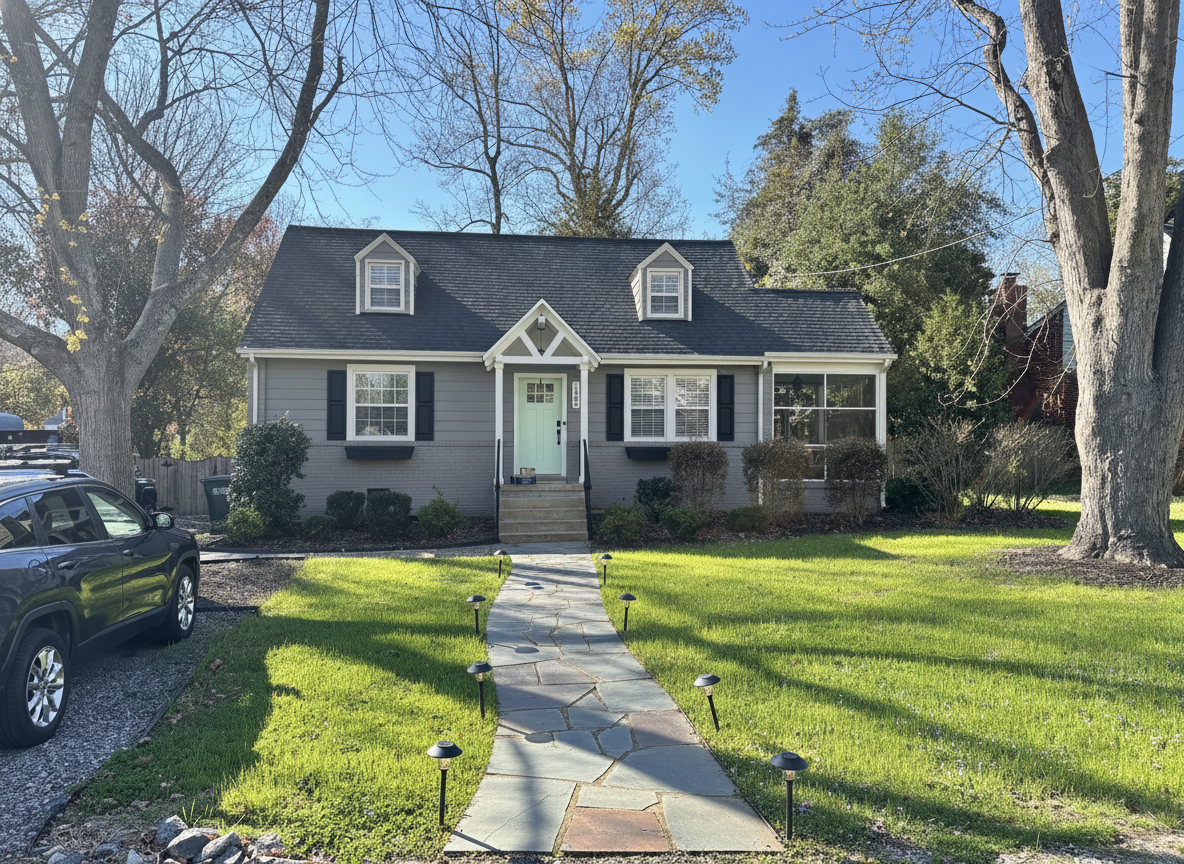
Hard surfaces are half the picture. Once the driveway and path are settled, design the beds and grasses that frame them.
Design the planting tooPrefer to read it first? Is there an app where I can get free AI landscape design? works through six directions on one front yard — driveway and all — and visualize your yard makeover free covers what to expect before you start.
Straight answers
A hardscape render is a direction-finding tool. It answers “would I like my driveway like this?” in seconds, for free, before anyone quotes you for a pour.
Questions
Yes. New accounts get free credits to design your own driveway and patio photos with no card, and the free tier stays available after that. Pro unlocks higher volume, higher-resolution downloads and unwatermarked exports. Every before and after on this page was produced on the same engine you get for free.
That is exactly what this does. Stand at the street, photograph the driveway, name a material, and Renovate AI renders that surface into your photo — same house, same garage doors, same grade, same camera angle. The four driveway images above are one real concrete driveway rendered four ways from a single photograph.
This is one. Photograph the patio, describe what you want it resurfaced with and what should sit on it, and the render comes back in seconds. The patio examples above are one real cracked paver patio redesigned three ways — porcelain, bluestone flagstone and stamped concrete with a pergola.
Concrete pavers, brick pavers, porcelain pavers, stamped concrete, exposed aggregate, poured concrete, asphalt, bluestone and irregular flagstone, gravel and decomposed granite, and stepping stones set into gravel. Patterns work too — herringbone, running bond, basketweave, ashlar, soldier-course borders and ribbon curbs.
Yes. The entry path examples above add a walkway to a house that never had one, running across the lawn from the driveway to the front steps. Adding a surface works the same way as replacing one — describe where it goes and what it is made of.
No. A render will not price the excavation, the base prep, the drainage or the square footage, and material prices swing hard by region. What it does is settle which material you actually want before you ask three contractors to quote it — which is the part that usually takes weeks.
The render keeps your property — house, garage doors, roofline, grade and camera angle stay put — so you are judging the surface and not a different house. Treat it as a photorealistic preview for choosing a material, not as an engineering drawing. It does not check slope, drainage, frost depth or base construction, so take the render to a contractor before anything is poured.
Seconds. The renders on this page took 6 to 12 seconds each, measured end to end. You can put four materials on the same driveway photo and compare them side by side in under a minute.
Keep going
The soft half of the same yard — planting beds, grasses, hedging, lawn replacement and gardens, designed from one photo of your own ground.
Design the plantingThe house behind the driveway. Siding, brick, stucco, trim, front door and garage doors repainted from the same street-view photo.
Paint your houseThe same engine, pointed indoors — kitchens, bathrooms, living rooms and bedrooms remodelled from a photo.
Remodel a roomTake one picture from the street or the back door, name the material, and see your driveway, patio or walkway laid in seconds. Free to try — on iPhone, Android and the web.