

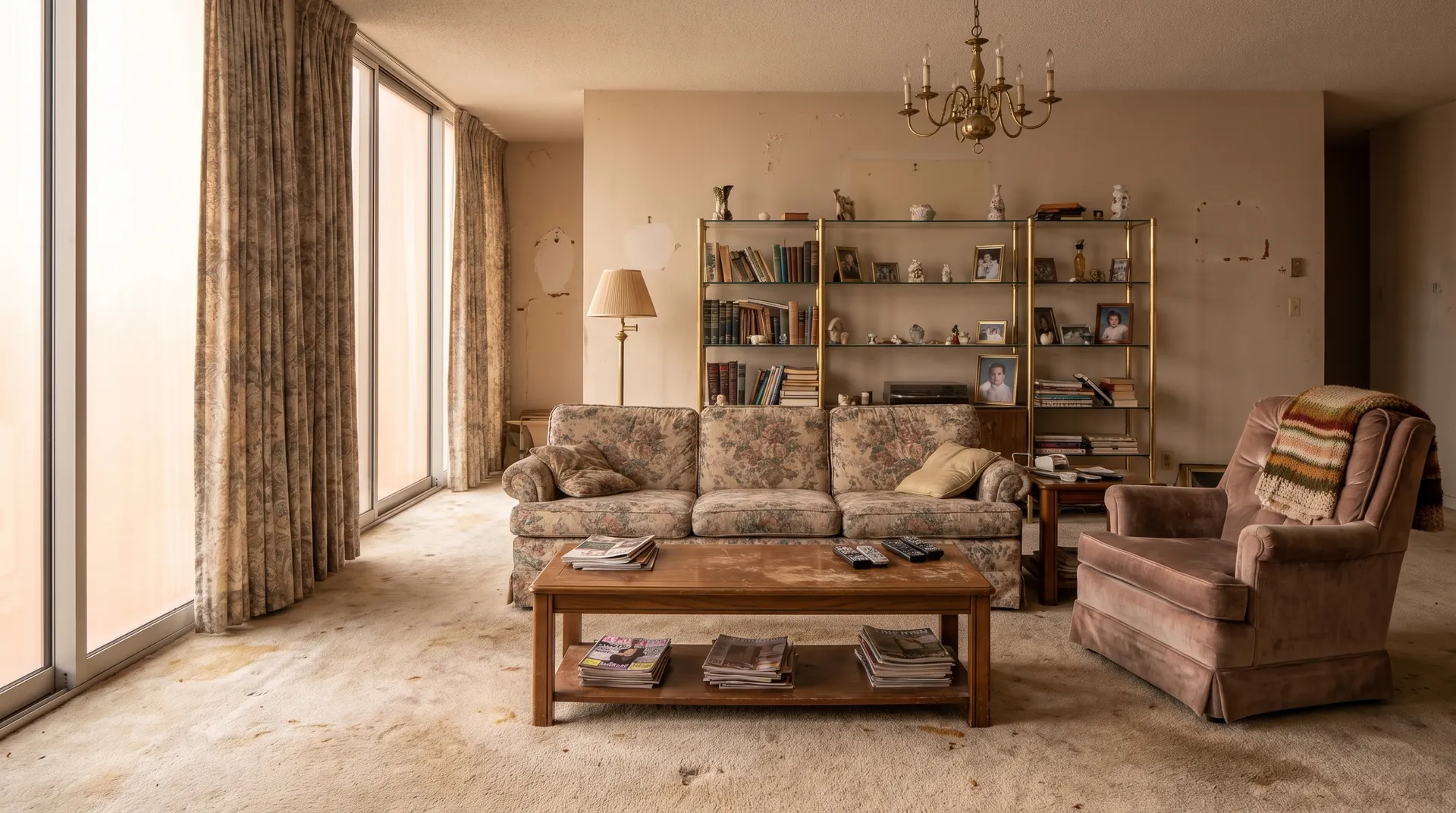
 Your photo
 1Photograph the room
One photo from the doorway. A phone snap is enough — no floor plan, no 3D model, no mood board required.
Free to try
Photograph a room, name a style, and see it rendered on your own walls in seconds. Pick a room and a style below — the six living room images are one real 1980s room restyled six ways, and every one is unretouched output from the live Renovate AI engine.
What style should the room be?
Redesign this dated living room in a mid-century modern style: a low walnut-framed sofa in burnt-orange wool, a leather lounge chair and ottoman, a walnut credenza where the brass shelving is, a globe pendant light, warm white walls, a geometric wool rug and walnut flooring in place of the carpet. Keep the room shape, the window wall, the ceiling and the camera angle exactly as they are.
How it works
No mood board to assemble, no designer to brief, no measuring. The photo you can take standing in your own doorway right now is the input.
Your photo One photo from the doorway. A phone snap is enough — no floor plan, no 3D model, no mood board required.
Redesign this living room in a mid-century modern style: a low walnut sofa in burnt-orange wool, a leather lounge chair, and a walnut credenza.
Type it the way you would say it to a designer. A style name works, and so does a sentence that only describes a feeling.
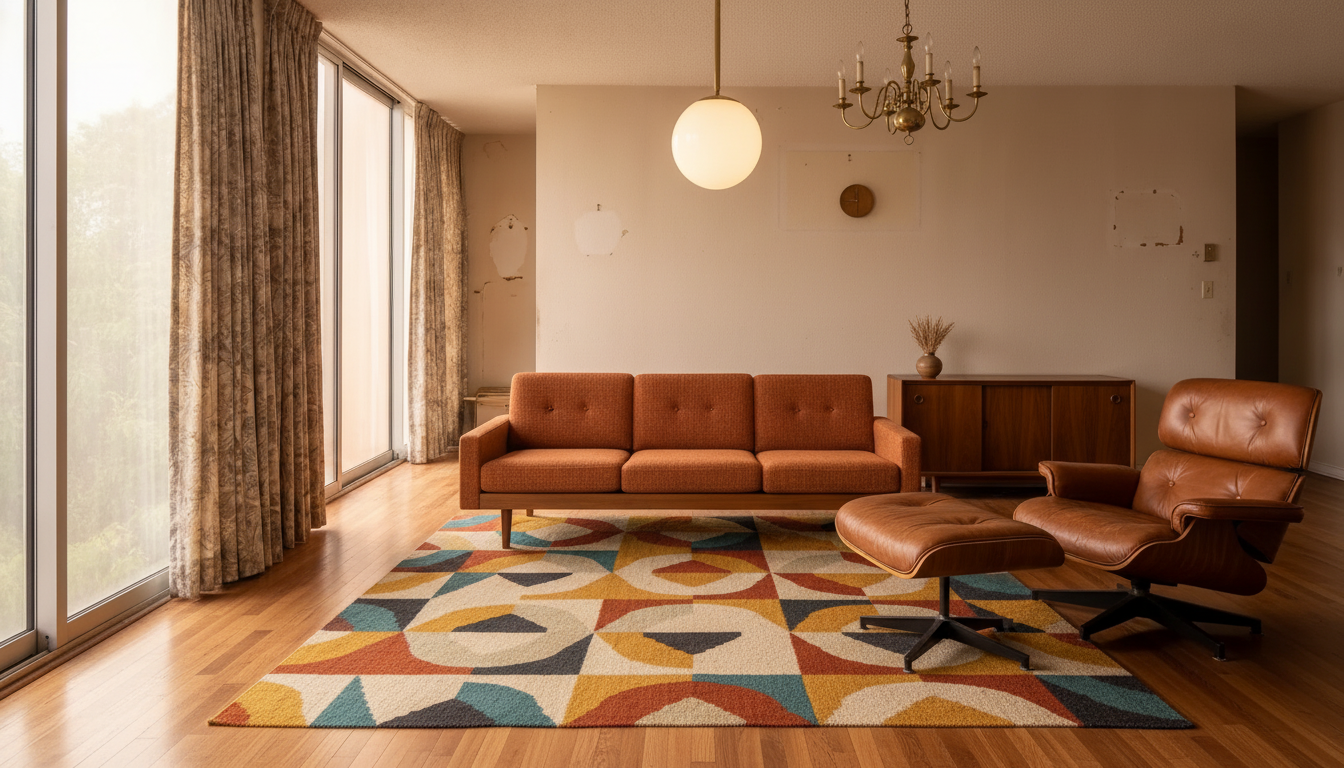 9s The render
 A photorealistic render of that style on your own walls, in seconds. Keep it, adjust one layer, or run five more styles on the same photo.
The render above came back in 9 seconds. Six styles on one photo is about a minute of work, and it settles an argument that otherwise runs for weeks.
One room, six styles
Style names are the vaguest words in interior design. Everyone nods at “Japandi” and pictures something different. Below is one real 1980s living room — floral sofa, brass shelving, stained carpet — rendered into six named styles from that single photograph, with the camera angle held still so the comparison is honest.
9s Walnut, burnt orange, a globe pendant and a geometric rug. The style that reads warmest in a room with one big window.
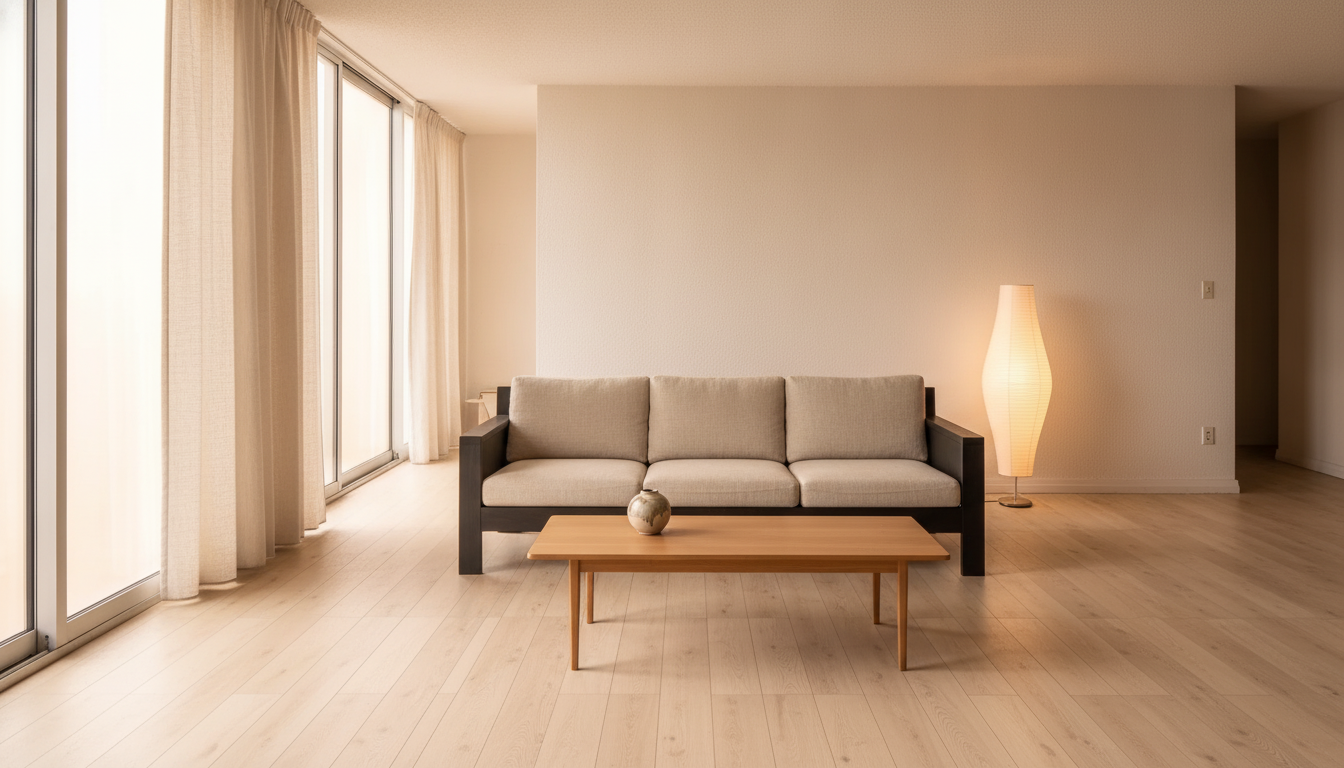 9s
9s Warm white, blackened oak, oatmeal linen and one ceramic object. Japandi is mostly about what you take out.
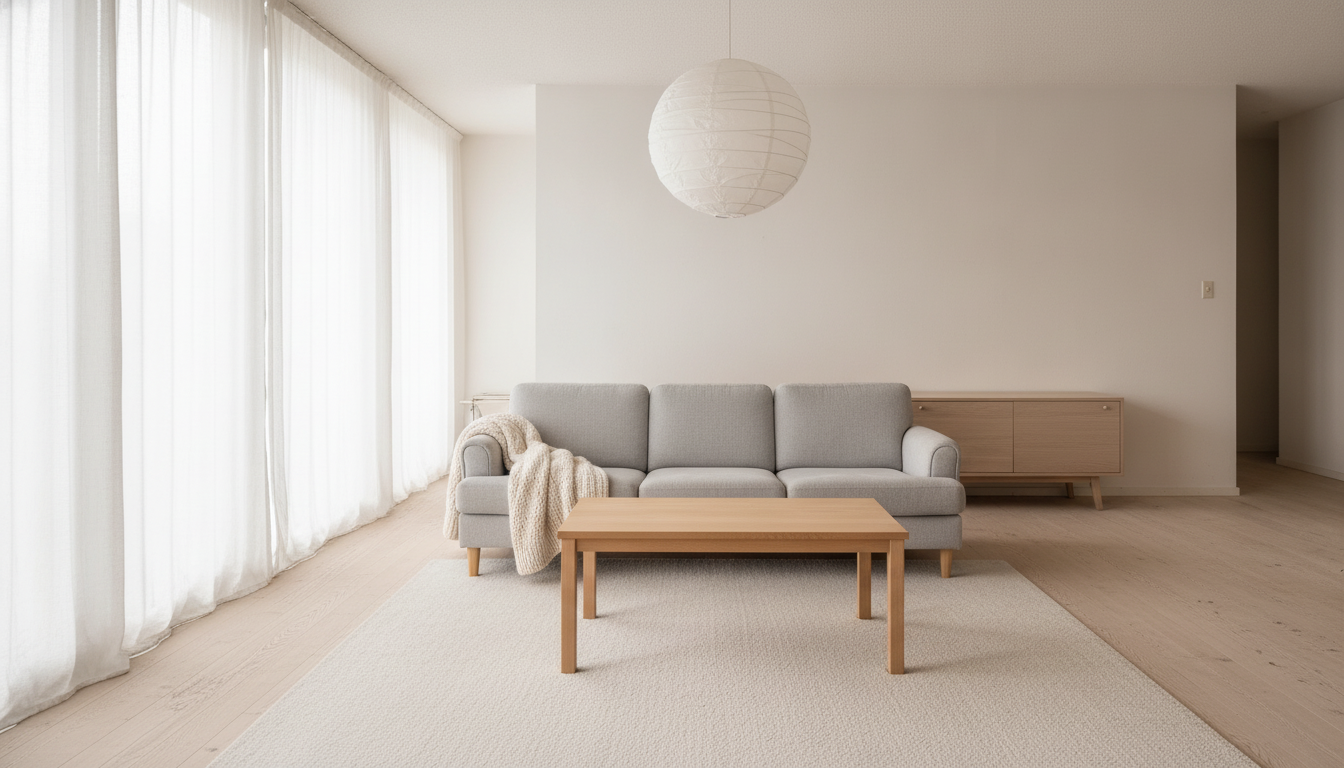 8s
8s White walls, pale grey upholstery, light oak and a paper globe. The brightest of the six by a distance.
 7s
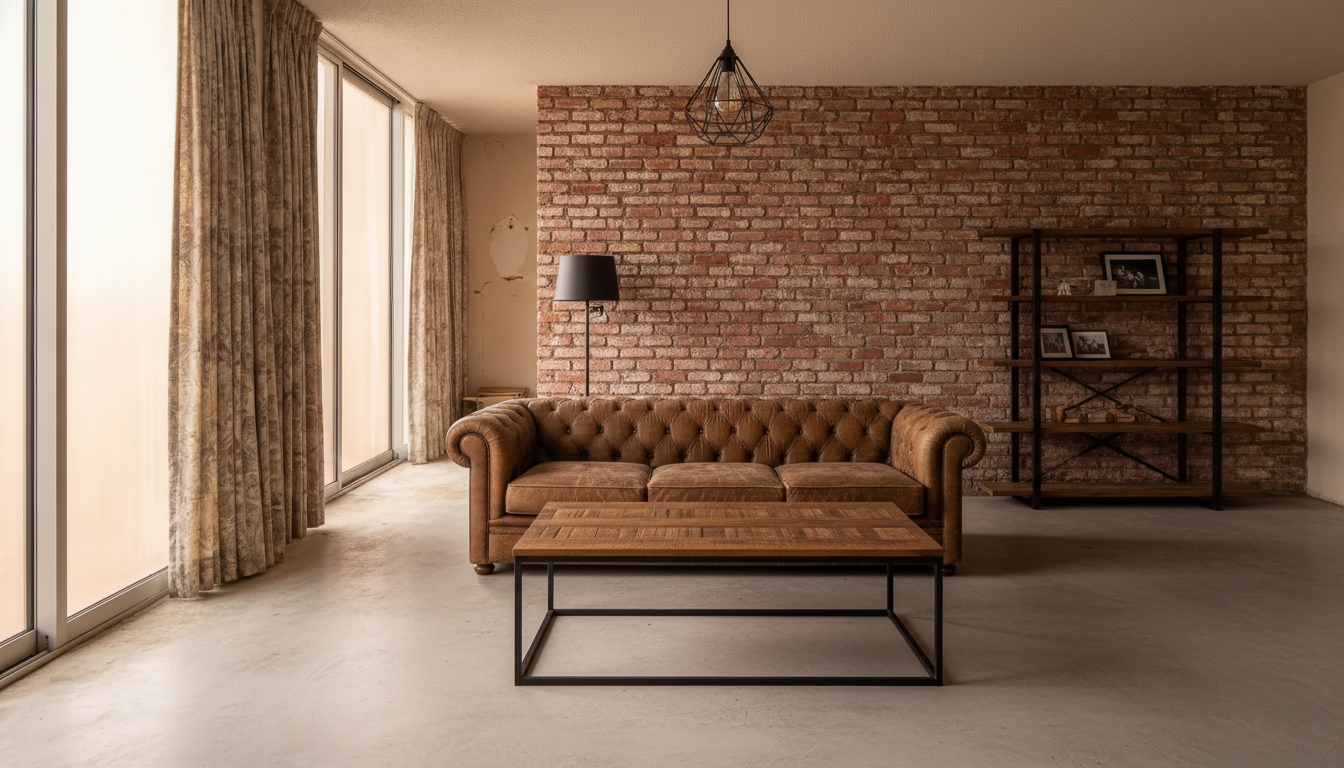
7s Exposed brick, tan leather, black steel and concrete underfoot. The only direction here that adds weight instead of removing it.
 8s
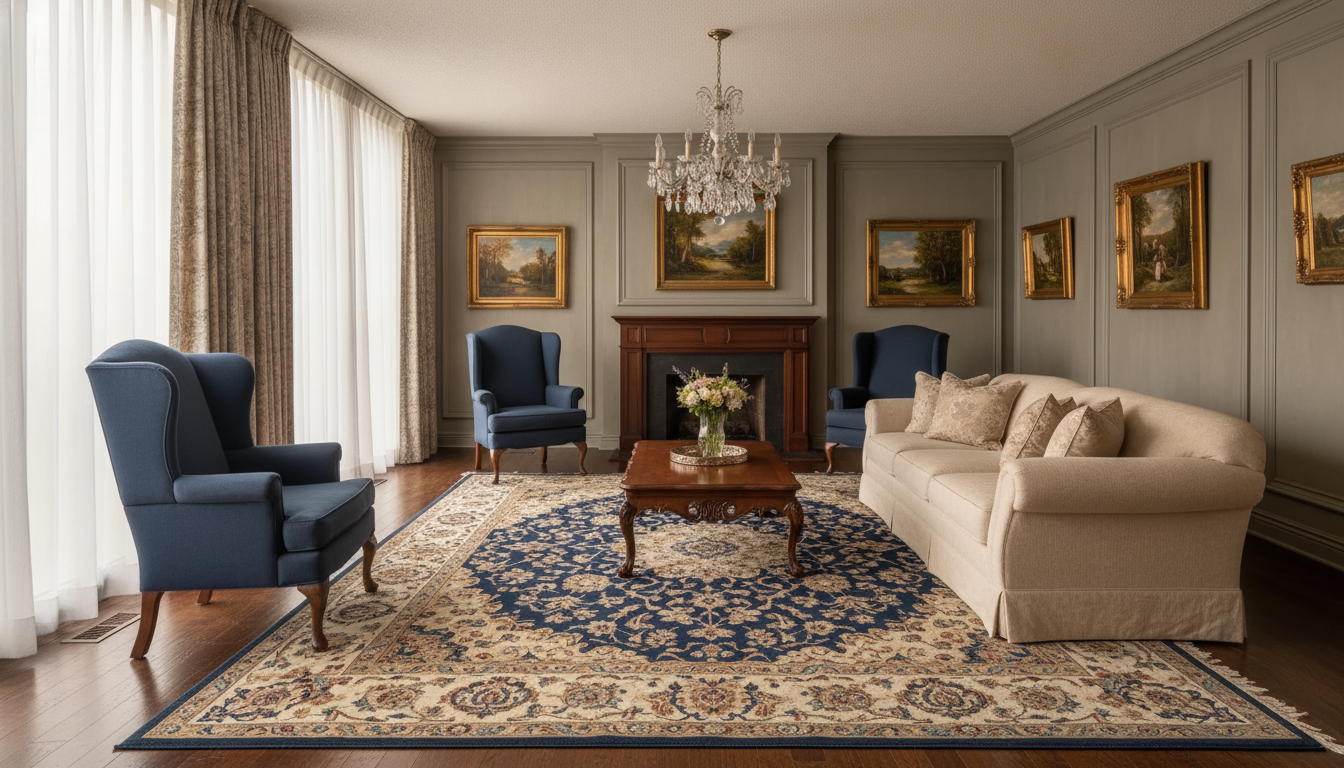
8s Panelled greige walls, wingbacks, a crystal chandelier and a patterned rug. Formal without going period-drama.
 8s
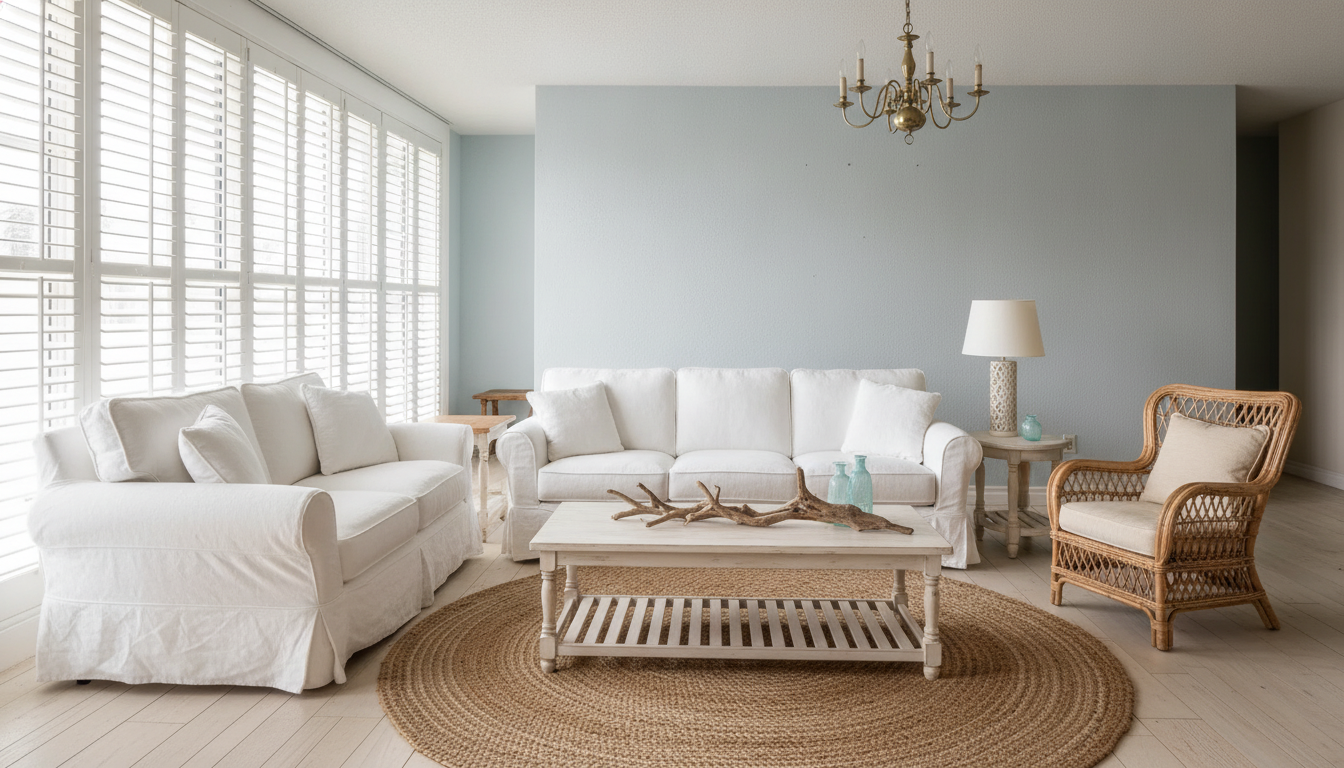
8s Pale blue-grey, slipcovered linen, rattan and jute. Reads as holiday-house rather than beach-hut because the floor stays wood.
Six renders, one photograph, under a minute of wall-clock time. Nothing here was retouched and nothing was swapped for a stock interior — the window wall, the ceiling and the camera position are the same in all six because the engine was told to hold them.
Every room, every style
A whole room or a single layer — just the walls, just the flooring, just the light above the table. Every image below is a real render from a real room photo.
Sofa, rug, wall colour, lighting and flooring, restyled around the walls and windows you already have.
How to use AI for interior design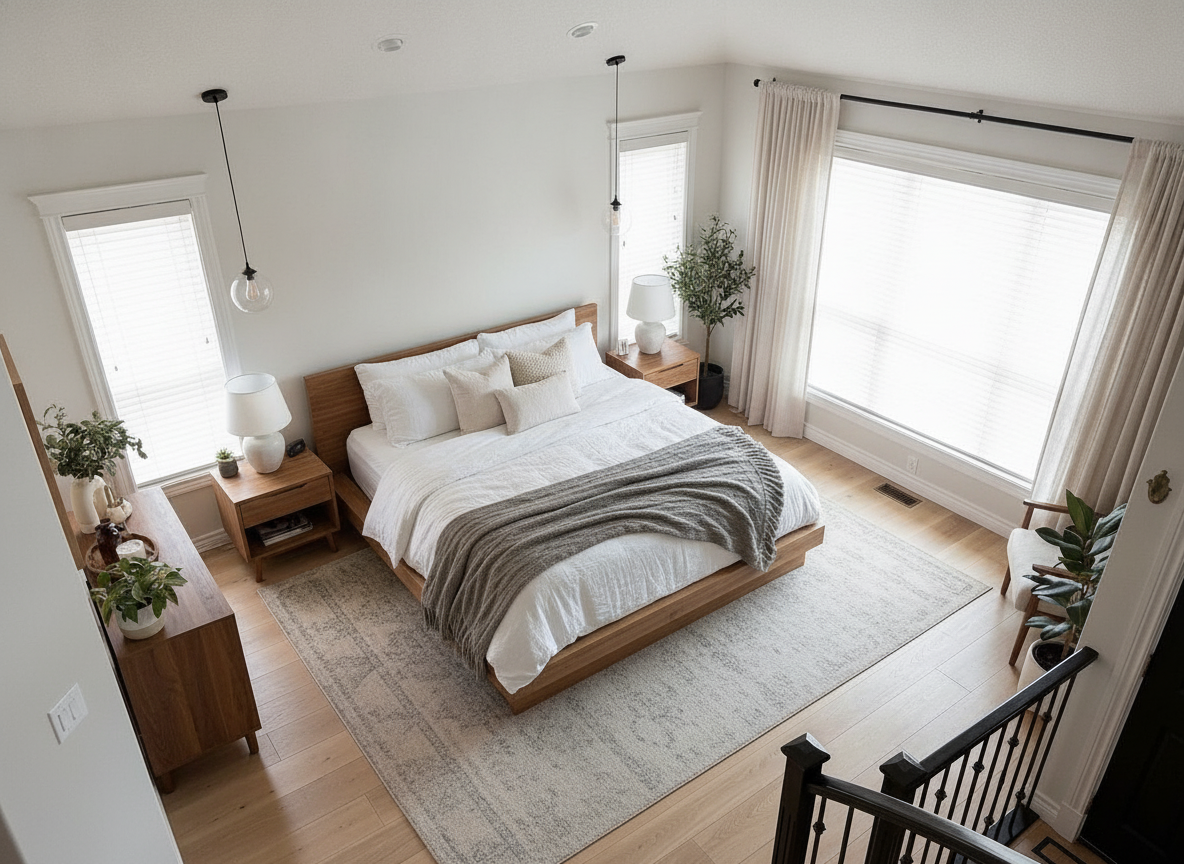
Headboard, bedding, lighting and wall colour. The bedroom row above is one real room taken through three styles.
Photograph a bedroom and remodel it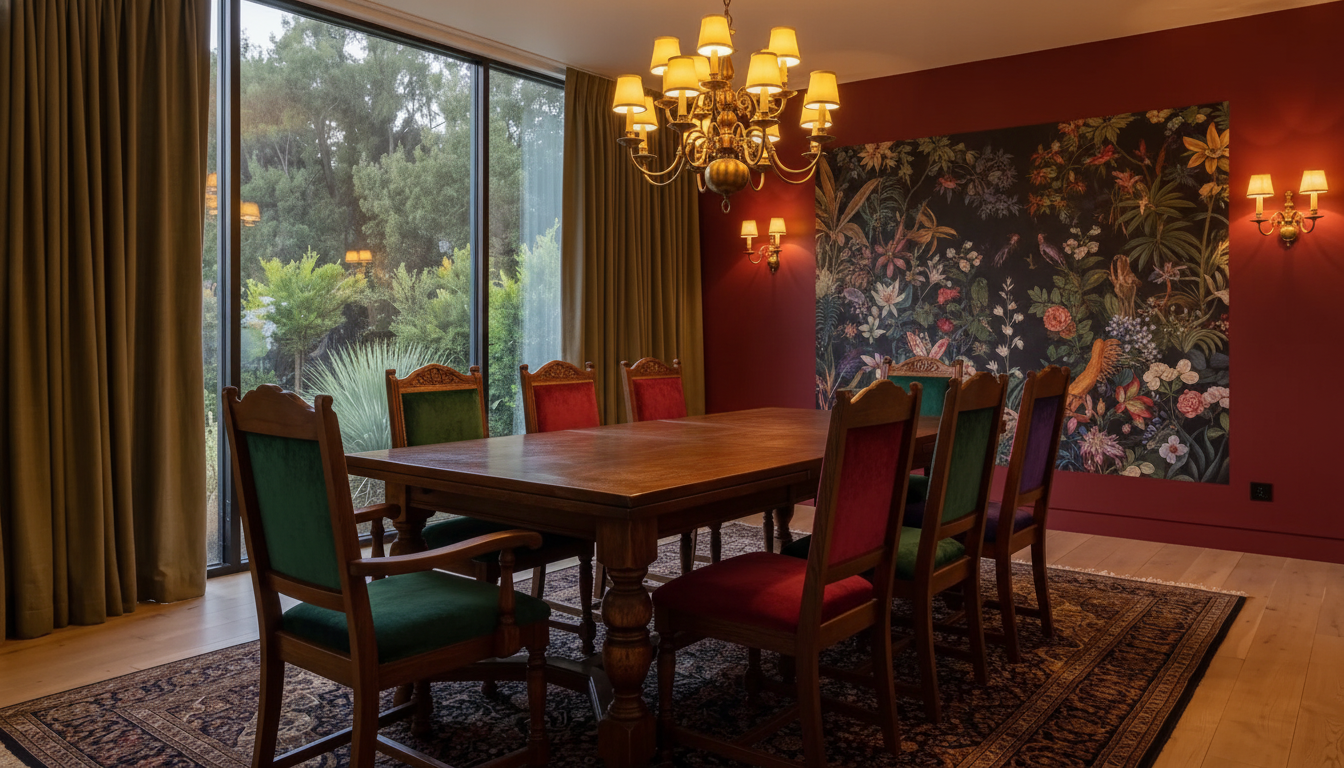
The table, the chairs, the light above them and the wall behind. A dining room changes style faster than any other room.
Turn a dining area into a statement spaceYou already know the look you saved. Describe it in your own words and see it land on your own walls instead of someone else’s.
From moodboard to realityPanelling, a feature wall, a whole-room repaint. Colour is the cheapest change in the house and the hardest to picture.
The easiest way to visualize a makeoverEvery render on this page holds the original camera angle, so the before and after line up exactly. That is the only honest comparison.
See the before-and-after makeoversPrefer to read it first? How to use AI for interior design walks through the method, and is there an app where I can take a picture of my bedroom and remodel it? documents the four-pass bedroom test the middle tab above is drawn from.
Straight answers
A style render is a direction-finding tool. It answers “do I actually like this style in my room?” in seconds, for free, before you commit a budget to it.
Questions
Yes. New accounts get free credits to restyle your own room photos with no card, and the free tier stays available after that. Pro unlocks higher volume, higher-resolution downloads and unwatermarked exports. Every before and after on this page was produced on the same engine you get for free.
That is exactly what this does. Photograph the room, name the style you want, and Renovate AI renders that style into your photo — same walls, same window, same ceiling height, same camera angle. The six living room images above are one real 1980s room, restyled six ways from a single photograph.
Name a style and it will render it. Mid-century modern, Japandi, Scandinavian, industrial, traditional, coastal, maximalist, minimalist, farmhouse, art deco, bohemian and transitional all work, and so do phrases that are not style names at all — "warm and a bit dark", "like a boutique hotel", "the way my grandmother’s house felt".
Yes. Renovate AI runs on iPhone and Android as well as in the browser, so you can stand in the room, photograph it and restyle it on the spot. The same account and the same renders follow you across every device.
Yes, and the styles above do exactly that — the Scandinavian and industrial renders replace the carpet with oak and concrete respectively, and the traditional one panels the walls. You can also hold everything else still and change one layer only: "paint the walls deep green, change nothing else" is a valid instruction.
The render keeps your room — wall positions, window, ceiling and camera angle stay put — so you are judging the style and not a different room. Treat it as a photorealistic preview for choosing a direction, not as a specification. It will not tell you a sofa fits, source a fabric, or price the work.
Seconds. The renders on this page took 7 to 10 seconds each, measured end to end. You can run six styles on the same room photo and have the whole comparison in about a minute.
Both are fine, and dated is easier than you would think — the living room above had a floral sofa, brass shelving and stained carpet, and all six styles cleared it. If a render leaves something you wanted gone, name that thing explicitly and run it again; the sentence is the whole control surface.
Keep going
Room-led rather than style-led — living rooms, bedrooms, home offices and dining rooms designed from a photo, including empty ones.
Design a roomWhen the change is structural rather than decorative — cabinets, tile, countertops and siding remodelled from a photo.
Remodel a roomThe same idea pointed at the outside of the house — siding, brick, stucco, trim and front door repainted from one street-view photo.
Paint your houseTake one picture from the doorway, name the style, and see your living room, bedroom or dining room restyled in seconds. Free to try — on iPhone, Android and the web.