

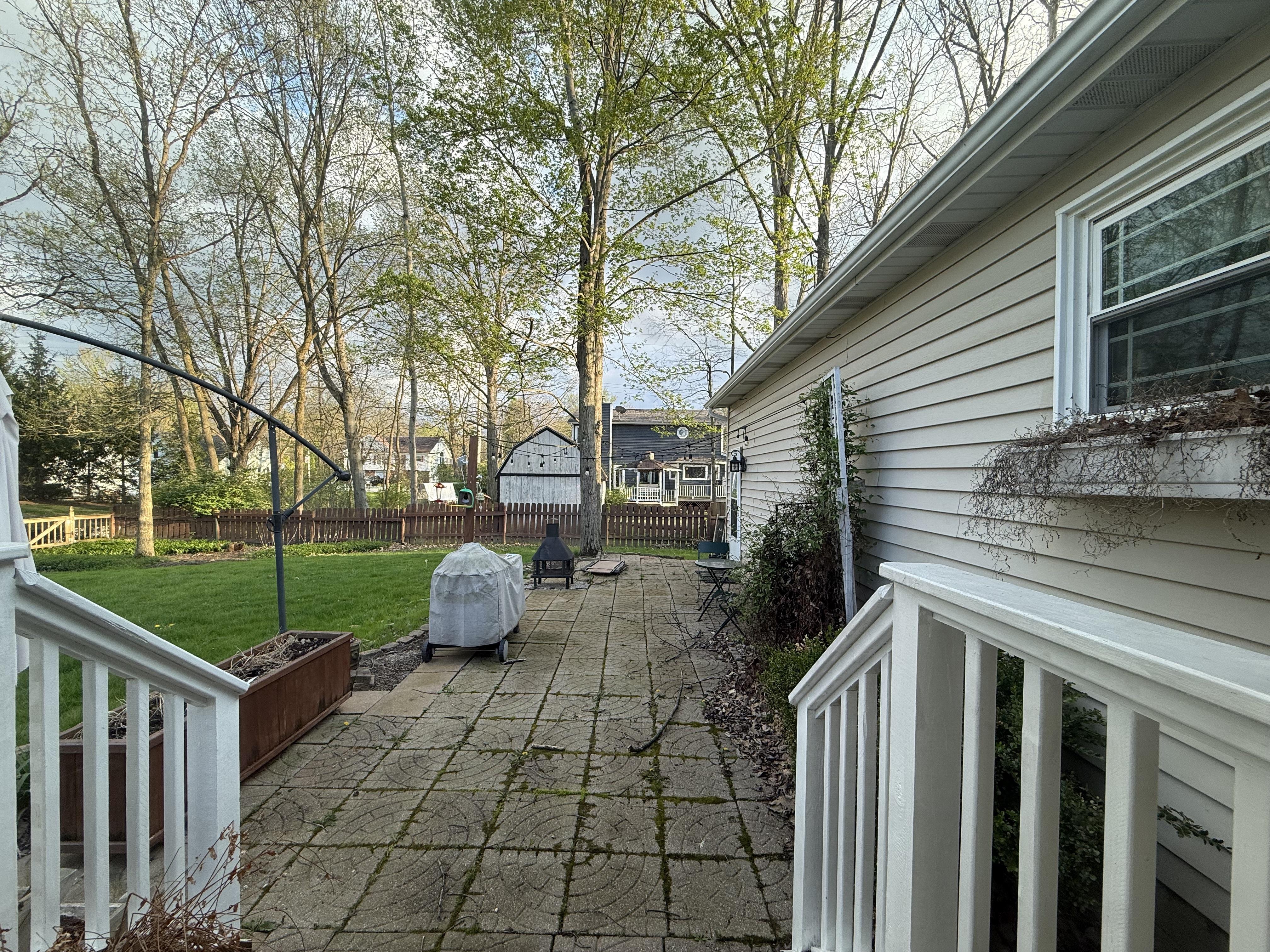
 Your photo
 1Photograph the yard
One photo from where you are standing. A phone snap is enough — no survey, no site plan, no measuring the beds.
Free to try
Photograph your backyard, front yard or garden, describe the design you want, and see it rendered on your own ground in seconds. Pick a space and a style below — every before and after on this page is unretouched output from the live Renovate AI engine.
What should the yard become?
Redesign this backyard as a modern outdoor lounge: large-format stone pavers, a low sectional around a linear fire pit, raised planters with ornamental grasses, and string lights overhead. Keep the house and fence line where they are.
How it works
No site plan, no CAD, no measuring the beds. The photo you can take standing on your own patio right now is the input.
Your photo One photo from where you are standing. A phone snap is enough — no survey, no site plan, no measuring the beds.
Redesign this backyard as a modern outdoor lounge: large-format stone pavers, a low sectional around a linear fire pit, raised planters with ornamental grasses, and string lights overhead. Keep the house and fence line where they are.
Type it the way you would say it to a landscaper. Name one element or redo the whole yard — everything you do not mention stays put.
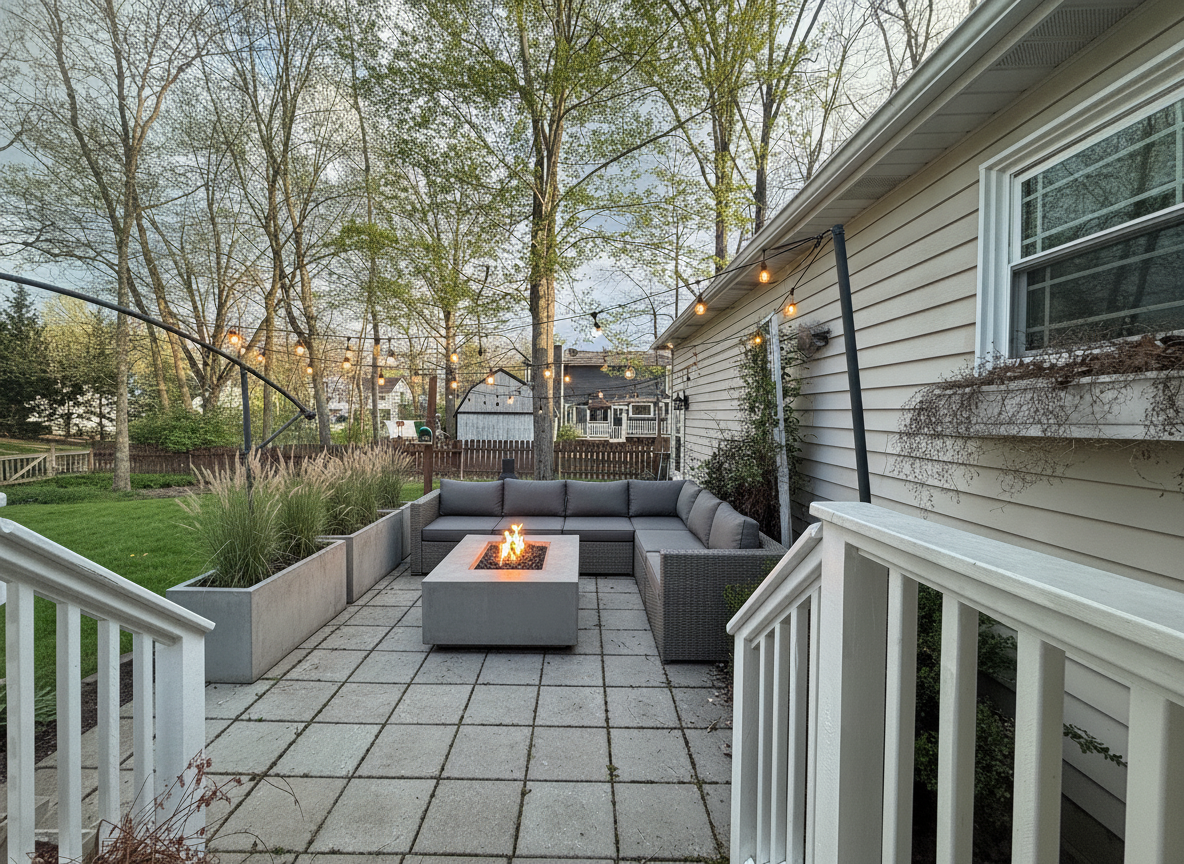 9s The render
 A photorealistic render of that design on your ground, in seconds. Keep it, change the planting, or run another style on the same photo.
The render above came back in 9 seconds. Run the same yard photo through three styles and you have a direction before the weekend.
Every outdoor space
A whole yard or a single corner — just the beds, just the path, just the patio. Every image below is a real render from a real homeowner photo.
Patios, seating, fire pits, pergolas and planting — laid over the yard you actually have, fence line and all.
Design your outdoor space free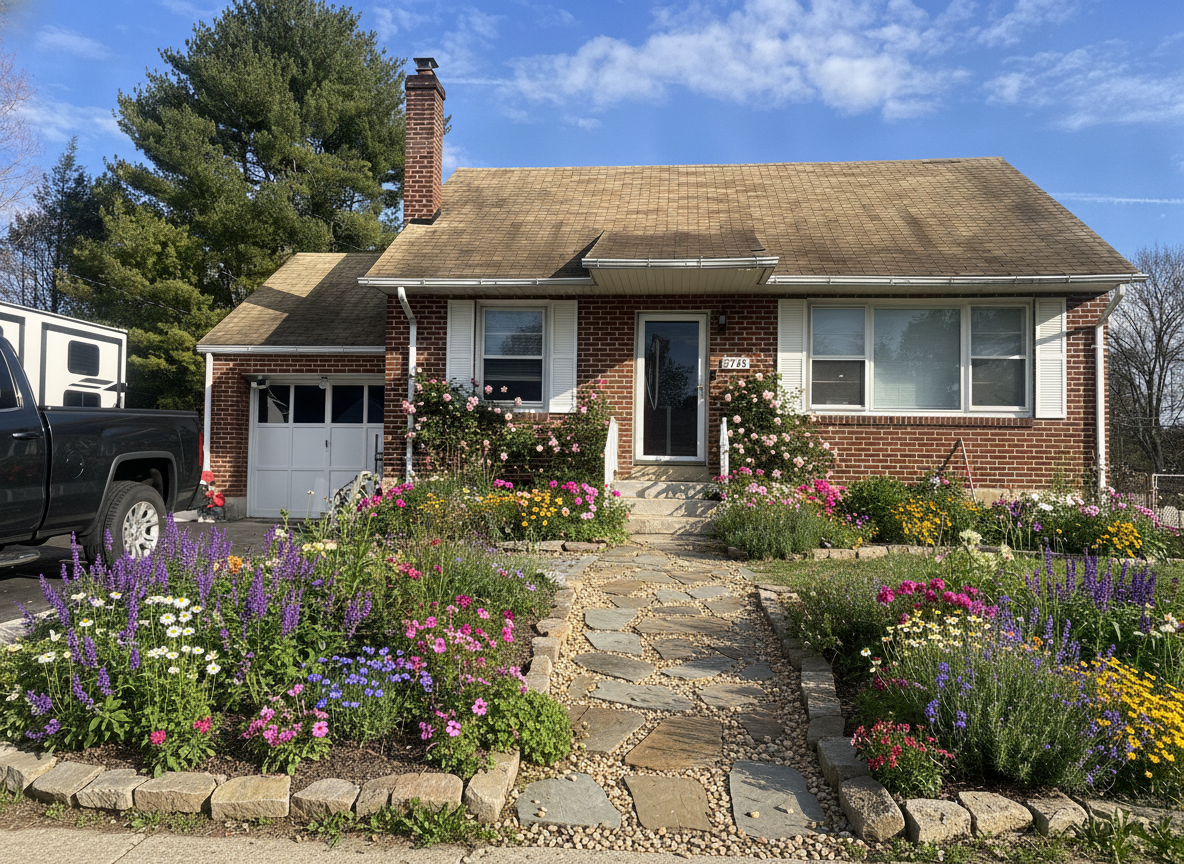
Foundation beds, walkways, a shade tree and edging. The half of the house everyone sees and nobody plans.
Get free AI landscape design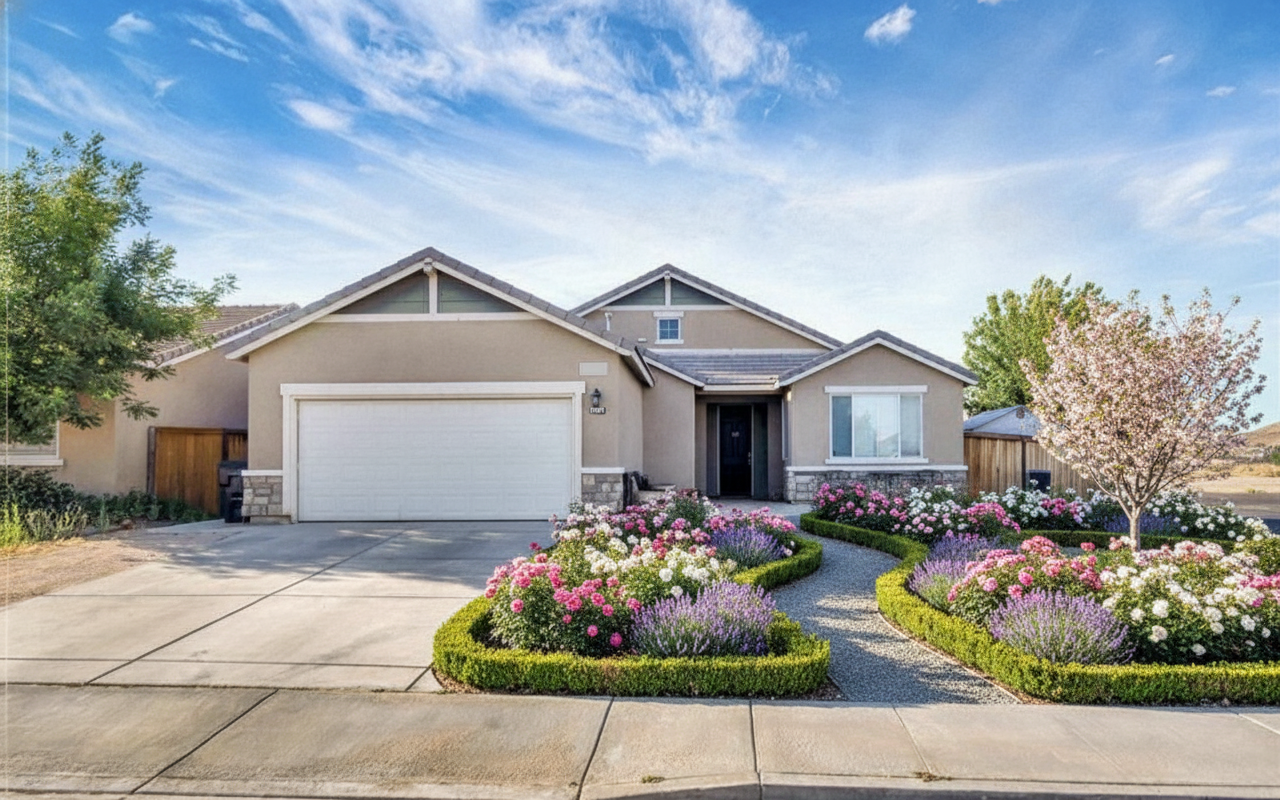
Perennial borders, hedging, raised vegetable beds and gravel paths. See a planting plan on your ground before you dig it.
Preview an outdoor makeover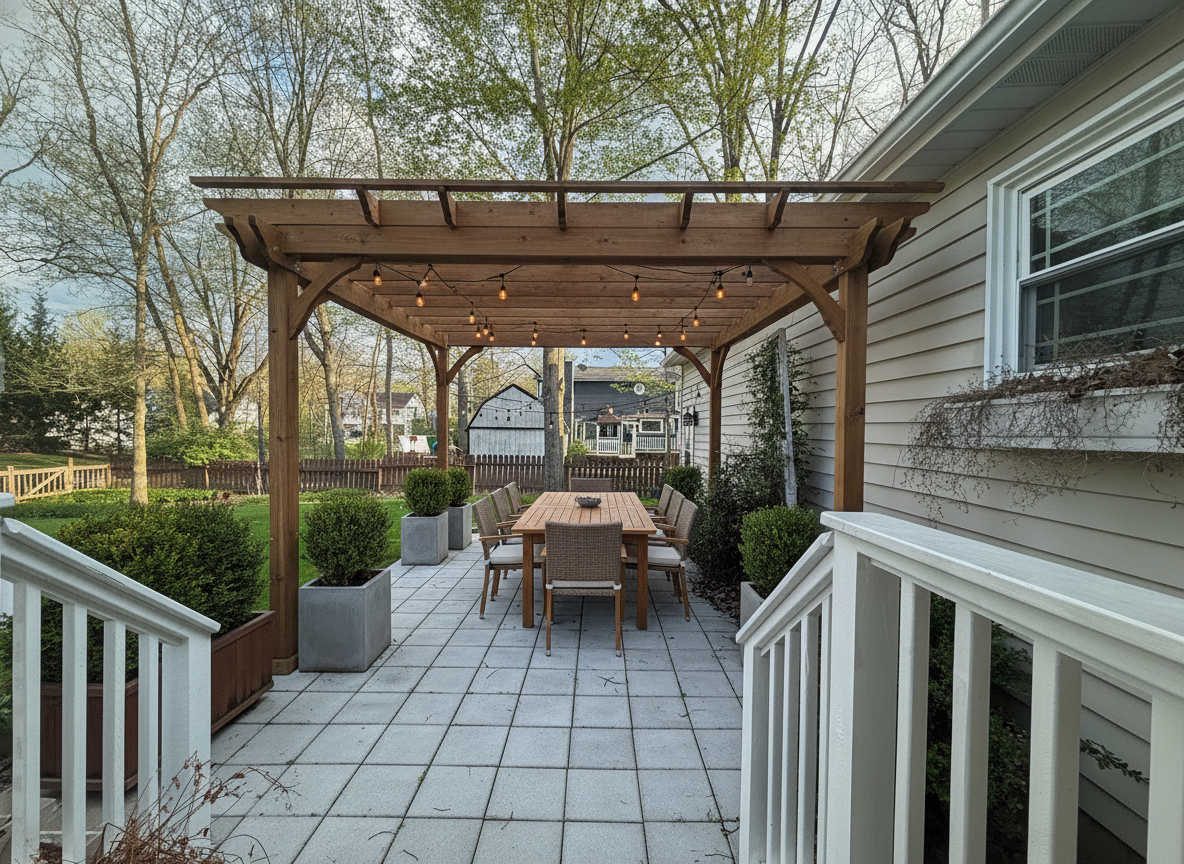
Pavers, flagstone, decomposed granite, decking and lighting. Hardscape is the expensive half — picture it first.
See a patio redesigned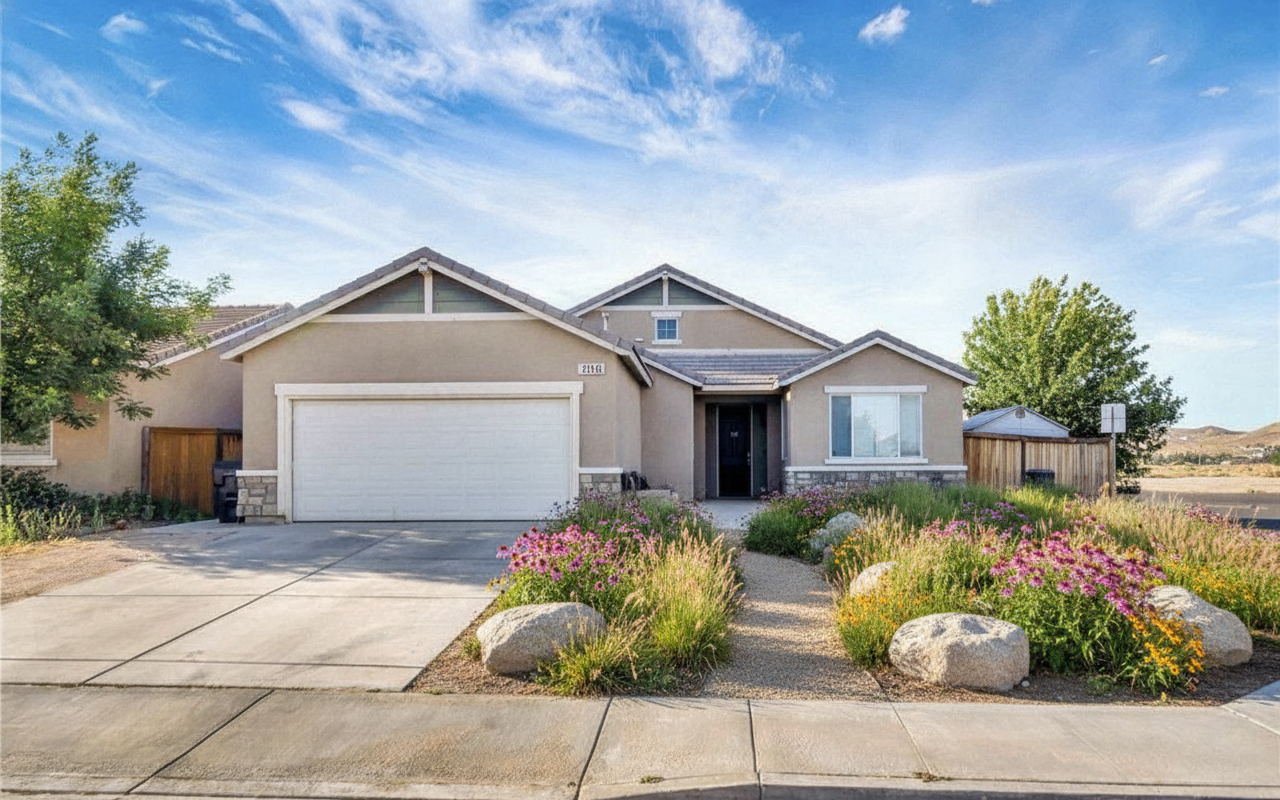
Turf into prairie grasses, gravel, clover or beds. The change most homeowners want and least can picture.
Try a lawn conversion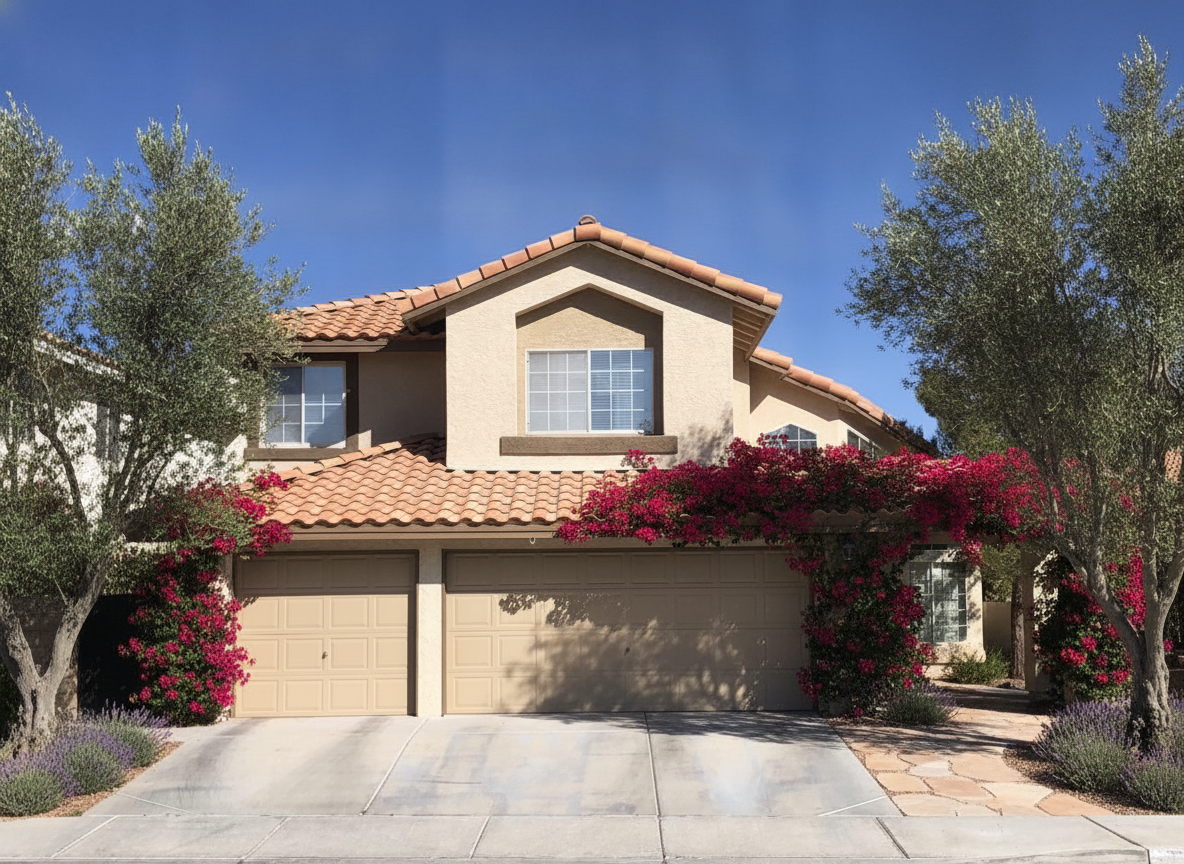
The whole street view at once — planting, path, lighting and the house behind it, in one render.
Repaint the house tooPrefer to read it first? Is there an app where I can get free AI landscape design? walks through it step by step, and visualize your yard makeover free covers what to expect before you start.
AI garden design
A yard redesign moves the hardscape — the patio, the path, the lawn. A garden redesign moves the plants: which bed goes where, how deep the border runs, what is actually flowering in June. That second question is the harder one to picture, and the one a nursery shelf answers worst.
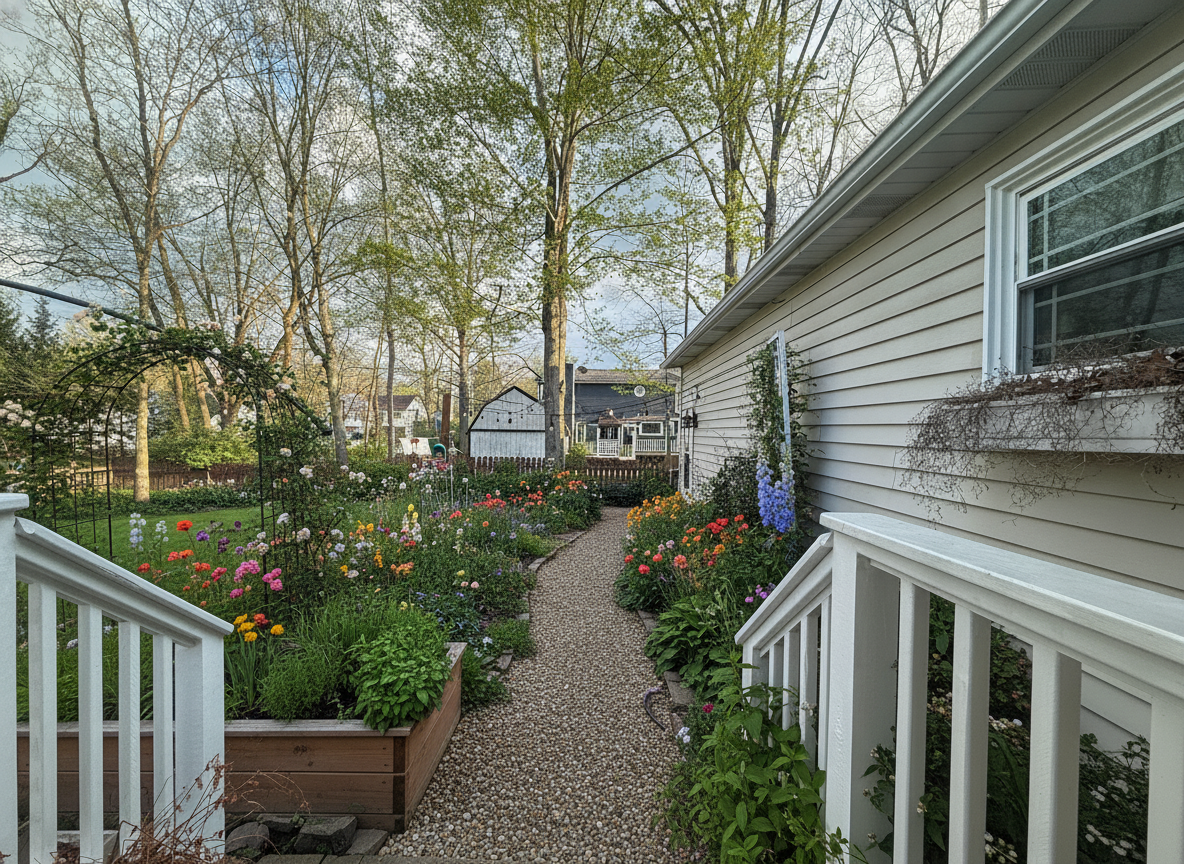
Depth is the decision nobody makes on purpose. A one-foot strip along the fence and a six-foot border are two different gardens — say which one you want and see it on your fence line.
Preview a planting changeRoses and lavender behind clipped low boxwood is the English version. Loose, self-seeding and unclipped is the cottage one. Same bed, two very different Saturdays.
Try a garden style free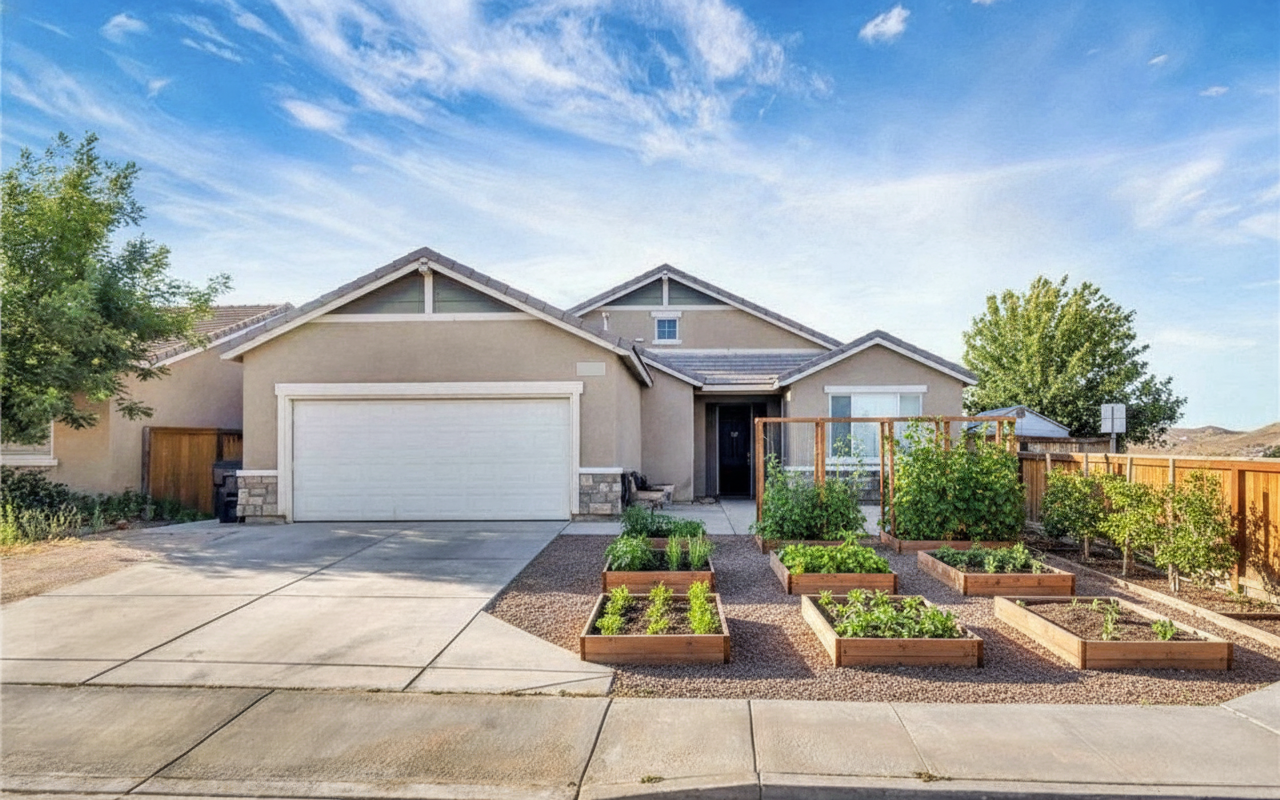
Cedar beds in a grid, gravel paths between them, beans on a trellis. See how much of the lawn a kitchen garden really eats before you build the first box.
Design a kitchen garden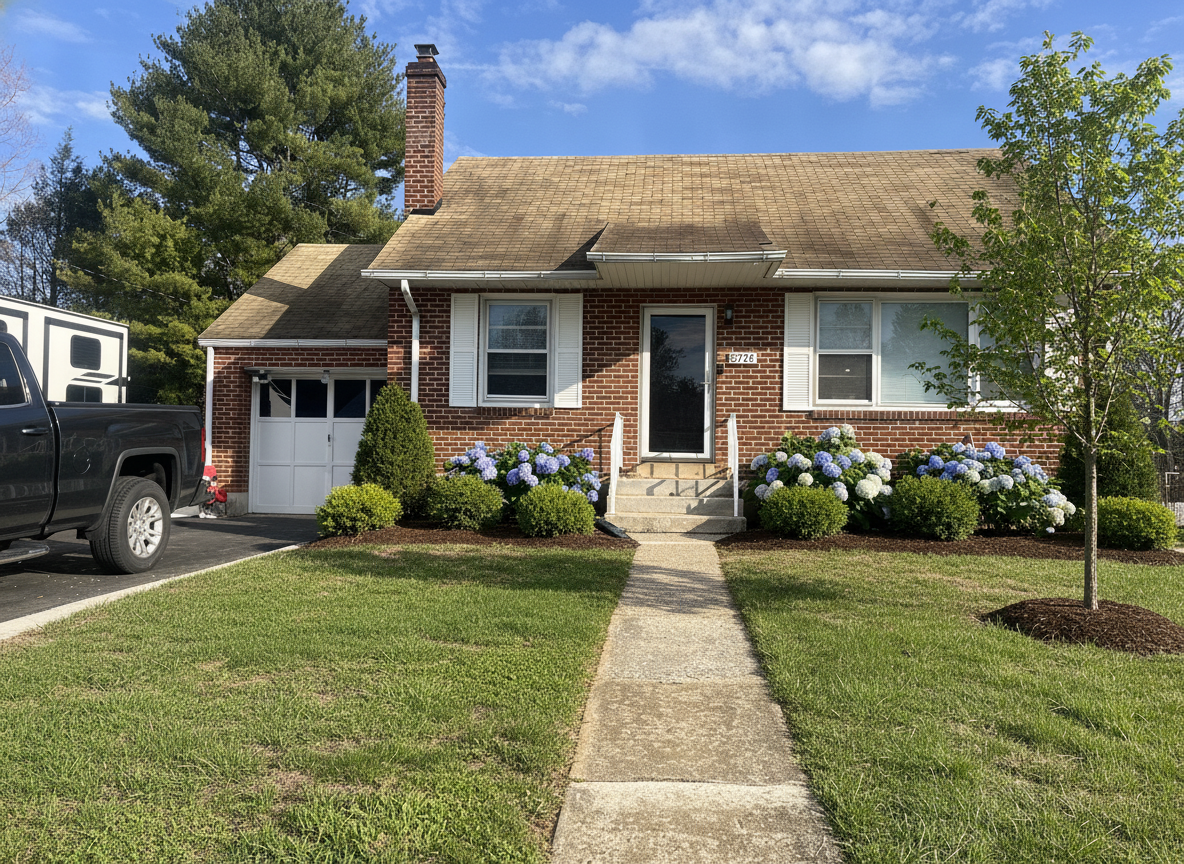
The beds against the house are the ones you walk past daily and plan least. Layered evergreens, hydrangeas, a clean mulch edge — rendered on your own foundation, not a stock one.
See beds on your houseOlive trees, lavender and bougainvillea want heat and drainage, and they read completely differently from a temperate border. Worth seeing on your own light before you commit a bed to it.
Render a low-water garden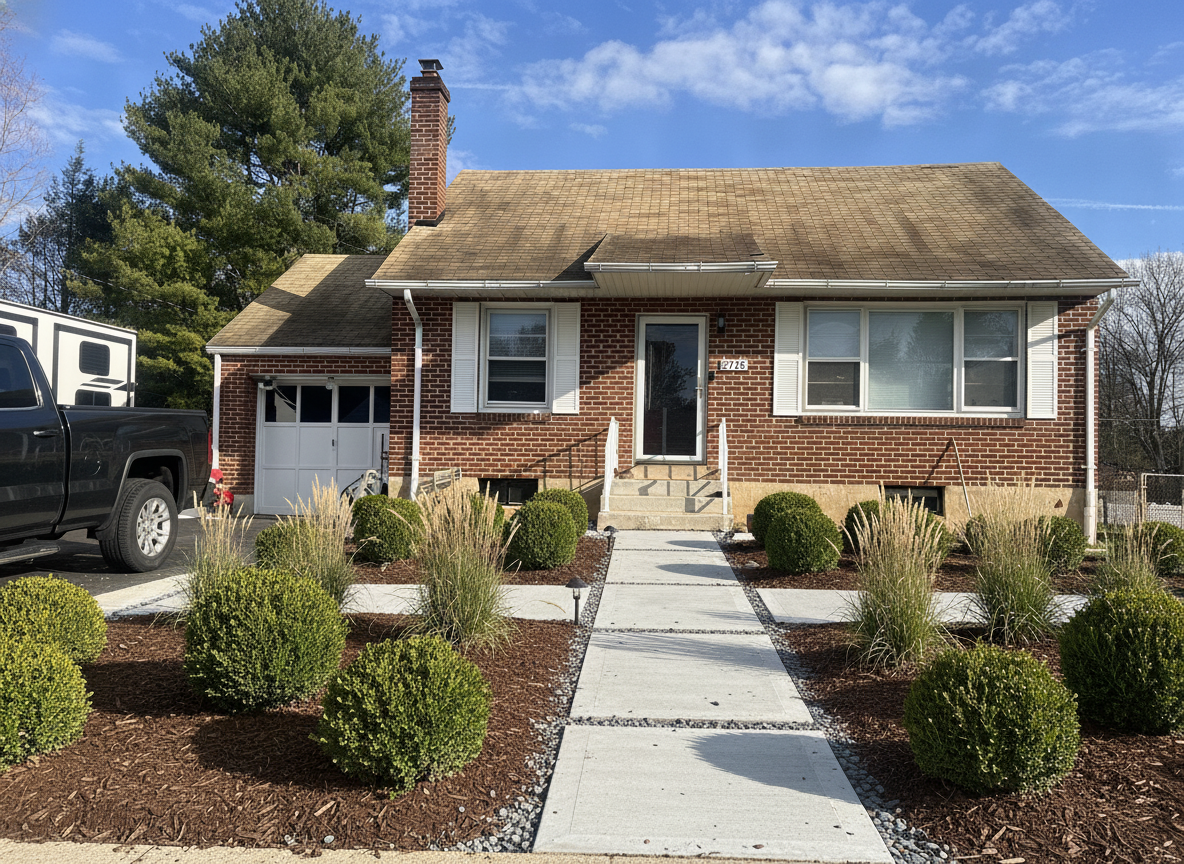
Boxwood spheres, ornamental grasses and a hard mulch edge. The tidiest garden to look at and the most honest about how much clipping you are signing up for.
Compare two planting stylesPlanting is also the cheapest thing to change your mind about, which is exactly why it is worth rendering first — a bed you regret is a weekend, a patio you regret is a season. The same photo works for both: redesign the beds now and the hardscape around them after.
Backyard design
Backyard design searches split two ways. Half want a backyard planner — a layout drawn to scale, the patio and the beds measured. The other half want to see it: the fire pit, the seating, the fence, the lawn, in their own yard. This page is for the second half.
If you need a backyard layout with dimensions, this is the wrong tool — a landscape designer or a drawing tool will give you a plan you can build from. If you want to design your backyard by looking at it, a backyard design tool that starts from a photo is faster than either: no measuring, no modelling, and the yard in the picture is yours. It is the same free app on iPhone and Android and the same tool in the browser.
Every render below is the mossy-paver patio from the top of the page — house, deck rail and fence line untouched — run through five more backyard ideas, prompts included. The last one missed two instructions, and the caption says which.
 11s
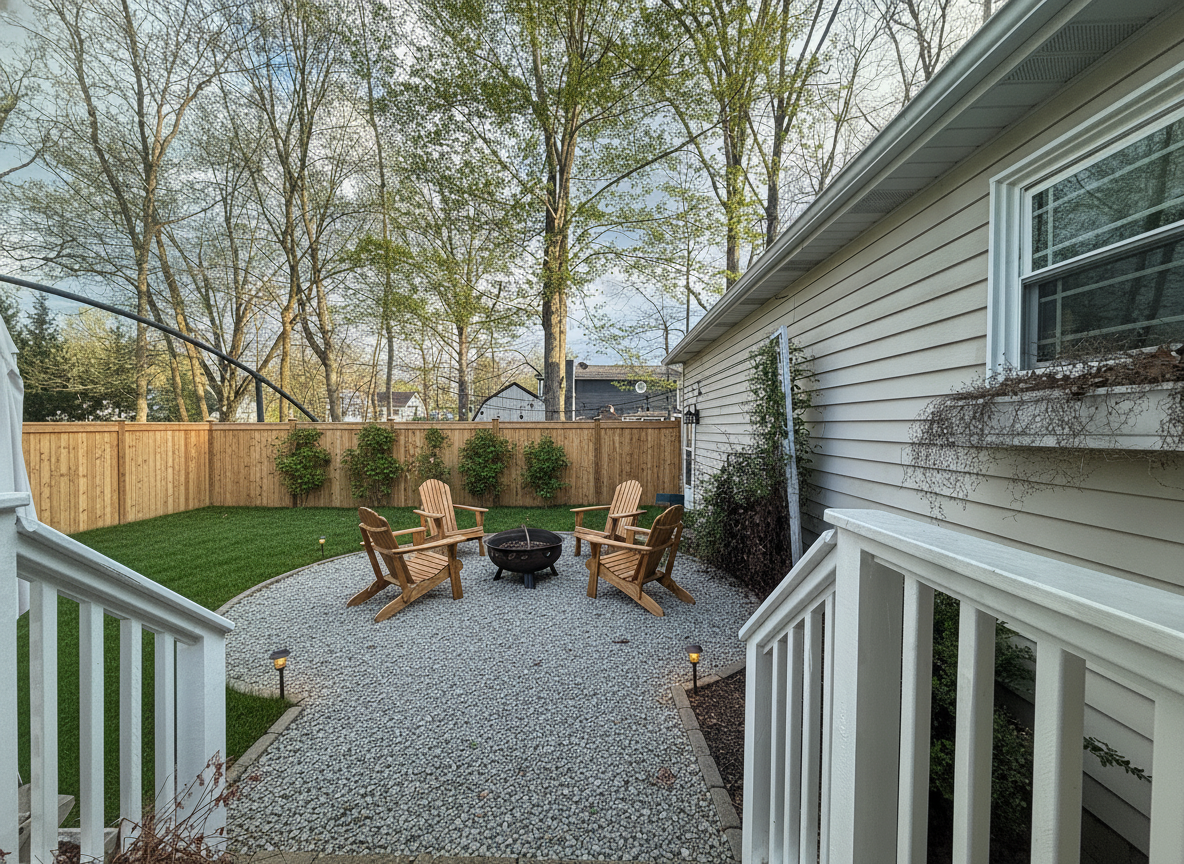
11s “Redesign this backyard around a fire pit: a round gravel patio with a steel fire pit and four Adirondack chairs where the mossy pavers are, a fresh green lawn beside it, a cedar privacy fence with climbing hydrangea, and warm path lights. Keep the house, the deck railing and the fence line where they are.”
The pavers became gravel, the picket fence became cedar, and the fire pit landed where the covered grill used to be. Same deck rail, same house, same trees — the yard is recognisably this yard.
Try this on your backyard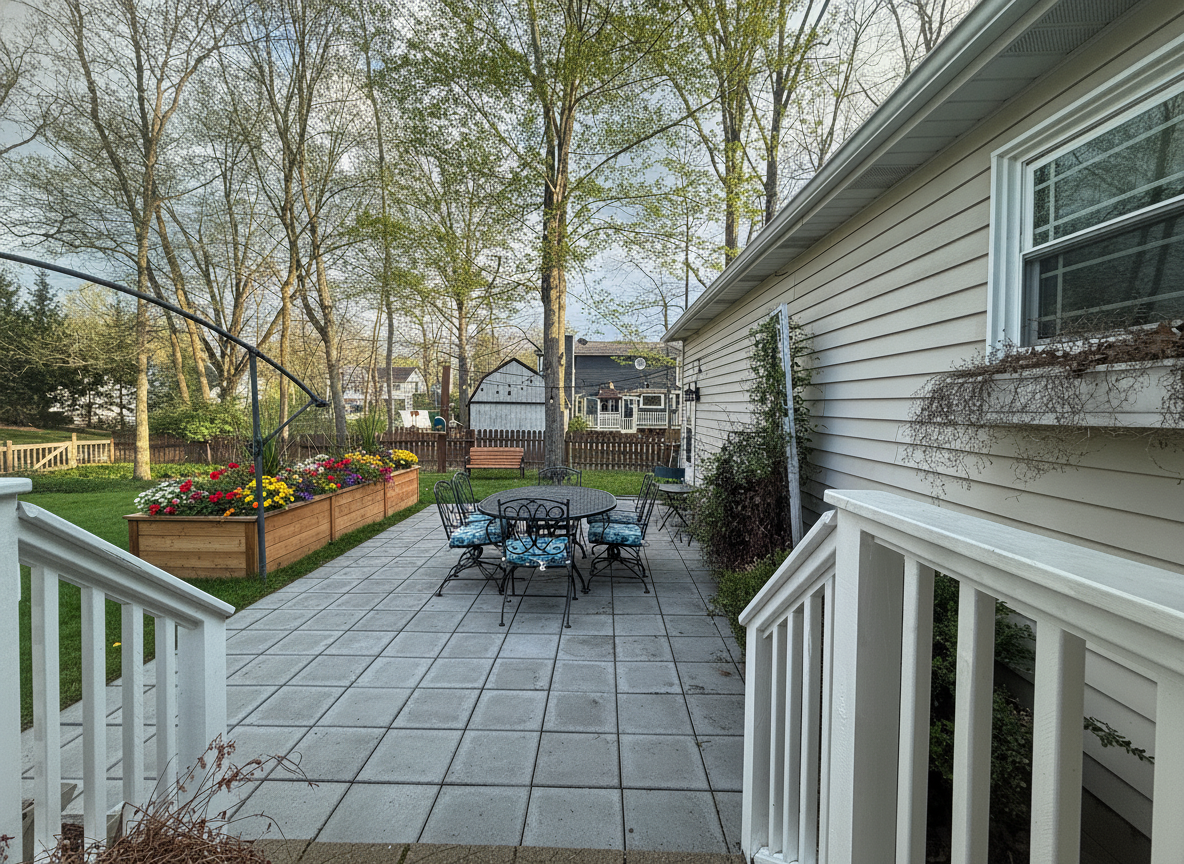 11s
11s “Redesign this backyard as a family yard: clean large-format pavers by the house with an outdoor dining table and chairs, a fresh green lawn beyond, a long cedar raised planter of flowers along the fence, and a wooden bench under the trees. Keep the house, the deck railing and the fence line where they are.”
The least dramatic of the five and possibly the most useful: the old picket fence stayed, the pavers were cleaned rather than replaced, and the raised bed got flowers. This is a weekend, not a contractor.
Try this on your backyard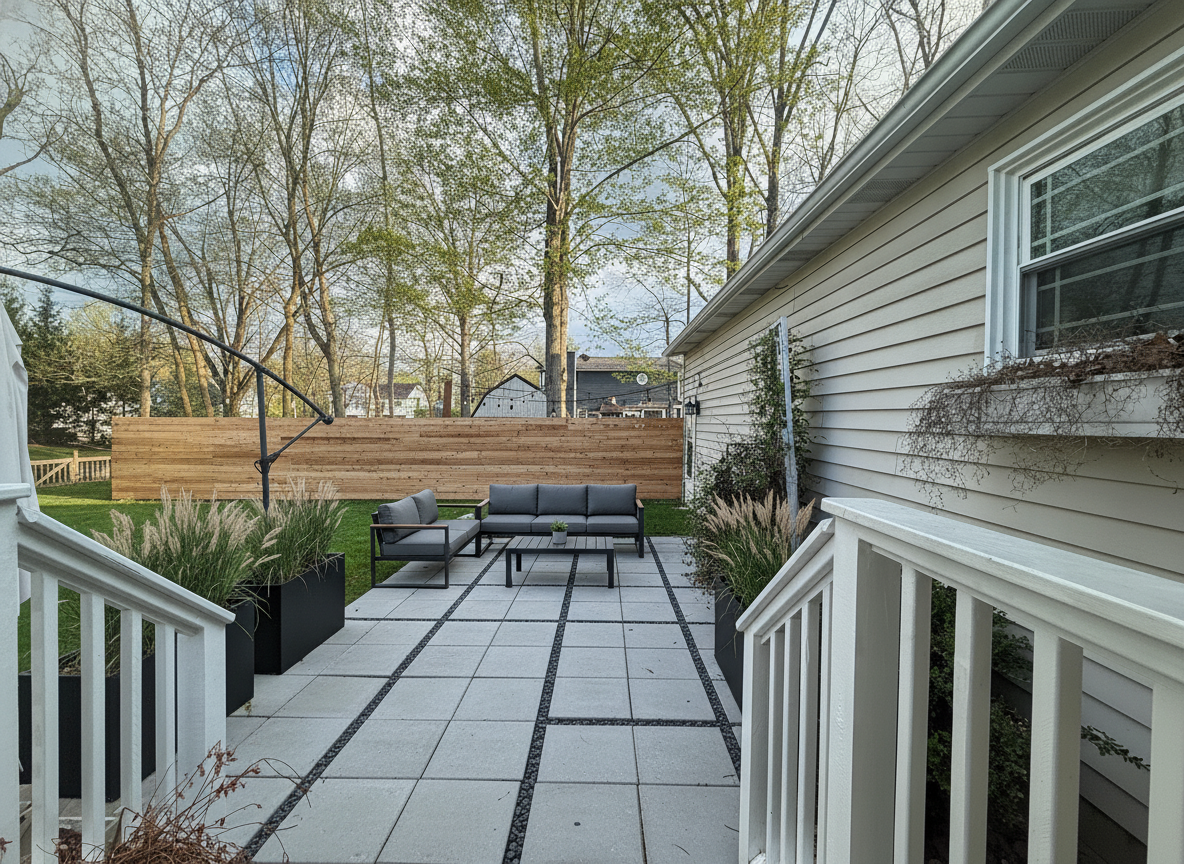 11s
11s “Redesign this backyard as a low-maintenance yard: large porcelain pavers with gravel joints replacing the mossy patio, black metal planters with ornamental grasses, a horizontal slat cedar fence, an outdoor sofa with a low table, and a strip of artificial turf. Keep the house, the deck railing and the fence line where they are.”
Porcelain pavers, grasses in black planters and a slat fence. Nothing here needs mowing, and the render makes the trade-off visible: it is calmer, and it is a lot less green.
Try this on your backyard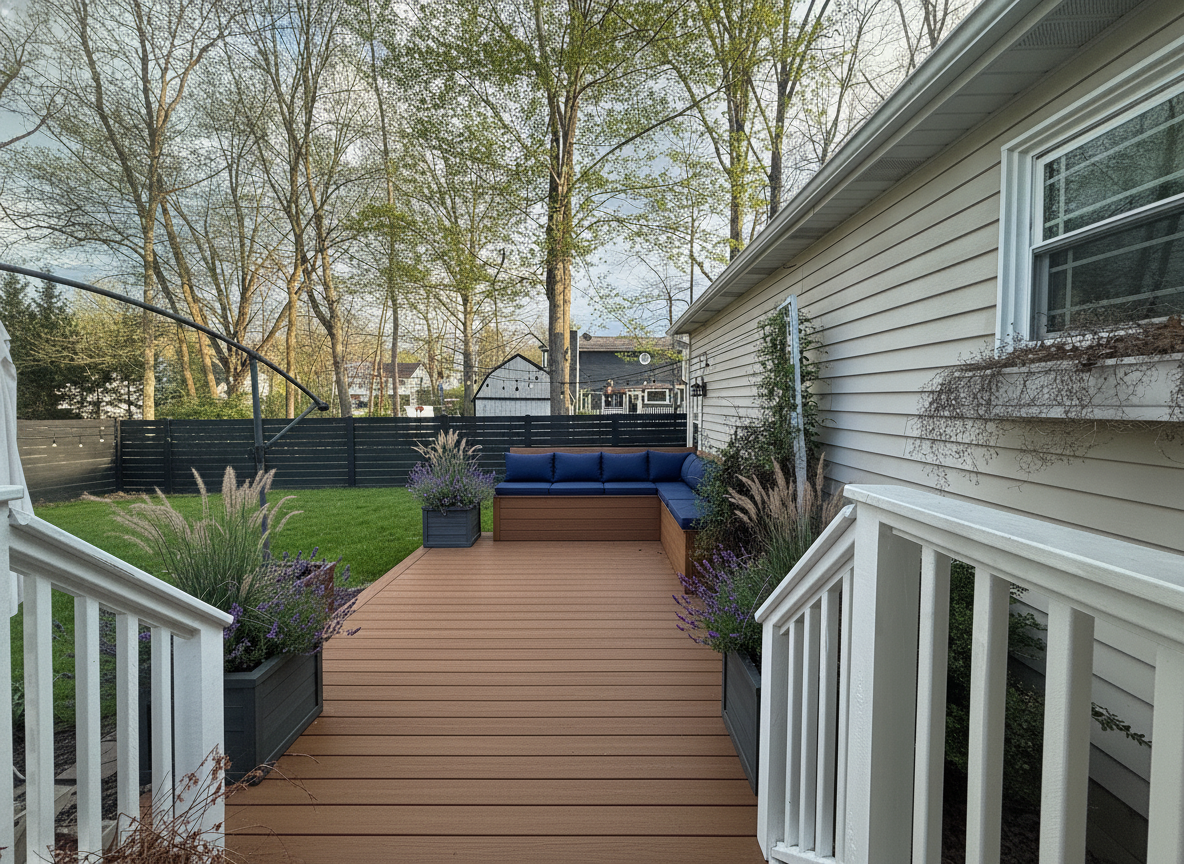 12s
12s “Redesign this backyard with a low composite deck off the house where the patio is, a built-in bench with cushions, planters of lavender and ornamental grasses along its edge, the lawn beyond, and a black horizontal slat fence with string lights. Keep the house, the deck railing and the fence line where they are.”
The one that changes the level. A deck in place of the pavers, a built-in bench and a black fence. Worth rendering before pricing, because decking is the expensive answer and this shows whether it is the right one.
Try this on your backyard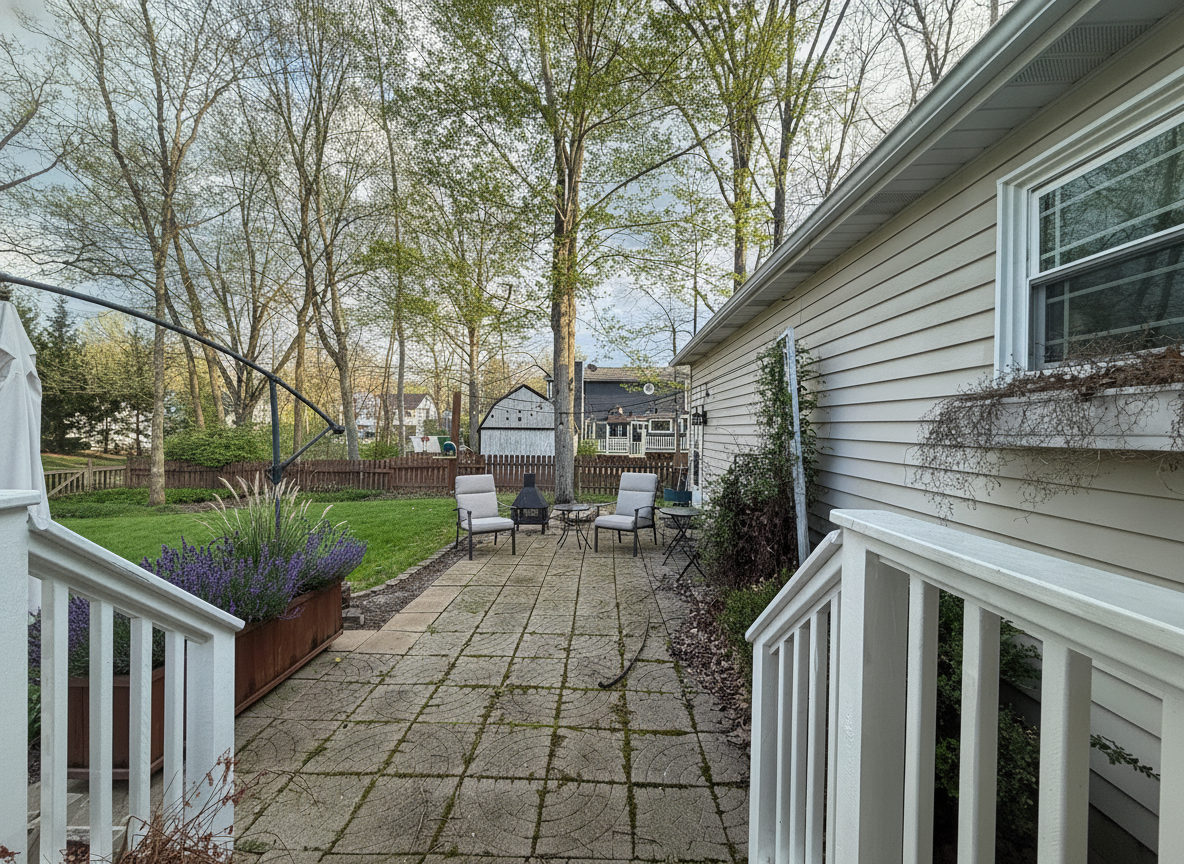 11s
11s “Keep this backyard's layout but power-wash the pavers clean, replace the fence with a dark stained horizontal slat fence, replant the raised bed with lavender and ornamental grasses, remove the covered grill and add two lounge chairs and a small side table on the patio. Keep the house, the deck railing, the lawn and the trees exactly where they are.”
It replanted the bed, removed the grill and added the chairs — and skipped the fence and left the moss on the pavers. Two of five instructions missed. Left in on purpose: read every render against the sentence, then run it again with the missed part first.
Try this on your backyardThe backyard is half the picture. The room that looks out on it is the other half — sunroom ideas runs the same engine indoors, and the exterior paint visualizer repaints the house behind the fence from the same kind of photo.
Straight answers
A landscape render is a direction-finding tool. It answers “would I like my yard like this?” in seconds, for free, before anyone quotes you for hardscape.
Free, compared
“Best free AI landscape design” is a real thing people type, and it deserves a real answer rather than a signup wall. Here is where the free tier ends, and where a render stops being the right tool at all.
Questions
Yes. New accounts get free credits to design your own yard photos with no card, and the free tier stays available after that. Pro unlocks higher volume, higher-resolution downloads and unwatermarked exports. Every before and after on this page was produced on the same engine you get for free.
That is exactly what this does. Photograph your yard from where you are standing, say what you want in plain English, and Renovate AI renders that design into your photo — same fence, same house, same camera angle. It is your yard, not a catalog picture of someone else’s.
Both. The backyard examples above are one real homeowner’s patio redesigned three ways, and the front yard examples are a real brick ranch. Backyards, front yards, side yards, garden beds, patios and driveways all work from a single photo.
Yes. Renovate AI runs on iPhone and Android as well as in the browser, so you can stand in the yard, photograph it and redesign it on the spot. The same account and the same renders follow you across every device.
The render keeps your yard — house, fence line, grade, mature trees and camera angle stay put — so you are judging the design and not a different property. Treat it as a photorealistic preview for choosing a direction, not as a planting plan. It will not check whether a plant survives your zone, so run the shortlist past a nursery or a landscaper.
Seconds. The renders on this page took 7 to 10 seconds each, measured end to end. You can run three styles on the same yard photo and compare them side by side in under a minute.
Yes, and it is one of the most common things people ask it for. Say "replace the lawn with prairie grasses and a gravel path" or "convert the front lawn into raised vegetable beds" and it renders that on your ground. The garden examples above are exactly that — one lawn, three replacements.
Judge them on three things: does it redesign your own photo or a template garden, does the free tier let you use your own photos without a card, and how long does a render take. Renovate AI does all three — your photo, free credits on signup, seven to ten seconds a render — which is why every image on this page is our own output rather than a stock garden. If another tool clears those three bars for the garden you have, use it.
Yes, and the photo is the whole point. You are not building a model of the yard first — you photograph what is already there, describe the design, and the generator renders it into that photo. Your fence, your grade, your mature trees and your camera angle all stay, so what comes back is your yard redesigned rather than a picture of a nice garden.
Yes. Name the bed and nothing else moves. "Deepen the border along the back fence and plant it with roses and lavender" changes the border and leaves the lawn, patio and fence exactly where they are. That is the difference between a garden render and a whole-yard render — you can change the planting without redesigning the yard.
It works better on small gardens, if anything. A courtyard, a side return or a strip of front garden is one photo end to end, so the render shows the whole space rather than a corner of it. The constraint on small spaces is usually deciding what to give up, and seeing two versions side by side answers that faster than a plan does.
It will show you plants, and it will name them if you ask for them by name — "lavender, catmint and ornamental grasses" renders those. What it will not do is check them against your hardiness zone, your sun or your soil. Use the render to pick the look, then take it to a nursery and ask for the local equivalent of what is in the picture.
A backyard design tool, not a planner. A backyard planner draws a layout — the patio measured, the beds to scale, a plan you could hand to a contractor. This does not draw anything. It takes a photo of your backyard and renders the design into it, so what you get is the finished yard as a picture, not a backyard layout with dimensions. If you need the layout, use a designer or a drawing tool; if you need to see it, use this.
Yes. Stand on the patio or the back step, take one photo, and describe the backyard you want — fire pit, seating, a new fence, less lawn, more planting. The render keeps the house, the fence line and the trees where they are and changes what you named. The backyard section on this page is one real patio photographed once and run five ways.
Yes. Renovate AI is a free backyard design app on iPhone and Android and the same tool in the browser, on one account. New accounts get credits to design their own yard photos with no card. It handles backyards, front yards and garden beds the same way — from a photo, in seconds — and it will not tell you whether the plants survive your winter, so run the shortlist past a nursery.
Keep going
The yard is half the street view. See the house behind it repainted — siding, brick, stucco, trim and front door — from the same photo.
Paint your houseThe same engine, pointed indoors — kitchens, bathrooms, living rooms and bedrooms remodelled from a photo.
Remodel a roomTake one picture from the patio or the sidewalk, describe the design, and see your backyard, front yard or garden redesigned in seconds. Free to try — on iPhone, Android and the web.


