

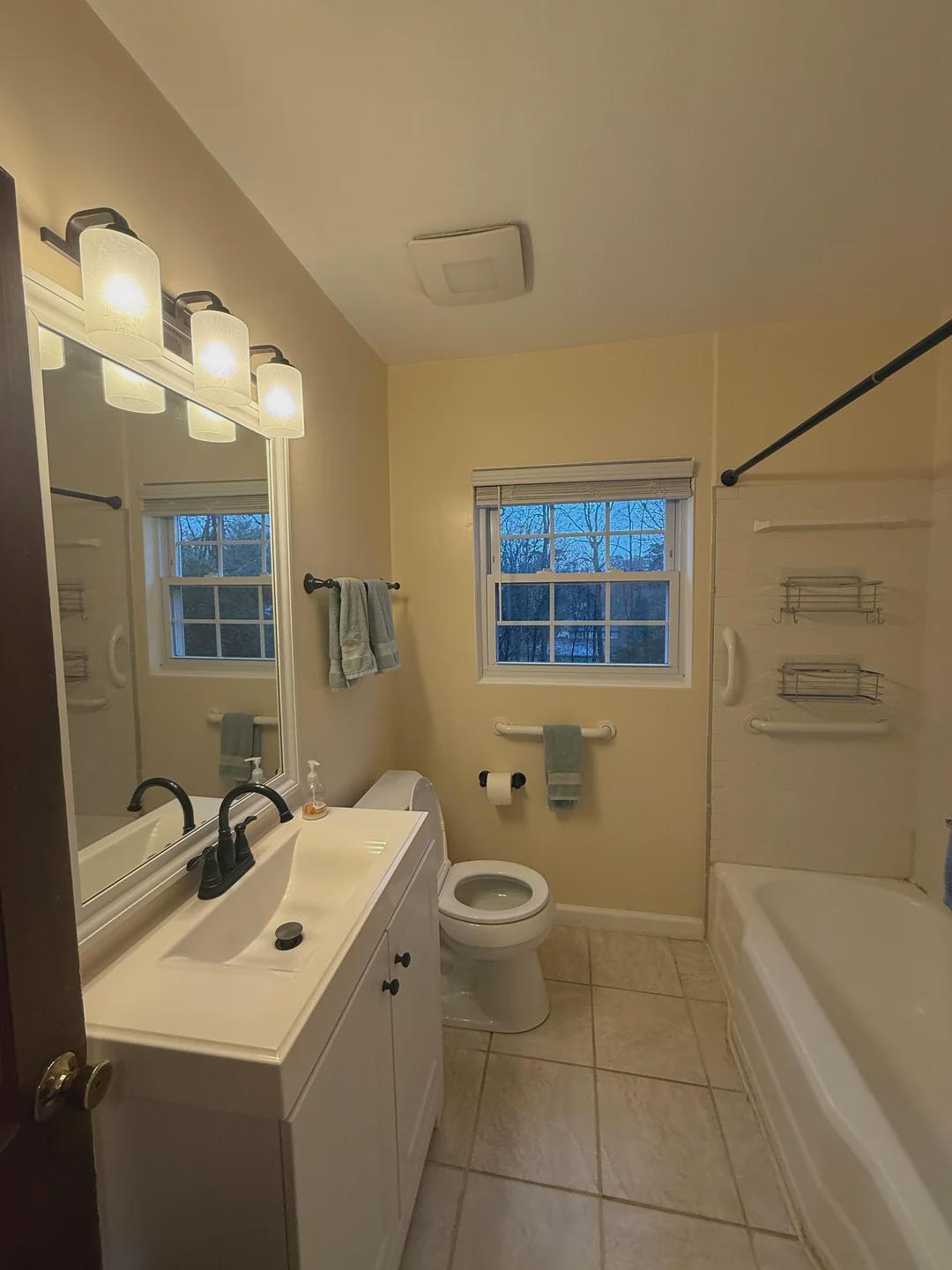
 Your photo
 1Photograph the bathroom
One photo from the doorway. A phone snap is enough — no measuring, no floor plan, and no need to back out of a room you cannot back out of.
Free to try
Photograph your bathroom, describe the tile, vanity and finishes you want, and see it rendered into your own room in seconds. Pick a question and a direction below — every before and after on this page is one real homeowner’s bathroom, unretouched.
What should the bathroom become?
Transform this dated bathroom into a bright coastal retreat. Sea glass green walls, white shiplap around the tub, light wood floors
How it works
No floor plan, no 3D model, no tile-shop appointment. The photo you can take from the bathroom doorway right now is the input.
Your photo One photo from the doorway. A phone snap is enough — no measuring, no floor plan, and no need to back out of a room you cannot back out of.
Transform this dated bathroom into a bright coastal retreat. Sea glass green walls, white shiplap around the tub, light wood floors
Type it the way you would say it to a contractor. Name one surface or redo the whole room — everything you do not mention stays put.
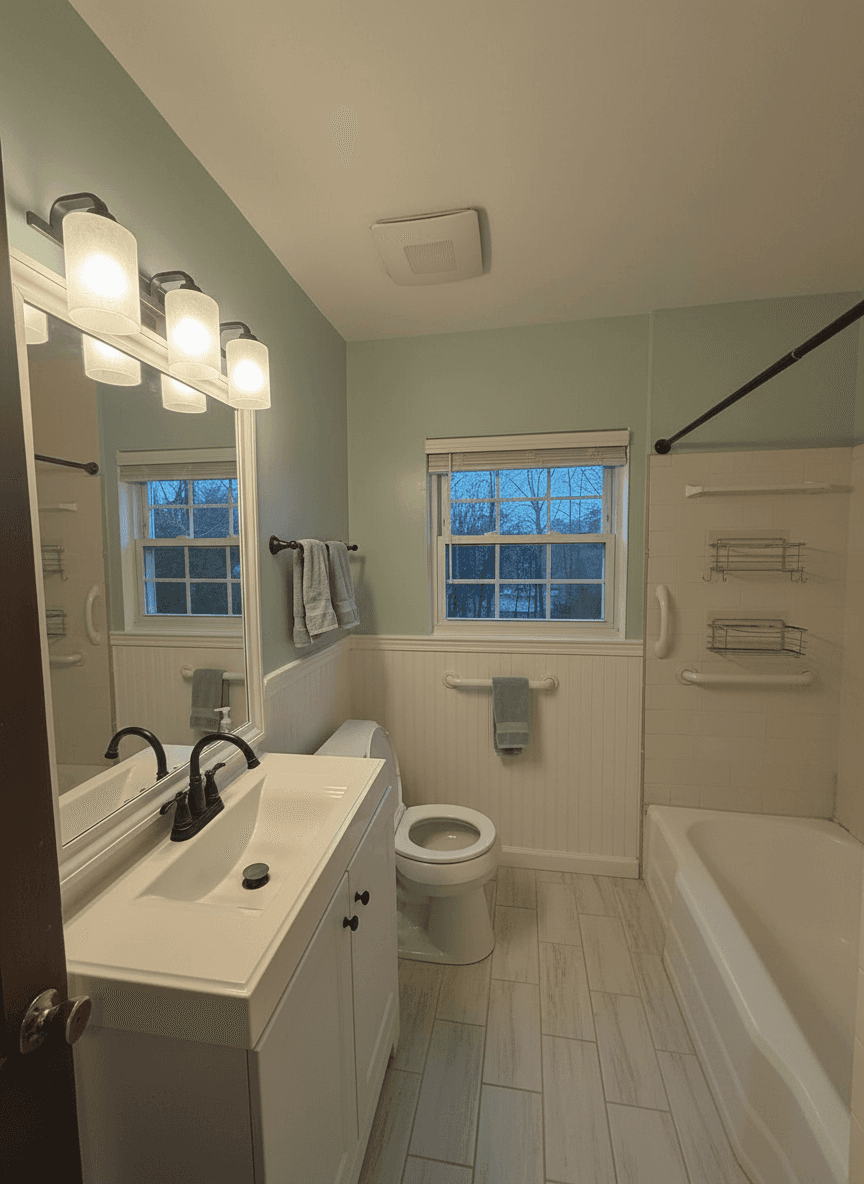 10s The render
 A photorealistic render of that design in your bathroom, in seconds. Keep it, change the tile, or run another direction on the same photo.
The render above came back in 10 seconds. Run the same bathroom photo through three directions and you have an answer before the tile shop opens.
Every surface
A whole remodel or a single surface — just the tile, just the vanity, just the wall colour. Every image below is a real render from a real homeowner photo.
Floor tile, shower tile, a tub surround or a full floor-to-ceiling run. Tile is the decision people stall on longest and the one a photo answers fastest.
See different tile designs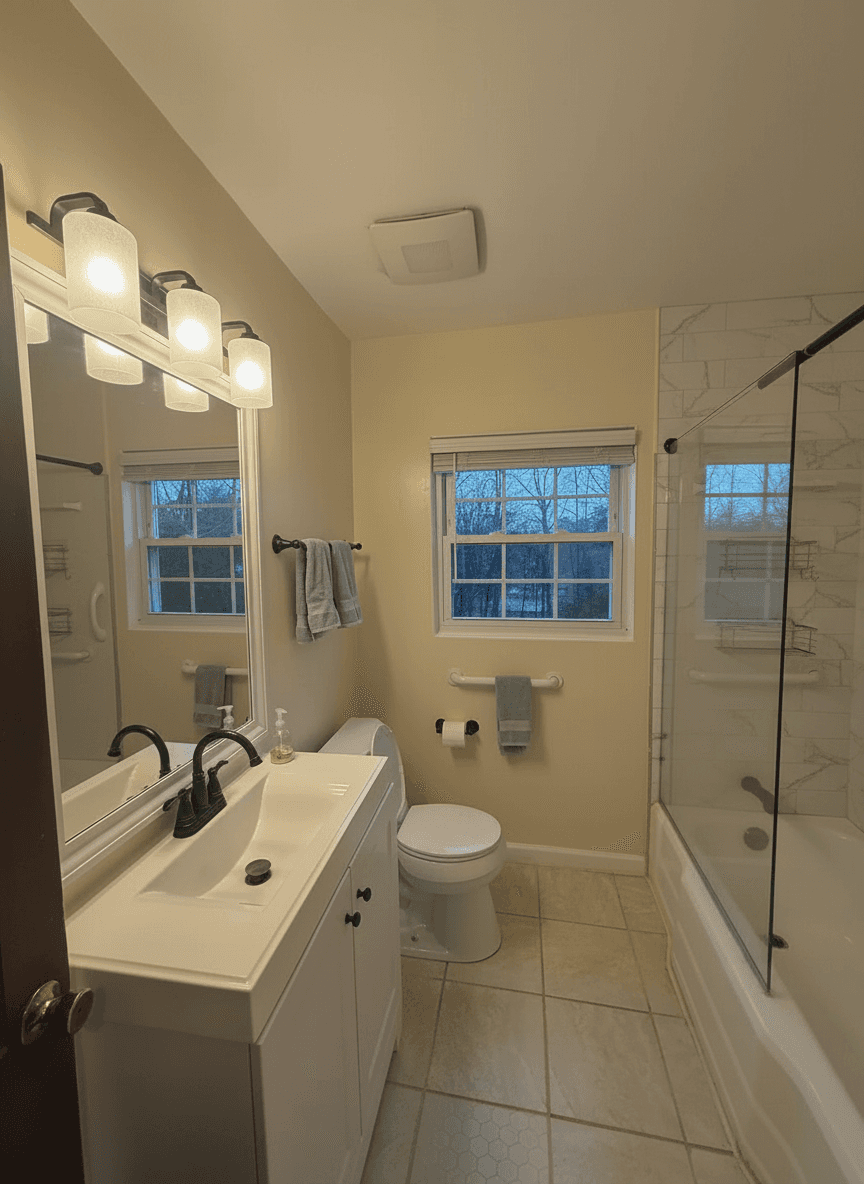
Floating, furniture-style, single or double. Swap the vanity and the counter without touching the plumbing wall behind it.
Remodel a bathroom from a photo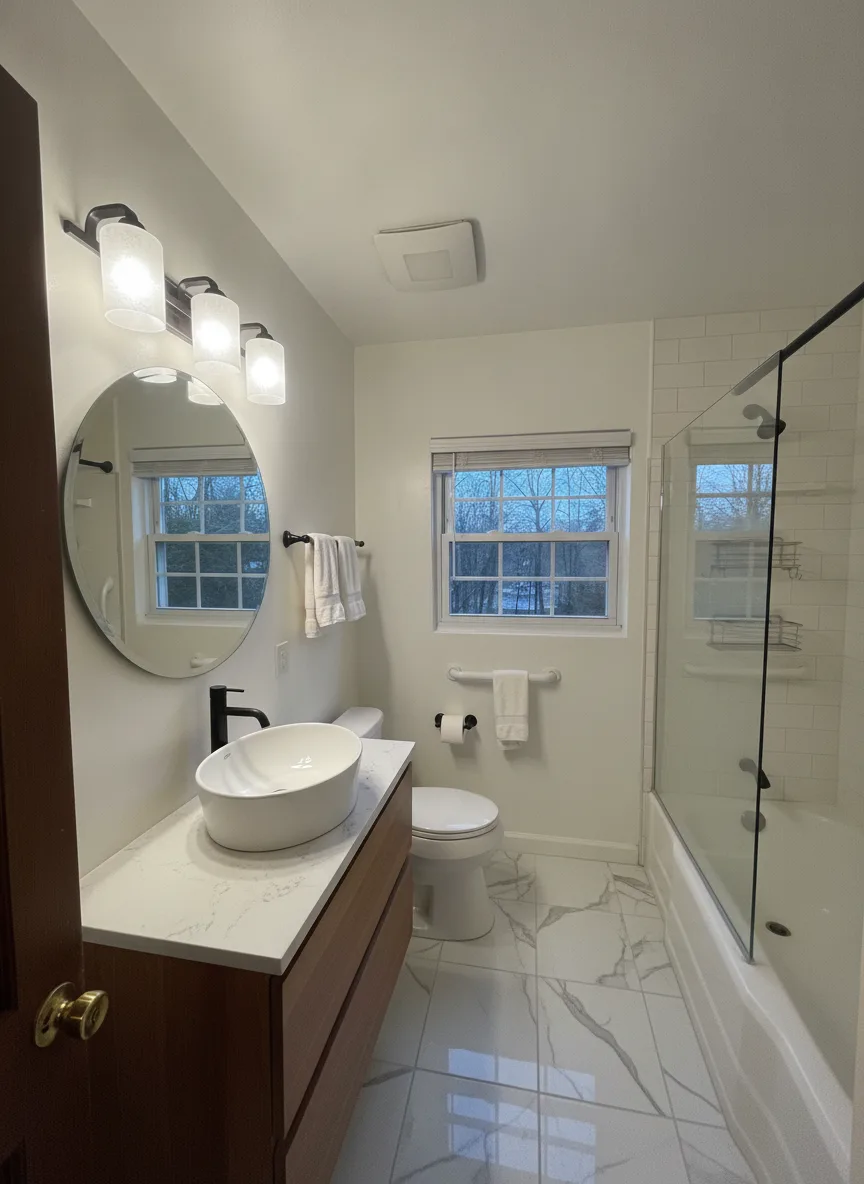
Trade the curtain rod for a frameless glass screen, retile the surround, or picture the tub gone entirely and a walk-in shower in its place.
Walk through a full remodel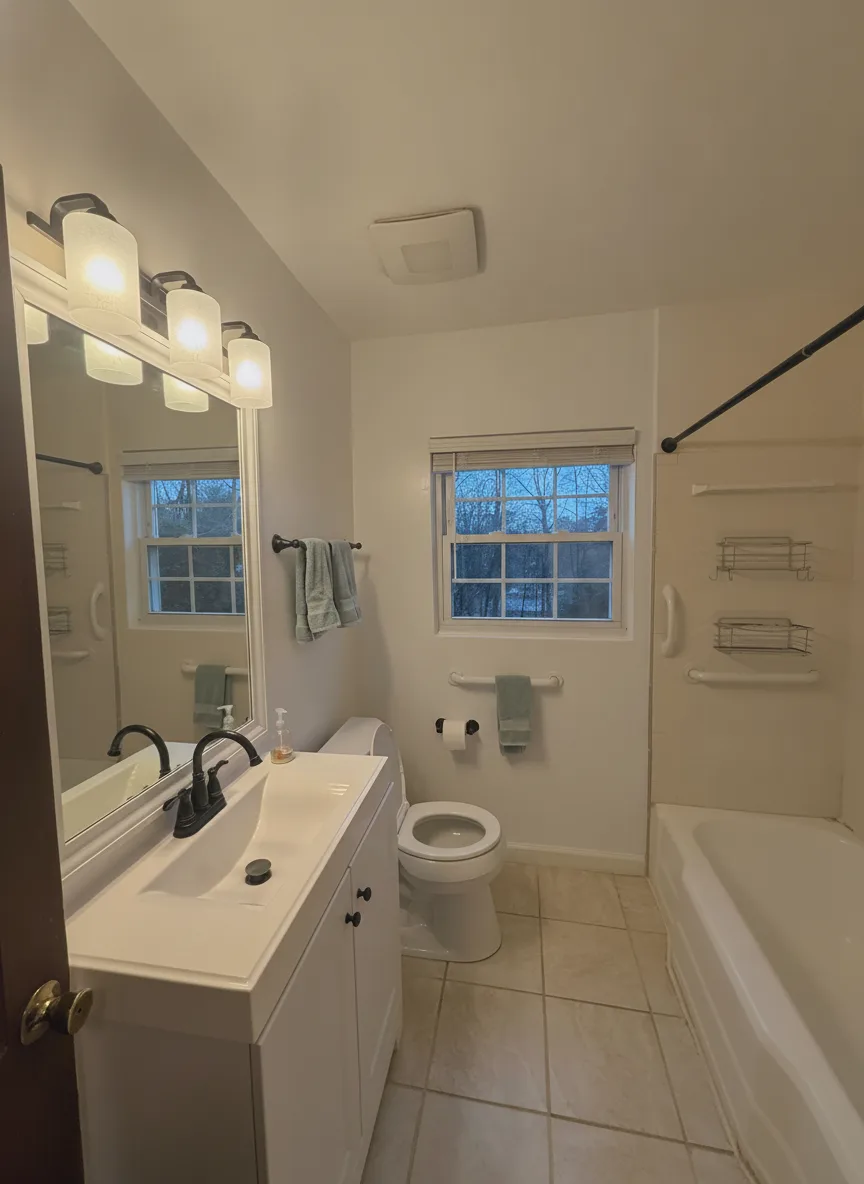
The cheapest change in the room, and the one hardest to judge from a chip. See warm white, sea glass or charcoal on your actual walls before you buy a gallon.
Visualise a remodel in minutes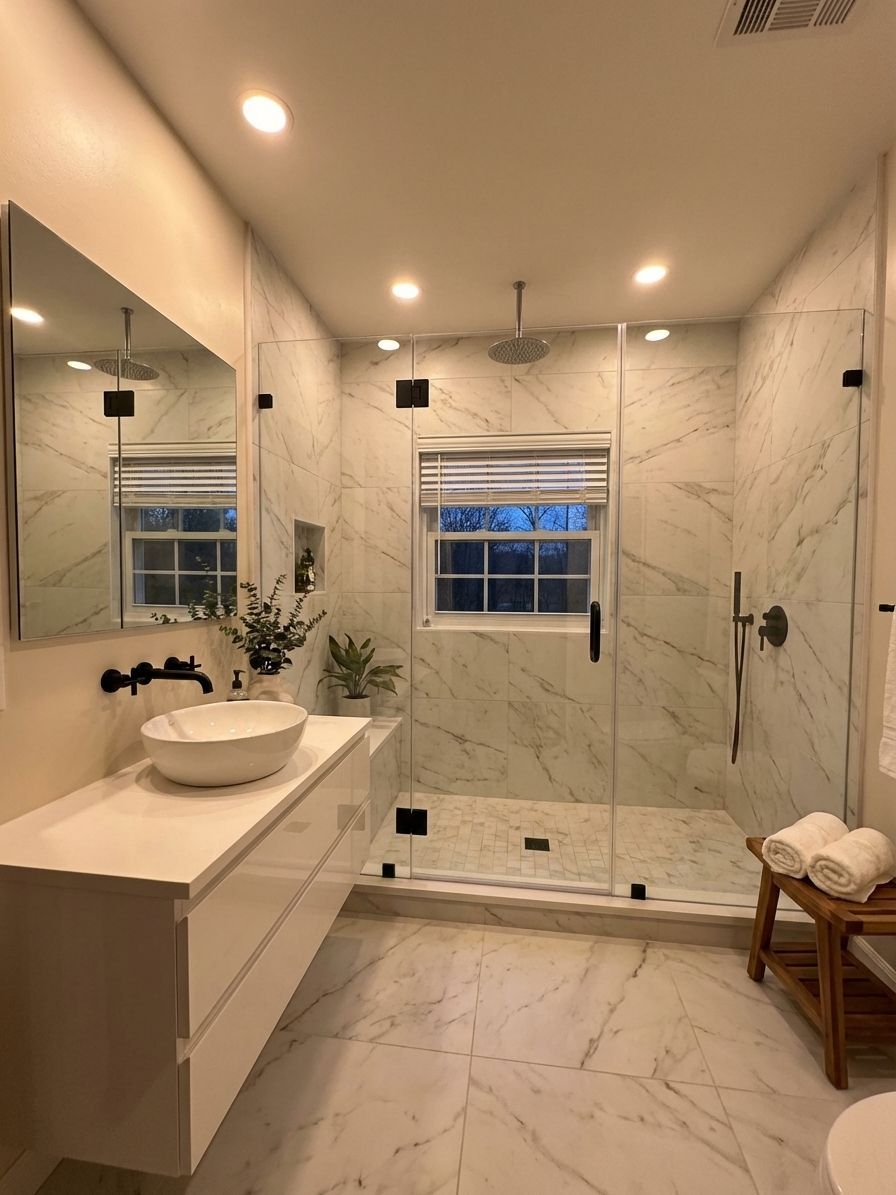
Powder rooms and three-piece bathrooms you cannot back out of to photograph. Large-format tile, a floating vanity and glass instead of a curtain all buy visual space.
Design a small bathroom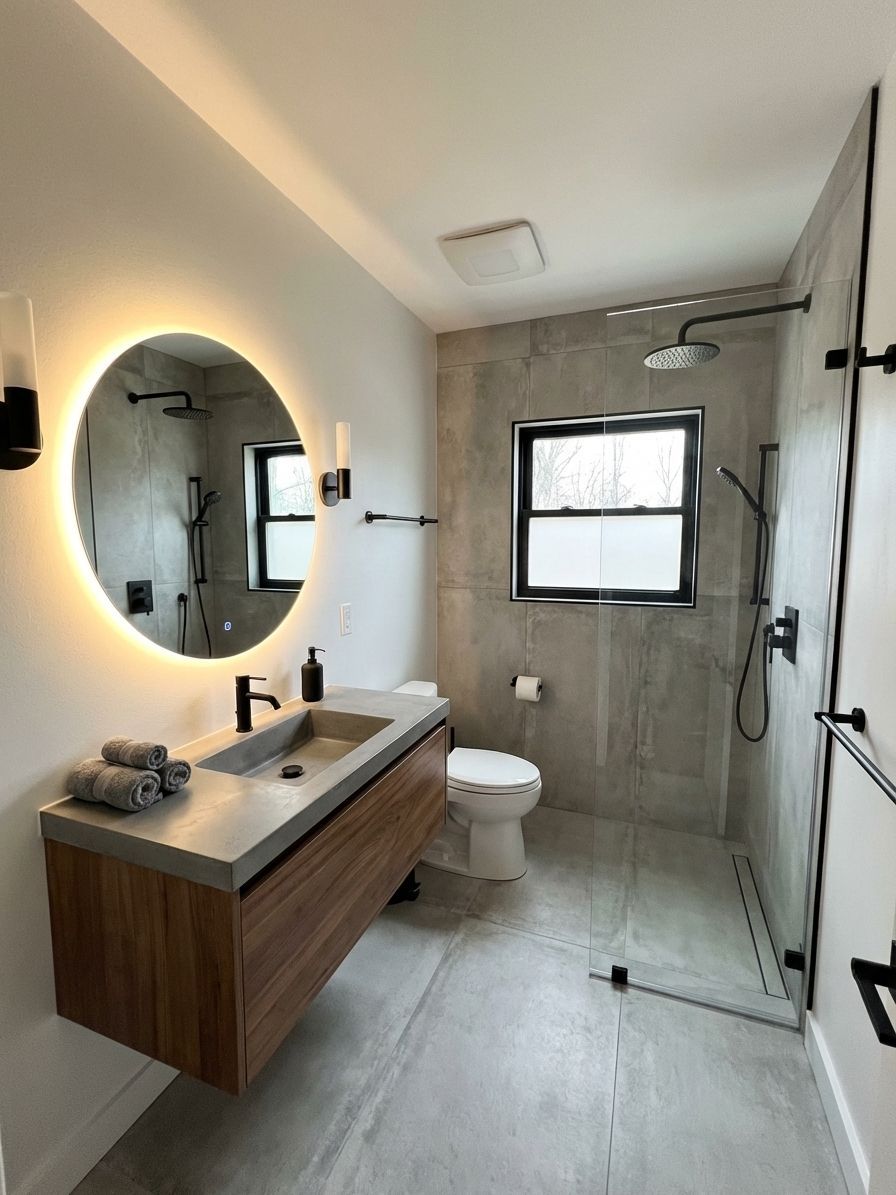
Matte black, brushed gold, polished chrome, bronze. Metal finish sets the whole temperature of a bathroom and costs almost nothing to try in a render.
Remodel the rest of the housePrefer to read it first? Is there an app where I can take a picture of my bathroom and remodel it? walks the whole thing through step by step, and small bathroom, big makeover goes deeper on framing a room you cannot back out of.
Tool, app or software?
Whether you would call it a bathroom design tool, a bathroom design app or bathroom design software, the question underneath is the same: can I see my own bathroom changed before I spend money on it? Yes. It runs in the browser and as a free app on iPhone and Android, and the only file it needs is a photo.
What it is not is a bathroom planner. There is no floor plan to draw, no measurements to enter and no fixtures to drag around — if you need to know whether a double vanity fits on a 60-inch wall, a tape measure beats any software. What a virtual bathroom designer built on photos is good at is the other question, the one a tape cannot answer: what would it look like?
The four renders below are the same three-piece bathroom from the top of the page, run through four more directions, prompts included. One of them is deliberately imperfect.
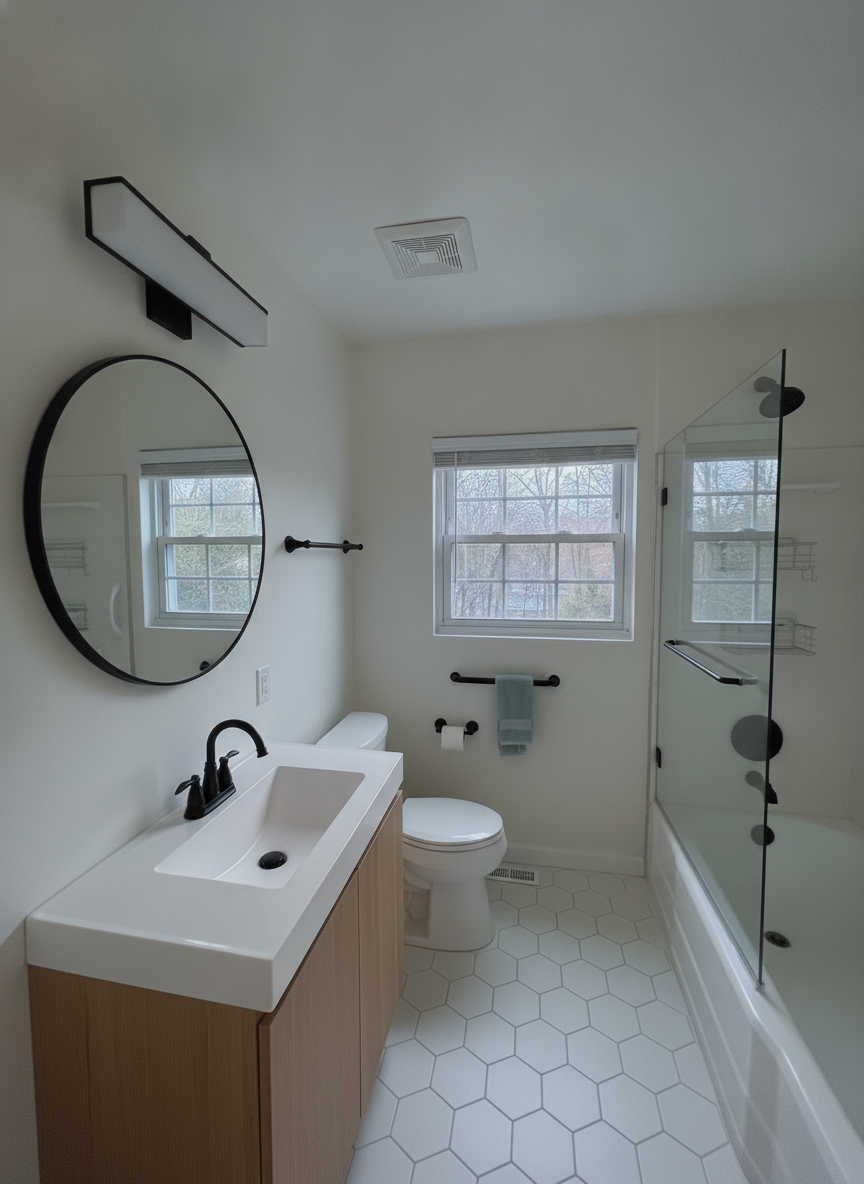 8s
8s “Redesign this bathroom in a Scandinavian style: white walls, a pale oak floating vanity with a white countertop, white hexagon floor tile, matte black fixtures, a round mirror with a simple black sconce above it, and a frameless glass shower screen instead of the curtain rod. Keep the tub, the window and the toilet exactly where they are.”
Everything dated is gone and the room is exactly the size it was. This is the render most people mean when they say “design my bathroom” — same walls, same window, a different decade.
Try this on your bathroom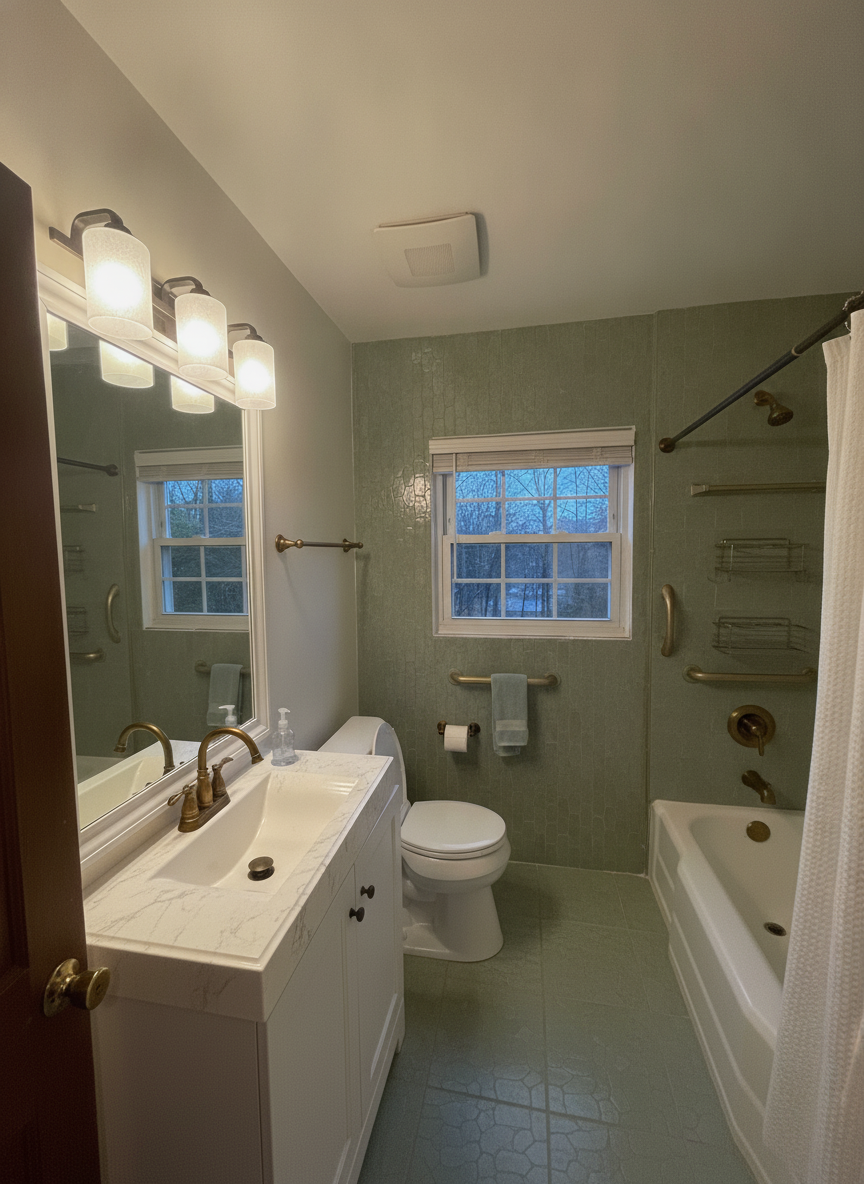 7s
7s “Remodel this bathroom with sage green zellige tile floor to ceiling around the tub, warm white walls, a white oak vanity with a white stone top, brushed brass faucet and towel bars, a brass-framed mirror and a white linen shower curtain on a brass rod. Keep the tub, the window and the toilet exactly where they are.”
A good render and a slightly wrong one. It tiled the whole room in sage, kept the white vanity we asked to replace, and kept the original light bar. Left in on purpose: this is what reading a render against your sentence looks like.
Try this on your bathroom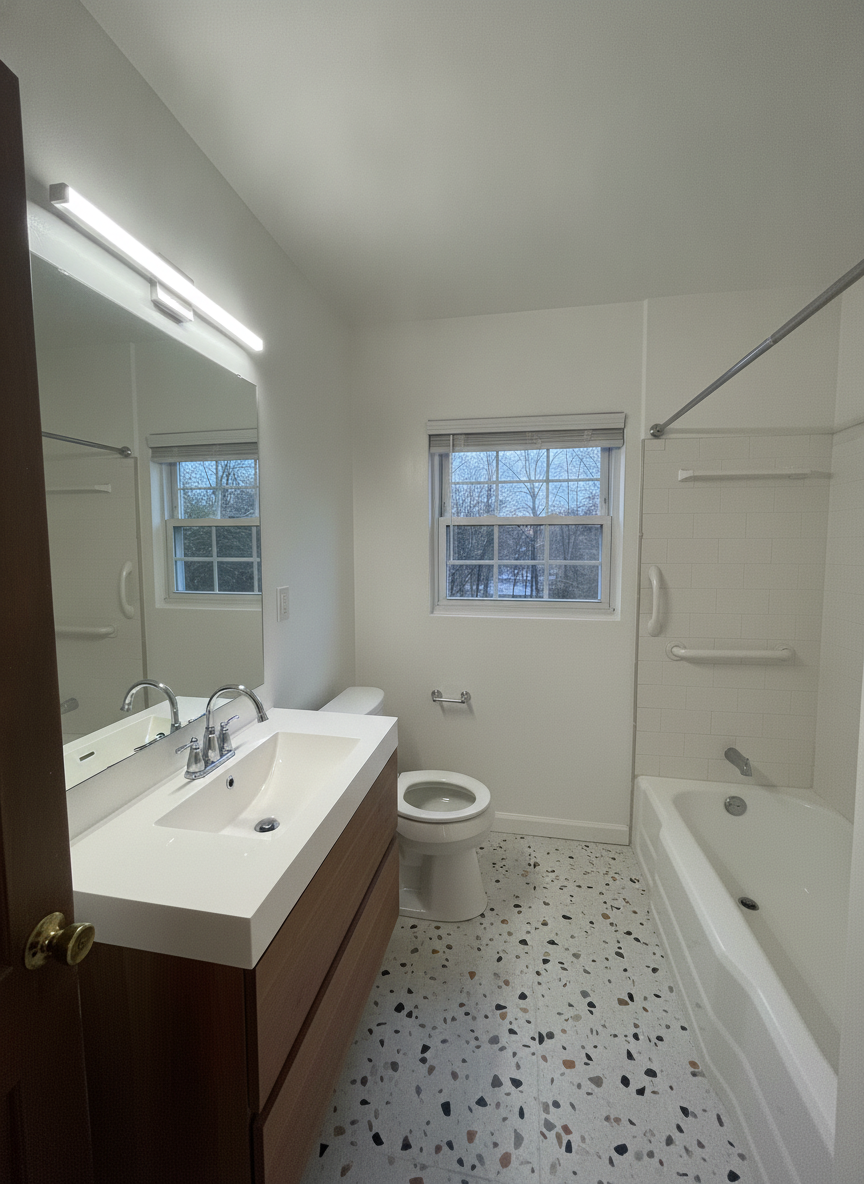 7s
7s “Remodel this bathroom with a terrazzo floor, white walls, a white floating vanity with a walnut drawer front, polished chrome fixtures, a large frameless rectangular mirror with a slim chrome sconce, and white subway tile around the tub. Keep the tub, the window and the toilet exactly where they are.”
The floor carries the whole room. Terrazzo is a hard thing to picture from a sample chip and an easy thing to judge once it is under your own tub.
Try this on your bathroom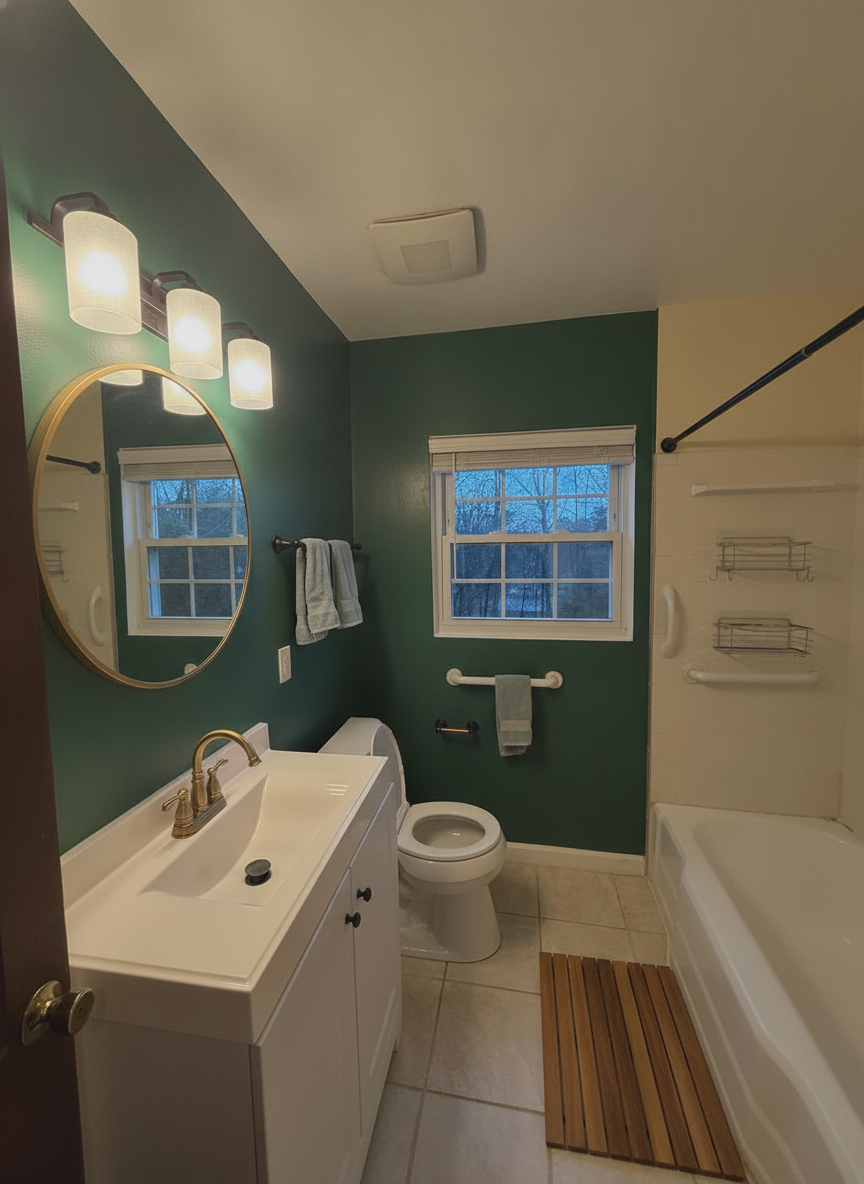 6s
6s “Keep this bathroom exactly as it is but paint the walls a deep forest green, swap the bronze faucet and towel bars for brushed brass, replace the mirror with a round brass-framed mirror and add a wooden bath mat. Keep the vanity, the floor tile, the tub, the light fixture and the window exactly as they are.”
The cheapest version — a gallon of paint, a faucet, a mirror and a bath mat. The vanity, floor and light bar are the originals, which is exactly what we asked for.
Try this on your bathroomWant a direction before you type one? Black bathroom ideas and master bathroom remodel ideas are the same engine run on other real bathrooms — pick the one you keep coming back to, then run it on yours.
The expensive question
Style is the fun question. Scope is the one that costs money: how much of this bathroom do I have to touch to stop hating it? We ran the same photo three times, escalating the amount of change each time.
Level 1 “Repaint only the yellow walls a soft warm white. Keep the existing vanity, mirror, light fixture, bathtub, beige floor tile and bronze fixtures exactly as they are.”
Everything the owner already has is still there — same vanity, same beige floor, same bronze faucet. Only the walls changed, and a surprising amount of the dated feeling goes with them, because the yellow was the thing making the floor read as beige. This is the level most people skip past, and it is the one worth testing first.
Try this on your bathroom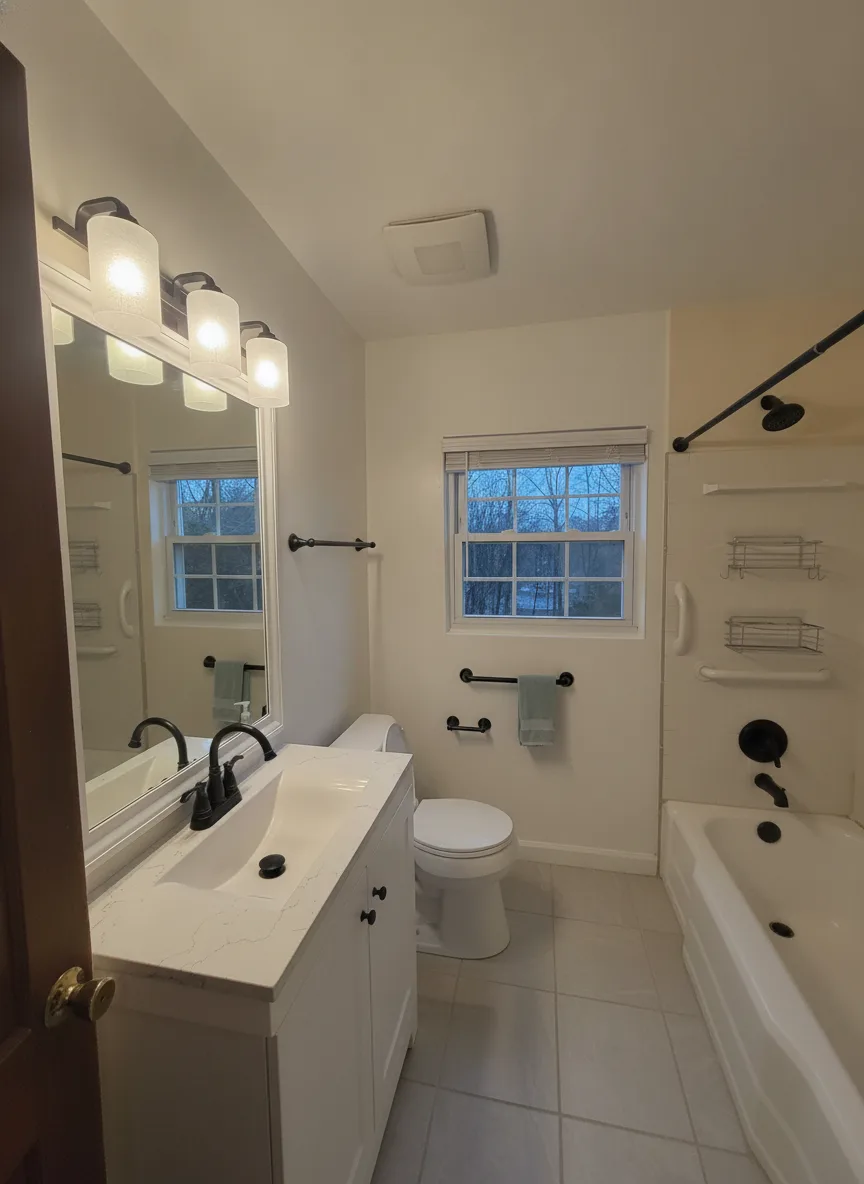 Level 2
 “Repaint the walls soft white, replace the beige floor tile with large-format light gray porcelain tile, swap the bronze fixtures and towel bars for matte black, and install a white shaker vanity with a white quartz top. Keep the bathtub and the window where they are.”
Nothing structural moved. The tub, the window and the toilet are all where they started. What changed is every surface you touch: floor, vanity, counter and metal finish. This is the level where a bathroom stops looking like it came with the house.
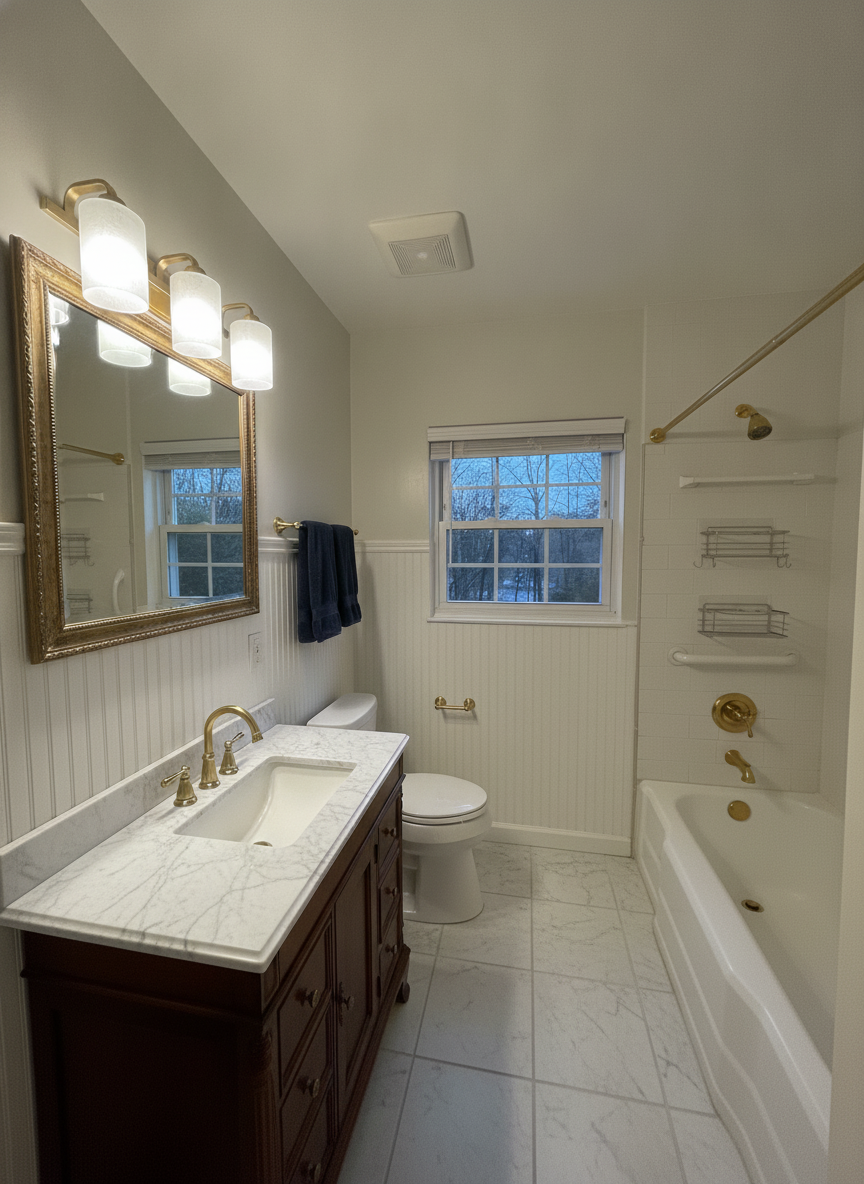
Try this on your bathroom Level 3 “Full remodel: floor-to-ceiling white subway tile around the tub, large marble-look floor tile, a floating walnut vanity with a vessel sink, a frameless glass shower screen instead of the curtain rod, and modern black sconces beside a round mirror. Keep the window in the same place.”
Same room, same window, same tub location — and almost nothing you would recognise. Seeing all three next to each other is the point: Level 3 is gorgeous, but you can now look back at Level 1 and decide honestly whether the gap between them is worth what it costs.
Try this on your bathroomOne caveat worth knowing before you read your own render: we asked for modern black sconces in the full-gut version and the model kept the original three-globe light bar, just darkened. Fixtures that are small and high in the frame are the first thing it skips. Trust the surfaces, verify the hardware, never trust the plumbing.
Straight answers
A bathroom render is a decision tool. It answers “would I like my bathroom like this?” in seconds, for free, before a tiler quotes you.
Questions
Yes. New accounts get free credits to design your own bathroom photos with no card, and the free tier stays available after that. Pro unlocks higher volume, higher-resolution downloads and unwatermarked exports. Every before and after on this page was produced on the same engine you get for free.
That is exactly what this does. Photograph the bathroom from the doorway, say what you want in plain English, and Renovate AI renders that design into your photo — same window, same tub location, same camera angle. It is your bathroom, not a catalog picture of someone else’s.
Tile is what it is best at. Floor tile, shower tile and tub surrounds are large flat surfaces with clear edges, which is exactly the kind of change a render gets right. Name the tile the way you would to a tiler — "large-format light grey porcelain", "white subway with dark grout", "marble-look floor tile" — and it will hold the layout while it swaps the surface.
Yes, and small bathrooms are where the difference reads loudest. You do not need to back out of the room — one photo from the doorway is enough. The small-bathroom examples on this page came from a real powder-room-sized bathroom shot exactly that way.
Yes. Renovate AI runs on iPhone and Android as well as in the browser, so you can stand in the bathroom, photograph it and redesign it on the spot. The same account and the same renders follow you across every device.
The render keeps your room — walls, window, ceiling height, tub position and camera angle stay put — so you are judging the design and not a different bathroom. Trust the surfaces: tile, paint, counters and the way the light changes. Verify the hardware, because small high-in-frame fixtures like a light bar are the first thing the model skips. Never trust the plumbing: it will happily move a toilet three feet, and whether yours can move is a question about drains and joists that nothing working from a photograph can see.
That is the expensive question, and it is one a photo tool can answer and a mood board cannot. Run the same photo at three levels — paint only, new surfaces on the same footprint, and a full gut — and compare them side by side. The three renders in “How far do you actually have to go?” above are exactly that test on one real bathroom.
Seconds. The renders on this page came back in roughly 8 to 12 seconds each. You can run three directions on the same bathroom photo and compare them in under a minute.
Both, and it is the same account either way. In the browser it is a bathroom design tool you upload a photo to; on iPhone and Android it is a free bathroom design app you point at the room. Renders, credits and history are shared, so you can photograph the bathroom on your phone and compare the results on a bigger screen later.
Yes — that is what the free tier is for. Sign up, upload a photo of your bathroom, type what you want changed and the render comes back in seconds, no card required. What you will not get from it, or from any photo-based bathroom design software, is a layout: it does not draw plans or check measurements. It shows you the finished room.
Not the kind you install. If you want to move walls or check clearances, a floor-plan tool or a designer is the right call. If the question is which tile, which vanity, which colour and how far to go, a phone photo and one sentence is enough — and it is free to try.
Keep going
The other room everyone wants to redo. Cabinet colour, countertops and backsplash tile, rendered into your own kitchen from one photo.
Design a kitchenThe same engine pointed at the whole house — living rooms, bedrooms, basements and exteriors remodelled from a photo.
Remodel a roomTake one picture from the doorway, describe the tile, vanity and finishes, and see your bathroom redesigned in seconds. Free to try — on iPhone, Android and the web.


