
The renovation
visualization API

Send a photo and what to change. Get back a photorealistic render of that exact change, in that exact photo, in seconds. Everything you see moving here is unretouched output from the live API.

live request
POST /public/v1/renovate
X-API-KEY: $RENOVATE_API_KEY

{
  "image_url": "https://your-site.com/customer-room.jpg",
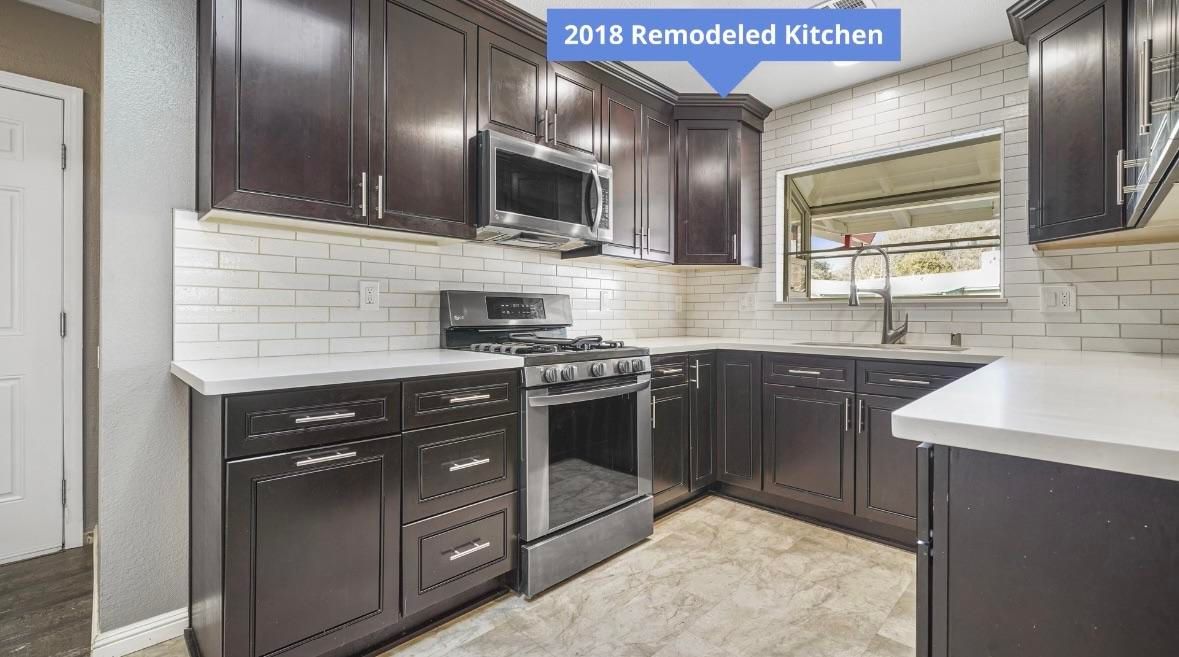
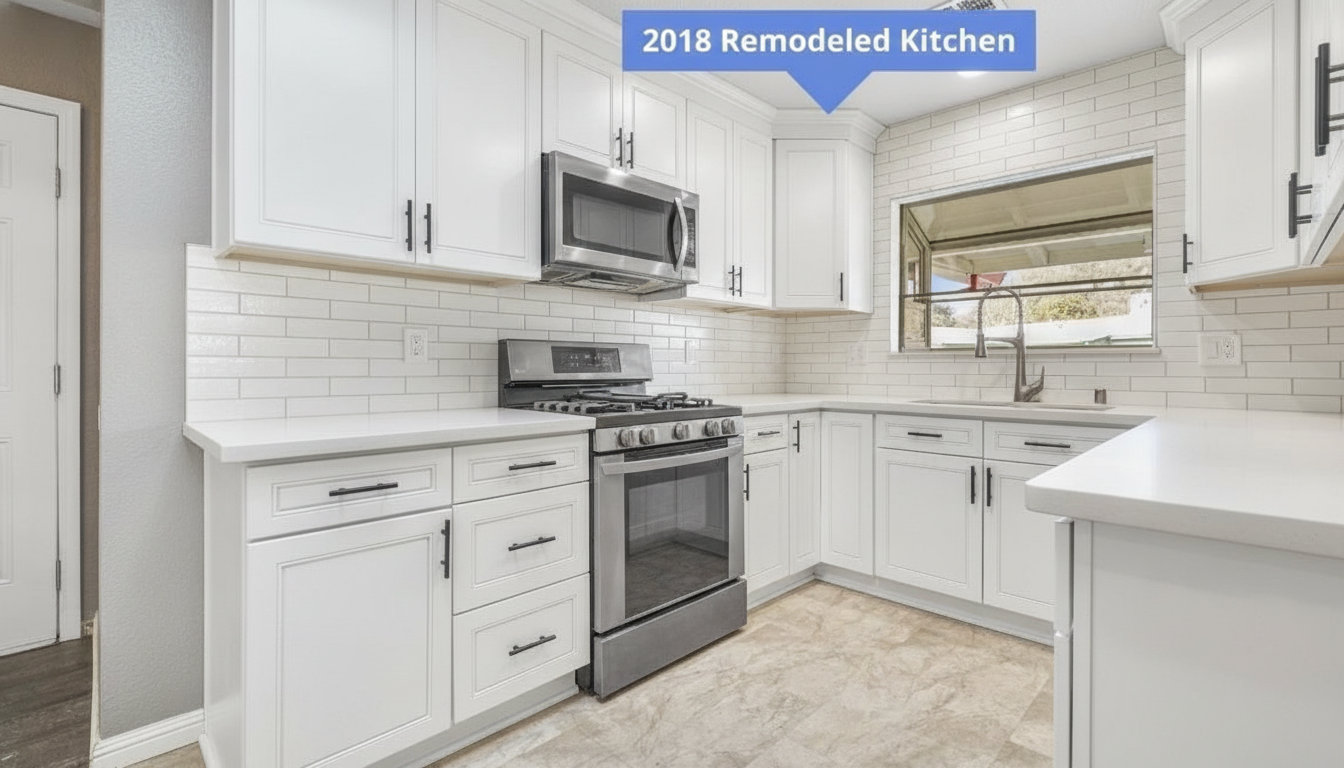
  "guidance": "Repaint the kitchen cabinets bright white with matte black hardware. Keep the rest of the kitchen unchanged.",
  "renovation_spectrum": "tweak"
}
POST /renovate rendered in 7s

Model Context Protocol

Plug the API straight into your AI tools — Claude, ChatGPT, Codex, Cursor, or any MCP client.

1Add the server 2Sign in with Renovate AI 3Renovate in chat
claude mcp add --transport http renovateai https://mcp.renovateai.app/mcp

Runs in your terminal with Claude Code.

Virtual stagingStyle transferLiving roomBedroom

The integration

Your product, in their photo

Map your catalog once. Every render carries your exact SKU into the customer’s own room — the picture a shopper approves is the product that ships.

Your catalog Catalog SKU texture + location
POST /renovate Renovate AI materials[] applied
Their room
Customer photo Their room uploaded once
Photorealistic render
API output Photorealistic render in seconds

Model Context Protocol

Add it once, use it in any AI client

Authorize the Renovate AI server once from Claude, ChatGPT, Codex, Cursor, or any MCP client, and call every endpoint straight from chat — renders, staging, upscales — each one drawing from your API credits.

1

Add the server

Grab the install command for your client at the top of the page. One line — or one connector URL — registers Renovate AI.

2

Sign in with Renovate AI

Your client opens an OAuth consent — authorize once and your key and credits link automatically, no config files.

3

Use it in chat

Ask it to renovate, stage, or upscale a photo — every call runs on the live API and draws from your credits.

Connected

Catalog-exact

Render your exact products, not lookalikes

The materials array carries your SKU, texture image, and installation location. The engine applies your product to the customer’s photo — one schema across every surface.

FLOORSKITCHEN_CABINETSCOUNTERTOPSBACKSPLASHWALLSEXTERIOR_SIDINGCEILING

Flooring, cabinetry, countertops, backsplash, paint, siding, and ceilings — map your catalog once, render everywhere.

materials[] payload
{
  "image_url": "https://your-site.com/customer-room.jpg",
  "guidance": "Install the following flooring: Natural engineered hardwood. Keep the rest of the room unchanged.",
  "renovation_spectrum": "tweak",
  "materials": [{
    "material_id": "fl-hwd-001",
    "material_name": "Oak Hardwood",
    "color_id": "fl-hwd-001-nat",
    "color_name": "Natural",
    "image_url": "https://your-cdn.com/materials/fl-hwd-001-nat.png",
    "installation_location": "FLOORS",
    "metadata": { "width": "7in", "finish": "Wire Brushed", "species": "White Oak" }
  }]
}
curl
curl -X POST https://api.tech.renovateai.app/public/v1/renovate \
  -H "Content-Type: application/json" \
  -H "X-API-KEY: $RENOVATE_API_KEY" \
  -d '{
    "image_url": "https://your-site.com/customer-room.jpg",
    "guidance": "Repaint the kitchen cabinets bright white with matte black hardware. Keep the rest of the kitchen unchanged.",
    "renovation_spectrum": "tweak"
  }'

The full surface

Six endpoints, one visual engine

Renovate

POST/renovate

Photorealistic render of specific materials or changes applied to a customer photo. Drive it with guidance text, or attach a materials array — SKU, texture image, installation location — for catalog-exact results.

Virtual staging

POST/virtual-staging

Stage empty listings by room type and style. Project-based: create a project per listing, generate styled variations per room.

Kitchen cabinets

POST/kitchen_cabinets

Purpose-built cabinet refacing and repainting — the highest-volume surface in remodeling, tuned as its own endpoint.

Style transfer

POST/style_transfer

Re-render a space in a named design style while preserving its geometry.

Creative upscale

POST/creative_upscale

Print- and marketing-grade enlargement of generated or original photos.

Analyze

Coming soon
POST/analyze

Structured understanding of room photos — single and batch.

Complete request and response schemas live in the API reference.

In production

What teams build with it

Product visualizers for material retailers

Your product catalog POST /renovate + materials[] Customer photo Photorealistic render

Let shoppers see your exact SKU — flooring, cabinets, countertops, siding — installed in their own room before they buy. The materials array carries your SKU, texture image, and installation location, so the render matches the product, not a lookalike.

Design packages for builders

Design package options Pre-rendered per elevation Buyer picks finishes Signed selection sheet

Home builders present finish packages on the buyer’s actual elevation and floor plan. Ready2Build runs its selection experience on this API today.

Virtual staging for real-estate platforms

Empty listing photos POST /virtual-staging Room type + style Staged listing set

Stage entire listings programmatically — create a project per listing, choose from supported room types and styles, and generate consistent staged sets at listing-feed scale.

Quotes that close for contractor software

Job photos from the estimate POST /renovate Scoped changes rendered Quote with the after picture

Attach the after-picture to every estimate. A homeowner who has seen the result approves faster — and upgrades more.

Questions

Frequently asked

What is the Renovate AI API?

A REST API that renders photorealistic renovations onto real photos. Send a photo of a room or exterior plus what to change — free-text guidance or a structured materials array — and receive a rendered image back, typically in 6–15 seconds.

Can it render my exact products?

Yes. The materials array carries your SKU, product name, texture image URL, installation location (floors, cabinets, countertops, backsplash, walls, exterior siding, ceiling), and metadata like finish and dimensions. Renders apply your product, not a generic lookalike.

How fast is it?

The renders on this page took 6–10 seconds each, measured as full API round-trips. Plan for up to ~20 seconds on large images.

How do I integrate it?

It is a standard REST API with JSON in and a hosted image URL out — use it from any stack. Teams typically ship a product-page visualizer, an internal staging pipeline, or an embedded widget. We work with you directly on integration; most teams have a first render on their own catalog the same day they get a key.

Is there virtual staging support?

Yes — dedicated endpoints create staging projects and generate styled variations per room, with a catalog of supported room types and staging styles.

How do I get an API key?

API access is provisioned per team. Book a demo and we will set up your key, credits, and a working example against your own catalog.

Put renders in your product

API access is provisioned per team — we set up your key, credits, and a first working render against your own catalog. Most teams see their product in a customer photo the same day.