
How to Change Cabinet Color Using AI

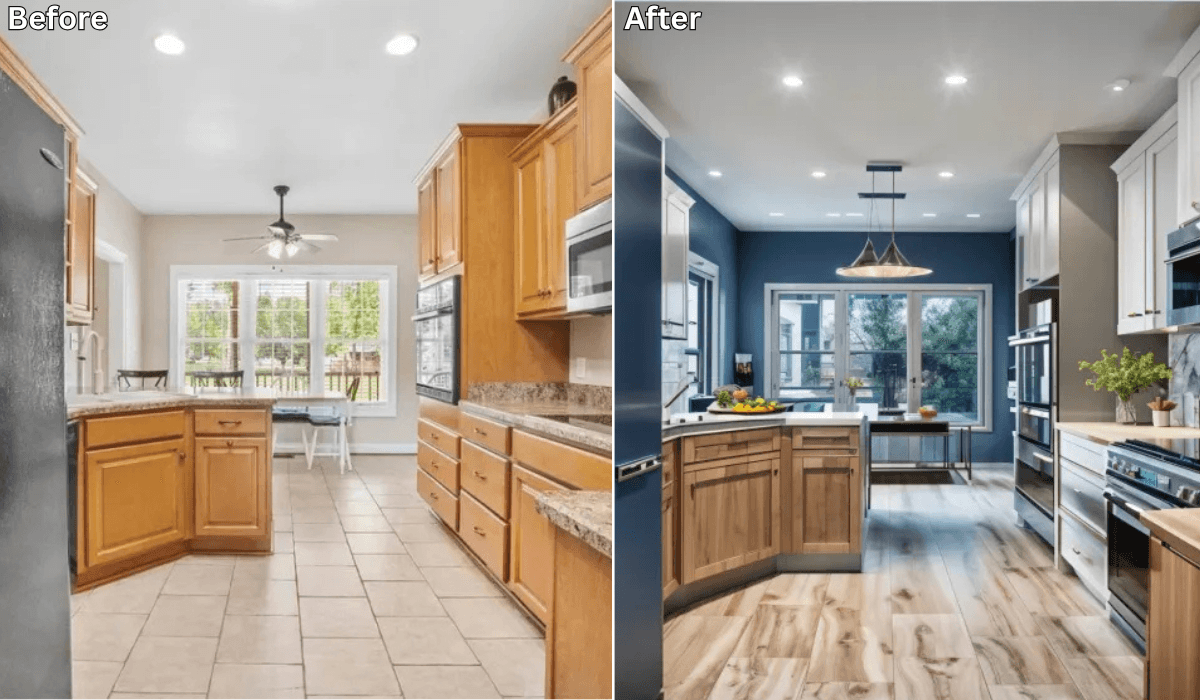
Changing the color of your cabinets can dramatically transform your kitchen, bathroom, or any other space without the need for a full renovation. But choosing the right color can be a challenge.
Thankfully, artificial intelligence (AI) can help you visualize different cabinet colors before making a commitment. Here’s how you can use AI to pick the perfect cabinet color for your home.
Why Use AI for Changing Cabinet Color?
AI-powered tools make cabinet color selection easier by offering:
-
Instant Visualizations: See how different colors look on your cabinets in real time.
-
Personalized Recommendations: AI suggests colors that match your home’s style and decor.
-
Time and Cost Efficiency: Avoid costly mistakes by previewing color changes before painting.
-
Trend Insights: Get recommendations based on the latest design trends.
Best AI Tools for Changing Cabinet Color
Several AI-powered apps can help you experiment with different cabinet colors. One of the best tools is Renovate AI, which provides an easy way to visualize cabinet color changes. Other popular apps include Sherwin-Williams ColorSnap Visualizer, Benjamin Moore Color Portfolio App, Behr Color Smart and Houzz Pro Design Tool.
How to Use Renovate AI to Change Cabinet Color
Renovate AI allows you to experiment with cabinet colors effortlessly. Follow these steps:
-
Download the App: Install Renovate AI on your iOS or Android device.
-
Take a Picture of Your Cabinets: Capture a clear image of your cabinets, ensuring proper lighting for accurate color representation.
-
Upload Your Photo: Upload the image to Renovate AI and select the cabinet area for color customization.
-
Choose Color Options: Browse AI-generated color suggestions or manually pick from a wide range of shades.
-
Compare and Adjust: Experiment with multiple colors, adjust saturation, and refine the hue until you find the ideal match.
-
Save and Share: Save your favorite choices and share them with family or contractors for feedback.
See It In Action: 3 Cabinet Color Directions
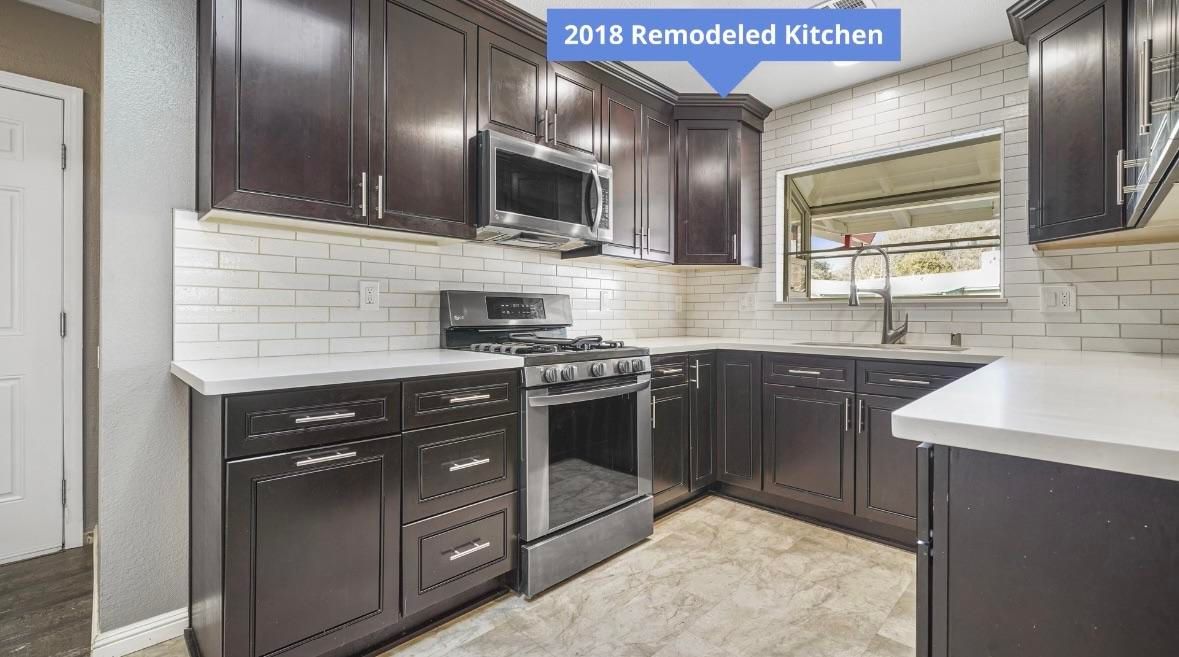
Here’s a real kitchen with dark espresso cabinets. We used Renovate AI to preview three different cabinet color directions — all from the same photo, in seconds.
The original kitchen:
Direction 1: Sage Green
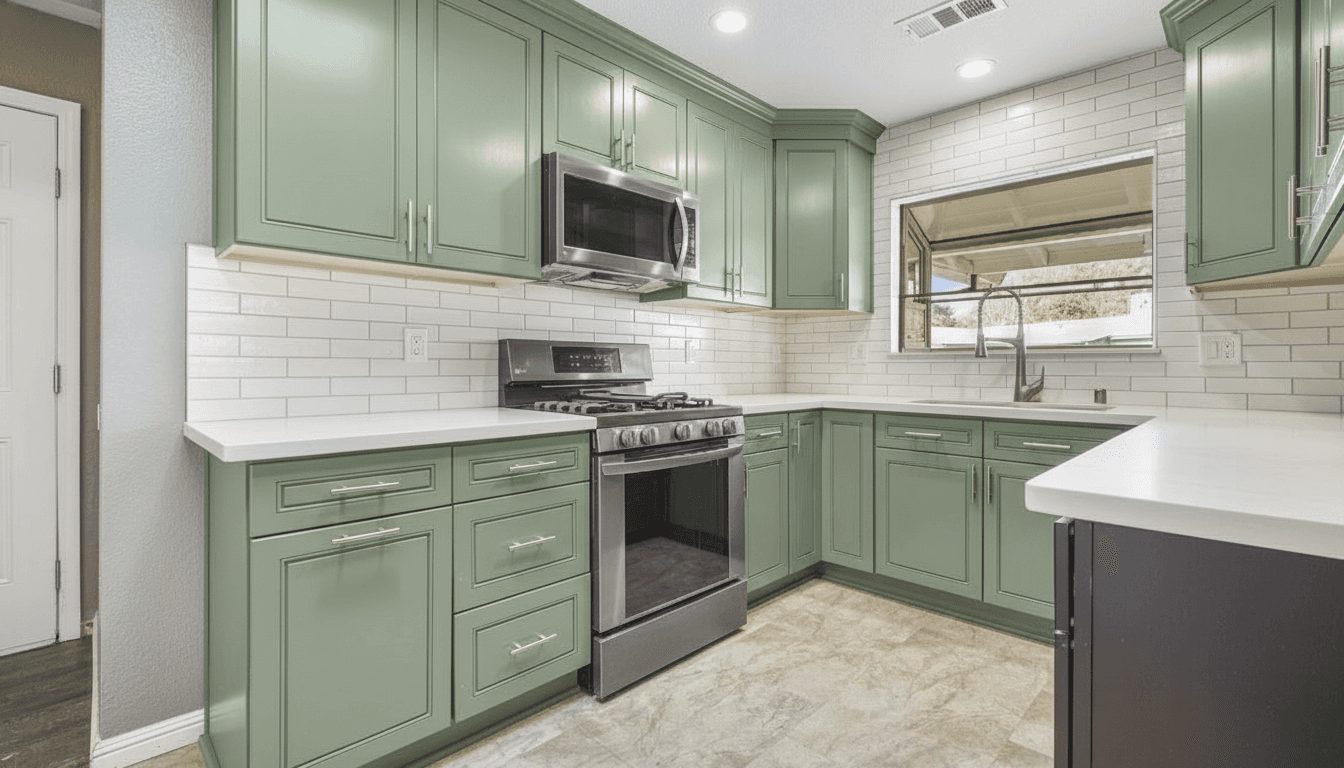
What we told Renovate AI:
Paint the dark espresso cabinets sage green. Keep the white subway tile backsplash and quartz countertops

Free · No account needed · 10 seconds
Direction 2: Classic White
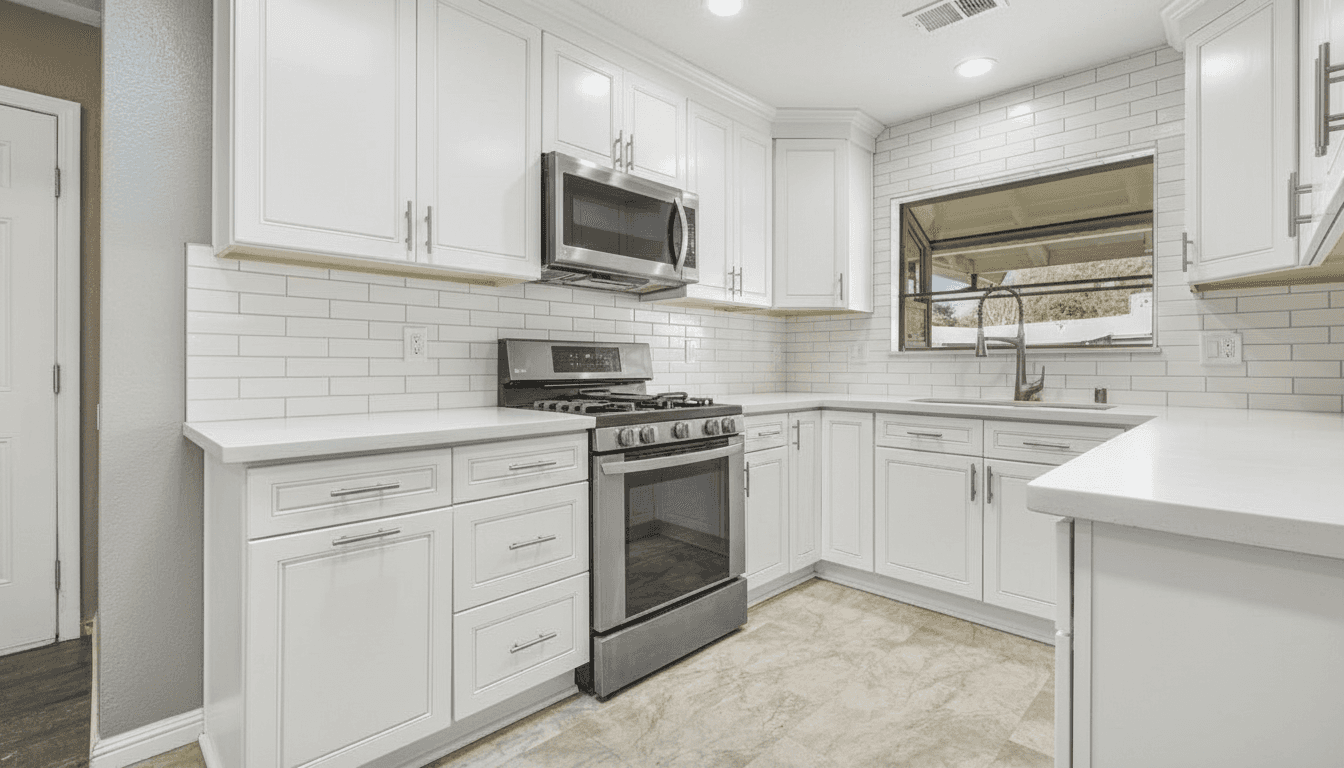
What we told Renovate AI:
Paint all dark cabinets bright white for a clean modern look. Keep the subway tile and quartz countertops

Free · No account needed · 10 seconds
Direction 3: Navy Blue with Gold Hardware
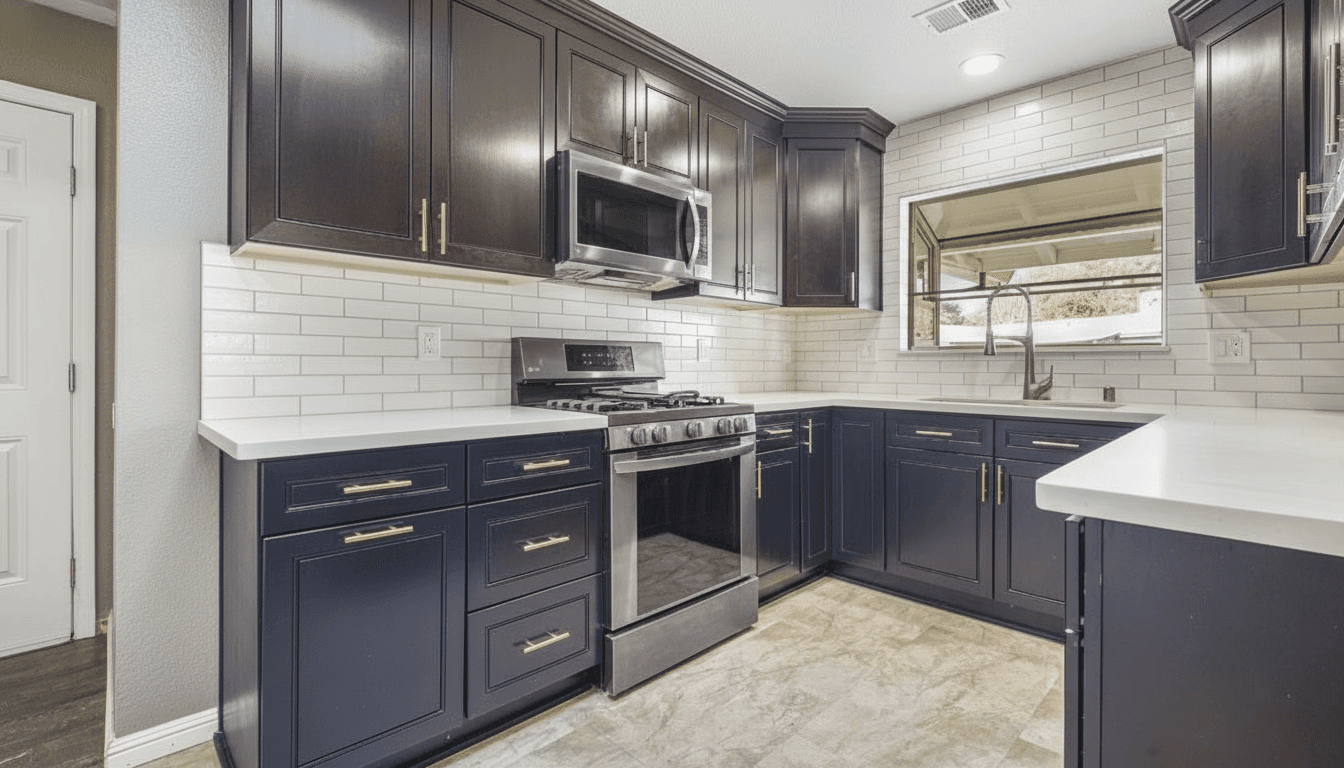
What we told Renovate AI:
Paint the dark cabinets deep navy blue with brushed gold hardware. Keep white subway tile and quartz countertops

Free · No account needed · 10 seconds
Same kitchen. Same countertops. Same backsplash. Three completely different feels — all previewed before picking up a paintbrush.
A Second Kitchen: Does This Work on Honey Oak?
Dark cabinets going light is the easy case. The question we get more often is the opposite one: my cabinets are honey oak, can AI show me those painted?
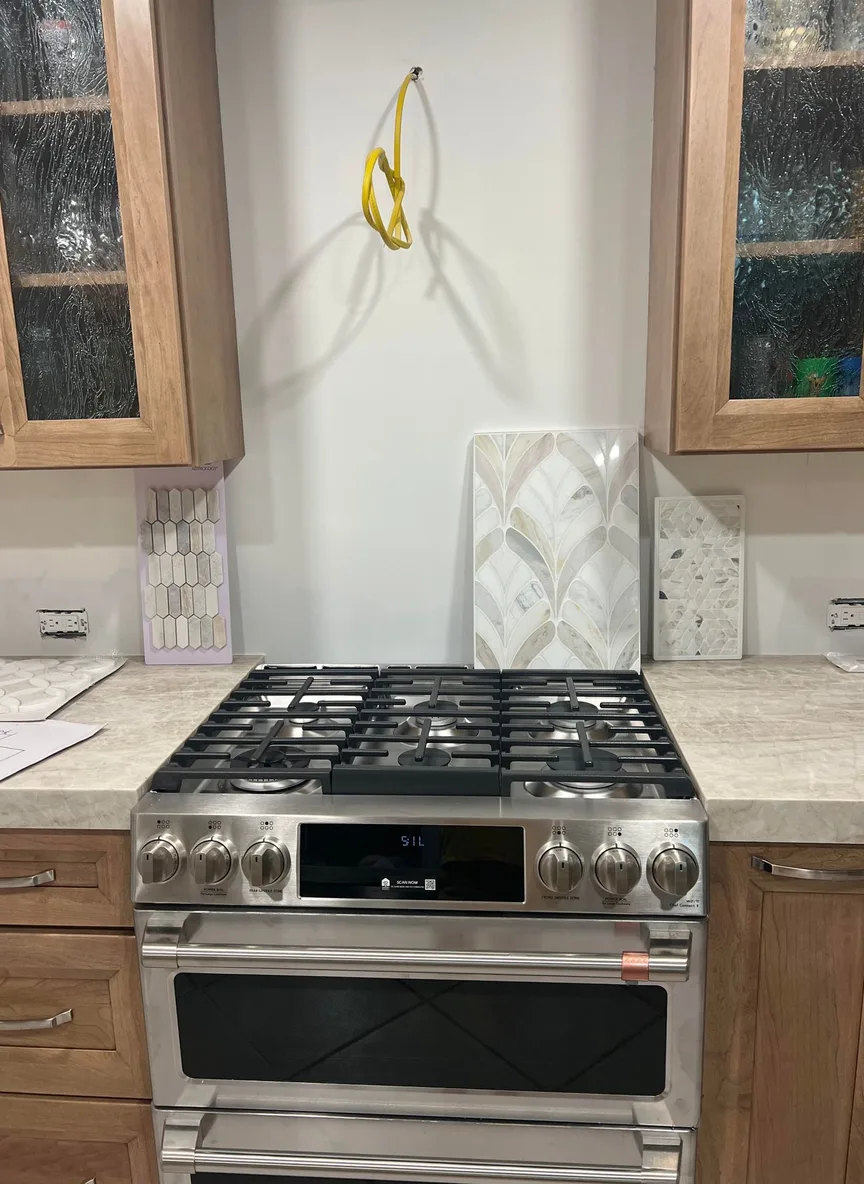
So we ran a second test on a different kitchen. This one is a real homeowner photo, taken mid-project — honey oak cabinets, cream stone counters, and a bare backsplash wall with tile samples still propped against it. No color chosen yet.
The original kitchen:
Creamy White
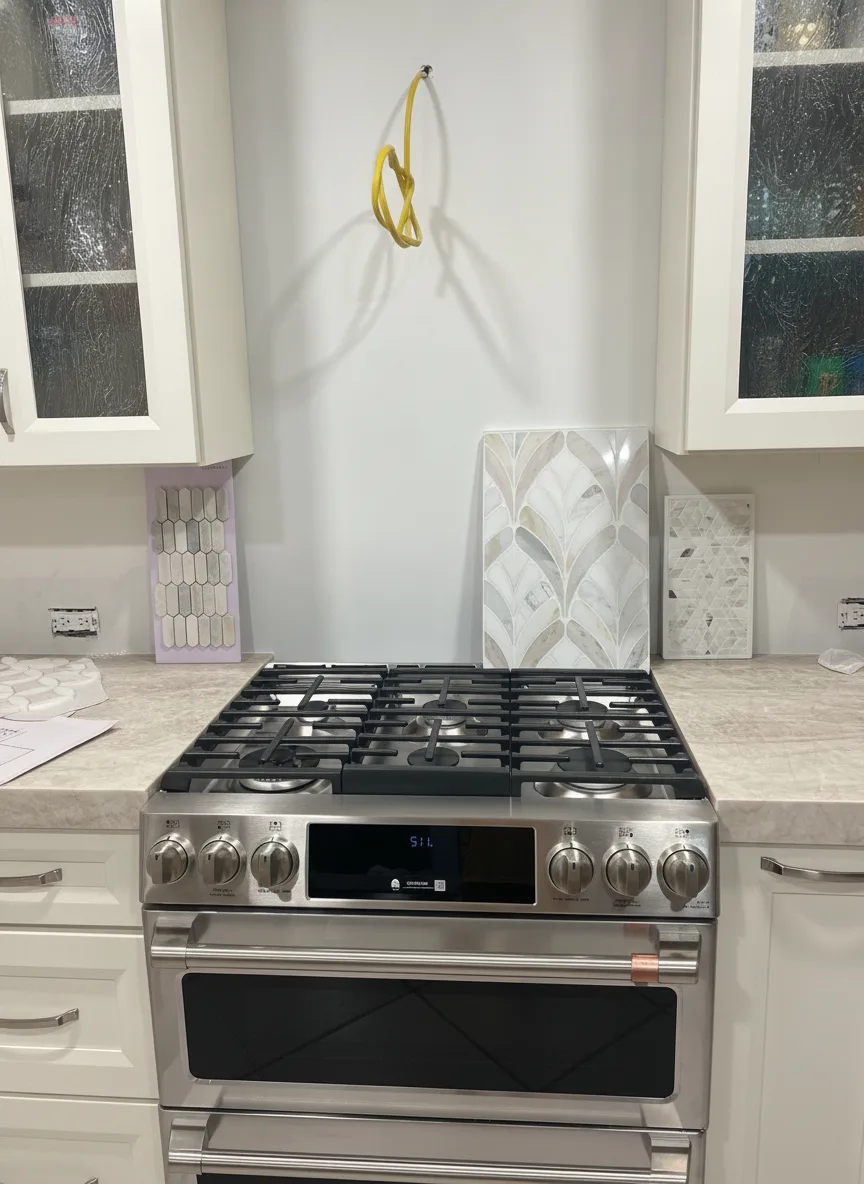
What we told Renovate AI:
Paint the honey oak cabinets a creamy warm white. Keep the stainless range, the cream stone countertops and the tile samples propped against the wall exactly as they are.
White is what most people picture when they say “update the oak.” Notice what it costs: the cream counters now read as the warmest thing in the frame. If your counters lean beige, white cabinets push them yellower, not cleaner.

Free · No account needed · 10 seconds
Deep Forest Green
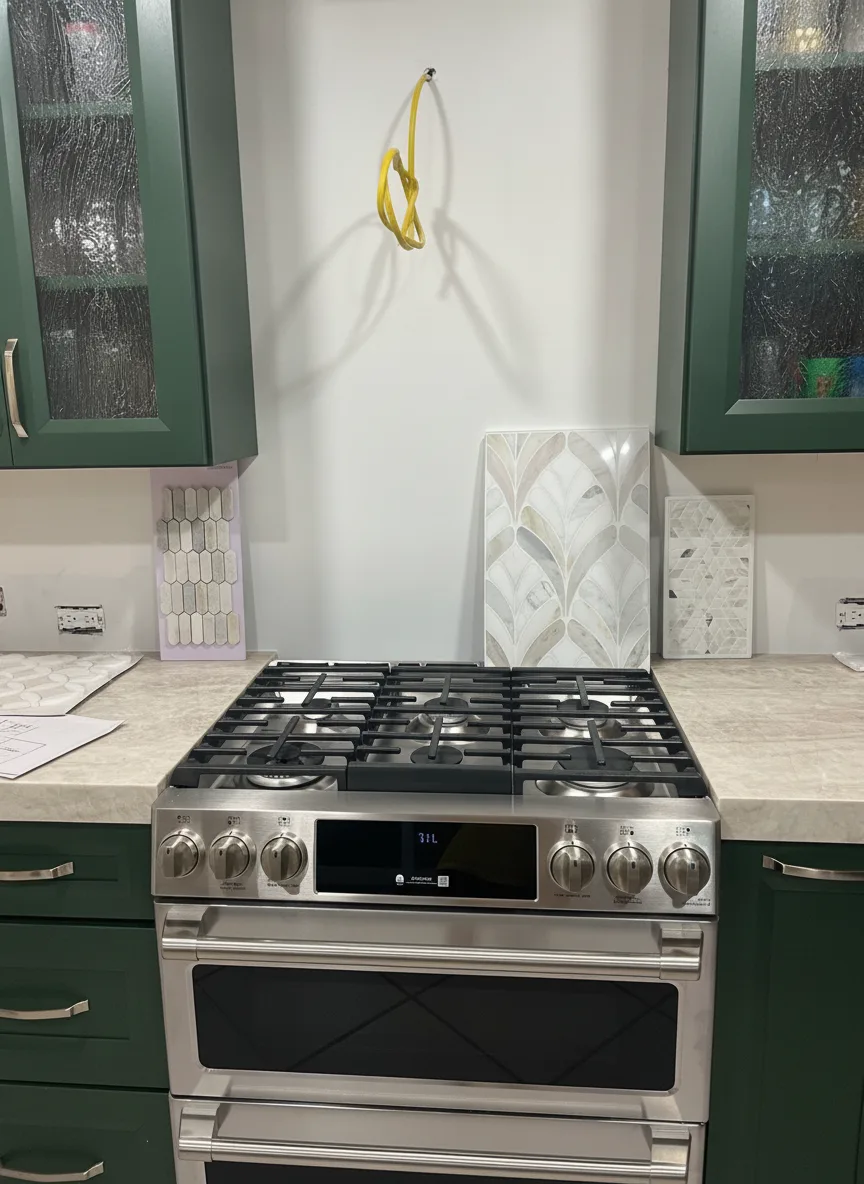
What we told Renovate AI:
Paint the honey oak cabinets a deep forest green with brushed brass hardware. Keep the stainless range and the cream stone countertops exactly as they are.
Green does the opposite of white: it makes the cream counters read as light and deliberate instead of dated. This is where a preview earns its keep, because almost nobody can picture a dark saturated color in their own kitchen from a paint chip.

Free · No account needed · 10 seconds
Two-Tone: Charcoal Below, Oak Above
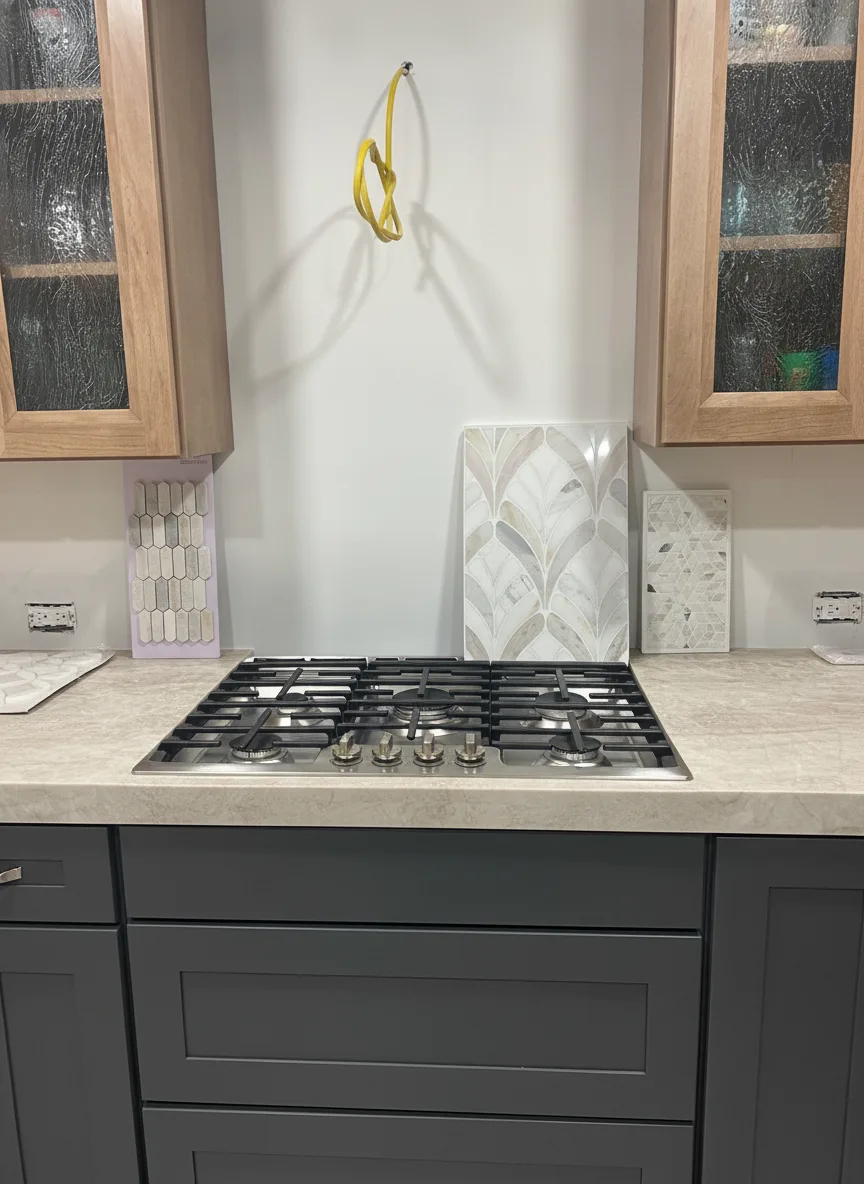
What we told Renovate AI:
Paint only the lower oak cabinets deep charcoal and leave the upper glass-front cabinets in natural oak. Keep the stainless range and the cream stone countertops exactly as they are.
Two-tone is the answer for people who like their oak but not all of it. Dark below, wood above: the lowers ground the room and take the abuse, the uppers keep the warmth. The reasoning behind which half goes dark is in how to choose kitchen cabinet colors.

Free · No account needed · 10 seconds
Where the AI Got It Wrong
Look closely at the two-tone render and you’ll catch it: the double oven range in the original came back as a cooktop with drawers under it. We didn’t ask for that. The model was told to repaint the lowers and rebuilt part of the appliance on its way through.
That’s the honest limit of every AI render, ours included. The color is real. The inventory is not. Trust the hue, the value, and the way the room’s light changes. Don’t assume the faucet, the hardware, or the appliances came back exactly as they went in, and never hand a render to a contractor as a spec.
The second thing a render won’t tell you is texture. Oak has deep open grain, and painted oak still reads as oak in person unless someone fills that grain first. A render gives you a smoother door than a painter will.
Factors to Consider When Selecting a Cabinet Color
While AI provides great suggestions, consider these factors to ensure the best choice:
-
Room Lighting: Colors can look different under natural and artificial light.
-
Existing Decor: Ensure your cabinet color complements the walls, flooring, and furniture.
-
Cabinet Material: Some materials take paint better than others, affecting the final look.
-
Personal Style: Choose a color that aligns with your aesthetic and home design goals.
Benefits of Using AI for Cabinet Color Selection
AI-powered design tools provide several advantages, including:
-
Confidence in Your Decision: Visualizing colors before painting helps ensure satisfaction.
-
Enhanced Aesthetic Appeal: Choose a color that enhances your home’s overall look.
-
Creative Exploration: Experiment with bold colors or classic neutrals without risk.
-
Efficient Decision-Making: Narrow down options quickly without spending hours comparing swatches.
Final Thoughts
Changing your cabinet color is an easy way to refresh your space, and AI-powered tools make the process even simpler. Whether you want a bold statement color or a timeless neutral, Renovate AI can help you visualize and choose the perfect shade.
Ready to transform your cabinets? Download Renovate AI today and find the ideal cabinet color for your home!
More AI Home Design Guides
You Might Also Like
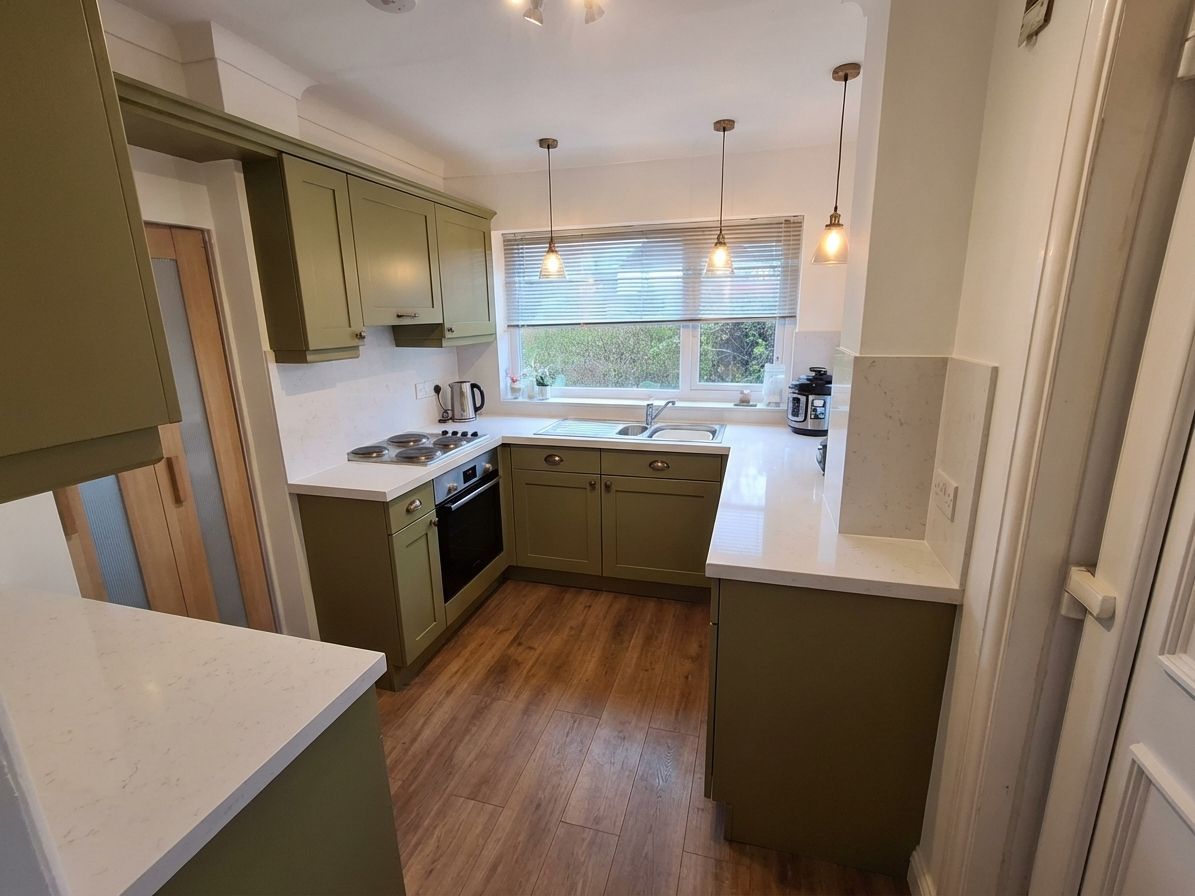
How to Choose Kitchen Cabinet Colors: Name Your Anchor First →
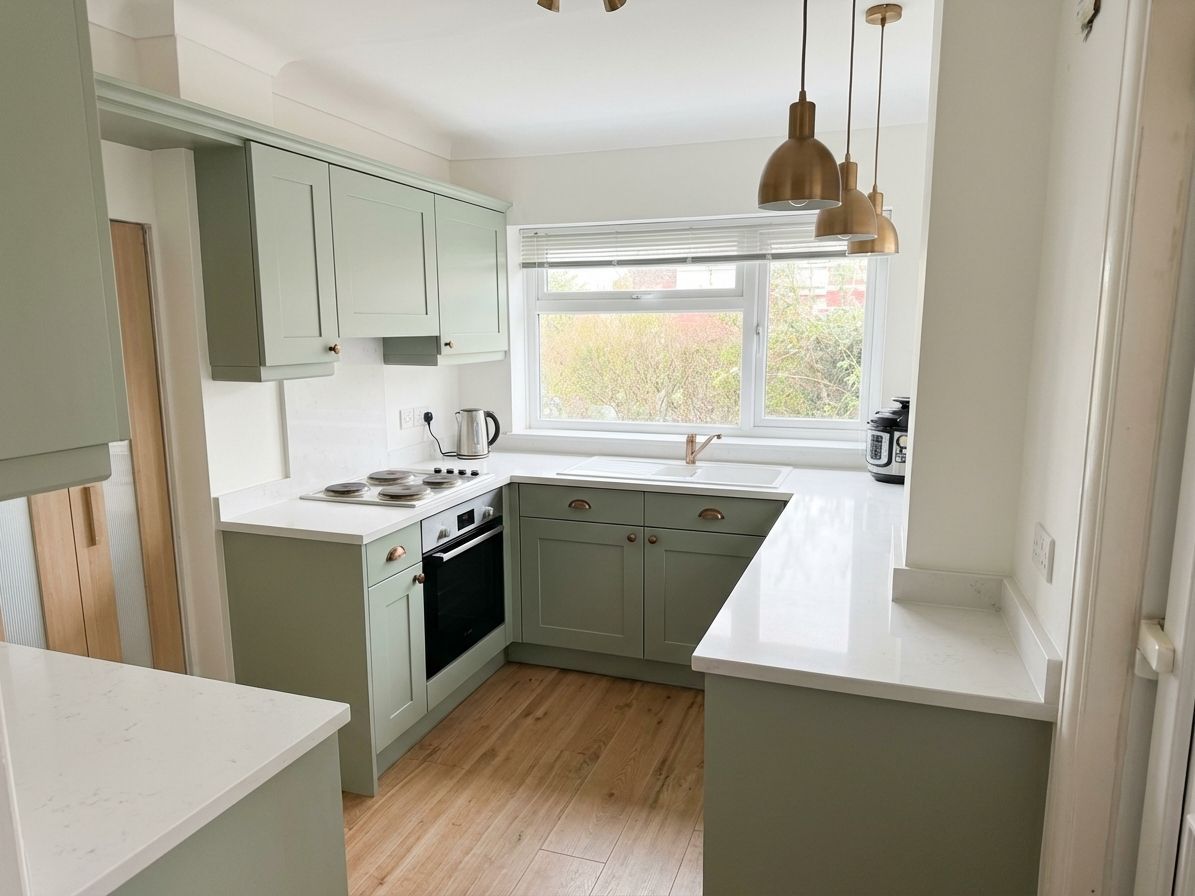
How to Redesign a Kitchen: Decide in the Right Order →
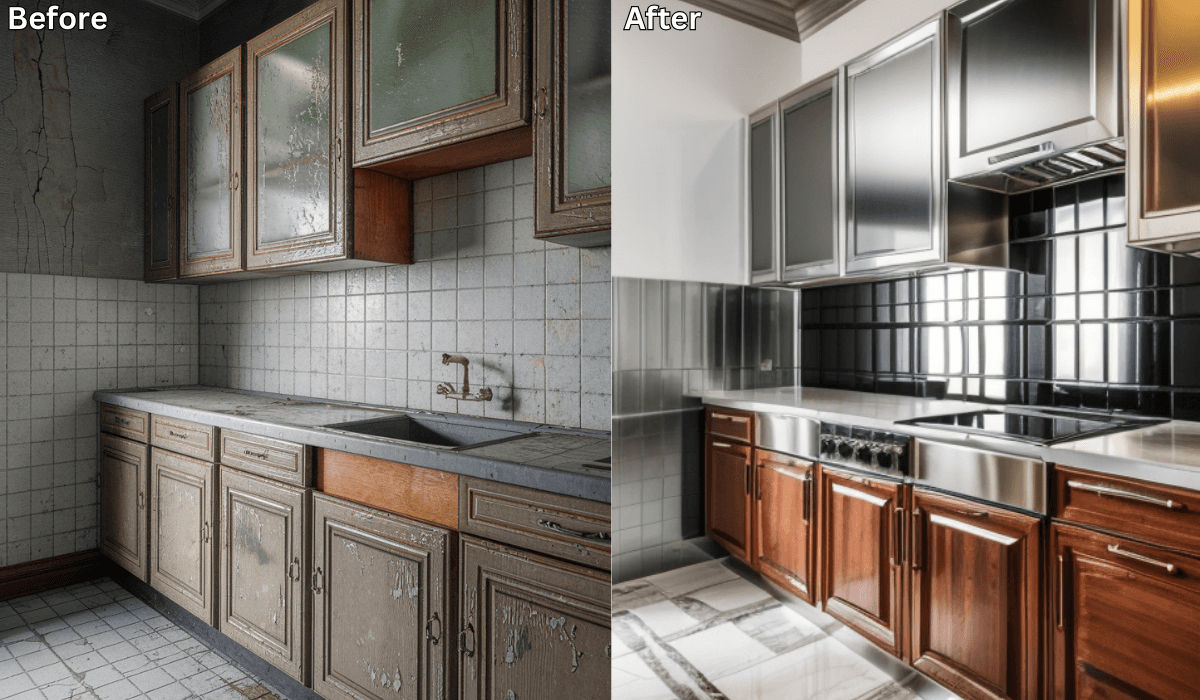
How to Do a DIY Kitchen Remodel with Renovate AI →
How to Do a Small Kitchen Remodel with Renovate AI →
Renovate AI’s approach to pairing every image with a cost estimate was recently featured in Morning Brew’s The Playbook, reaching 4.4 million real estate investors.

Sid Sarasvati · Founder, Renovate AI
Sid Sarasvati is the founder of Renovate AI, featured in the Wall Street Journal and Morning Brew’s The Playbook. He studied architectural philosophy at Harvard GSD and has tested AI design tools on 200+ real homes.
Now name yours
Pull up a photo of your own space, or just look at it. Answer two questions in plain words:
- What color are your cabinets now, and which surfaces are staying — counters, backsplash, floor?
- Which one color are you most tempted by, and what's stopping you?
Most people never name it. They just circle swatches. Finish the sentence — in your words, about your home:
Your sentence rides the button below. Test it on your photo.
Test your answer before you commit. Upload a photo and tell RAI the exact change you're considering. You'll see it on your actual home in seconds.
See it on your home →Free · No account needed · 10 seconds
Stuck between two answers, or not sure what you're looking at? That's a design question. In the Renovate AI app, tap Ask and describe what feels off. Elena will help you name it, then design the direction.
FAQ
- How accurate are AI cabinet color previews?
- Accurate on color and light, unreliable on hardware and appliances. The color, the way it darkens the room, and how it sits against your counters are the parts worth trusting, because the AI is repainting your actual photo. Small objects are where it drifts: in our own test it quietly swapped a double oven range for a cooktop. Treat the preview as a color decision, not a parts list.
- Can AI show what oak cabinets look like painted?
- Yes, and oak is the case most people are asking about. What a render will not show you is grain telegraphing — oak has deep open pores, and unless they're filled before painting, that grain still reads through the paint in person. The preview shows you the color you'd get. It shows you a smoother door than you'd get.
- Do I have to select or mask the cabinets first?
- No. You describe the change in a sentence and the AI finds the cabinets. Naming what should stay put — the counters, the backsplash, the appliances — does more for the result than any selection tool, because it tells the model what not to touch.
- Can I try a named paint color like Sherwin-Williams Alabaster?
- You can name it and you'll get something close, but treat it as the neighborhood rather than the exact chip. AI color is approximate by nature. Use the preview to settle the direction — warm white versus greige, dark versus light — then buy a sample pot of the specific color and paint a door in your own light before committing.
- Is changing cabinet color with AI free?
- It's free to start — new accounts get credits to run real renders on their own photos with no card, and a free tier stays available after that. Paid plans add volume, higher-resolution downloads, and unwatermarked exports. Deciding between three cabinet colors sits comfortably inside the free tier.