
Is There an App Where I Can Get Free AI Home Design?

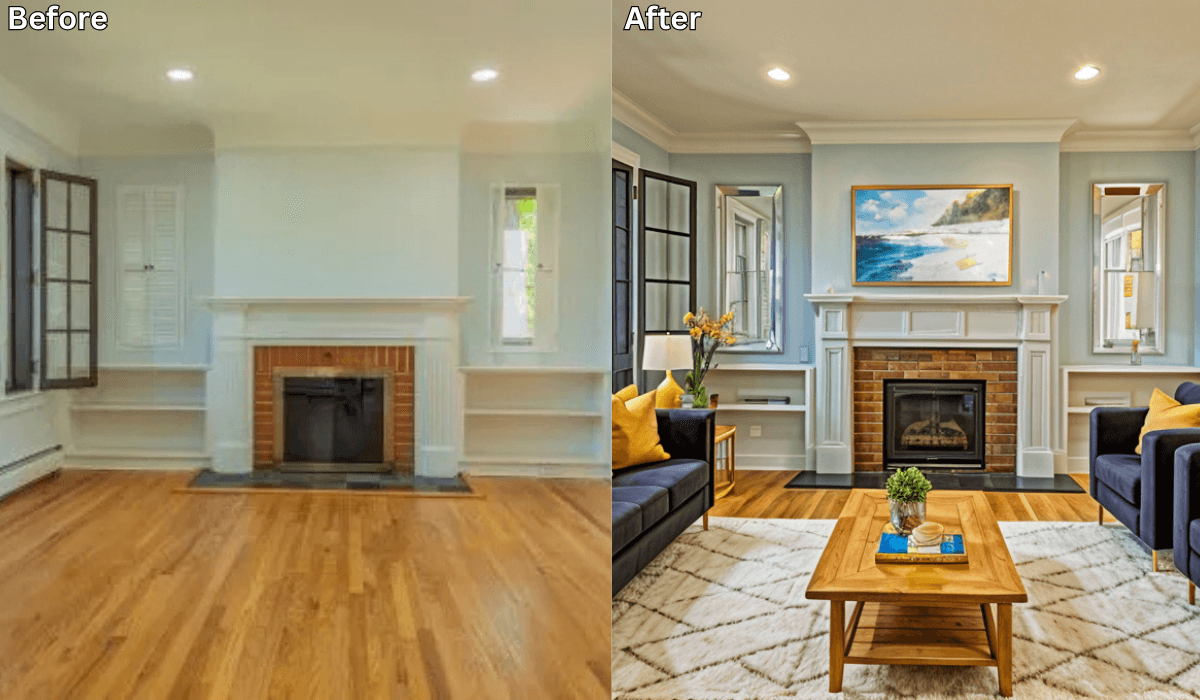
Yes, there is! Renovate AI is a cutting-edge platform that offers free AI-powered home design tools to help you reimagine your space effortlessly. Whether you’re planning a full renovation, redecorating a single room, or just exploring ideas, Renovate AI makes the process easy, fast, and accessible.
Why Choose Renovate AI for Home Design?
Renovate AI provides a user-friendly platform to experiment with designs and layouts, all powered by advanced AI technology. Here’s why Renovate AI stands out:
-
Free Trial for Beginners: Start exploring home design without any financial commitment.
-
Customizable Designs: Tailor layouts, furniture arrangements, and color schemes to suit your preferences.
-
Quick and Realistic Visualizations: See how your space would look with different changes instantly.
-
No Special Equipment Needed: A smartphone photo is all you need to begin your transformation.
Key Features of Renovate AI’s Free Offering
Renovate AI’s free plan provides access to powerful tools that bring your design ideas to life:
-
Room Redesign:
-
Upload a photo of your room, and Renovate AI will generate AI-powered design suggestions based on your inputs.
-
Explore different layouts, styles, and themes to find the perfect look.
-
-
Style and Furniture Recommendations:
- Get recommendations for furniture, décor, and design elements to match your style preferences.
-
Color Experiments:
- Try out new wall colors, flooring options, and accents to give your space a fresh feel.
-
Clutter Removal and Enhancement:
- Visualize your room with clutter removed and enhancements added for a polished look.
How to Use Renovate AI for Free Home Design
Renovate AI makes home design accessible for everyone. Here’s how to get started:
-
Download the Renovate AI App: The app is available for both iOS and Android devices. Simply download it to your smartphone to begin.
-
Sign Up for a Free Account: Create a free account or log in if you already have one.
-
Upload a Photo: Use your smartphone to take a picture of the room you want to redesign. Upload it to the app.
-
Choose Your Style: Select from various design styles, including modern, rustic, and minimalist. Renovate AI’s AI will generate options based on your selection.
-
Save and Share Designs: The free trial lets you create and save up to 3 design variations. Share these with friends, family, or contractors for feedback.
Benefits of Renovate AI’s Free Home Design Tools
Renovate AI offers several advantages that make it the perfect tool for home design enthusiasts:
-
Budget-Friendly: Explore design ideas without spending money on consultations or software.
-
Realistic Previews: AI-powered designs provide a clear visualization of how changes will look in your space.
-
Inspiration for All: Whether you’re a homeowner, a renter, or a design professional, Renovate AI sparks creativity and inspires new ideas.
-
Accessible to Everyone: With just a smartphone, you can access professional-grade design tools.
Taking Your Designs to the Next Level
While the free version of Renovate AI provides a fantastic introduction to AI-powered home design, the platform also offers premium features for those who want more customization and advanced tools. These include:
-
Unlimited design variations
-
Access to high-resolution downloads
-
Advanced style combinations and features
Final Thoughts
If you’re searching for a free app to help you design your home, Renovate AI is the perfect choice. Its intuitive platform and powerful AI technology allow you to explore countless possibilities, all at no cost. Whether you’re redesigning your living room, planning a kitchen renovation, or imagining a complete home makeover, Renovate AI puts professional-grade design tools in the palm of your hand.
Ready to transform your space? Download Renovate AI today and start creating your dream home with the help of free AI-powered design tools!
What It Actually Looks Like: Four Rooms, Four Photos
Feature lists only get you so far. The question behind “is it really free” is usually “free like a trial, or free like a toy?” So here are four rooms of real homeowner photos — a kitchen, a bathroom, a living room and a house exterior — each run once, with the sentence we typed and an honest note on what came back.
A cluttered galley kitchen
The hardest kind of photo to start from: narrow, busy, dishes on the counter, two cabinet finishes fighting each other. You don’t have to tidy first.
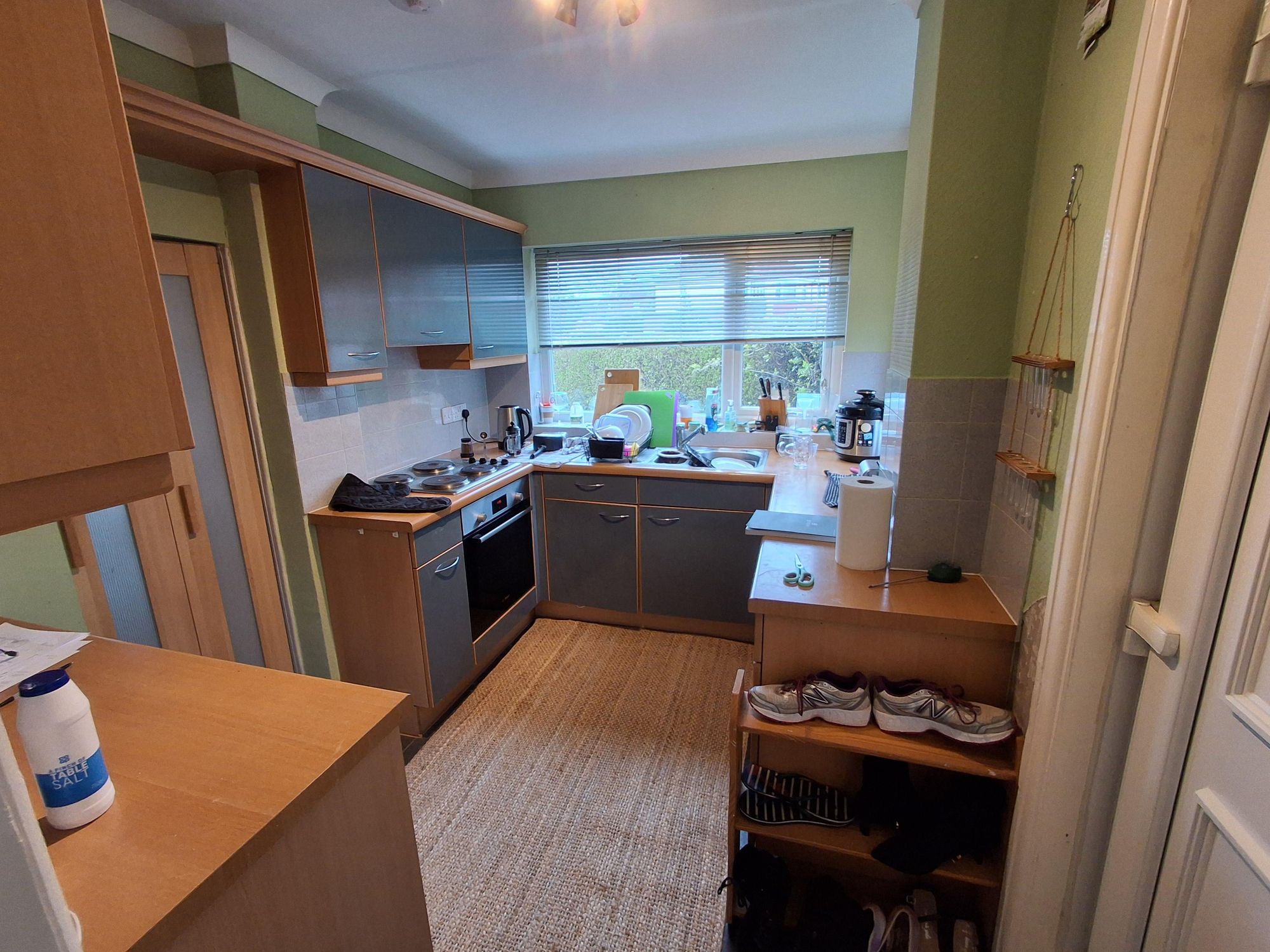
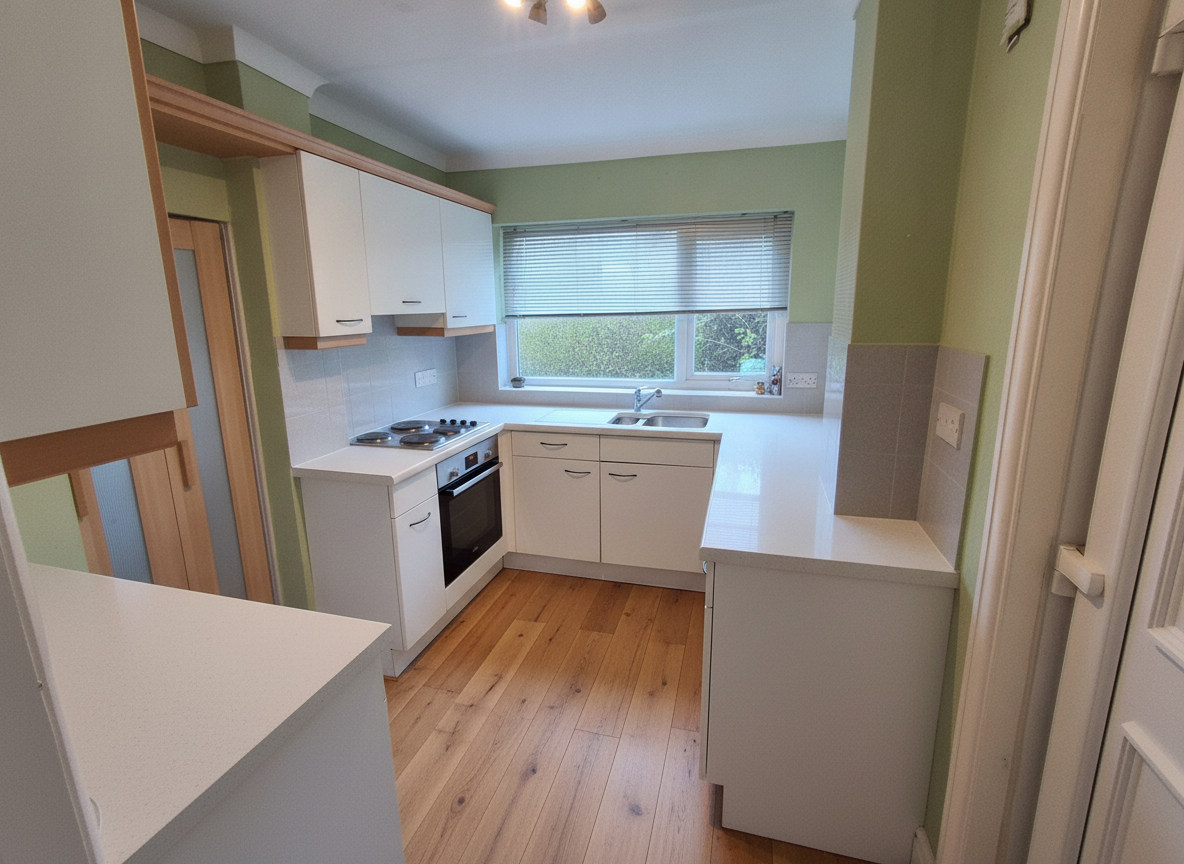
What We Told RAI: “Remodel this kitchen in a bright modern style: white shaker cabinets, white quartz countertops, matte black hardware, a white subway tile backsplash, and warm oak flooring. Clear the clutter from the counters. Keep the same layout, window position and appliance placement.”
Free · No account needed · 10 seconds
Nothing moved. Same oven in the same slot, same sink under the same window. That’s what makes this a refacing job rather than a renovation, and it’s the most useful thing the picture tells you. Note also what didn’t change: the green walls are still green, because we never asked. It changes what you name and leaves the rest.
A dated hall bathroom
Yellow walls, builder vanity, tub-shower combo. Shot at dusk on a phone.
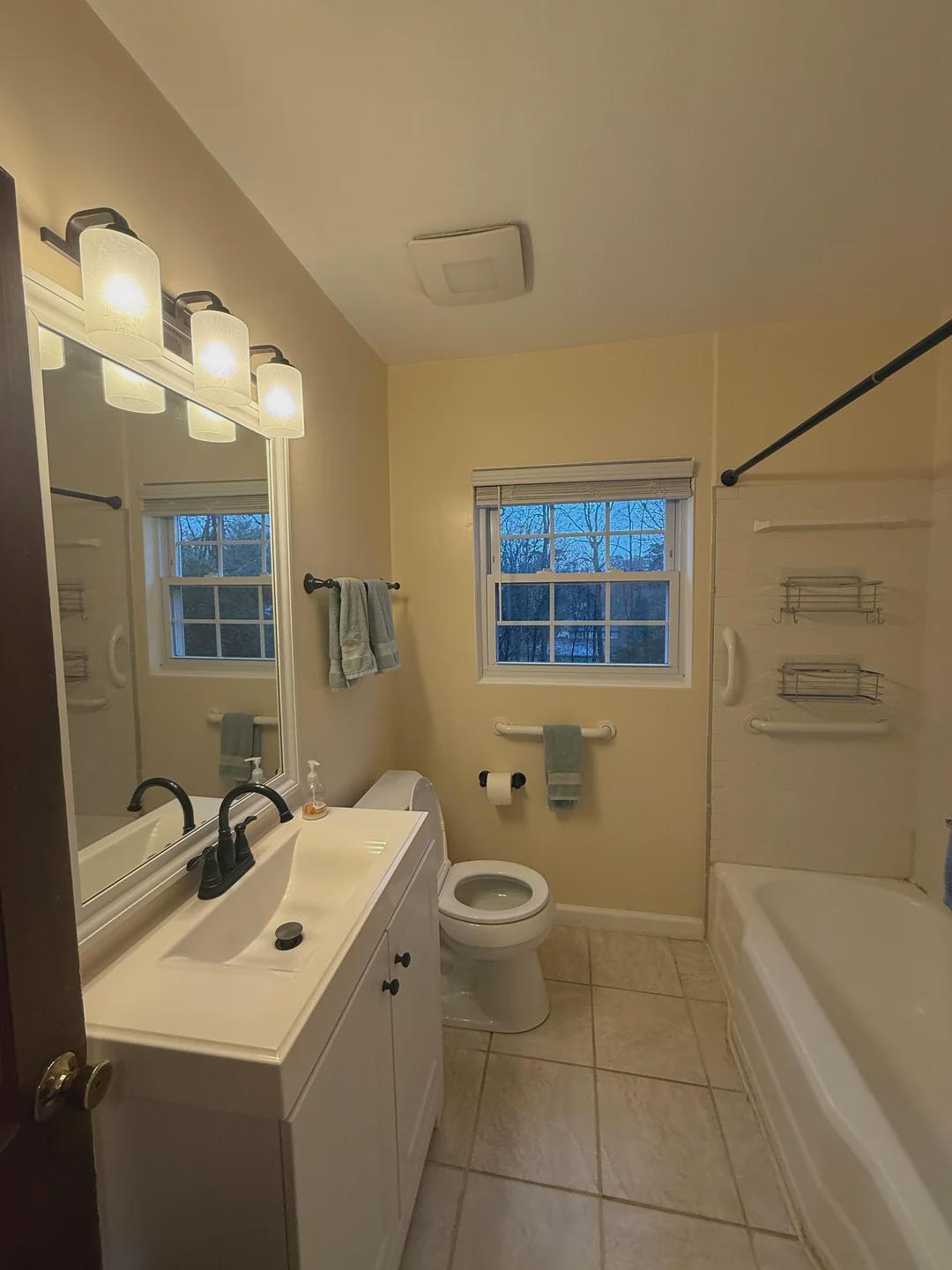
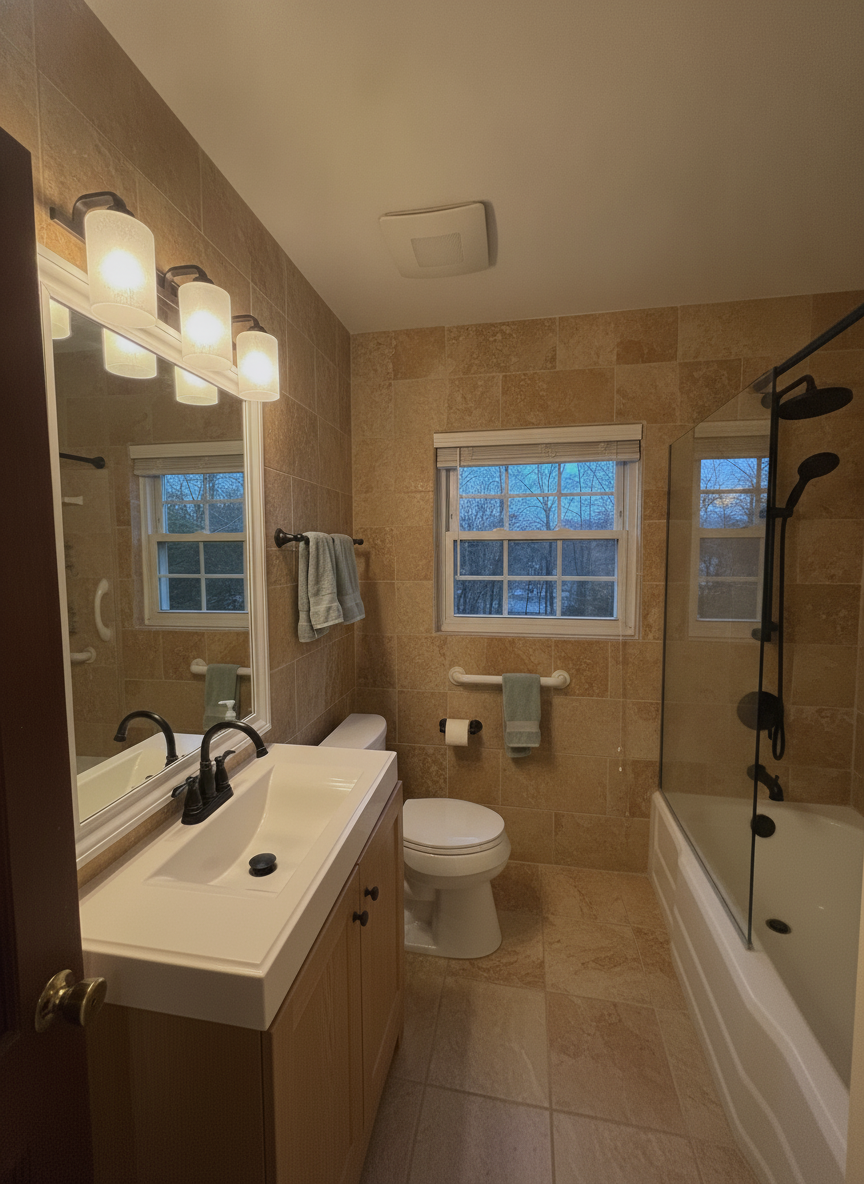
What We Told RAI: “Remodel this bathroom in a calm spa style: large warm stone tile, a floating oak vanity, matte black fixtures, and a frameless glass shower screen. Keep the same layout, window positions and plumbing locations.”
Free · No account needed · 10 seconds
The tile and the shower glass landed. The floating oak vanity did not — it kept the existing vanity and gave it a wood front, and left the old light fixture alone. That’s the normal outcome when one sentence asks for five things in a small, dark frame. Run a second pass naming only the vanity.
An empty living room
The opposite problem: nothing to remove, just floor and light.
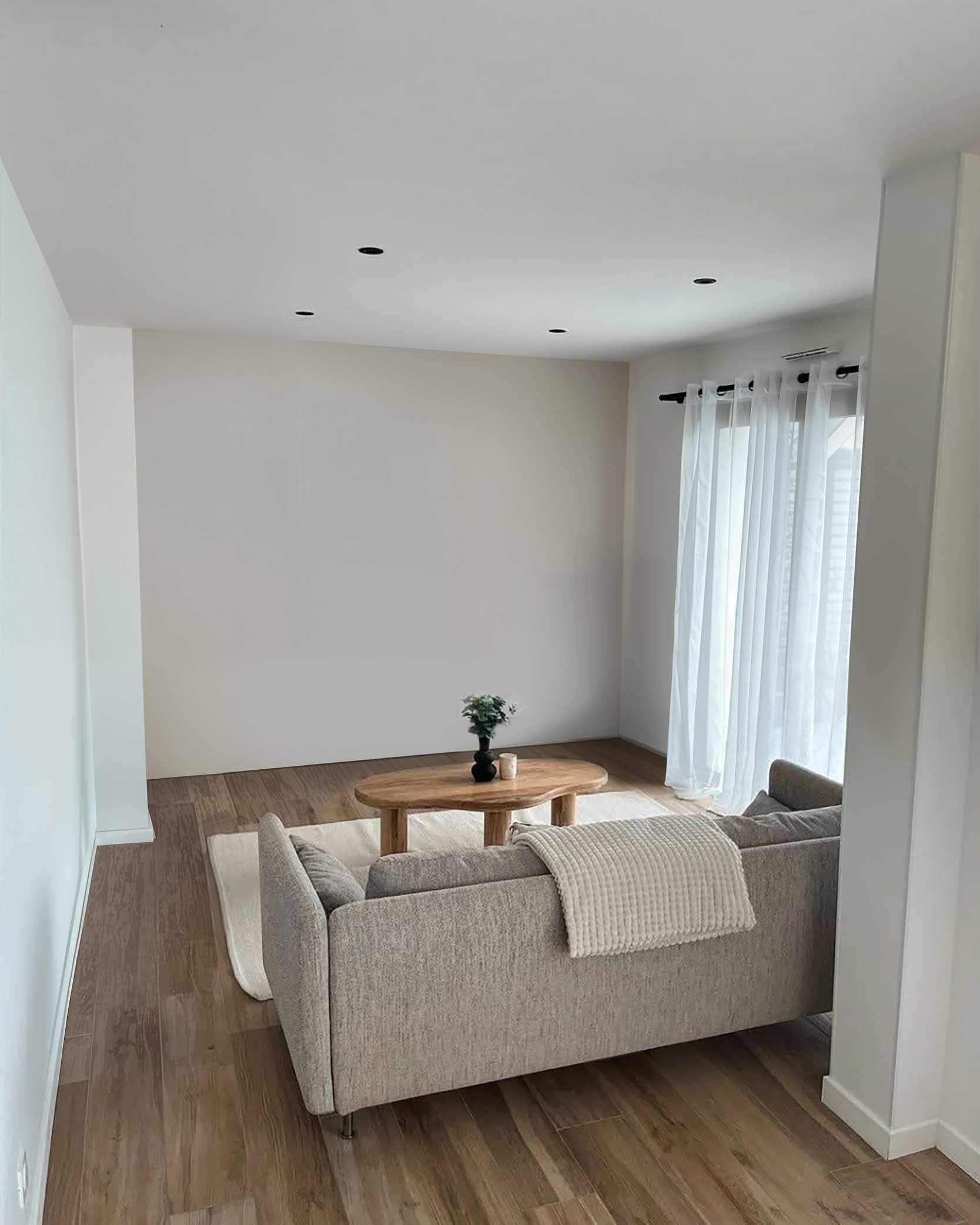
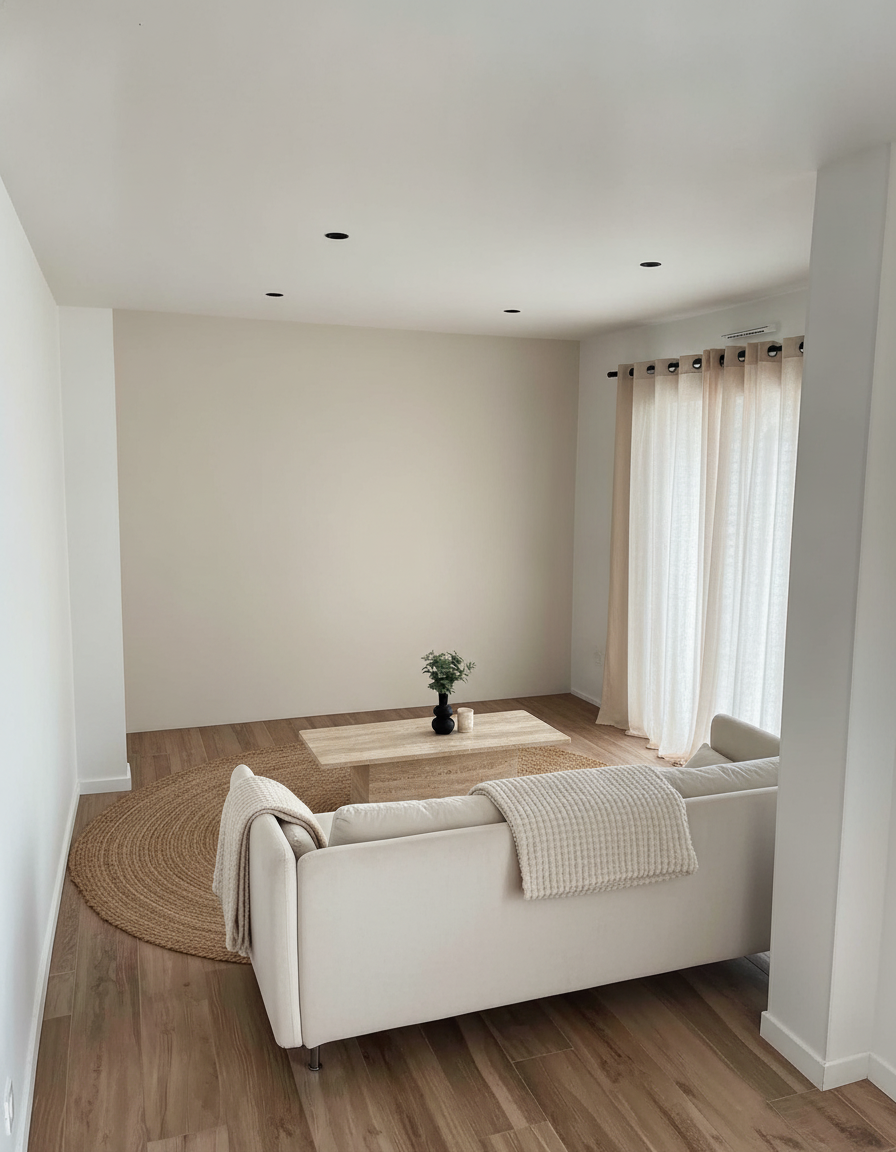
What We Told RAI: “Restyle this living room in a warm minimalist style: a boucle sofa, a travertine coffee table, linen curtains, a large jute rug and soft cream wall tones. Keep the same room shape, window positions and flooring.”
Try this on your living room →
Free · No account needed · 10 seconds
Furnishing an empty room is where AI is strongest — there’s nothing to preserve, so it can’t get it wrong. It’s also where you should trust it least on scale. Use the picture to settle the style question and a tape measure to settle the size one.
The outside of the house

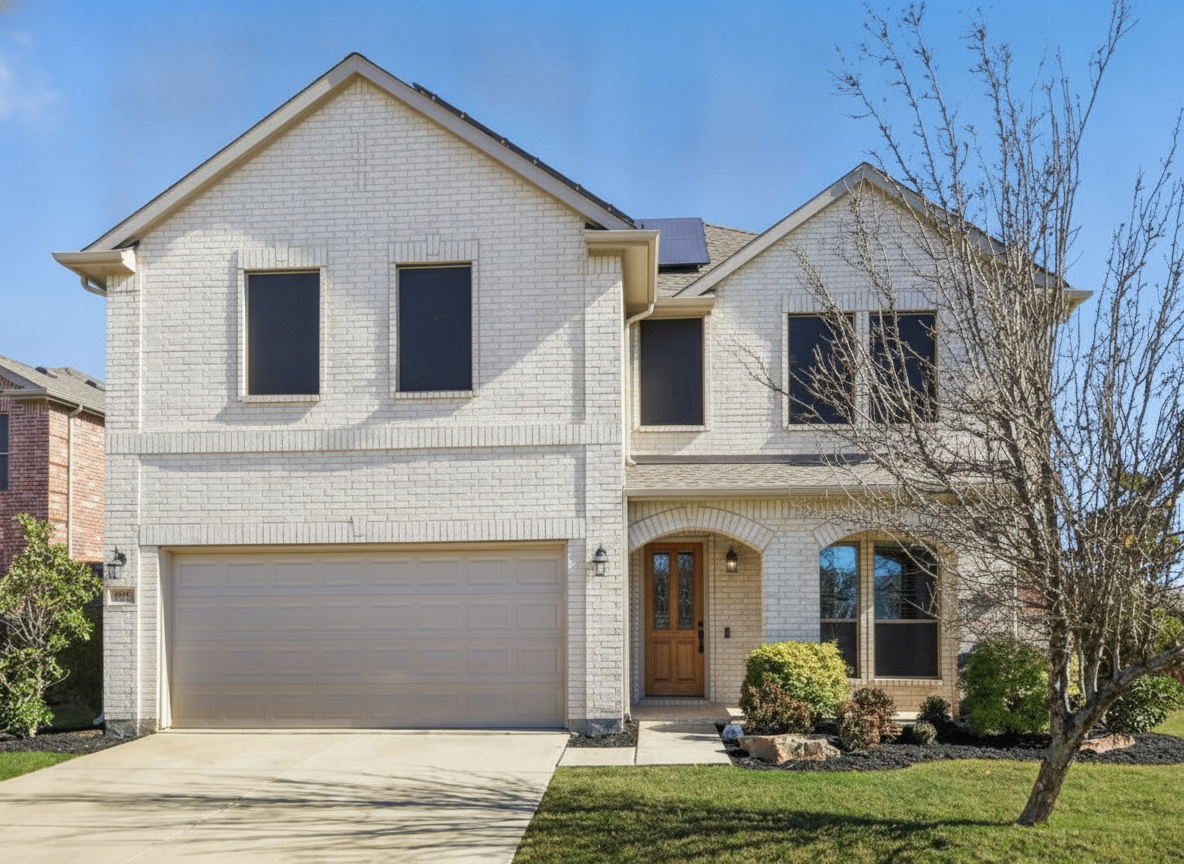


What We Told RAI: “Repaint this house exterior warm white with black window frames and a natural wood front door. Keep the driveway, landscaping, roofline and window placement unchanged.”

Free · No account needed · 10 seconds
Cleanest result of the four, because an exterior is mostly one big surface and the instruction was mostly one change. It’s also the highest-stakes preview here — painting brick is permanent. The shrubs, the bare tree and the neighbour’s roof all survived intact, which is the evidence it repainted this house rather than generating a white one.
The one sentence pattern
Every prompt above has the same shape: name the change, then name what stays. “White shaker cabinets, quartz counters, oak floor” is the change. “Keep the same layout, window position and appliance placement” is the anchor. Skip the anchor and you’ll get a beautiful kitchen that isn’t yours, which is useless for making a decision.
Each room has its own quirks, and we’ve written them up separately: remodel a kitchen from a photo and remodel a bathroom from a photo. For exteriors, see what your house would look like painted runs one house several ways. Every room type in one place is at AI home remodel.
You Might Also Like
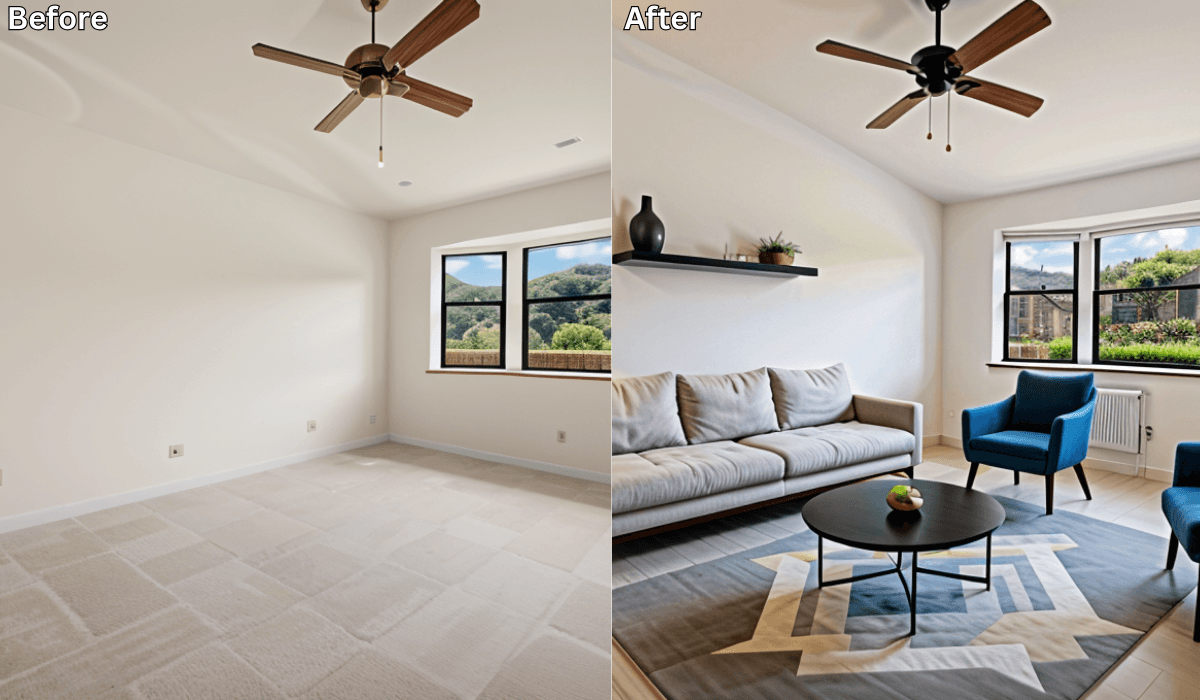
Before and After: 10 Stunning AI Room Transformations You Have to See →
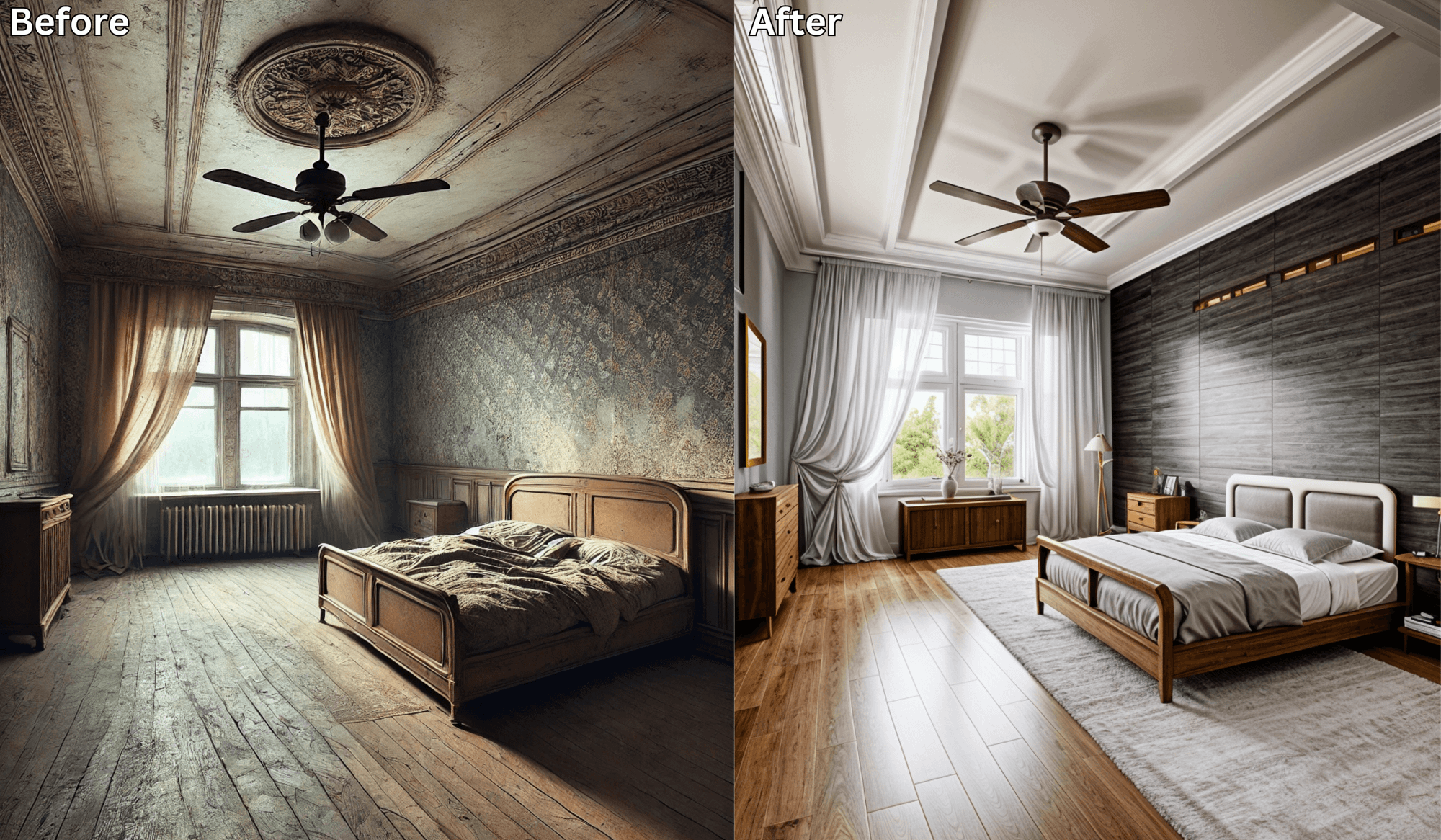
Before-and-After: The Most Stunning AI Room Makeovers →
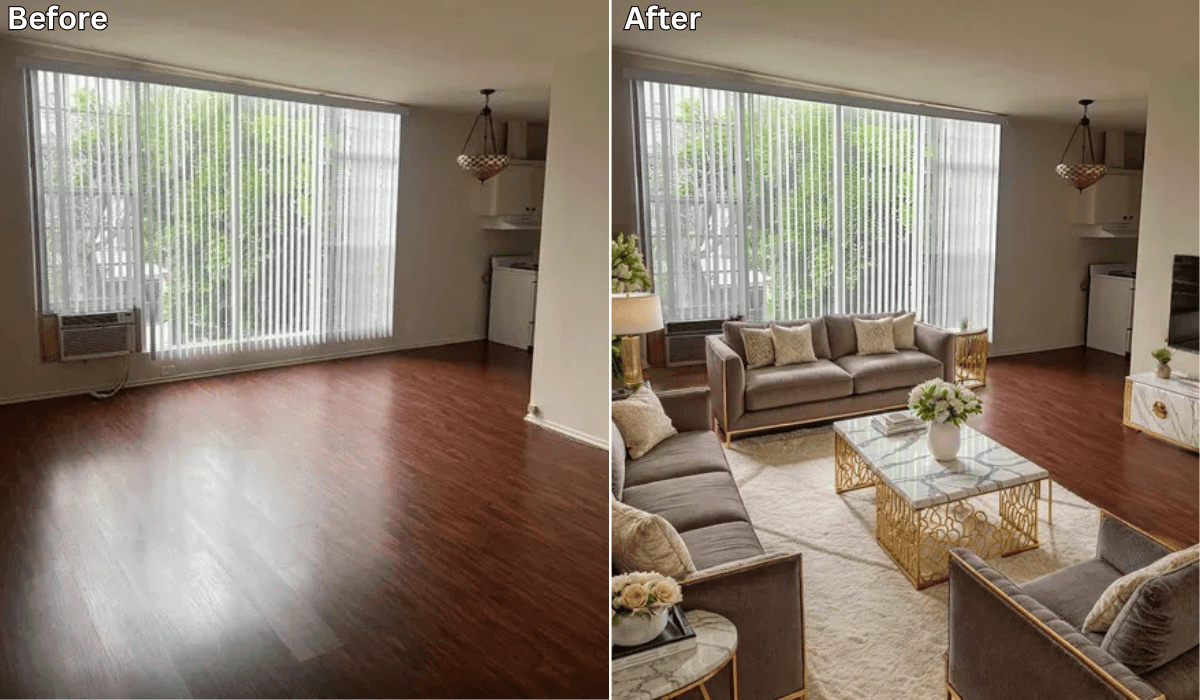
Can AI Help Remodel My House? A Complete Guide →
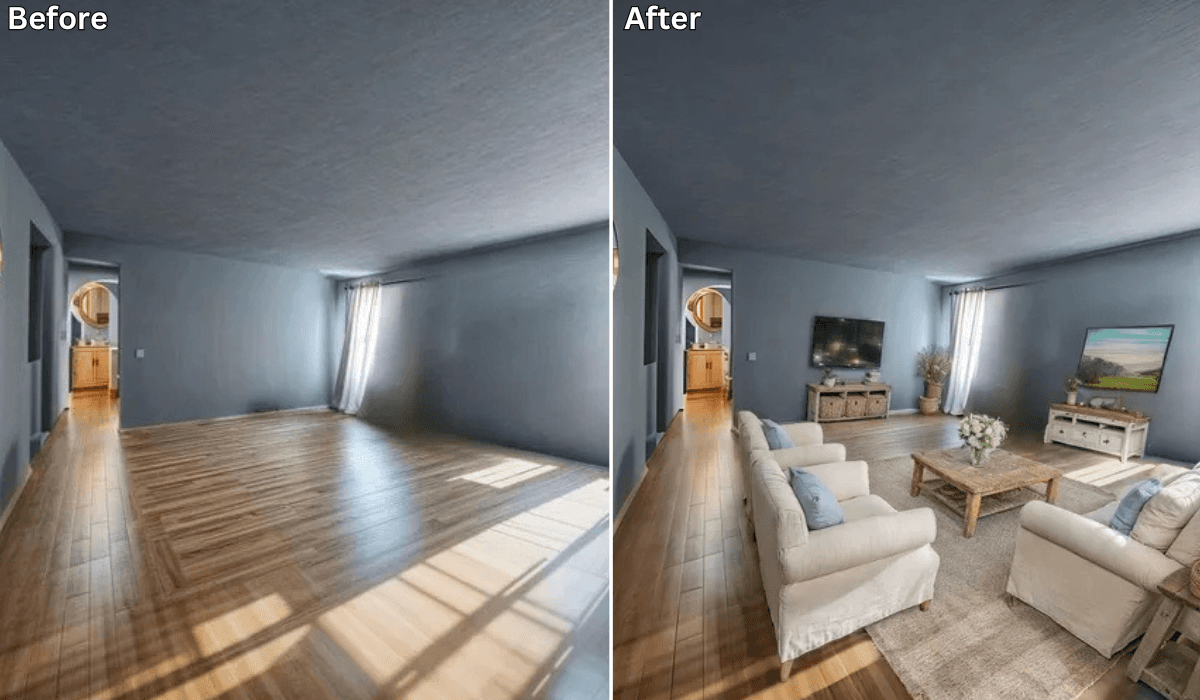
Is There an App Where I Can Take a Picture of My House and Remodel It? →

Sid Sarasvati · Founder, Renovate AI
Sid Sarasvati is the founder of Renovate AI, featured in the Wall Street Journal and Morning Brew’s The Playbook. He studied architectural philosophy at Harvard GSD and has tested AI design tools on 200+ real homes.
Now name yours
Pull up a photo of your own space, or just look at it. Answer two questions in plain words:
- Which room in your house do you apologise for when someone visits?
- Is the thing you'd change there a surface, or does something have to move?
Most people never name it. They just circle swatches. Finish the sentence — in your words, about your home:
Your sentence rides the button below. Test it on your photo.
Test your answer before you commit. Upload a photo and tell RAI the exact change you're considering. You'll see it on your actual home in seconds.
See it on your home →Free · No account needed · 10 seconds
Stuck between two answers, or not sure what you're looking at? That's a design question. In the Renovate AI app, tap Ask and describe what feels off. Elena will help you name it, then design the direction.
FAQ
- Is there an app where I can get free AI home design?
- Yes. Renovate AI redesigns a room from a phone photo, and your first render needs no account at all. New accounts get free credits with no card, which is enough to test several directions across a few rooms. It works on kitchens, bathrooms, bedrooms, living rooms, yards and house exteriors, on iPhone, Android and in a browser.
- What does the free tier actually include?
- Real renders on your own photos — not watermark-free downloads of someone else's stock room. You describe the change in plain words and get a photorealistic image of your room back in about eight seconds. Paid plans exist for higher volume, higher-resolution downloads and unwatermarked exports. If you're deciding between two cabinet colours, the free tier is the entire job.
- Do free AI home design apps use my actual room, or a generic one?
- That's the difference worth checking before you commit to any tool. Renovate AI renders onto your photo, so your windows, your ceiling line and your camera angle stay put. Tools that only offer style presets on stock rooms give you a prettier image that tells you nothing about your house.
- Can AI design a whole house, or only one room at a time?
- One photo at a time, which in practice means one room or one elevation. There is no floor-plan-wide mode that redesigns a whole house coherently. For a whole-house project, the useful pattern is to render room by room and keep a common thread — a shared floor tone, a shared metal finish — rather than expecting the tool to hold the house in its head.
- Are AI home design renders accurate enough to give a contractor?
- They're accurate enough to end the conversation about what you want and start the conversation about what it costs. They are not construction documents: no dimensions, no plumbing, no structural information. Bring the render to say 'this direction', and let the contractor tell you what it takes to get there in your actual house.
- Do I need a good camera?
- No. Ordinary phone photos work, including cluttered ones and ones taken at dusk. What matters is standing back far enough to get the whole room in frame and shooting in the light you normally live in, not the light that flatters.