
AI Living Room Design From a Photo: See New Styles in Your Space

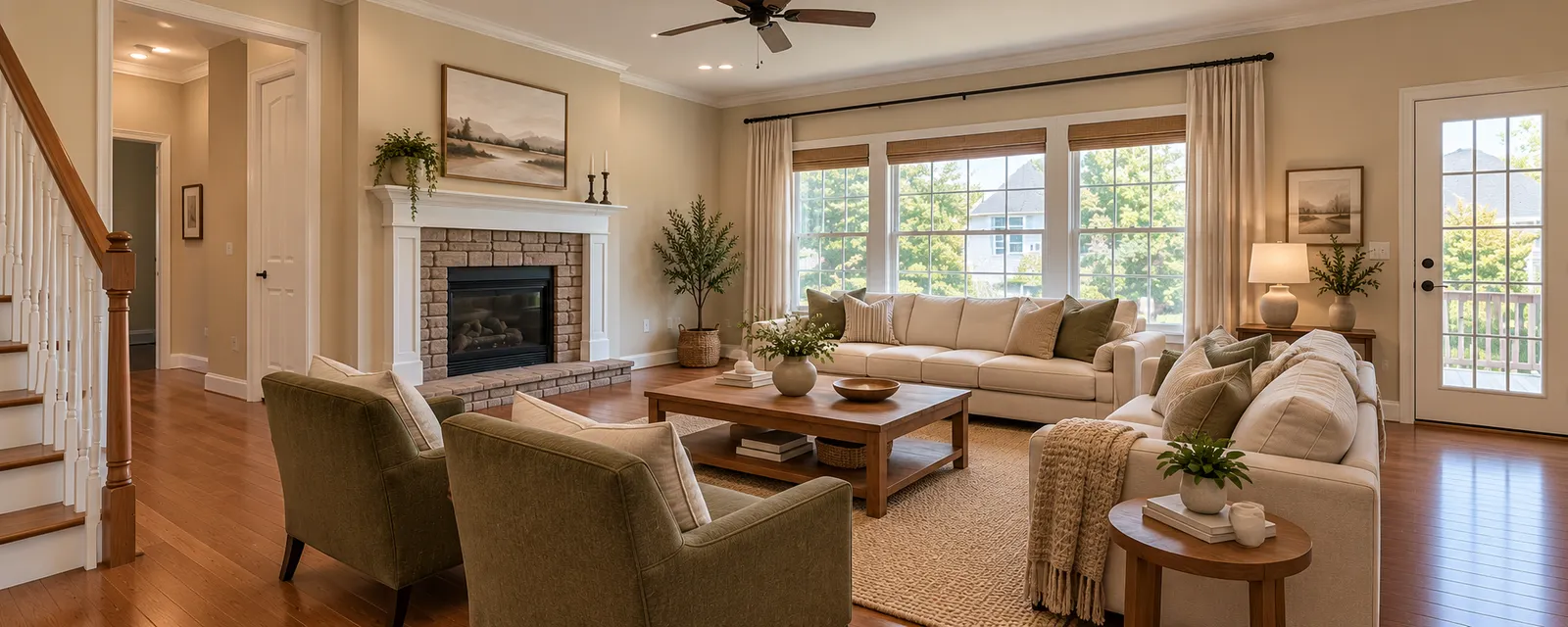
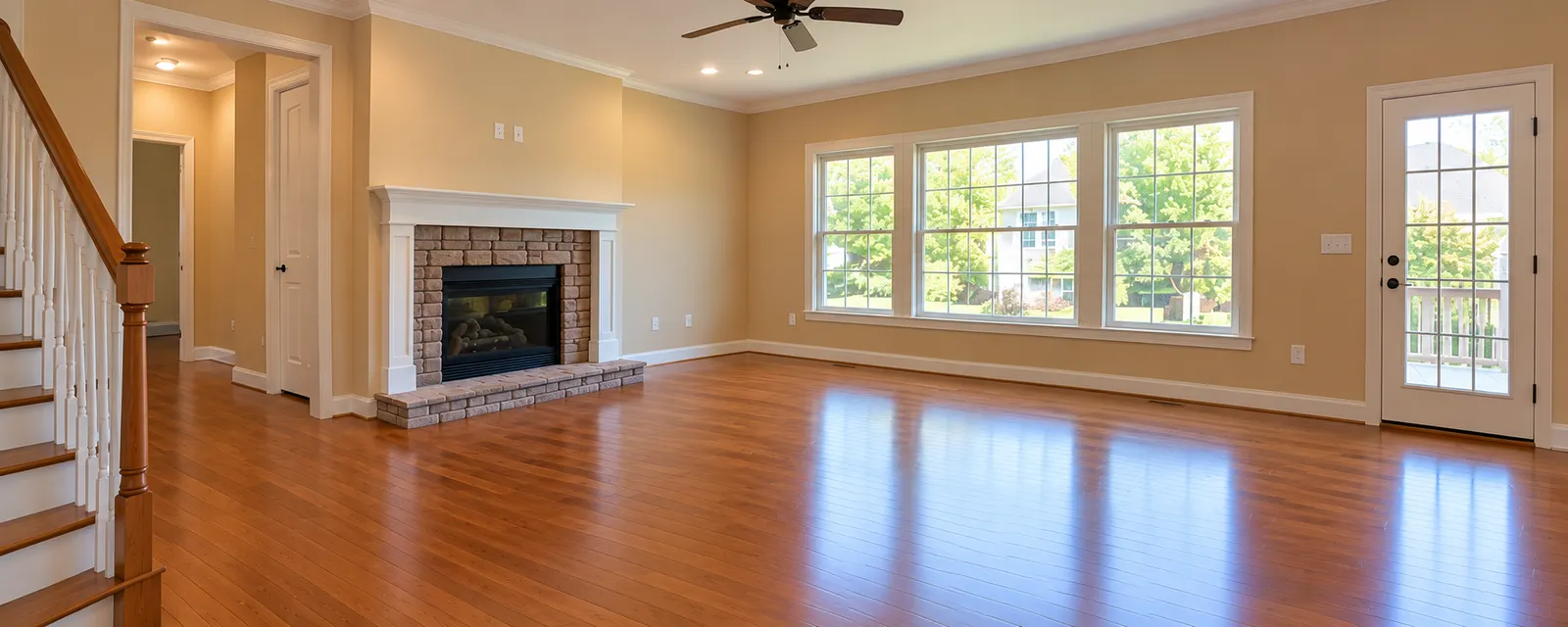
Changing a living room can be difficult.
A sofa may look good online but not work in your room. A paint color can look different when you see it next to your floor and furniture.
You can reduce this guesswork with AI living room design from a photo.
Upload a photo of your living room to Renovate AI. Then, explore different styles, colors, furniture ideas, and materials in your existing space.
You can compare ideas before you buy furniture or make changes.
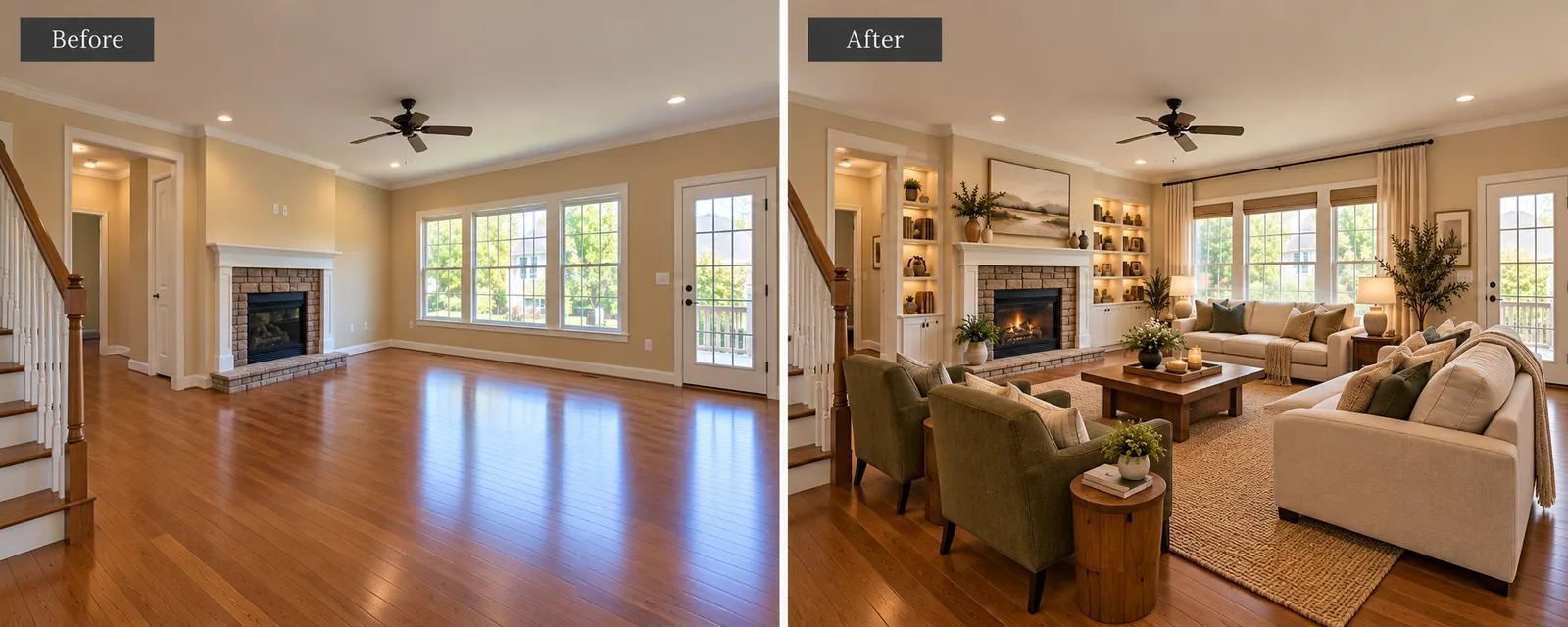
Can AI Redesign My Living Room From a Photo?
Yes.
Start with a clear photo of your existing living room.
With Renovate AI, you can explore changes to:
- Furniture
- Wall colors
- Flooring
- Rugs
- Curtains
- Lighting
- Materials
- Decor
- Interior styles
The visualization helps you see how different ideas could work together in your room.
How to Design Your Living Room With AI
1. Upload a Living Room Photo
Start with a clear photo of your room.
Try to include the main parts of the space, such as the sofa, walls, windows, floor, and other large furniture.
Good lighting will also make the room easier to see.
2. Choose a Living Room Style
Next, decide which design direction you want to explore.
You can try styles such as:
- Modern
- Cozy
- Japandi
- Organic Modern
- Mid-Century Modern
- Scandinavian
- Luxury
You do not have to select your final style immediately.
Try several options and compare them.
3. Generate Your Living Room Visualization
Use Renovate AI to create a new visualization from your photo.
Review the result.
Look at the furniture, colors, materials, lighting, and decor.
Ask yourself a simple question:
Would I want my real living room to look like this?
If not, explore another direction.
4. Compare Different Designs
Do not stop after one design.
Generate different styles and compare them.
This can help you understand which colors, furniture, and materials work best in your space.
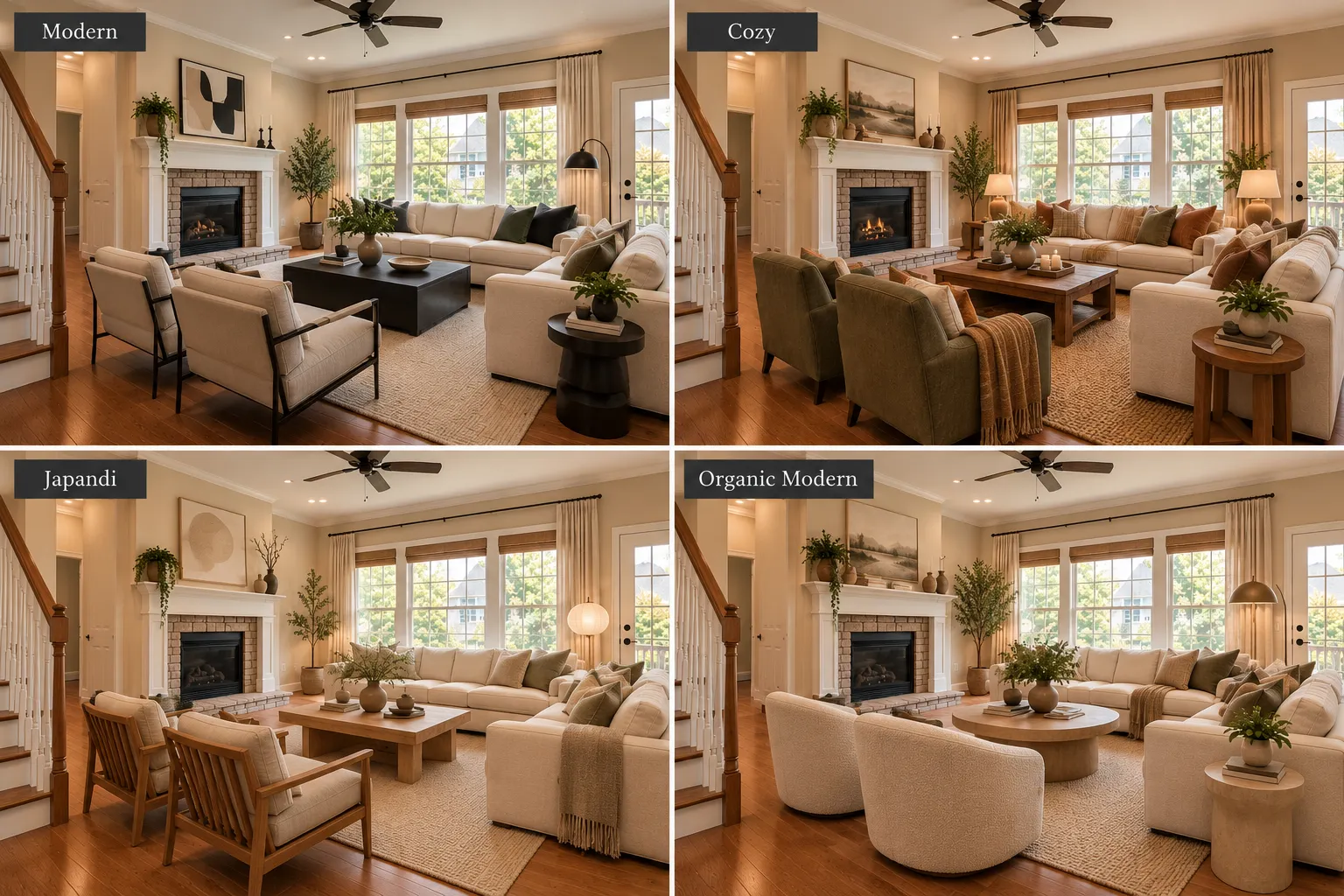
Living Room Styles to Try With AI
Modern
Use clean lines, simple furniture, neutral colors, and minimal decor.
This style works well if you want the room to feel clean and open.
Cozy
Use warm colors, soft lighting, layered rugs, cushions, curtains, and natural textures.
This can make the living room feel more comfortable and inviting.
Japandi
Combine simple furniture with natural wood, warm white walls, neutral fabrics, and minimal decor.
Japandi works well when you want a calm and uncluttered room.
Organic Modern
Use warm neutral colors, wood, stone, textured fabrics, plants, and simple furniture.
This style combines modern design with natural materials.
Mid-Century Modern
Try warm wood, simple furniture shapes, muted colors, and statement lighting.
This can add character without making the room feel too busy.
What Can You Change With AI Living Room Design?
Furniture
Explore different sofas, chairs, coffee tables, storage, and furniture layouts.
This can help you decide which furniture direction fits the room.
Wall Colors
Try warm white, beige, sage green, greige, or deeper accent colors.
You can compare colors before you paint.
Rugs and Curtains
A new rug or curtain can change the entire feel of a living room.
Use visualization to compare different colors, textures, and styles.
Lighting
Explore floor lamps, table lamps, pendant lights, and warmer lighting.
Lighting can make a large difference without a major remodel.
Materials
Compare wood, stone, fabrics, flooring, and other finishes.
This can help you create a more consistent design.
Can AI Help With a Small Living Room?
Yes.
AI visualization can help you explore ideas before you add more furniture to a small room.
Try:
- Lighter wall colors
- Smaller furniture
- Simple coffee tables
- Wall-mounted storage
- Light curtains
- Large mirrors
- Fewer decorative items
- Furniture with visible legs
The goal is not only to make the room look larger.
The room should also remain practical and comfortable.
Refresh Your Living Room Without a Full Remodel
You do not always need to replace everything.
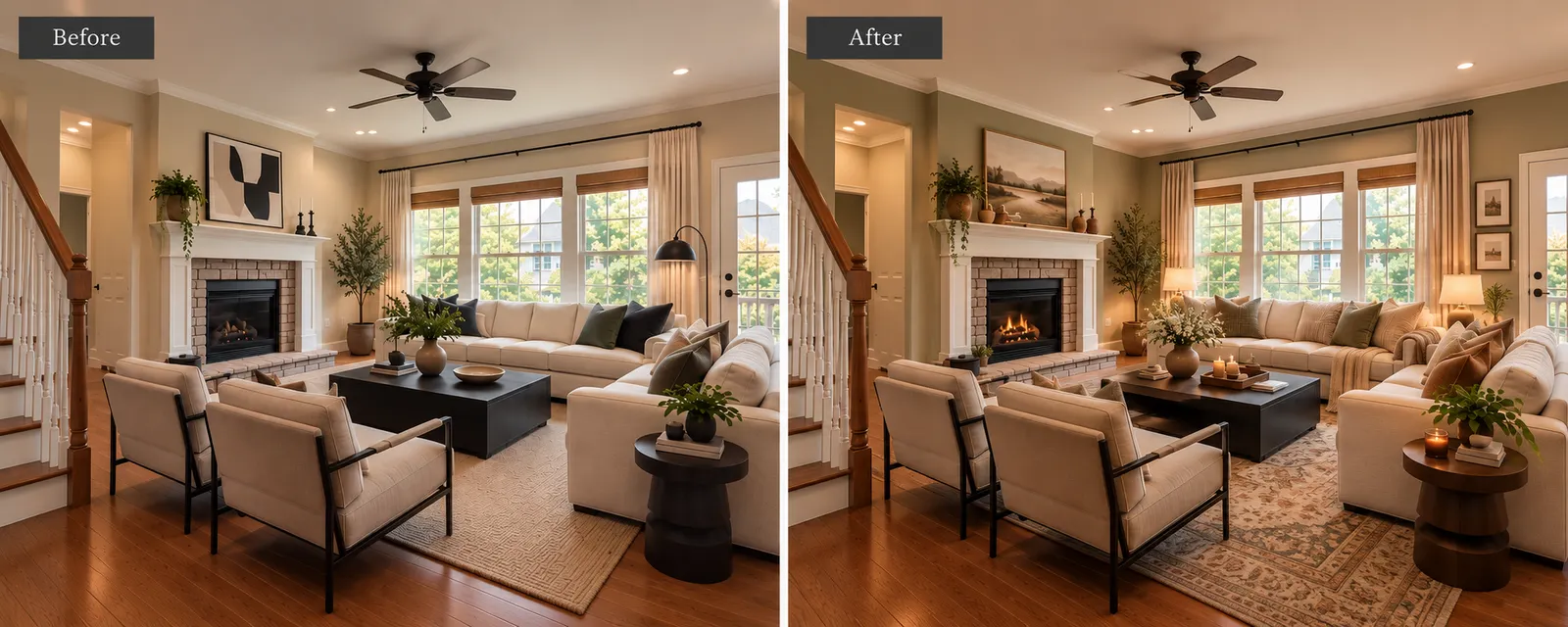
Keep the main furniture and explore smaller changes first.
For example, you can change:
- Wall color
- Rug
- Curtains
- Cushions
- Lighting
- Artwork
- Plants
- Small decor
These changes can create a different look without a full remodel.
AI Living Room Design vs. Traditional Interior Design
AI visualization is useful during the idea stage.
It can help you explore:
- Styles
- Furniture ideas
- Colors
- Materials
- Lighting
- Decor
Traditional interior design can help with detailed measurements, furniture specifications, construction plans, electrical work, and other technical decisions.
Use AI visualization first to find a design direction.
Then, confirm measurements and technical details before you buy or build anything.
See Your Living Room in a New Style
You do not have to guess how a new living room style will look.
Start with the room you already have.
Upload a photo to Renovate AI. Explore different styles, furniture ideas, colors, materials, and decor.
Compare the visualizations before you make changes.
Upload a photo → choose a style → visualize your new living room with Renovate AI.
FAQ
- Can I upload a photo of my living room and redesign it ?
- Yes. You can upload a photo of your existing living room to Renovate AI and explore different design ideas in the space.
- Can AI show different living room styles ?
- Yes. You can explore different visual directions, such as Modern, Japandi, Cozy, Scandinavian, and Organic Modern.
- Can I use AI to see new furniture in my living room ?
- AI visualization can help you explore different furniture ideas and see how they could change the overall appearance of the room.
- Can AI help me choose living room colors ?
- Yes. You can compare different wall colors, furniture colors, materials, and decor before you make a final choice.
- Do I need to remodel my whole living room ?
- No, You can keep your main furniture and use visualization to explore smaller changes such as paint, rugs, curtains, lighting, cushions, and decor.