
AI Flooring Visualizer: See New Floors in Your Own Room From a Photo

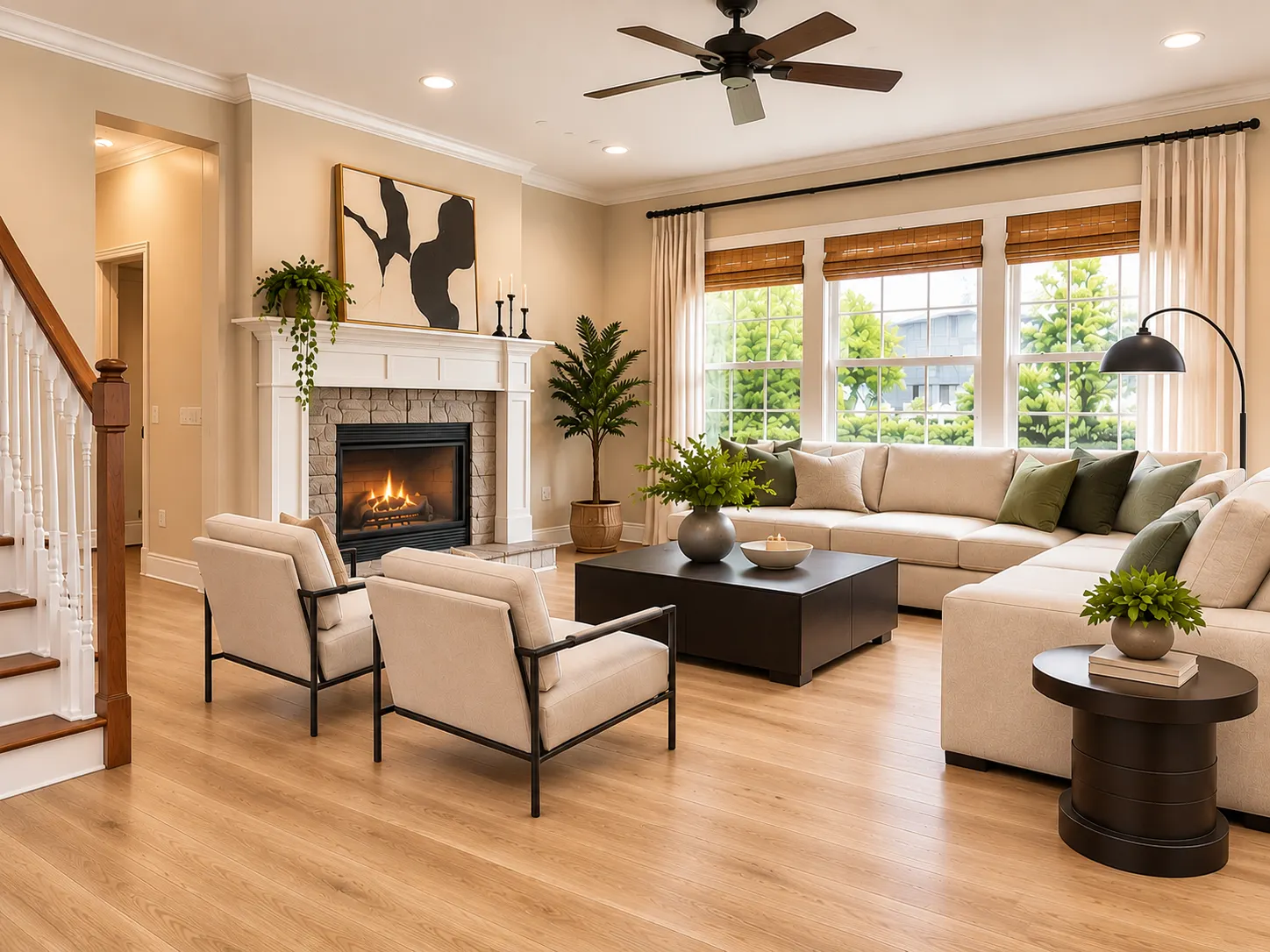
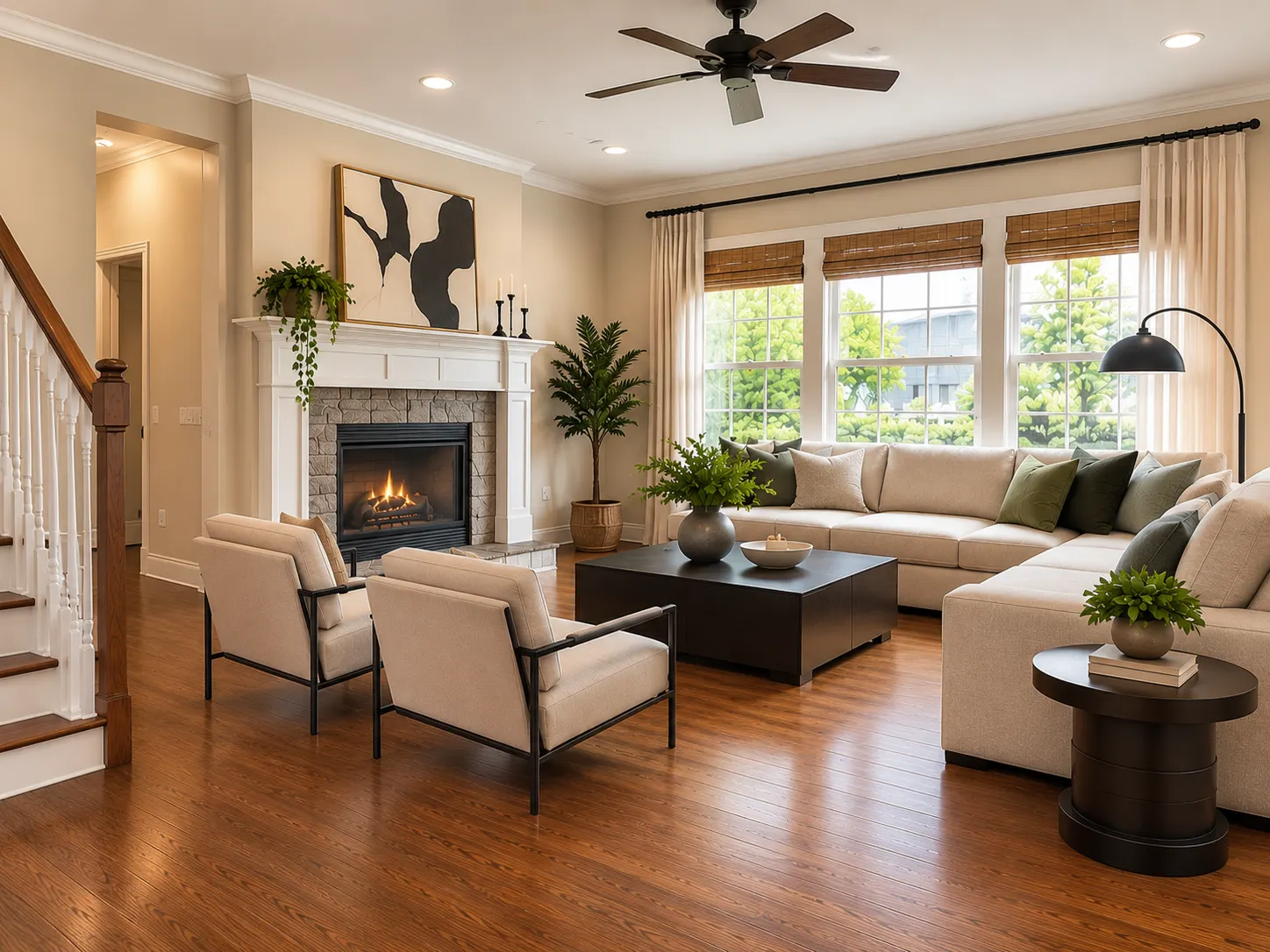
Choosing new flooring from a small sample can be difficult.
A light oak sample might look good in a store. But will it work with your sofa, cabinets, walls, and natural light?
An AI flooring visualizer can help you answer this question before you buy flooring.
Upload a photo of your room to Renovate AI. Then, visualize different flooring materials, colors, and styles in your existing space.
You can compare the options before you make a final decision.
What Is an AI Flooring Visualizer?
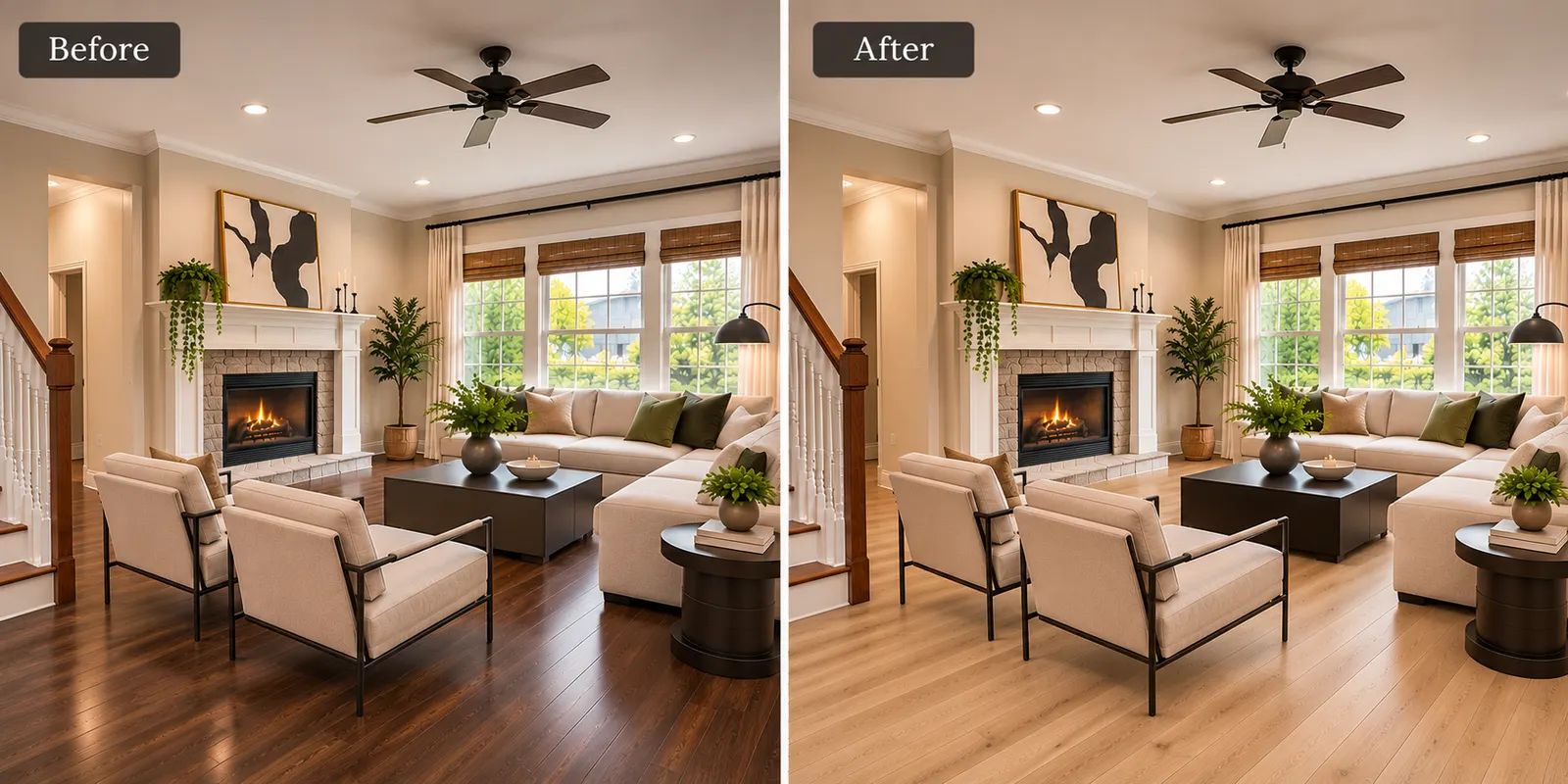
An AI flooring visualizer lets you explore new flooring using a photo of your room.
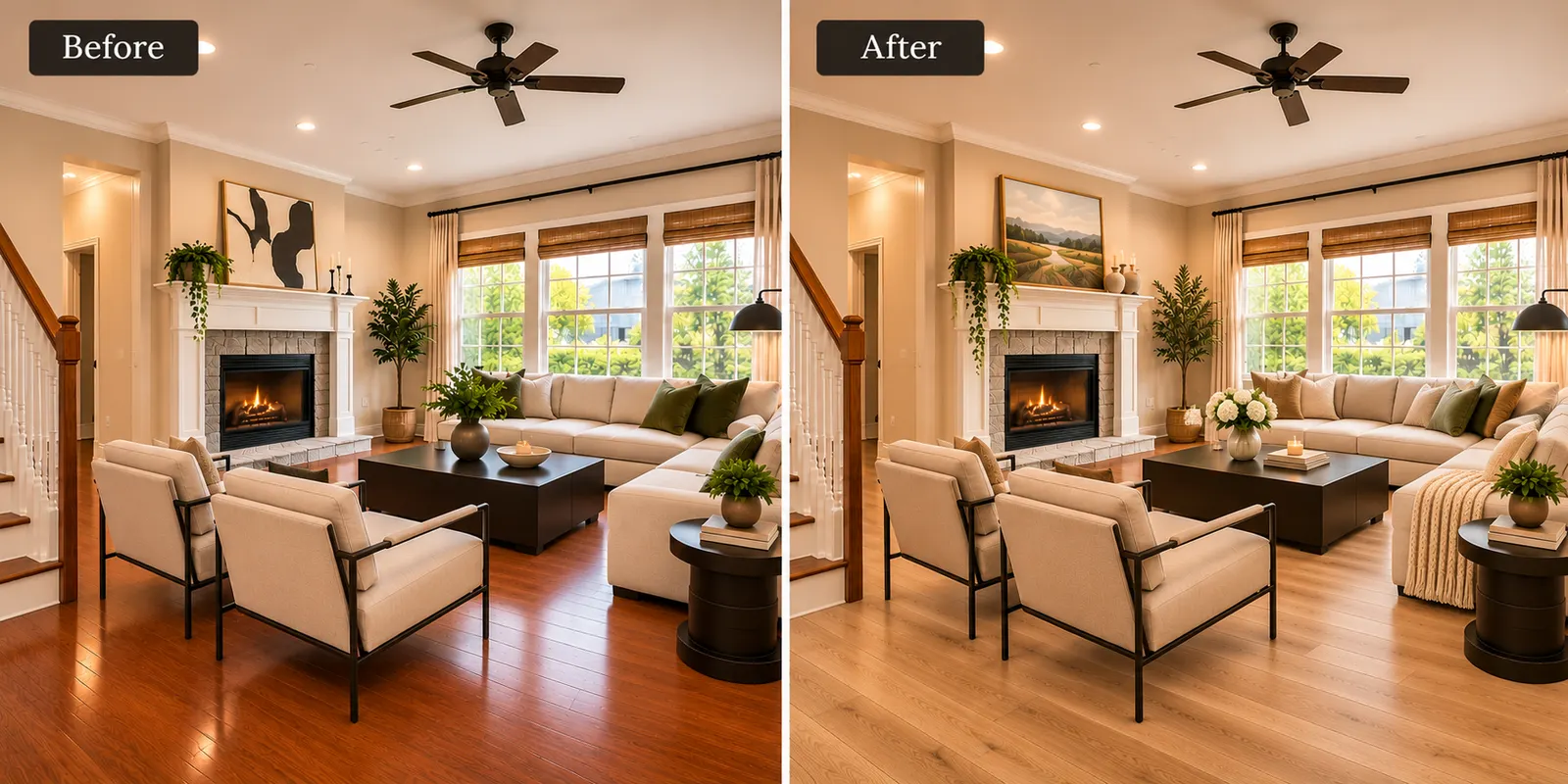
Instead of looking at a small flooring sample, you can see the material across the whole room.
This can help you compare:
- Hardwood
- Light oak
- Dark walnut
- Herringbone
- Tile
- Marble
- Vinyl
- Concrete
- Carpet
The room provides important context.
You can see how the new floor works with your existing furniture, wall colors, cabinets, and lighting.
How to Visualize New Flooring From a Photo
1. Upload a Clear Room Photo
Start with a clear photo of your room.
Make sure that a large part of the floor is visible.
Take the photo in good natural light when possible.
This makes it easier to evaluate the new flooring in the room.
2. Select a Flooring Material
Next, decide which flooring direction you want to explore.
You can try options such as:
- White oak
- Natural oak
- Dark walnut
- Herringbone wood
- Light vinyl plank
- Large-format tile
- Marble
- Polished concrete
- Carpet
Do not select only one option.
Compare several materials in the same room.
3. Visualize the New Floor
Apply the new flooring to your room visualization.
Look at how the floor works with the rest of the space.
Pay attention to:
- Floor color
- Wood tone
- Pattern
- Room lighting
- Furniture
- Wall color
- Cabinets
- Overall style
A floor can look very different when you see it across the full room instead of on a small sample.
4. Compare Different Floors
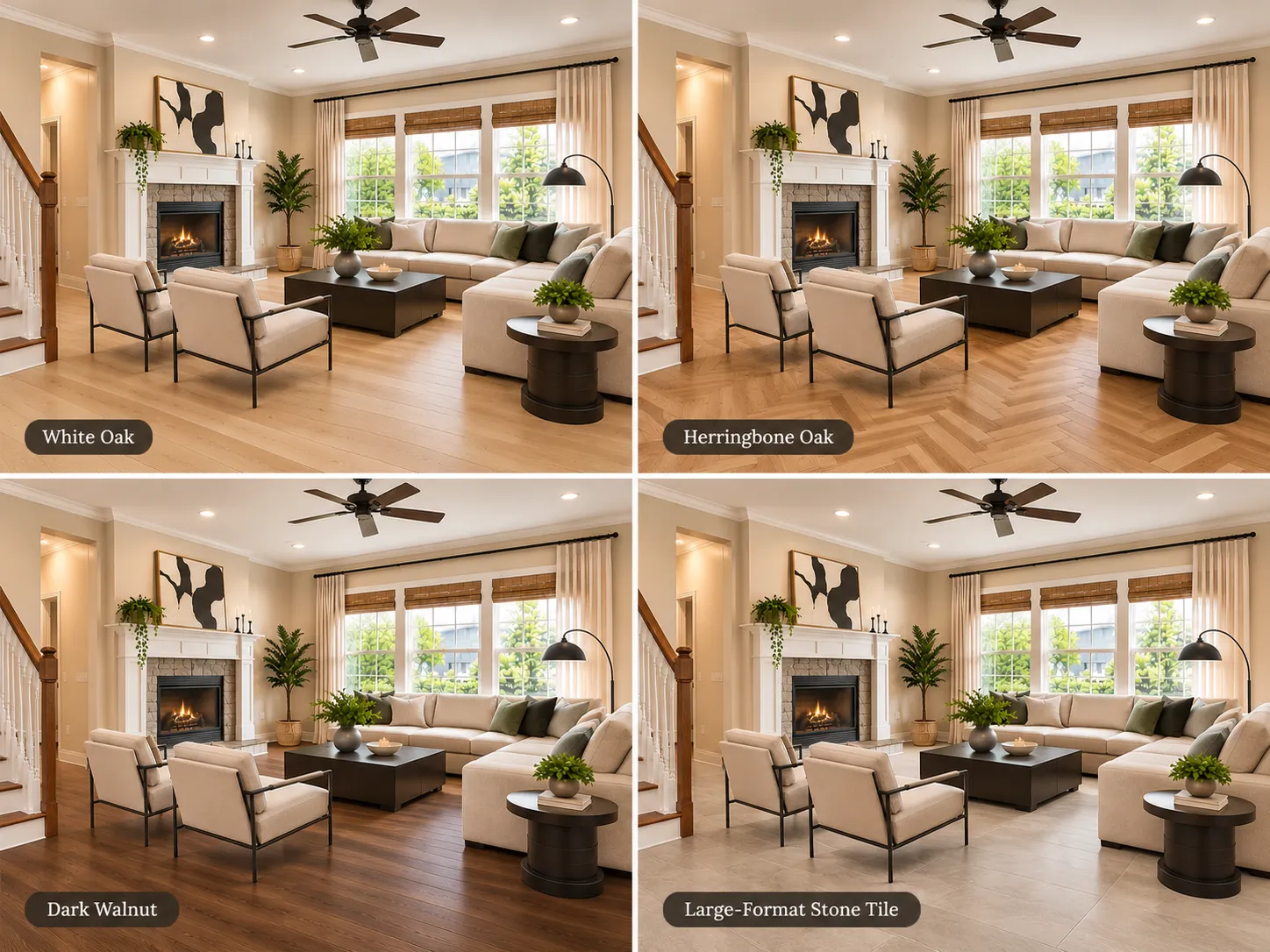
Create several versions of the same room.
Keep the room consistent and change the flooring.
This makes the differences easier to see.
Flooring Styles to Try With AI
White Oak
White oak creates a light and natural look.
It works well with warm white, beige, greige, sage green, and other neutral colors.
It can also make a room feel brighter.
Natural Oak
Natural oak adds more warmth.
It works well in Cozy, Organic Modern, Scandinavian, and transitional interiors.
Dark Walnut
Dark walnut creates more contrast.
It can work well with light walls and neutral furniture.
However, dark flooring can make some rooms feel heavier. Visualize it first before you make a decision.
Herringbone
Herringbone uses a more noticeable pattern.
It can add character to an entryway, living room, dining room, or kitchen.
Compare it with standard straight planks to see which pattern works better in your space.
Tile
Tile can work well in kitchens, bathrooms, entryways, and other areas.
Try different sizes and colors to see how they change the room.
Carpet
Carpet can create a softer and warmer appearance.
It is useful to compare carpet with wood or other hard flooring when you are redesigning a bedroom or living area.
Which Floor Color Works Best With Your Room?
Floor color affects the whole room.
Light Floors
Light oak and similar finishes can make a room feel brighter and more open.
They work well with many neutral interiors.
Medium Wood Tones
Medium wood tones add warmth without creating too much contrast.
They can work well in traditional, transitional, and cozy interiors.
Dark Floors
Dark walnut and similar finishes create stronger contrast.
They often work best when the walls and furniture are lighter.
Gray Floors
Gray flooring can create a cooler look.
Compare it carefully with warm walls, wood cabinets, and beige furniture.
See Flooring With the Furniture You Already Have
This is one of the main benefits of using your own room photo.
You do not have to imagine the flooring in an empty showroom.
You can see it next to your:
- Sofa
- Bed
- Kitchen cabinets
- Walls
- Rugs
- Curtains
- Existing furniture
This gives you more context before you select a flooring direction.
Try New Flooring Without Redesigning the Whole Room
You might like your current furniture and wall colors.
In this case, you do not need a complete room redesign.
Keep the room the same and change only the floor.
This gives you a clearer comparison.
Flooring Ideas for Different Rooms
Living Room
Try white oak, natural oak, herringbone, or warm medium wood.
Compare the floor with your sofa, rug, and wall color.
Kitchen
Compare wood, vinyl plank, stone-look tile, and large-format tile.
Pay close attention to your cabinet and countertop colors.
Bedroom
Try light wood, warm wood, or carpet.
Look for a floor that works with your bed, bedding, and wall colors.
Bathroom
Explore stone, marble-look tile, porcelain, and other moisture-suitable flooring ideas.
Use the visualization for design direction, then confirm the actual material specifications before installation.
AI Flooring Visualization vs. Real Flooring Samples
An AI visualization is useful for comparing design ideas.
It helps you see the overall color, material, and pattern in your room.
However, use a real sample before you buy the final flooring.
Real materials can have differences in:
- Color
- Grain
- Texture
- Finish
- Reflection
- Plank or tile size
Use AI visualization to create your shortlist.
Then, compare physical samples in your home before you make the final purchase.
See New Flooring in Your Own Room
You do not have to select flooring from a small sample alone.
Start with your actual room.
Use Renovate AI to explore different flooring materials and visual directions in your space.
Compare light oak, dark wood, herringbone, tile, and other options before you decide.
Upload your room → explore flooring → visualize the change with Renovate AI.
FAQ
- Can I upload a photo of my room and change the flooring ?
- Yes. You can use a room photo to visualize a different flooring direction while keeping the existing space as your reference.
- Can AI show hardwood flooring in my room ?
- Yes. You can explore visual directions such as light oak, natural oak, dark walnut, and other wood finishes.
- Can I see herringbone flooring in my room ?
- Yes. A visualization can help you compare herringbone with straight plank flooring in the same room.
- Can I visualize tile instead of wood ?
- Yes. You can explore tile, stone, marble-look surfaces, and other flooring directions.
- Should I buy flooring based only on an AI visualization ?
- No, Use the visualization to compare ideas and create a shortlist. Check real flooring samples, dimensions, specifications, and installation requirements before you buy.