
Is There an App Where I Can Take a Picture of My Home Office and Remodel It?

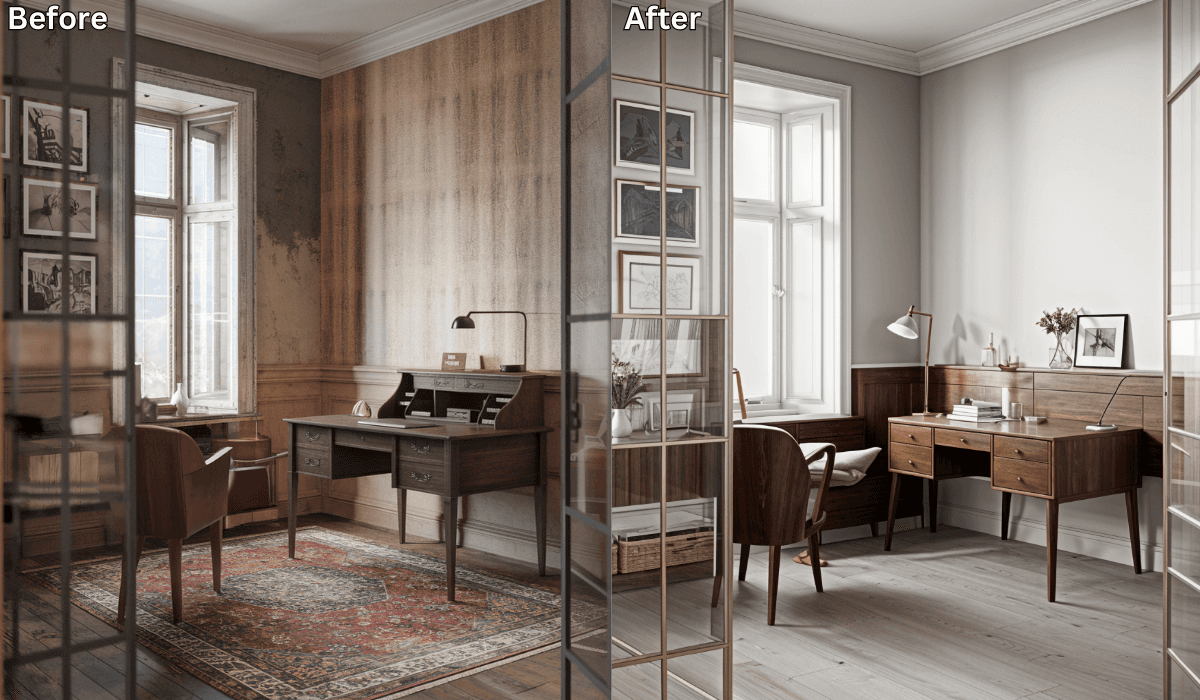
Yes, there is! Renovate AI is the perfect app for transforming your home office with ease. By simply uploading a photo of your space, Renovate AI lets you experiment with furniture layouts, decor styles, and color schemes—all powered by advanced AI technology.
Whether you’re aiming for a productive workspace or a stylish upgrade, Renovate AI makes it simple and accessible.
Why Choose Renovate AI for Home Office Remodeling?
Renovate AI is designed to help you reimagine your home office effortlessly. Here’s why it’s a top choice:
-
Realistic Visualizations: See exactly how your workspace will look with different design changes.
-
User-Friendly Interface: Just upload a photo and let the AI generate tailored options instantly.
-
Customizable Designs: Personalize furniture, layouts, and colors to fit your needs.
-
Free Trial: Explore your dream office setup at no cost.
Key Features of Renovate AI for Home Office Remodeling
Renovate AI provides a suite of tools to help you design the perfect home office:
-
Furniture Arrangement:
-
Experiment with different desk placements, shelving, and seating arrangements to optimize functionality and space.
-
Visualize ergonomic setups that enhance productivity.
-
-
Color and Style Customization:
-
Test new wall colors, flooring, and accent pieces to create a cohesive and inspiring workspace.
-
Choose from popular styles like modern, industrial, or minimalist.
-
-
Lighting Enhancements:
-
Adjust lighting scenarios to see how natural and artificial light affect your workspace.
-
Explore task lighting, ambient lighting, and more.
-
-
Clutter-Free Views:
- Use the app’s AI to remove clutter and visualize a clean, organized space.
-
Decor and Accessories:
- Explore decor ideas like wall art, plants, and rugs to complete your home office design.
How to Use Renovate AI for Free Home Office Remodeling
Getting started with Renovate AI is quick and simple. Here’s how:
-
Download the App: Renovate AI is available for both iOS and Android devices. Download it to your smartphone to begin.
-
Create an Account: Sign up for a free account or log in if you already have one.
-
Upload a Photo: Take a clear picture of your home office and upload it to the app.
-
Select Your Preferences: Choose your preferred styles, layouts, and decor elements. The AI will generate multiple design options based on your inputs.
-
Review and Save Designs: Save up to 3 design variations with the free trial. Share your designs with family, friends, or contractors for feedback.
Benefits of Using Renovate AI for Home Office Remodeling
Renovate AI offers several advantages that make it an excellent choice for redesigning your workspace:
-
Cost-Effective: Experiment with designs for free before investing in new furniture or decor.
-
Time-Saving: Generate multiple ideas in seconds, eliminating guesswork.
-
Inspiration: Discover fresh styles and layouts you might not have considered.
-
Accessibility: Use just a smartphone to access professional-grade design tools.
Unlock Premium Features for Advanced Design
While the free version of Renovate AI is a great starting point, upgrading to a premium plan unlocks additional capabilities:
-
Unlimited design variations
-
High-resolution images for presentations
-
Exclusive decor and material options
See It In Action: 3 Directions on a Real Home Office
We uploaded a photo of a real room to Renovate AI and tried three completely different home office setups. Here is what we told the AI and what it came back with.
Direction 1: Productivity First
What We Told RAI: “Convert to a productive home office with a large L-shaped desk, ergonomic chair, wall-mounted shelves, and warm task lighting”

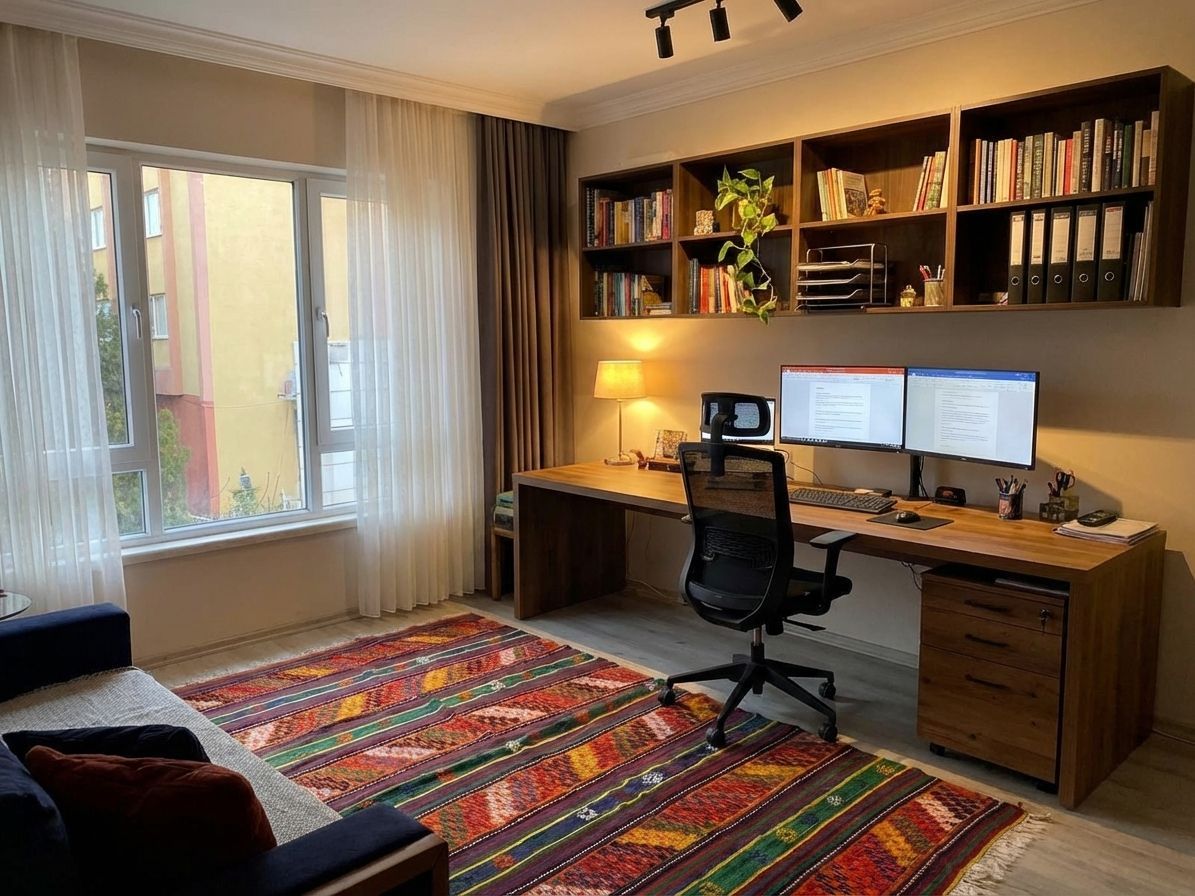
An L-shaped desk gives you space to spread out. Wall-mounted shelves keep everything within reach without eating floor space. Warm task lighting reduces eye strain during long sessions.
Direction 2: Creative Studio
What We Told RAI: “Creative studio home office with a standing desk, pegboard wall organizer, plants, and colorful accent wall”

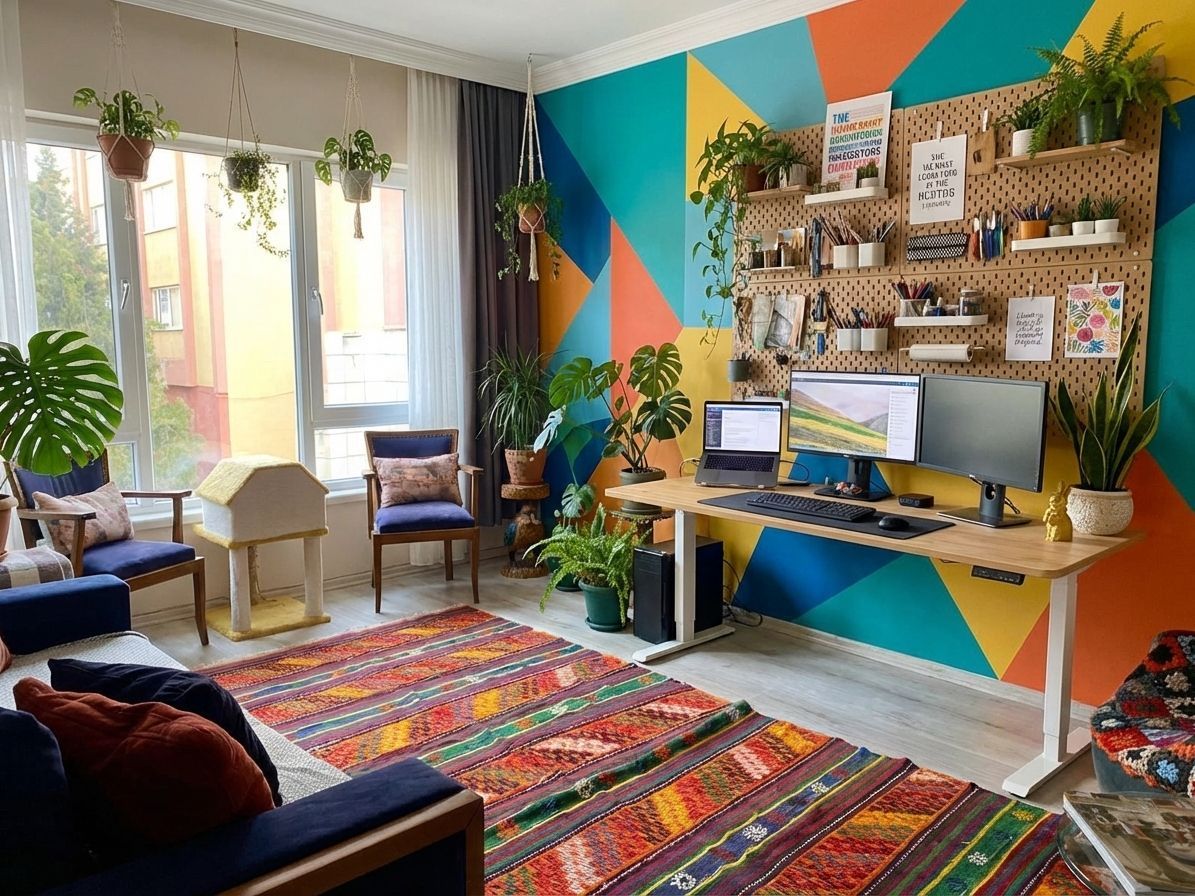
A standing desk keeps energy up during creative work. The pegboard wall puts tools and inspiration at eye level. A colorful accent wall makes the space feel distinct from the rest of the house.
Direction 3: Executive Study
What We Told RAI: “Executive home office with dark wood desk, leather chair, built-in bookshelves, and brass desk lamp”

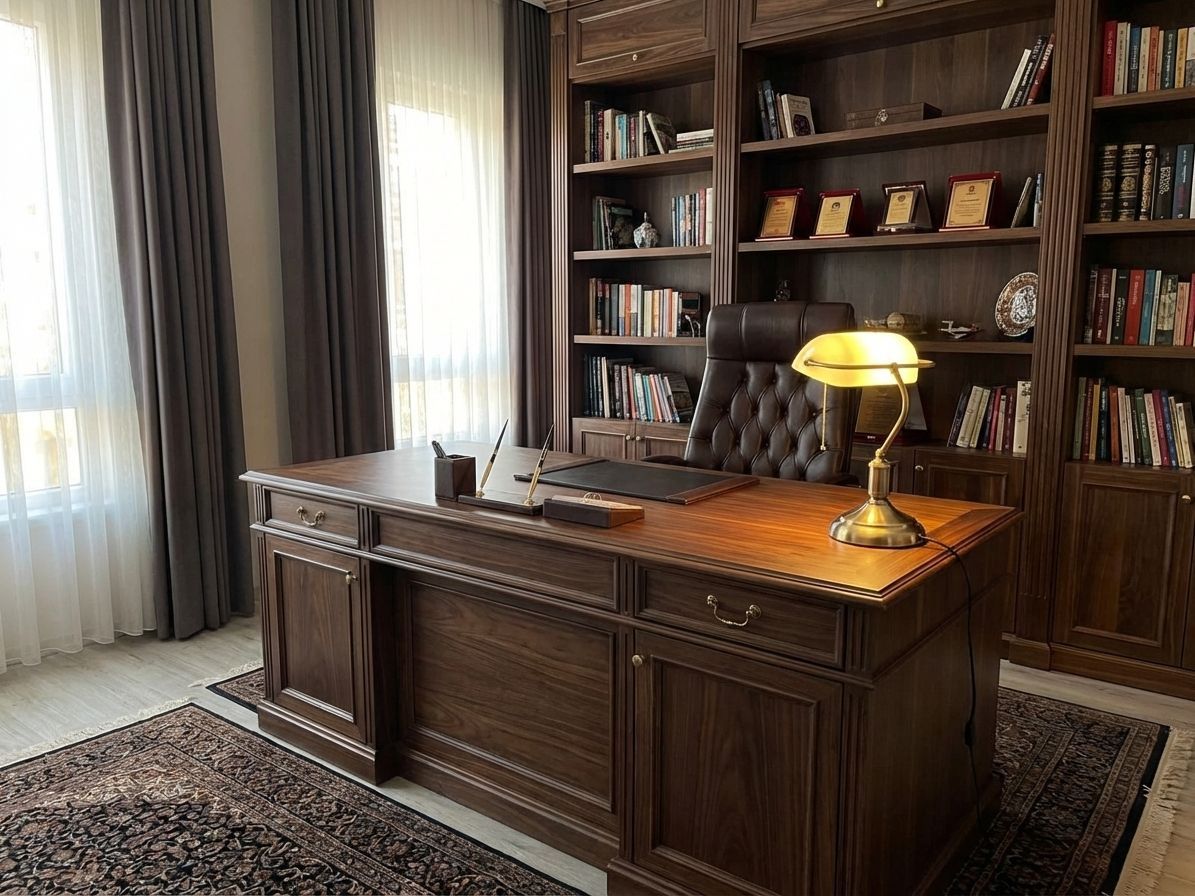
Dark wood and leather create a serious workspace that commands focus. Built-in bookshelves add storage and gravitas. A brass lamp is the finishing touch that makes video calls look professional.
Final Thoughts
If you’ve been wondering if there’s an app to help you take a picture of your home office and remodel it, look no further than Renovate AI. Its intuitive platform and cutting-edge AI technology allow you to explore countless possibilities for creating a functional and stylish workspace. Whether you’re planning a minor refresh or a complete transformation, Renovate AI makes it easy to visualize and execute your vision.
Ready to redesign your home office? Download Renovate AI today and start creating your ideal workspace with just a photo!
You Might Also Like
Can You Take a Picture of Your Living Room and Change the Furniture Using AI? →
Transform Empty Rooms Instantly: AI-Powered Virtual Staging by Renovate AI →
Is There an App Where I Can Take a Picture of My Bedroom and Remodel It? →
How to Rearrange Any Room Layout with Just One Click →

Sid Sarasvati · Founder, Renovate AI
Sid Sarasvati is the founder of Renovate AI, featured in the Wall Street Journal and Morning Brew’s The Playbook. He studied architectural philosophy at Harvard GSD and has tested AI design tools on 200+ real homes.