
Is There an App Where I Can Take a Picture of My Bathroom and Remodel It?

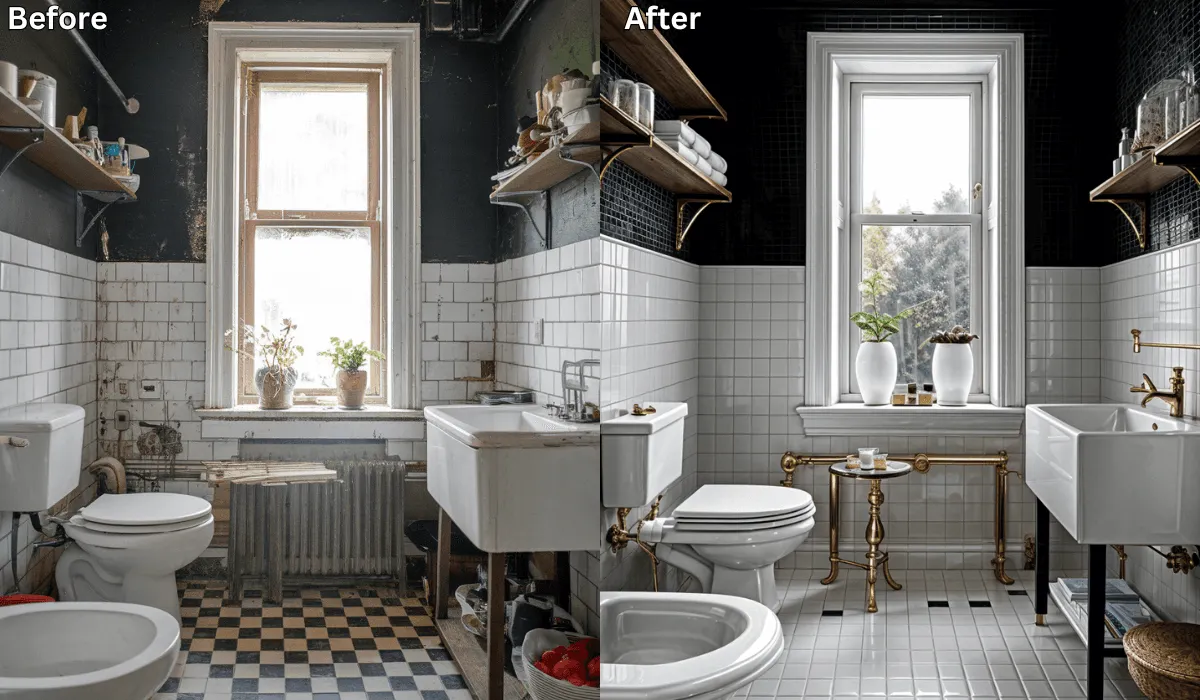
Yes, there is! Renovate AI is the ideal app for anyone looking to remodel their bathroom with ease. It’s the fastest way to try AI bathroom design — upload a photo, describe what you want, and see a photorealistic preview in seconds.
By simply taking a picture of your space, Renovate AI allows you to visualize design changes, experiment with layouts, and explore modern styles—all powered by advanced AI technology.
Whether you’re planning a small refresh or a full-scale renovation, Renovate AI makes the process simple and accessible.
AI Bathroom Design — How It Works
AI bathroom design tools let you see your renovation before you start. Instead of guessing how new tile, paint, or fixtures will look, you upload a photo of your actual bathroom and describe the changes you want. The AI generates a photorealistic image showing your bathroom with those changes applied — same vanity, same mirror, same tub, just transformed.
This means you can compare multiple directions side by side, share previews with your contractor, and make confident decisions before spending a dollar on materials.
Why Choose Renovate AI for Bathroom Remodeling?
Renovate AI is tailored to help you reimagine your bathroom with precision and creativity. Here’s why it’s a standout choice:
Realistic Visualizations: See how different tiles, fixtures, and layouts will look in your space.
User-Friendly Design: Upload a photo and let the app generate design options instantly.
Customizable Features: Tailor everything from wall colors to vanity styles and lighting.
Free Trial: Begin your bathroom transformation without spending a dime.
Key Features of Renovate AI for Bathroom Remodeling
Renovate AI offers a suite of tools to help you plan and visualize your bathroom remodel:
Fixture and Layout Adjustments:
Experiment with moving sinks, showers, bathtubs, and toilets to find the optimal layout.
Preview how modern or traditional fixtures will fit into your space.
Tile and Wall Options:
Test different tile patterns and wall finishes to enhance your bathroom’s style.
Experiment with materials like ceramic, marble, and stone.
Lighting Customization:
Visualize different lighting options to create the perfect ambiance.
Explore recessed lighting, vanity lighting, and more.
Clutter-Free Views:
- Use AI to remove distractions and see a clean, polished version of your bathroom.
Style Suggestions:
- Choose from popular bathroom styles like spa-inspired, minimalist, or classic.
How to Use Renovate AI for Bathroom Remodeling
Follow these steps to start transforming your bathroom with Renovate AI:
Download the App: Renovate AI is available on both iOS and Android devices. Download it to your smartphone to get started.
Sign Up for an Account: Create a free account or log in to your existing one.
Take a Picture: Use your smartphone to capture a clear photo of your bathroom and upload it to the app.
Select Your Preferences: Choose styles, materials, and layouts that match your vision. The AI will generate multiple design concepts tailored to your inputs.
Save and Share Designs: Save up to 3 design variations with the free trial. Share them with contractors, friends, or family for feedback.
See It In Action: 3 Bathroom Remodel Directions
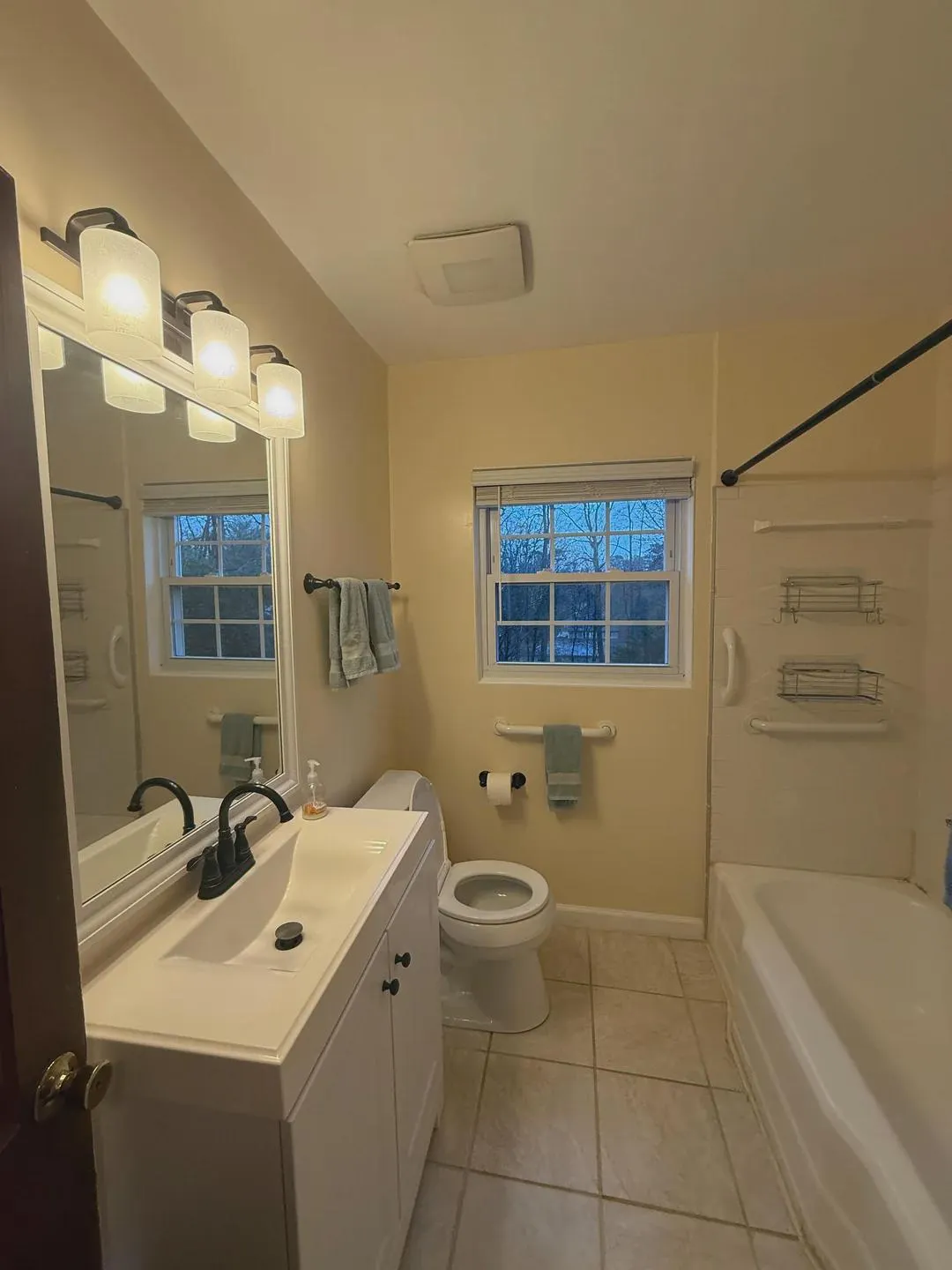
Here’s a real bathroom that needed an update. We used Renovate AI to preview three completely different remodel directions — all from the same photo, in seconds.
The original bathroom:
Direction: Coastal Fresh
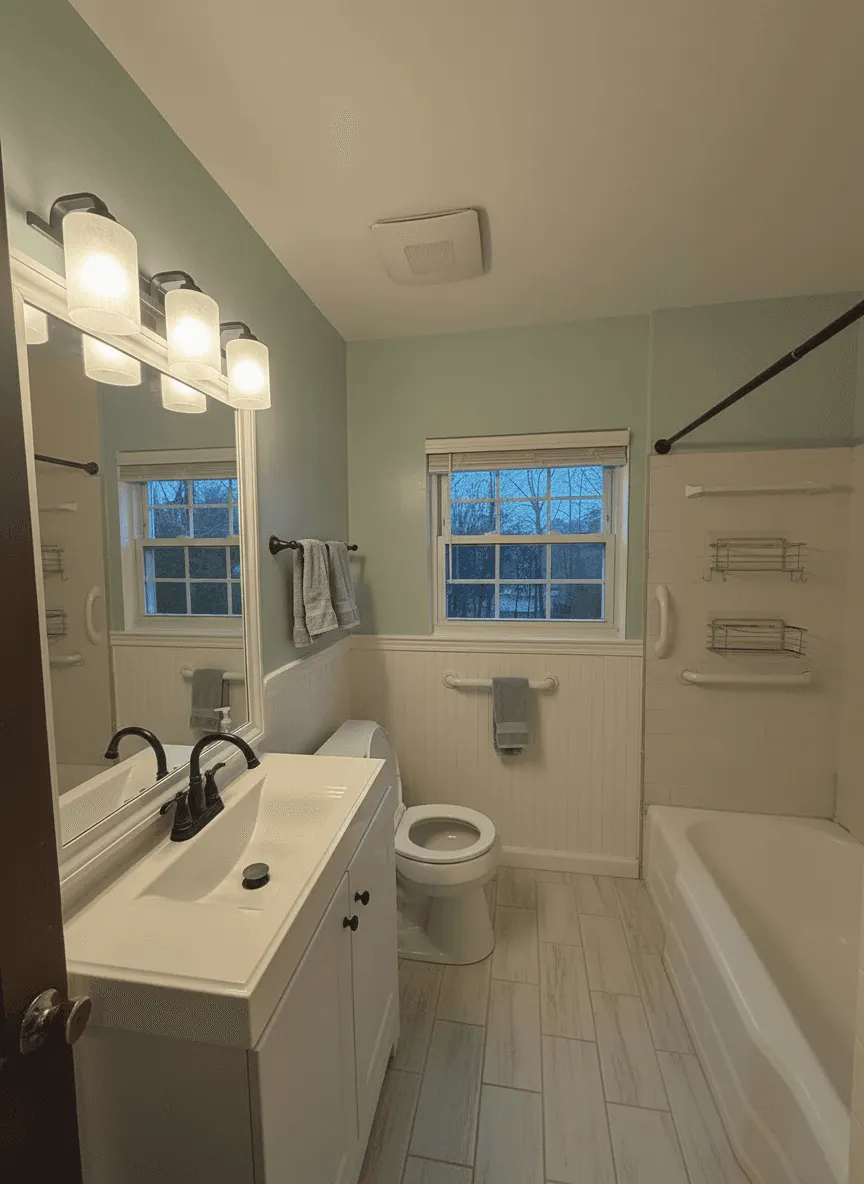
What we told Renovate AI:
Transform this dated bathroom into a bright coastal retreat. Sea glass green walls, white shiplap around the tub, light wood floors

Free · No account needed · 10 seconds
Direction: Moody Modern
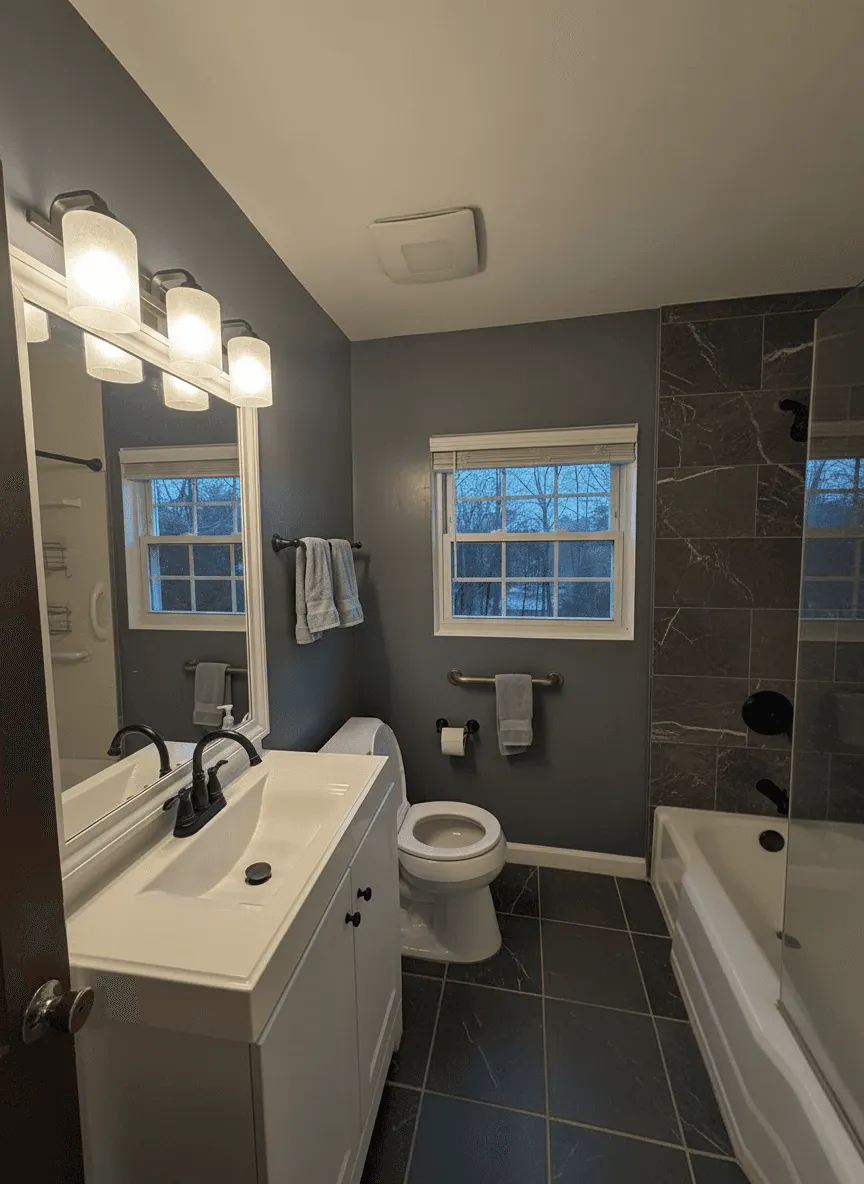
What we told Renovate AI:
Turn this bathroom into a dramatic dark sanctuary. Deep charcoal walls, dark marble tub surround, brushed gold fixtures

Free · No account needed · 10 seconds
Direction: Spa Transitional
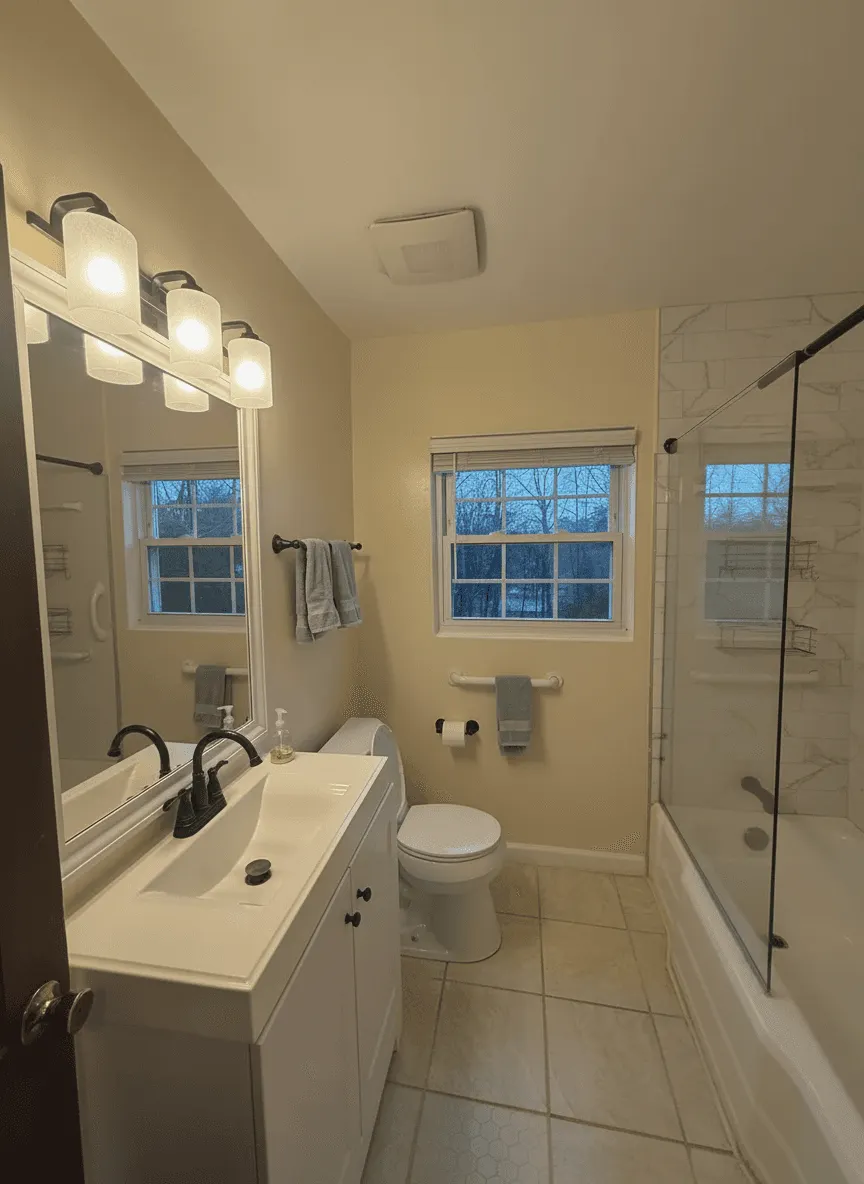
What we told Renovate AI:
Redesign this bathroom as a calming spa retreat. Marble accent wall around the tub, frameless glass shower door, warm neutral tones

Free · No account needed · 10 seconds
Same bathroom. Same layout. Three completely different vibes — all previewed before calling a contractor.
How Much Do You Actually Have to Change?
Style is the fun question. The expensive question is scope — how much of this bathroom do I have to touch to stop hating it?
That’s something a photo tool can answer and a Pinterest board can’t. So we went back to the same bathroom and ran it three more times, escalating the amount of change each time.
Level 1: Paint Only
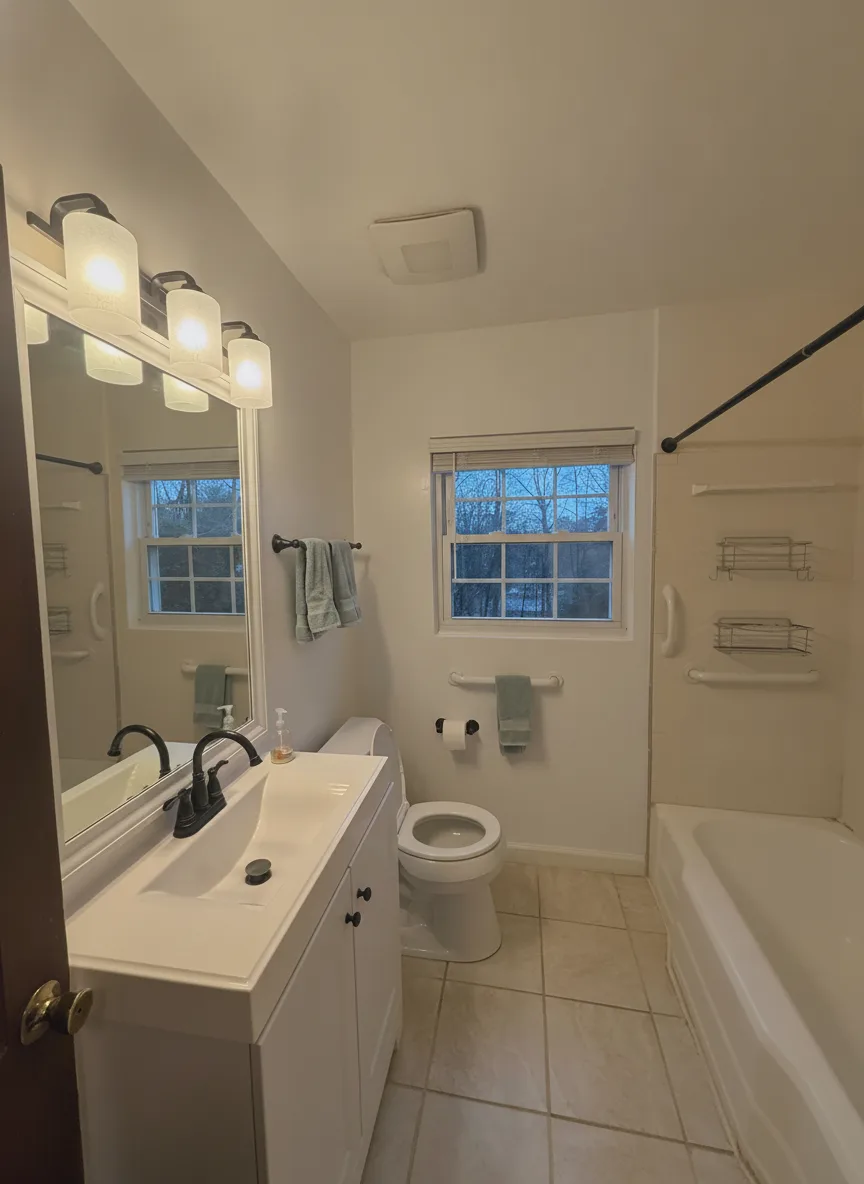
What we told Renovate AI:
Repaint only the yellow walls a soft warm white. Keep the existing vanity, mirror, light fixture, bathtub, beige floor tile and bronze fixtures exactly as they are.
Everything the owner already has is still there — same vanity, same tile, same bronze faucet, same towels. Only the walls changed. And a surprising amount of the dated feeling goes with them, because the yellow was the thing making the beige floor read as beige.
This is the level most people skip past, and it’s the one worth testing first. If a weekend of paint gets you most of the way there, that’s the answer.

Free · No account needed · 10 seconds
Level 2: New Surfaces, Same Footprint
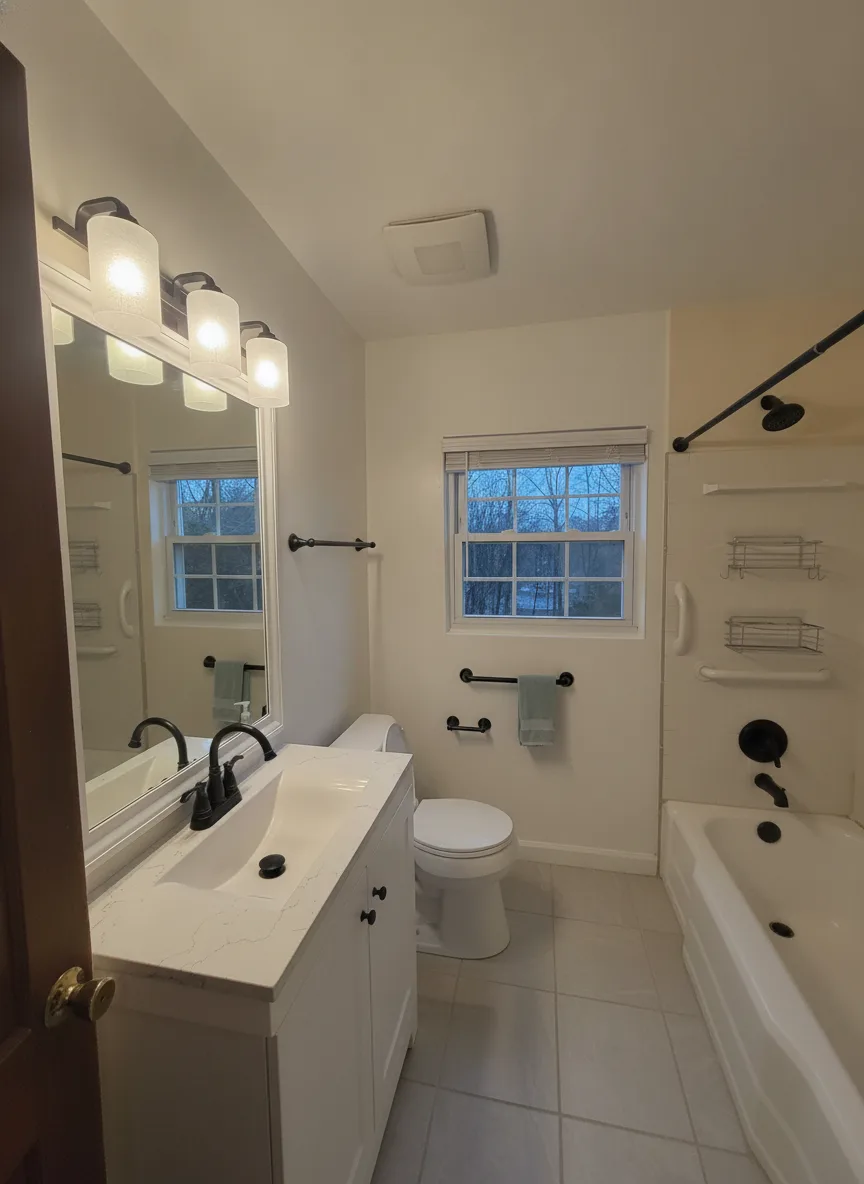
What we told Renovate AI:
Repaint the walls soft white, replace the beige floor tile with large-format light gray porcelain tile, swap the bronze fixtures and towel bars for matte black, and install a white shaker vanity with a white quartz top. Keep the bathtub and the window where they are.
Nothing structural moved. The tub, the window and the toilet are all where they started. What changed is every surface you touch: floor, vanity, counter, and the metal finish. This is the level where a bathroom stops looking like it came with the house.

Free · No account needed · 10 seconds
Level 3: Full Gut
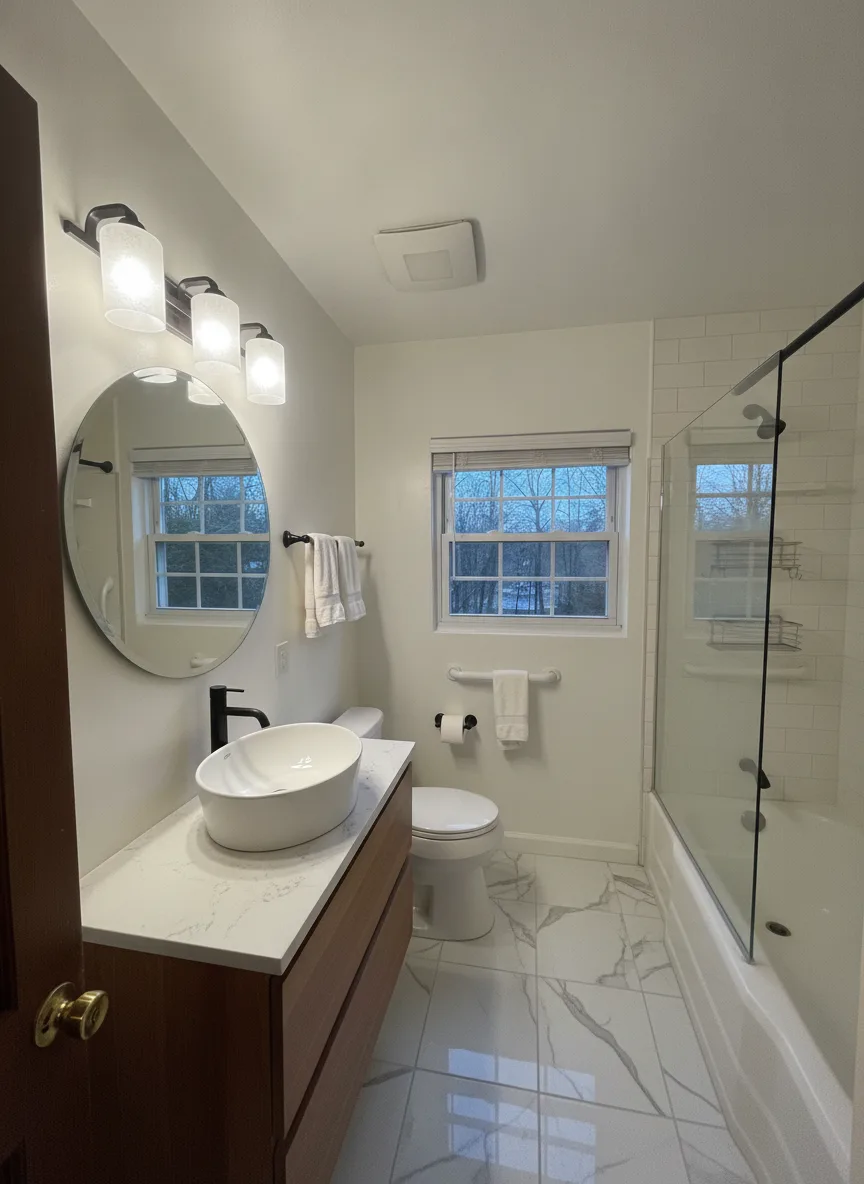
What we told Renovate AI:
Full remodel: floor-to-ceiling white subway tile around the tub, large marble-look floor tile, a floating walnut vanity with a vessel sink, a frameless glass shower screen instead of the curtain rod, and modern black sconces beside a round mirror. Keep the window in the same place.
Same room, same window, same tub location — and almost nothing you’d recognise.
Seeing all three next to each other is the point. Level 3 is gorgeous, but now you can look back at Level 1 and decide honestly whether the gap between them is worth what it costs.

Free · No account needed · 10 seconds
What the App Got Wrong
Two things, worth knowing before you read your own render.
It ignored the light fixture. We asked for modern black sconces in the full-gut version. The AI kept the original three-globe light bar and just darkened the backplate. It did the same thing at Level 2. Fixtures that are small and high in the frame are the first thing to get skipped.
It will move plumbing if you ask. That’s a feature for imagining and a trap for planning. Whether your toilet can move three feet is a question about drain locations and floor joists, and nothing working from a photograph can see either. Use renders for finishes and colors. Use a plumber for layout.
The rule of thumb: trust the surfaces, verify the hardware, never trust the plumbing.
If your bathroom is genuinely tiny, small bathroom, big makeover goes deeper on framing a room you can’t back out of, and how to upload a picture of your bathroom and see different tile designs covers the tile question on its own.
Benefits of Using Renovate AI for Free Bathroom Remodeling
Renovate AI provides several advantages for homeowners and designers:
Budget-Friendly: Save money by experimenting with designs before making any purchases.
Quick Inspiration: Generate multiple ideas in seconds, eliminating guesswork.
Realistic Previews: See how new fixtures, colors, and materials will look in your actual space.
Accessibility: Use just a smartphone to access professional-grade design tools.
Unlock Advanced Features with Premium Plans
While the free version of Renovate AI is great for initial planning, upgrading to a premium plan unlocks even more:
Unlimited design variations
High-resolution images for detailed presentations
Access to exclusive materials and styles
Final Thoughts
If you’re looking for an app where you can take a picture of your bathroom and remodel it, Renovate AI is the perfect solution. With its intuitive interface and powerful AI capabilities, you can visualize and plan your dream bathroom with ease. Whether you’re considering a minor upgrade or a complete overhaul, Renovate AI helps you make informed decisions and bring your vision to life.
Ready to redesign your bathroom? Download Renovate AI today and start exploring endless possibilities with just a photo!
More AI Home Design Guides
You Might Also Like
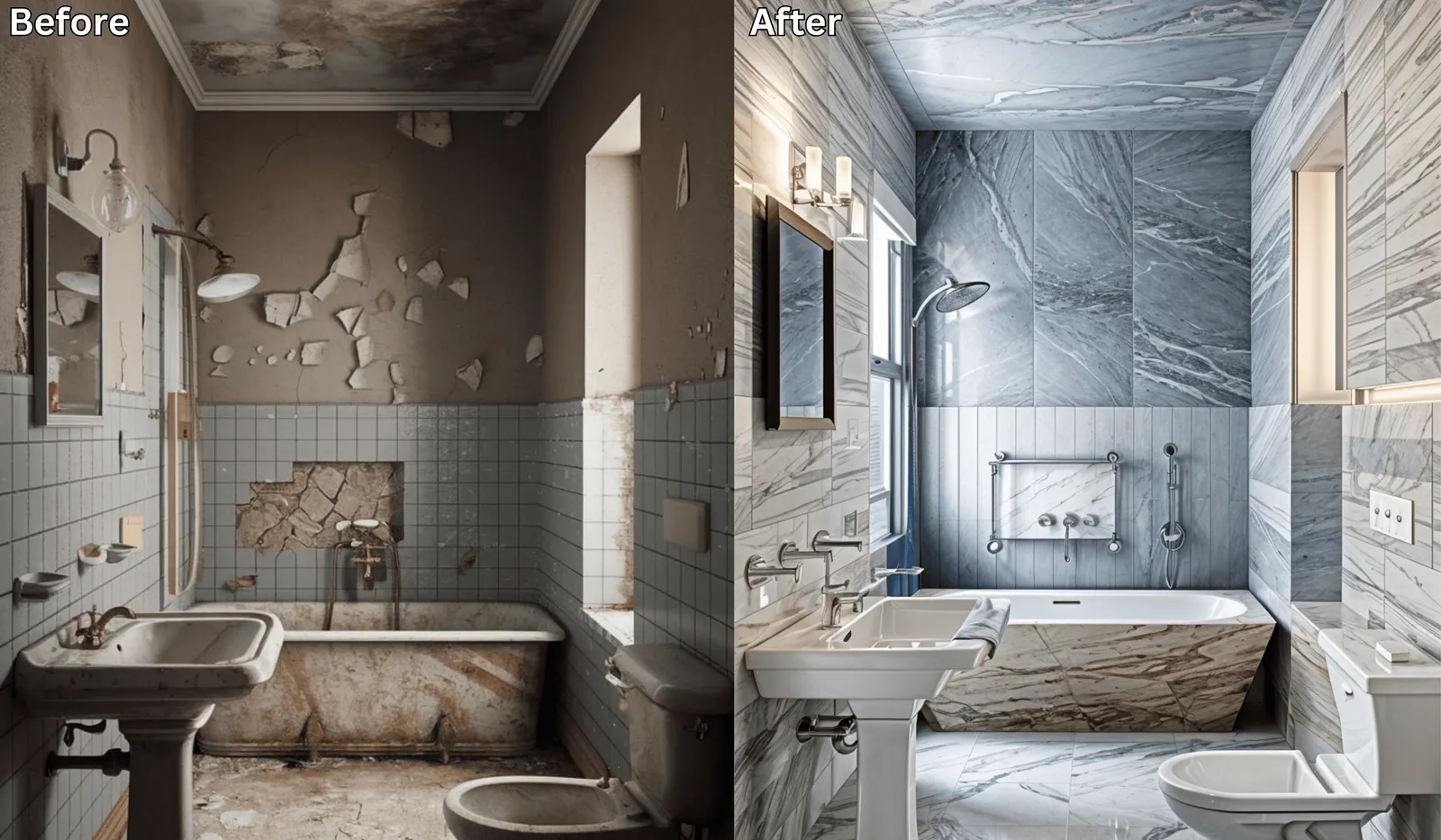
Visualize Your Bathroom Remodel in Minutes →
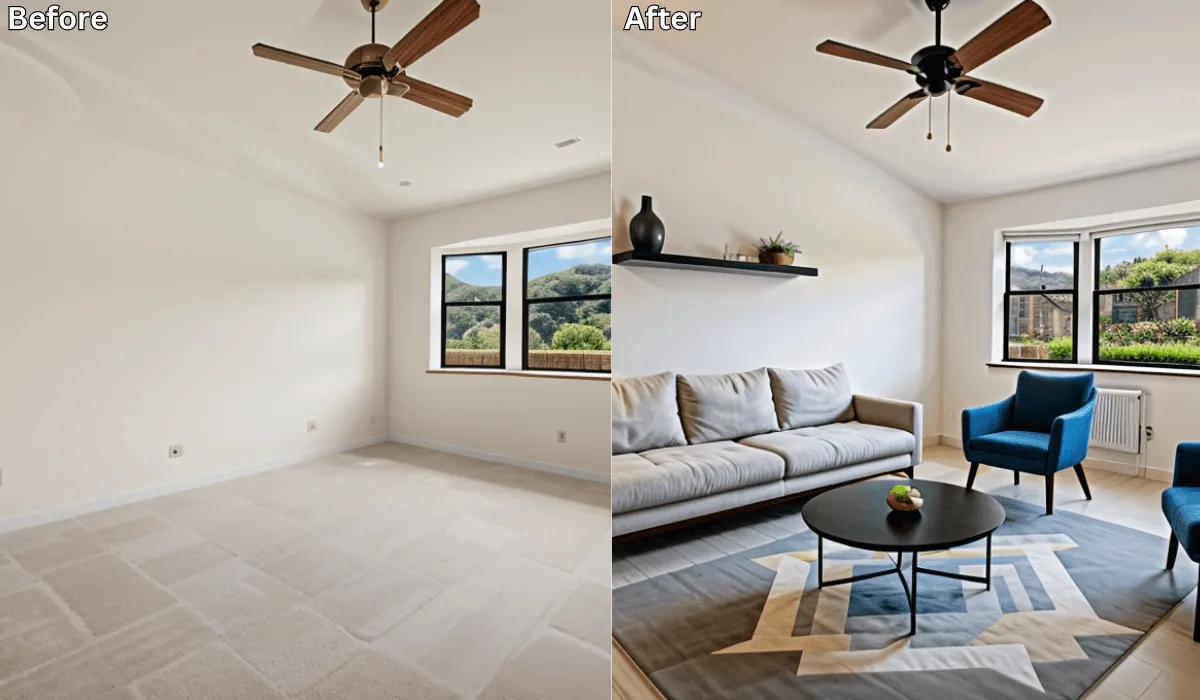
Before and After: 10 Stunning AI Room Transformations You Have to See →
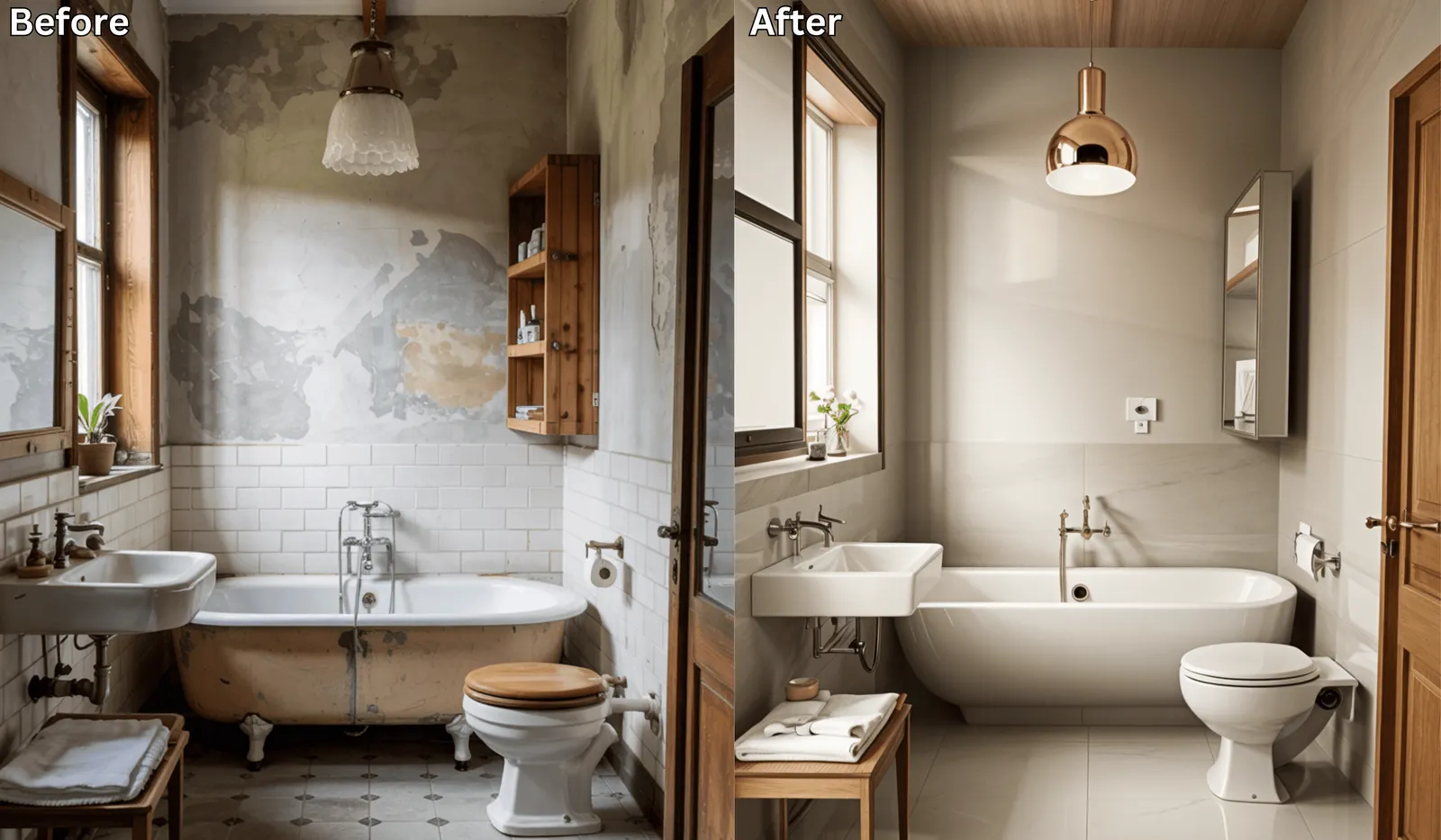
Small Bathroom? Big Makeover—Using AI Design Tools →
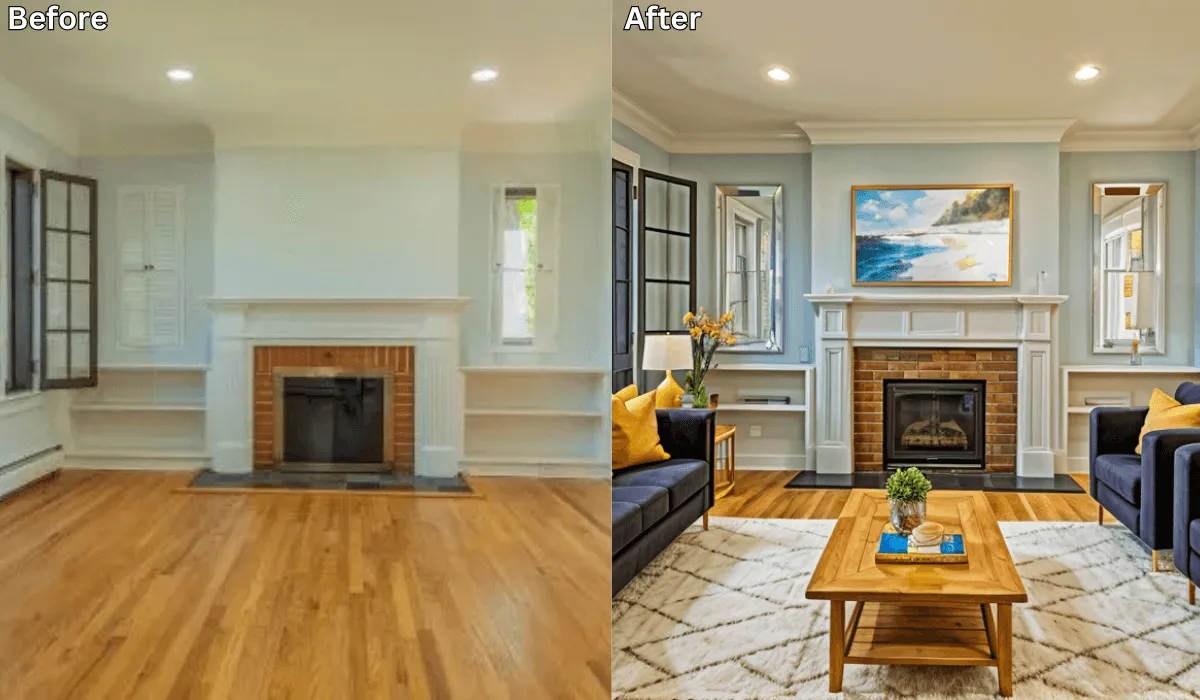
Is There an App Where I Can Get Free AI Home Design? →

Sid Sarasvati · Founder, Renovate AI
Sid Sarasvati is the founder of Renovate AI, featured in the Wall Street Journal and Morning Brew’s The Playbook. He studied architectural philosophy at Harvard GSD and has tested AI design tools on 200+ real homes.
Now name yours
Pull up a photo of your own space, or just look at it. Answer two questions in plain words:
- What is the one thing in your bathroom you are definitely not moving — tub, window, or vanity wall?
- What bothers you most when you walk in: the color, the floor, or the fixtures?
Most people never name it. They just circle swatches. Finish the sentence — in your words, about your home:
Your sentence rides the button below. Test it on your photo.
Test your answer before you commit. Upload a photo and tell RAI the exact change you're considering. You'll see it on your actual home in seconds.
See it on your home →Free · No account needed · 10 seconds
Stuck between two answers, or not sure what you're looking at? That's a design question. In the Renovate AI app, tap Ask and describe what feels off. Elena will help you name it, then design the direction.
FAQ
- Is there really an app that remodels a bathroom from a photo?
- Yes. Renovate AI works from a single photo: you upload it, describe the change in a sentence, and get a photorealistic version of your own bathroom back in about ten seconds. It repaints and re-materials the room you photographed rather than showing you a stock bathroom that looks nothing like yours.
- Does it work on a small or awkward bathroom?
- Better than you'd expect, because it works from your photo rather than a floor plan, so the awkward parts are already in the picture. Where it struggles is what it cannot see: if your camera couldn't fit the whole room in frame, the render can only change what's in frame.
- Can it move the toilet, tub, or walls?
- It will show you a version where things have moved, but do not plan a renovation on it. Moving a toilet or tub is a plumbing question with a real answer that depends on your drain locations and joists, and no photo tool can see those. Use it for finishes, colors, and fixtures. Ask a plumber about layout.
- How accurate is the result?
- The surfaces are the trustworthy part — wall color, tile, vanity finish, how the light changes. Small hardware is where it drifts. In our own test we asked for modern sconces and the AI kept the existing light bar both times. Read a render as a direction, not an itemised scope of work.
- Does it cost anything?
- It's free to start — new accounts get credits to run real renders on their own photos with no card, and a free tier stays available after that. Paid plans add volume, higher-resolution downloads, and unwatermarked exports. Comparing three versions of your own bathroom sits comfortably inside the free tier.