
AI Bedroom Design From a Photo: Upload Your Room and Explore New Styles

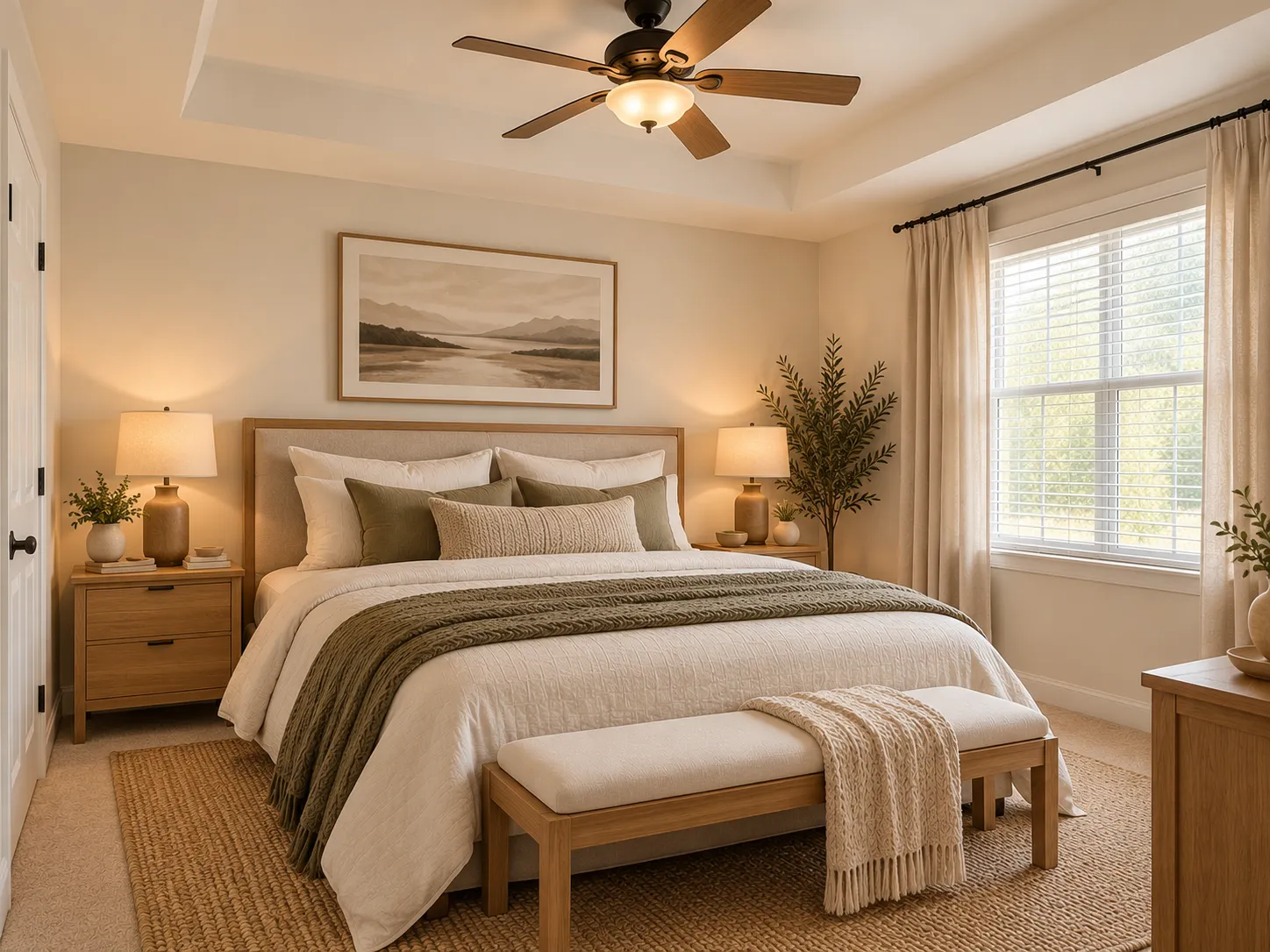
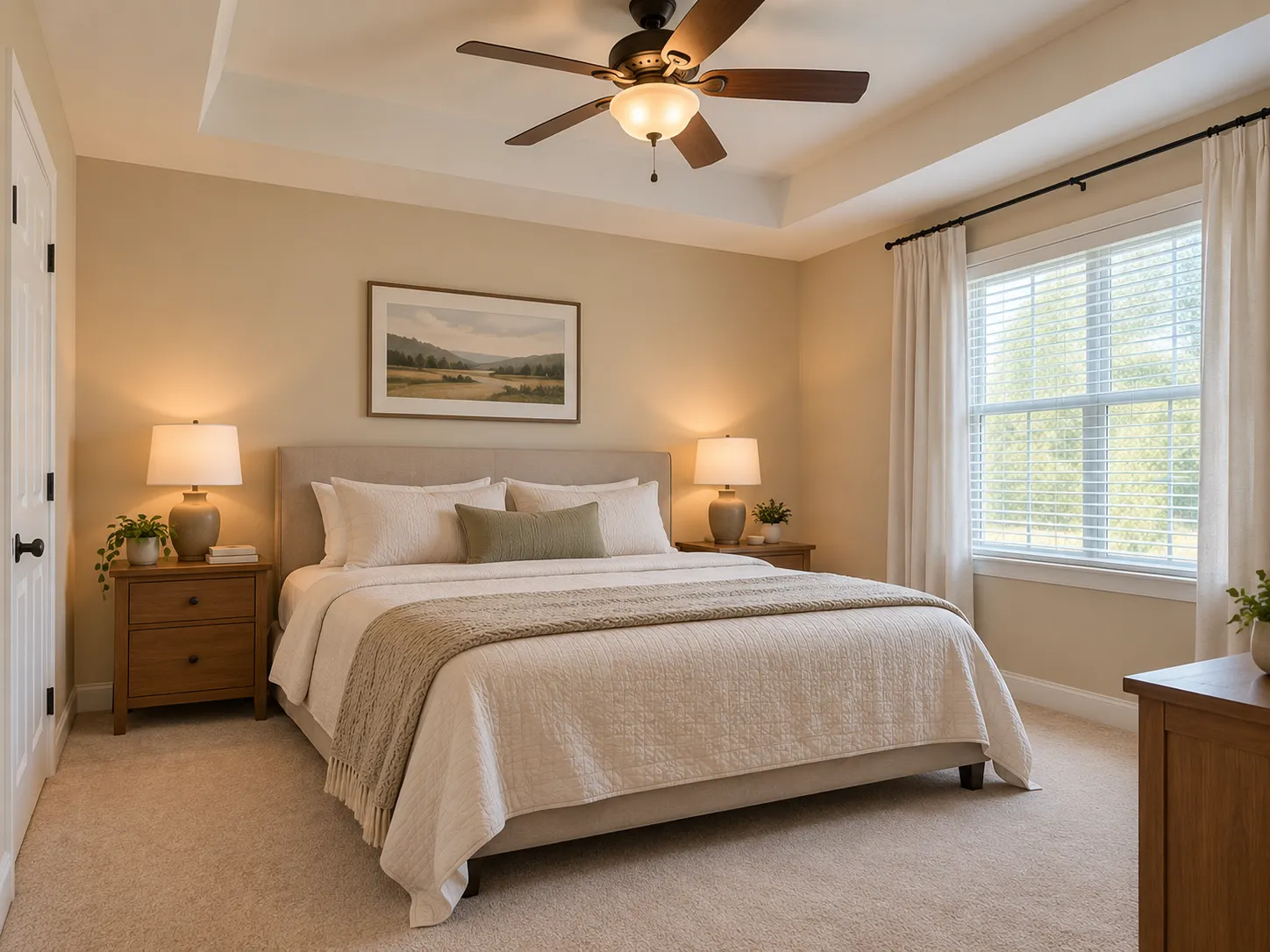
Do you want to change your bedroom but do not know which design will work?
Choosing colors, furniture, materials, and decor from inspiration photos can be difficult. A design that looks good in another room might not work in your space.
With an AI bedroom design tool, you can upload a photo and explore new ideas in your existing bedroom.
Use Renovate AI to compare different styles before you make changes.
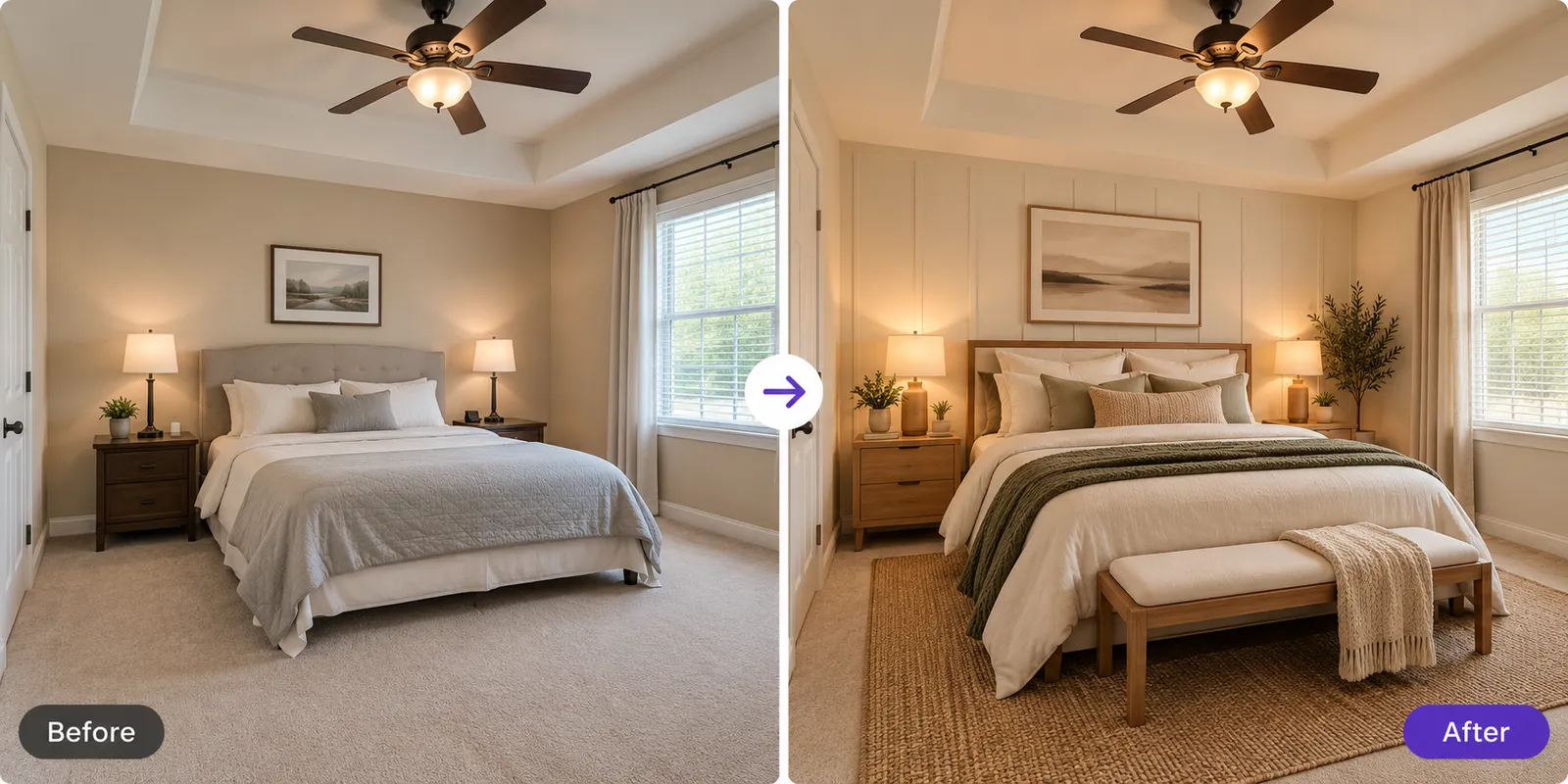
Can AI Design My Bedroom From a Photo?
Yes. Upload a photo of your bedroom and use AI to explore different designs.
You can visualize:
- Wall colors
- Furniture
- Bedding
- Lighting
- Rugs and curtains
- Materials
- Decor
- Bedroom styles
This lets you see design ideas in your own room instead of trying to imagine them from other photos.
How to Design Your Bedroom With AI
You do not need design experience. Follow these four steps.
Step 1: Upload a Bedroom Photo
Take a clear photo of your bedroom.
Include the bed, walls, windows, floor, and main furniture. Use good lighting and avoid dark or blurry photos.
Step 2: Select a Style
Choose the style that you want to explore.
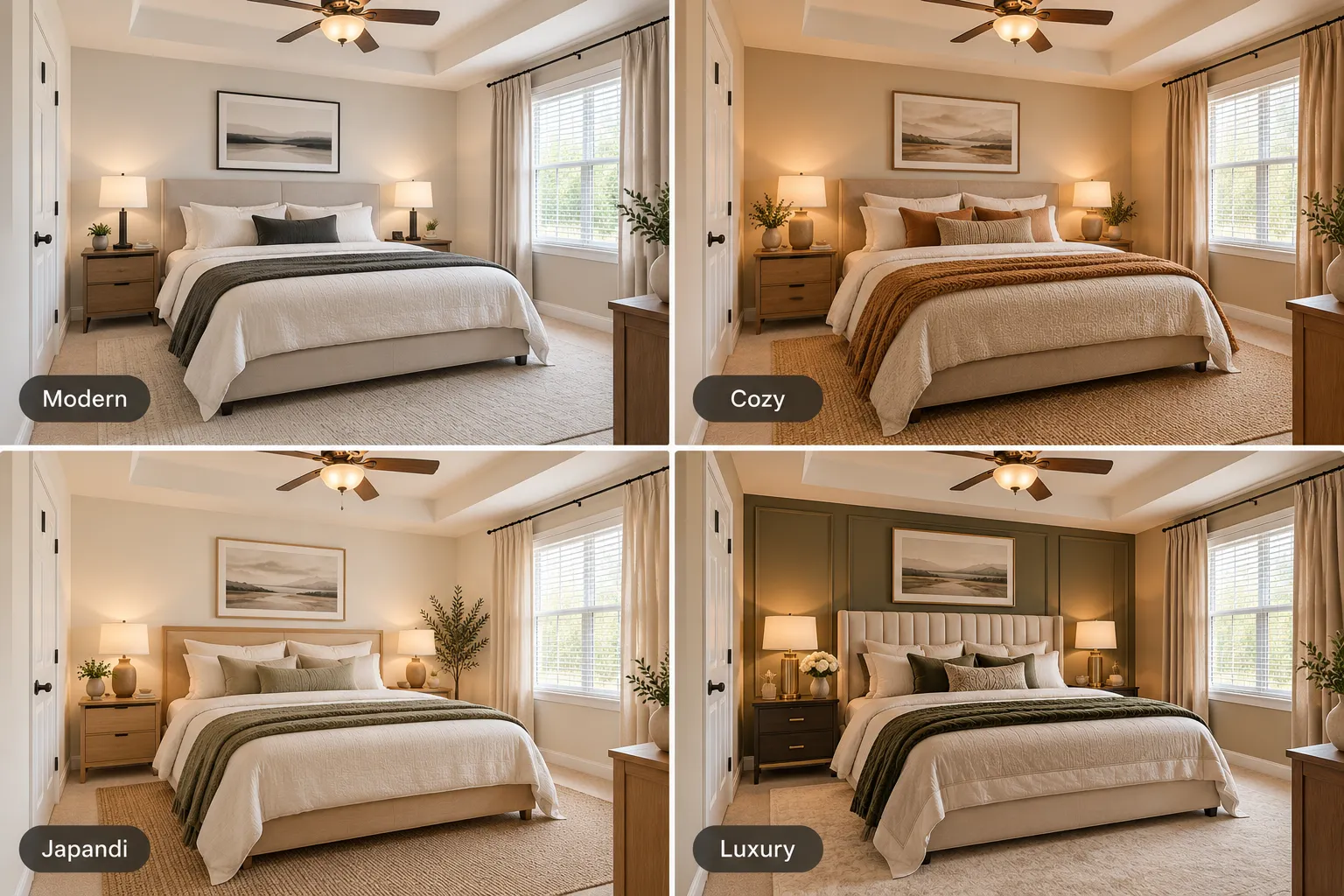
Try Modern, Cozy, Japandi, Luxury, or another design style.
Renovate AI uses your existing bedroom as the starting point for the visualization.
Step 3: Generate Your Design
Create a new bedroom visualization.
Look at the colors, furniture, materials, lighting, and decor. Check how the different elements work together.
Step 4: Compare Your Designs
Create more than one version.
Compare the results to find the colors, materials, and style that work best in your room.
5 Bedroom Styles to Explore With AI
1. Modern
Use clean lines, neutral colors, simple furniture, and minimal decor.
Good for: A clean and simple bedroom.
2. Cozy
Use warm colors, soft lighting, layered bedding, rugs, and natural textures.
Good for: A warm and comfortable bedroom.
3. Japandi
Use light wood, neutral colors, natural materials, and simple forms.
Good for: A calm and warm minimalist bedroom.
4. Luxury
Use layered fabrics, upholstered furniture, elegant lighting, and refined materials.
Good for: A hotel-inspired bedroom.
5. Organic Modern
Combine natural wood, warm neutral colors, textured fabrics, and simple furniture.
Good for: A modern bedroom with a natural appearance.
What Can You Change With AI?
Renovate AI can help you explore different parts of your bedroom.
Wall Colors
Compare warm white, beige, muted green, gray, dusty pink, and other colors.
Bed and Bedding
Try different bed frames, headboards, bedding colors, and fabrics.
Furniture
Explore different nightstands, dressers, chairs, and benches.
Lighting
Compare lamps, pendant lights, ceiling lights, and warm ambient lighting.
Curtains and Rugs
Try different colors, materials, and textures.
Materials
Explore natural wood, linen, wool, stone, and other finishes.
Small Bedroom Design With AI
Simple design choices can help a small bedroom feel more open.
Try:
- Light wall colors
- Simple bed frames
- Small nightstands
- Wall-mounted lights
- Large mirrors
- Light curtains
- Simple decor
- Furniture with storage
Use Renovate AI to visualize these ideas in your bedroom before you make changes.
Refresh Your Bedroom Without a Full Remodel
You do not need to replace everything.
Keep your bed, floor, and main furniture. Then, explore new wall colors, bedding, curtains, rugs, lighting, and decor.
Small changes can give the bedroom a new appearance.
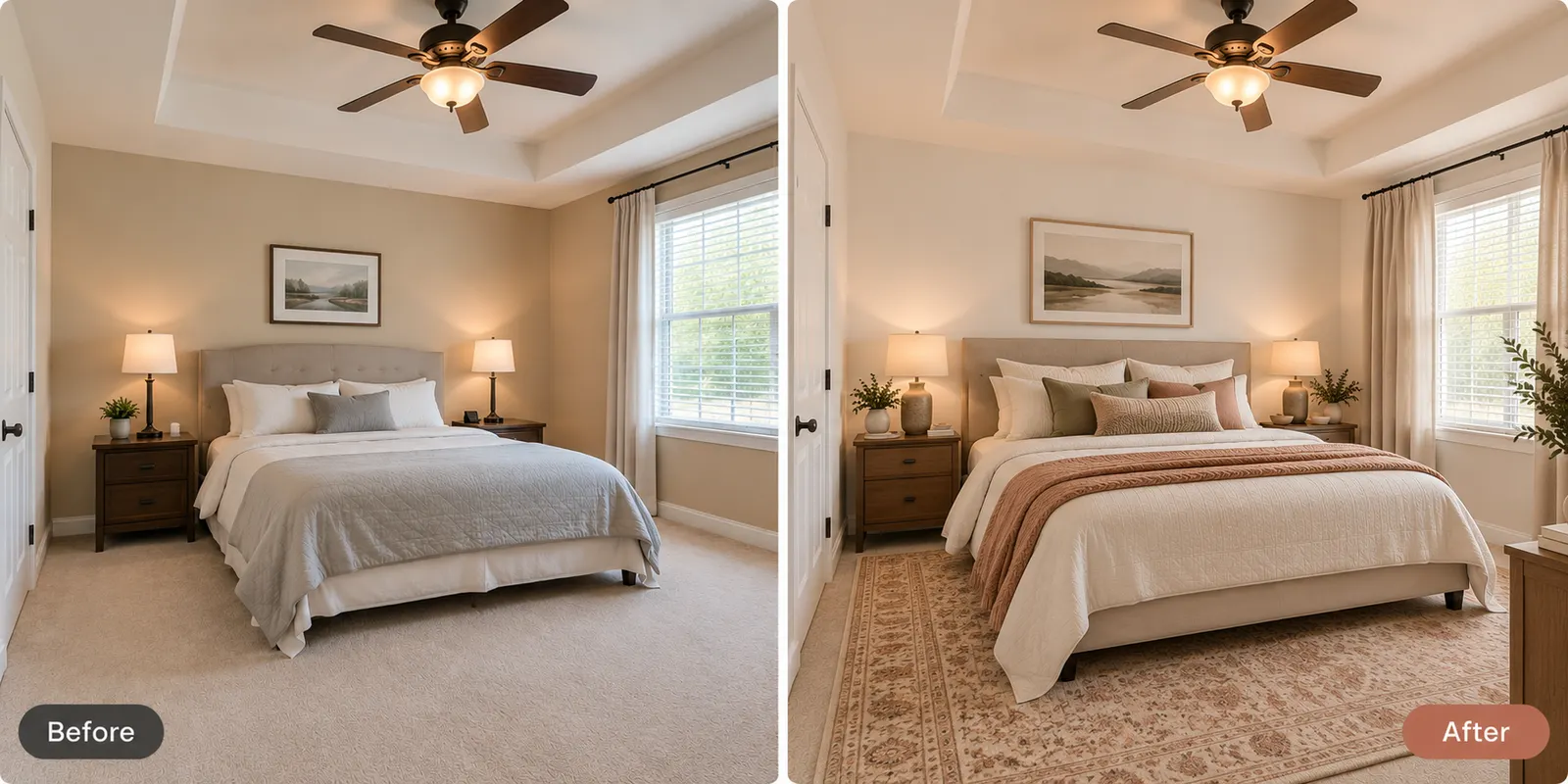
AI Bedroom Design vs. Traditional Interior Design
AI visualization helps you explore the appearance of your bedroom.
You can compare styles, colors, furniture, materials, lighting, and decor.
Traditional interior design can include measurements, furniture specifications, electrical plans, budgets, and other project details.
Use AI to select a visual direction. Use accurate measurements and professional advice when they are necessary.
Visualize Your Bedroom Before You Make Changes
You do not have to guess how a new bedroom design will look.
Upload a photo of your room. Explore different styles, colors, furniture, and materials. Compare the results and select the design that works for your space.
With Renovate AI, you can visualize your bedroom before you make changes.
Ready to redesign your bedroom?
Try Renovate AI and explore a new bedroom design from your photo.
FAQ
- Can I upload a photo of my bedroom and redesign it ?
- Yes. You can upload a photo of your existing bedroom to Renovate AI and explore different design ideas, colors, materials, and styles.
- Can AI show different bedroom styles ?
- Yes. You can explore styles such as Modern, Japandi, Cozy, Luxury, and Organic Modern.
- Can I use AI to design a small bedroom ?
- Yes. AI visualization can help you explore colors, furniture styles, lighting, and decor for a small bedroom.
- Can AI change my bedroom wall color ?
- Yes. You can use AI visualization to explore different wall colors and see how they work with the rest of your bedroom.
- Can I keep my existing bedroom furniture ?
- You can use your existing bedroom photo as the starting point and describe the changes that you want to explore. For example, you can ask for a new wall color or decor direction while keeping important parts of the existing room.
- Can I use AI for a bedroom makeover without renovating ?
- Yes. You can explore changes to bedding, wall colors, curtains, rugs, lighting, and decor without planning a complete renovation.
- Do I need interior design experience ?
- No. Start with a clear bedroom photo. Then, describe the style or changes that you want to explore.