
Is There an App Where I Can Take a Picture of My Bedroom and Remodel It?

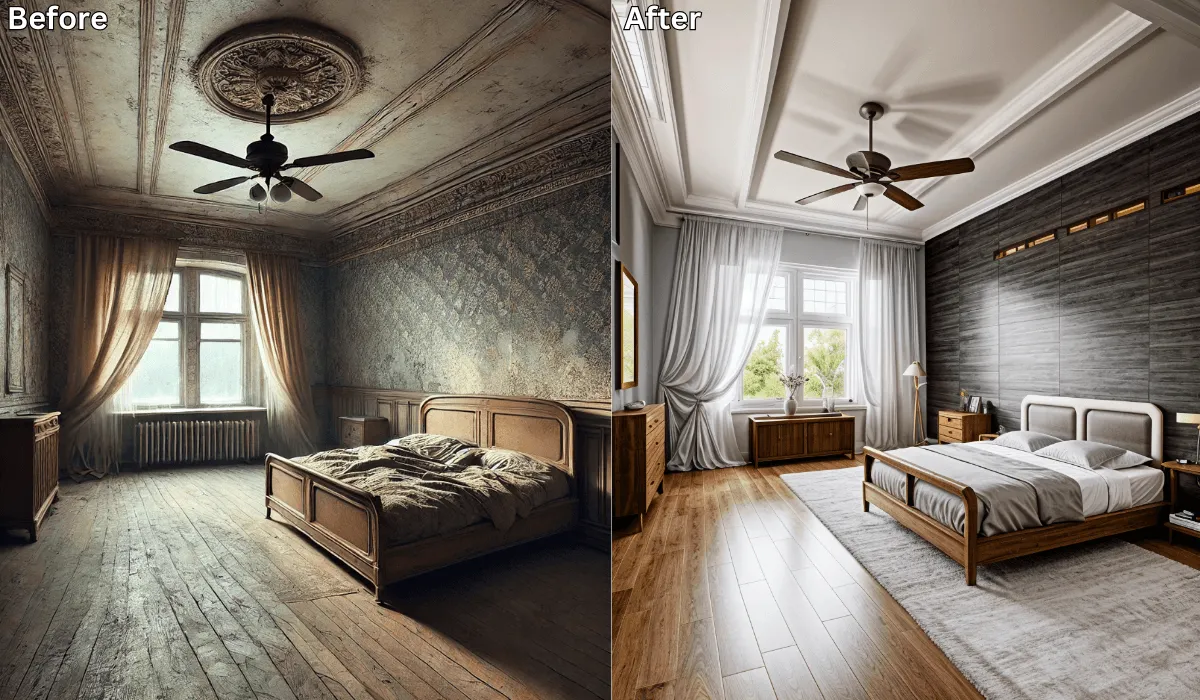
Yes, there is! Renovate AI is the ultimate app for remodeling your bedroom with ease. By simply taking a photo of your space, you can explore various design options, furniture layouts, and decor styles—all powered by advanced AI technology.
Whether you want a cozy retreat or a bold new look, Renovate AI can help you bring your dream bedroom to life.
Why Choose Renovate AI for Bedroom Remodeling?
Renovate AI makes bedroom remodeling simple and accessible for everyone. Here’s what sets it apart:
Realistic Visualizations: See how your bedroom will look with different designs, colors, and layouts.
User-Friendly Interface: Just upload a photo and let the app guide you through design options.
Customizable Designs: Tailor everything from furniture placement to wall colors and decor.
Free Trial: Start designing your dream bedroom at no cost.
Key Features of Renovate AI for Bedroom Remodeling
Renovate AI offers a range of tools to transform your bedroom:
Furniture Layouts:
Experiment with different furniture arrangements to optimize space and functionality.
Visualize how a new bed, nightstands, or wardrobe will fit in your room.
Color and Style Changes:
Test new wall colors, flooring, and accent pieces to create a cohesive look.
Choose from popular styles like modern, minimalist, bohemian, and more.
Lighting Adjustments:
- Experiment with various lighting scenarios to set the perfect mood for your space.
Clutter Removal:
- Use the app’s AI to remove clutter from your room and see a clean, polished version of your space.
Decor Ideas:
- Explore different bedding, curtains, rugs, and wall art to complement your bedroom’s style.
How to Use Renovate AI for Free Bedroom Design
Follow these simple steps to start remodeling your bedroom with Renovate AI:
Download the App: Renovate AI is available for both iOS and Android. Download it to your smartphone to get started.
Create an Account: Sign up for a free account or log in if you already have one.
Take a Photo: Use your smartphone to capture a clear picture of your bedroom and upload it to the app.
Select Your Preferences: Choose your favorite styles, colors, and furniture arrangements. The AI will generate multiple design options tailored to your inputs.
Review and Save Designs: Save up to 3 design variations with the free trial. Share them with family, friends, or professionals for feedback.
Benefits of Renovate AI for Bedroom Remodeling
Renovate AI offers several advantages that make it the ideal tool for reimagining your bedroom:
Budget-Friendly: Save money by exploring designs for free before making any purchases.
Time-Saving: Generate multiple ideas in seconds, avoiding long consultations.
Inspiration: Discover new styles and layouts you might not have considered.
Accessible to Everyone: Whether you’re a homeowner, renter, or designer, Renovate AI is easy to use.
Unlock Advanced Features with Premium Plans
While the free version of Renovate AI is perfect for initial planning, upgrading to a premium plan unlocks even more possibilities:
Unlimited design variations
High-resolution downloads for professional presentations
Exclusive decor and material options
See It In Action: 3 Directions on a Real Bedroom
We uploaded a photo of a real room to Renovate AI and tried three completely different bedroom styles. Here is what we told the AI and what it came back with.
Direction 1: Cozy Modern
What We Told RAI: “Transform into a cozy modern bedroom with warm wood tones, a platform bed, soft white bedding, and warm ambient lighting”
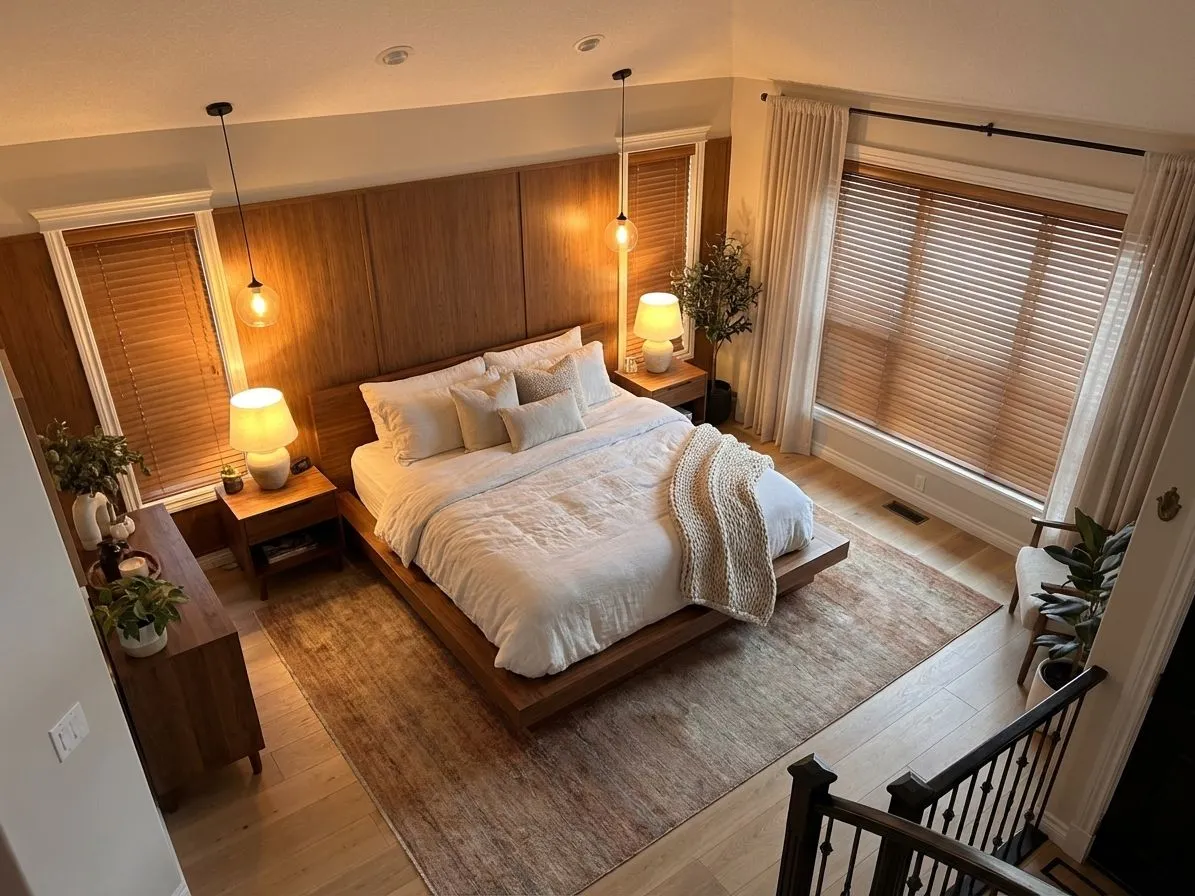
Warm wood tones and soft lighting turn any room into a retreat. The platform bed grounds the space while white bedding keeps it feeling fresh and open.
Direction 2: Scandinavian Minimalist
What We Told RAI: “Minimalist Scandinavian bedroom with light oak furniture, white walls, linen curtains, and a single statement plant”
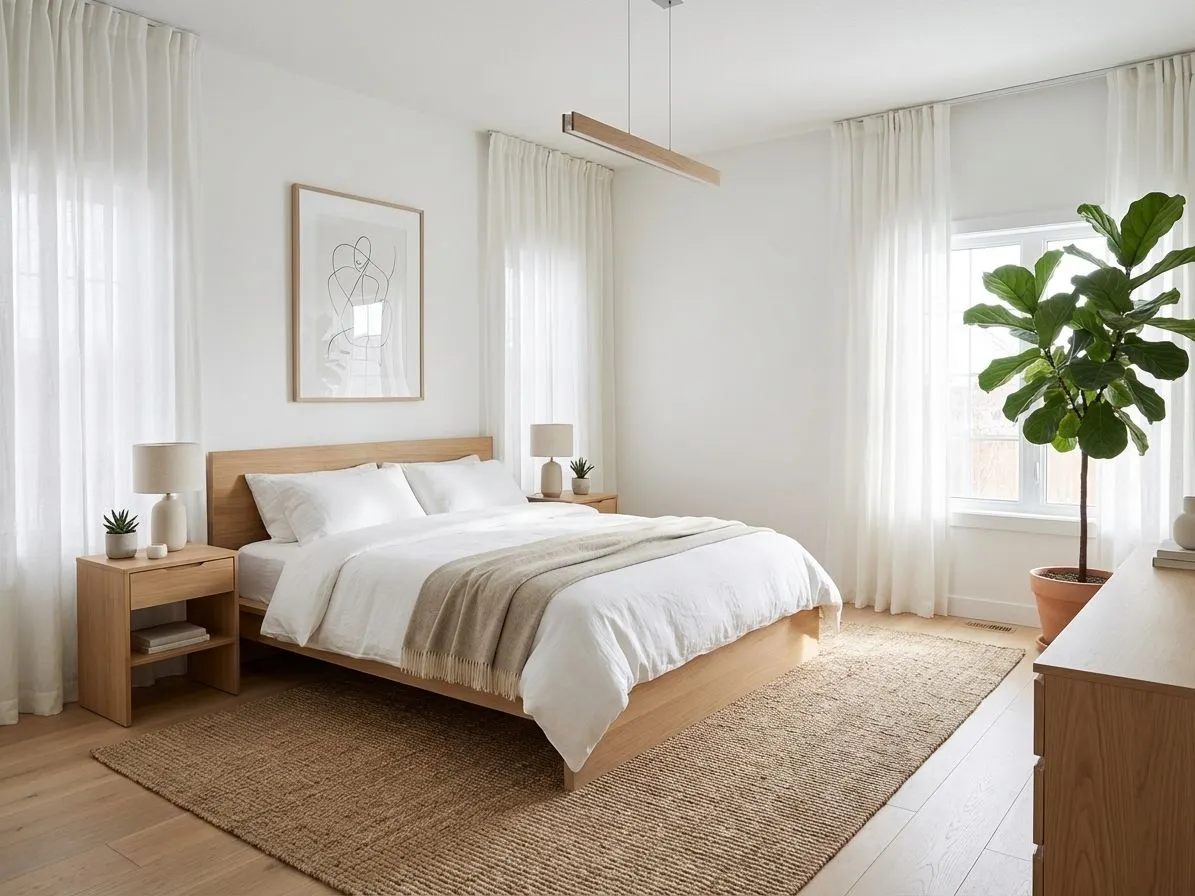
Less is more. Light oak, white walls, and natural linen create a calming space that feels effortlessly put together. One plant adds just enough life.
Direction 3: Hotel Luxury
What We Told RAI: “Luxurious hotel-style bedroom with dark accent wall, velvet headboard, gold bedside lamps, and layered throw pillows”
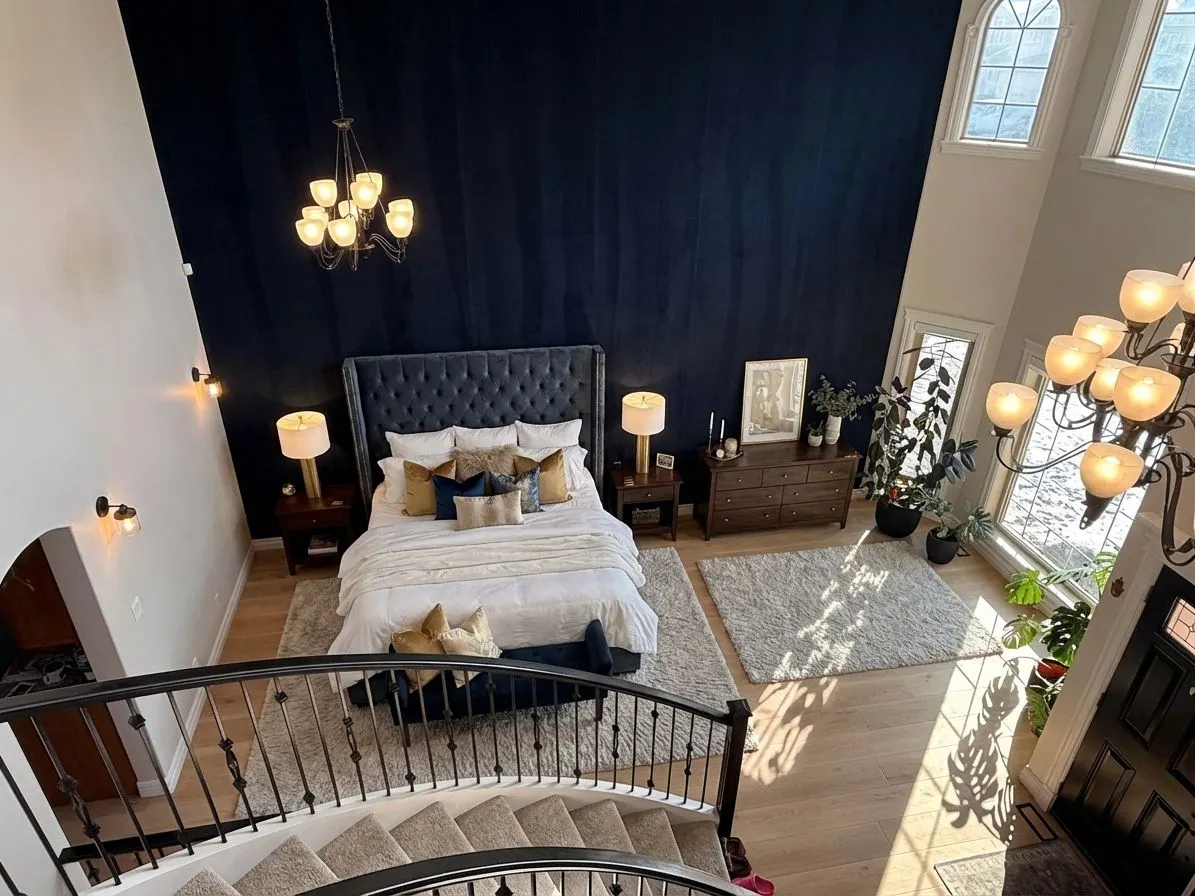
The boutique hotel look is all about layers. A dark accent wall adds drama, the velvet headboard adds texture, and gold lamps bring in warmth. Throw pillows finish the look.
One Room, Four Directions — A Second Test
The styles above are separate rooms. We wanted to know something narrower: what happens when you hold one bedroom still and change a single layer at a time? So we ran a second test, four passes on one photo, same camera angle throughout.
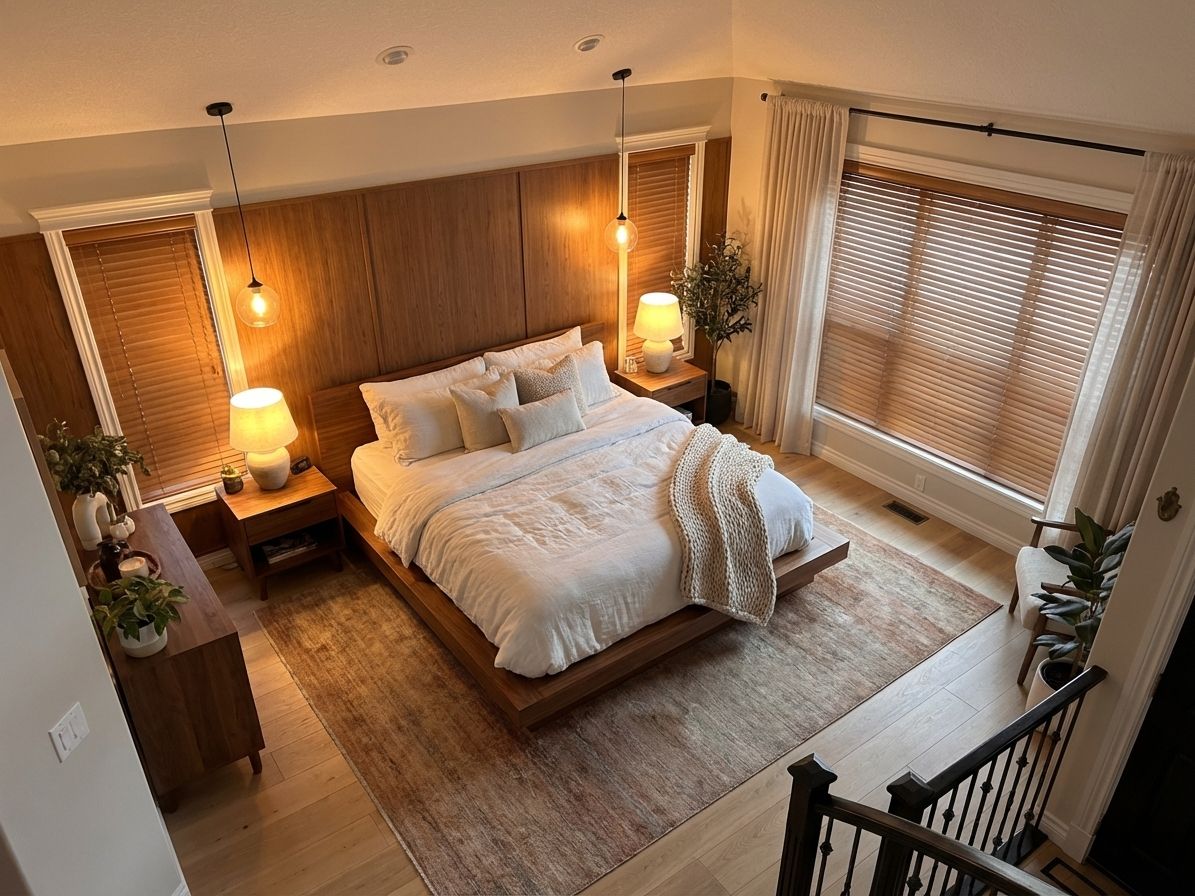
Here’s the room we started from. Warm wood panelling behind the bed, a walnut platform bed, two pendants, wooden blinds.
Pass 1: Change only the paint
The test almost nobody runs. Same bed, bedding, nightstands, lamps, pendants, rug, dresser, blinds and curtains — with one instruction: paint the panelled wall soft white.
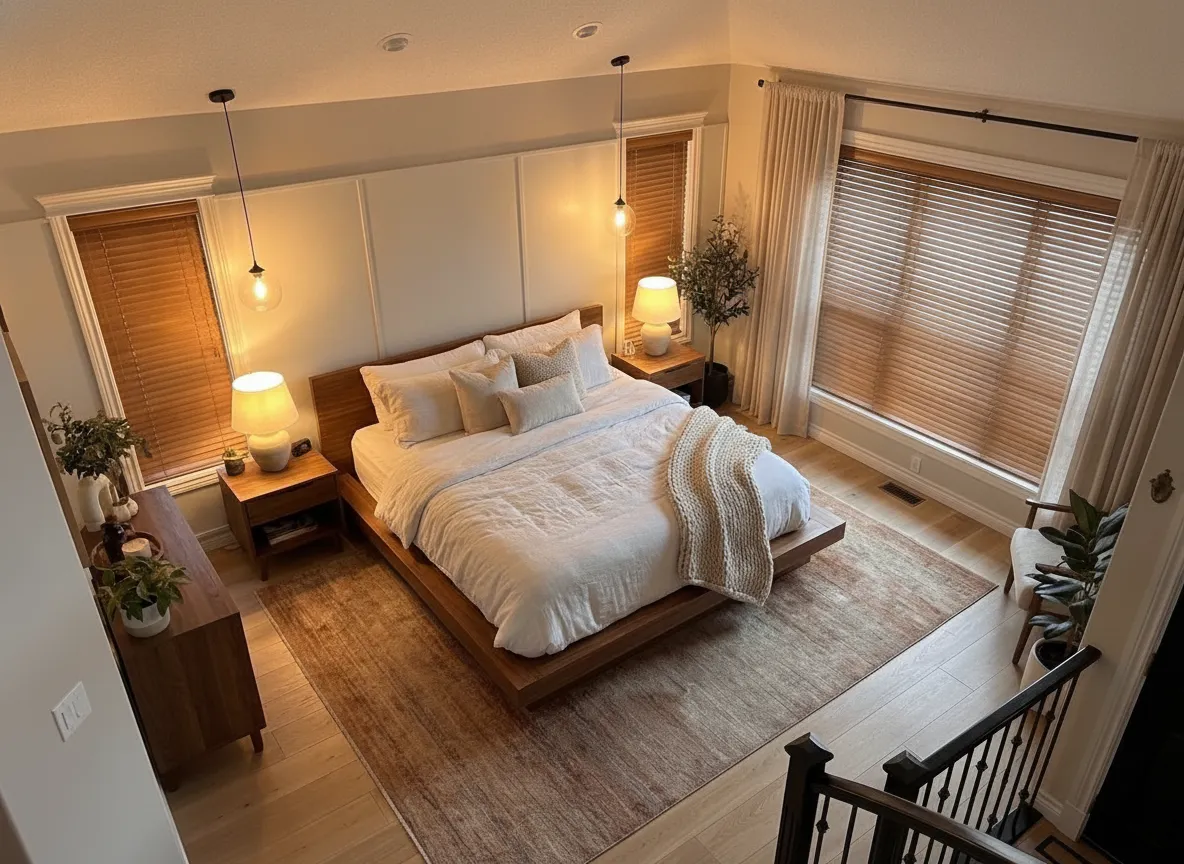
What We Told RAI: “Paint the wood-panelled accent wall behind the bed a soft warm white. Change nothing else: keep the same bed, bedding, nightstands, lamps, pendant lights, rug, dresser, flooring, blinds and curtains exactly as they are.”
Free · No account needed · 10 seconds
The room got brighter and taller, and the walnut bed suddenly reads as a deliberate warm object instead of one more brown surface in a brown room. Cost in real life: two days and a gallon of paint. Note what didn’t move — the pendants, the blinds, the rug are all the originals. Naming what stays is the whole skill.
Pass 2: Scandinavian
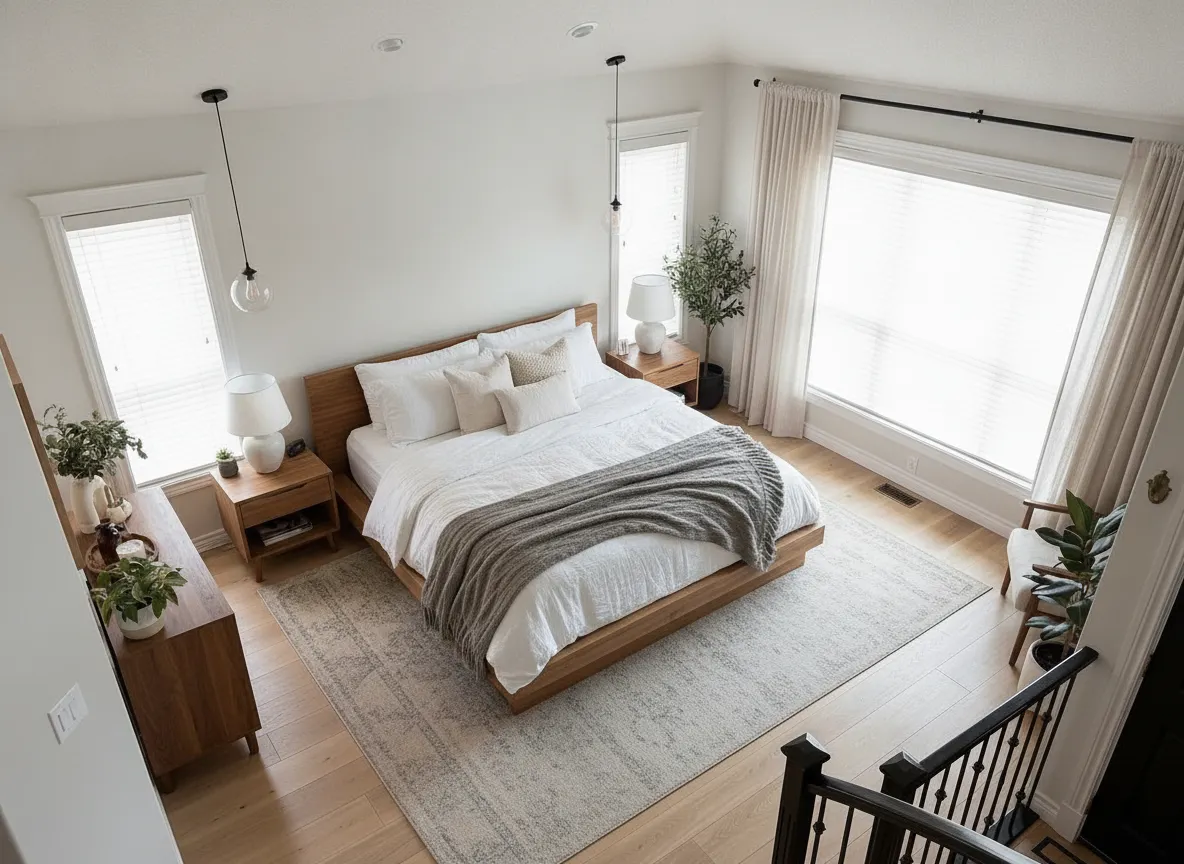
What We Told RAI: “Restyle this bedroom in a light Scandinavian style: pale oak furniture, white walls, white bedding with a grey wool throw, linen curtains, and a flat-weave wool rug. Keep the same room shape, window positions, ceiling and flooring.”
Free · No account needed · 10 seconds
The full four-layer swap. Look at the daylight: the wooden blinds went white, so the whole room reads as a morning space instead of an evening one. If you like this but can’t replace the bed, the useful takeaway is narrower — it’s the blinds and the wall doing most of the work.
Pass 3: Boutique hotel
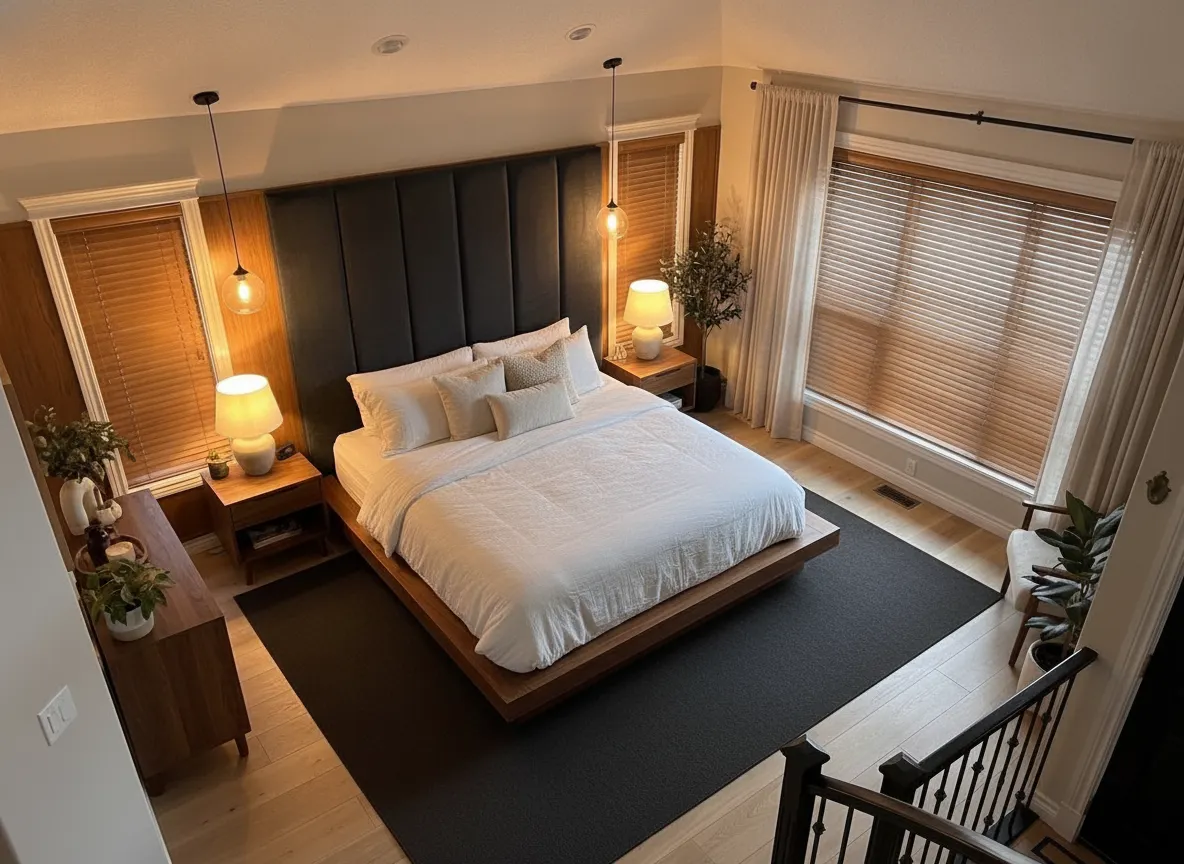
What We Told RAI: “Restyle this bedroom as a boutique hotel room: a deep charcoal upholstered wall behind the bed, a tall velvet headboard, brass bedside lamps, crisp white bedding with layered pillows, and a dark low-pile rug. Keep the same room shape, window positions, ceiling and flooring.”
Free · No account needed · 10 seconds
Worth being straight about this one: we asked for a charcoal upholstered wall and got a tall upholstered headboard against the original panelling. When a sentence could mean two things, you get the more common one. The fix is a more specific sentence and another eight seconds — useful to know before you decide the tool can’t do something.
Pass 4: Deep green
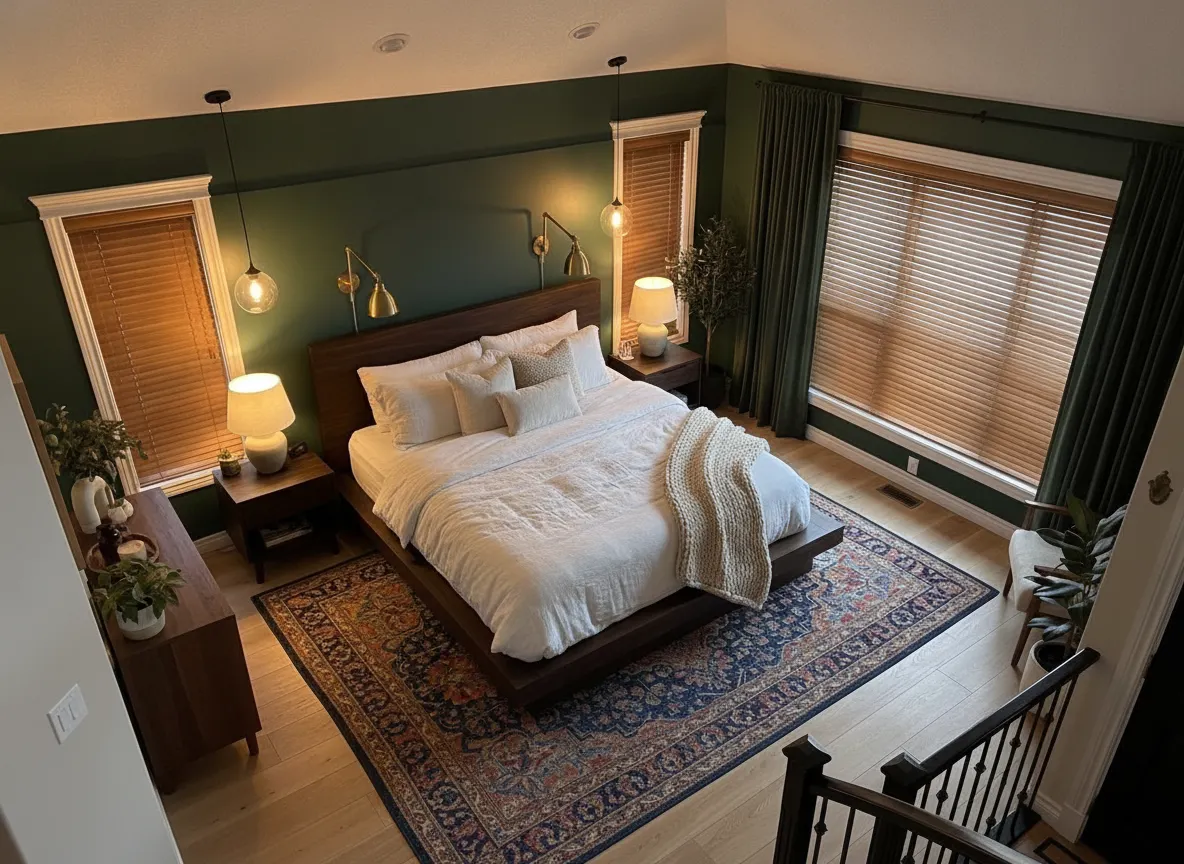


What We Told RAI: “Restyle this bedroom in a moody style: deep forest green walls, a dark walnut bed frame, cream linen bedding, brass reading lights, and a patterned vintage rug. Keep the same room shape, window positions, ceiling and flooring.”

Free · No account needed · 10 seconds
The green went on every wall, not just the accent, and the room got smaller and better. “Dark colours make a room feel small” is true and mostly irrelevant in a bedroom, where small is the point. The swing-arm brass lights replaced the pendants — a change we asked for indirectly by saying “reading lights.”
What it won’t tell you
Measurement. The render doesn’t know your ceiling height, your door swing, your outlets, or whether a king fits. If your question is “does this furniture physically fit,” go get a tape measure. And a render is not a shopping list — it shows you the category, and you go find the real thing.
If the problem turns out to be layout rather than style — the bed is on the wrong wall, the room fights you at the door — that’s a different question, and we covered it in before you move anything, try this AI layout tool first. For a small bedroom specifically, see small bedroom, big design. The same photo-in, room-out flow works on every other room too — that tool lives at AI home remodel.
Final Thoughts
If you’ve been searching for an app to take a picture of your bedroom and remodel it, Renovate AI is the perfect solution. Its intuitive design and powerful AI technology make it simple to explore countless design options, all from the comfort of your home. Whether you’re planning a subtle refresh or a dramatic transformation, Renovate AI can help you visualize and achieve your ideal bedroom.
Ready to redesign your bedroom? Download Renovate AI today and start exploring endless possibilities with just a photo!
You Might Also Like
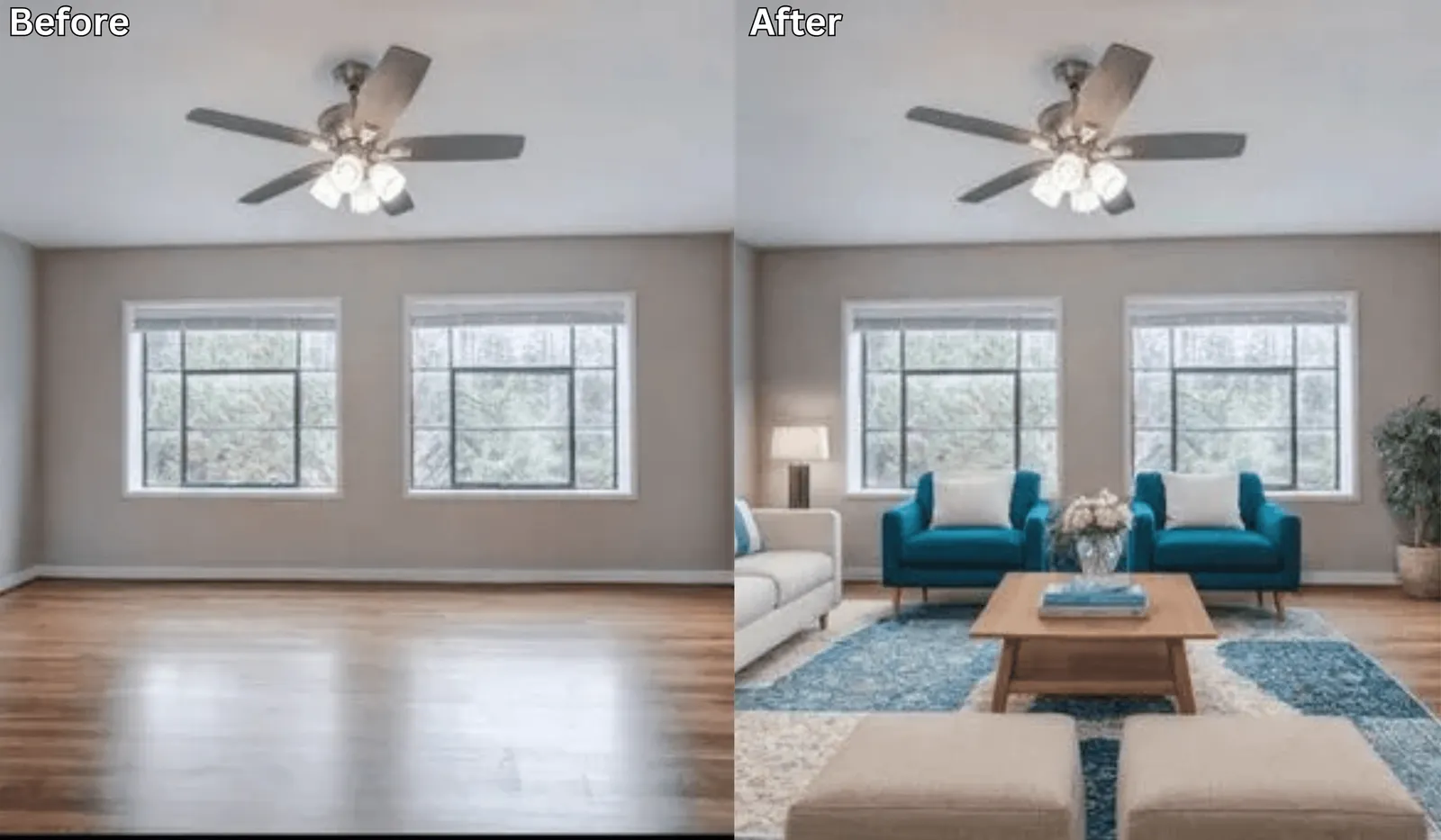
Before You Move Anything, Try This AI Layout Tool First →
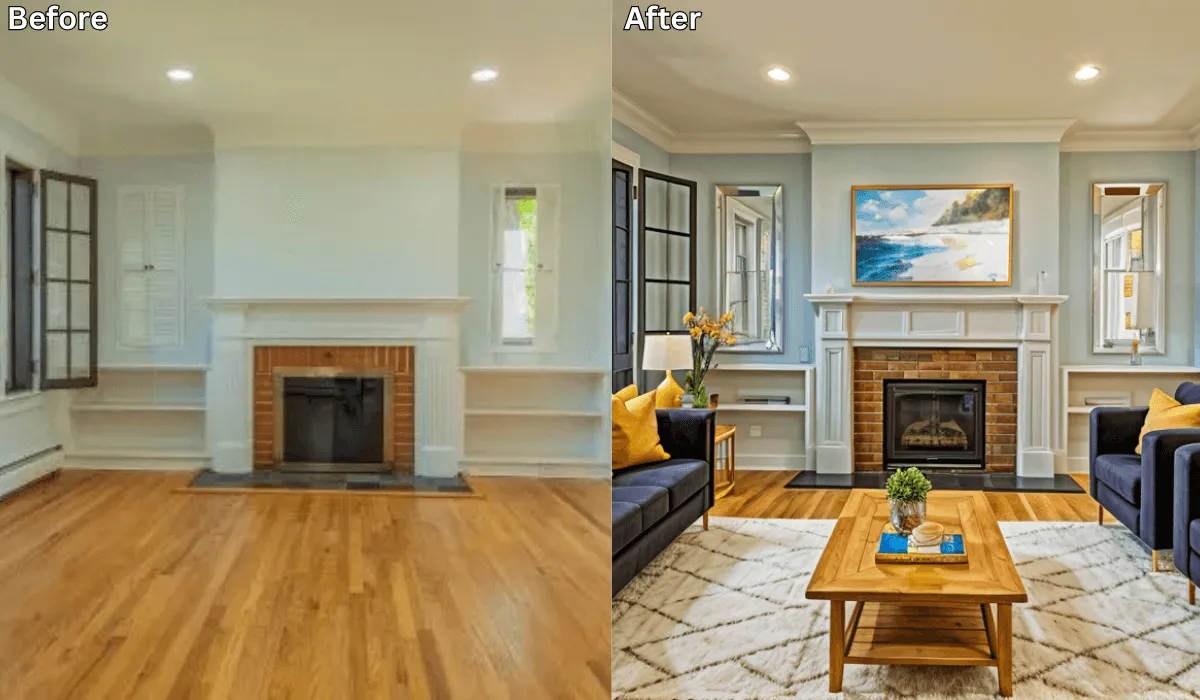
Can You Take a Picture of Your Living Room and Change the Furniture Using AI? →
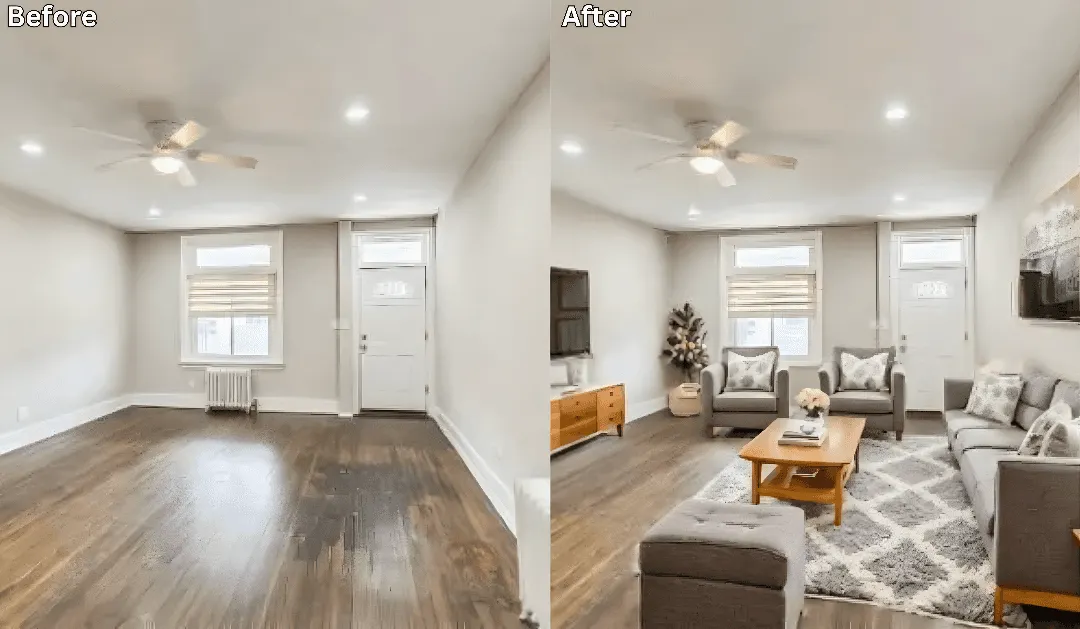
How to Rearrange Any Room Layout with Just One Click →
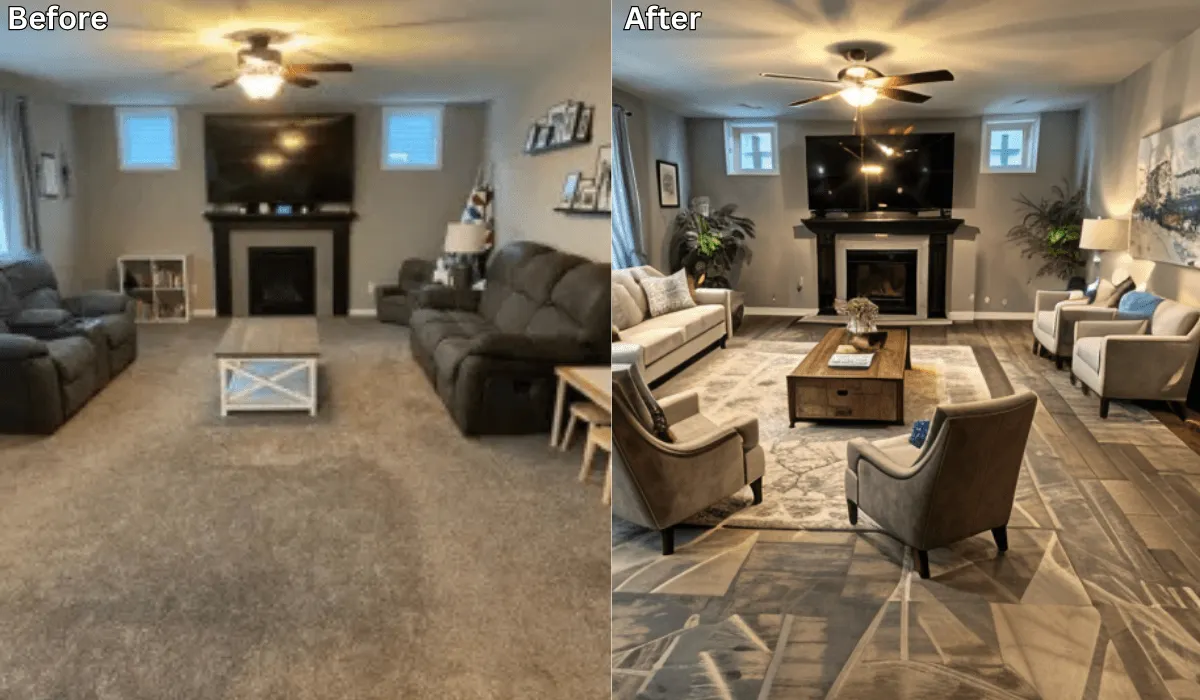
Is there an app to place furniture in a room? →

Sid Sarasvati · Founder, Renovate AI
Sid Sarasvati is the founder of Renovate AI, featured in the Wall Street Journal and Morning Brew’s The Playbook. He studied architectural philosophy at Harvard GSD and has tested AI design tools on 200+ real homes.
Now name yours
Pull up a photo of your own space, or just look at it. Answer two questions in plain words:
- Lying in bed looking at the room, what's the first thing that annoys you — a colour, an object, or the light?
- If that one thing changed and nothing else did, would you still be unhappy?
Most people never name it. They just circle swatches. Finish the sentence — in your words, about your home:
Your sentence rides the button below. Test it on your photo.
Test your answer before you commit. Upload a photo and tell RAI the exact change you're considering. You'll see it on your actual home in seconds.
See it on your home →Free · No account needed · 10 seconds
Stuck between two answers, or not sure what you're looking at? That's a design question. In the Renovate AI app, tap Ask and describe what feels off. Elena will help you name it, then design the direction.
FAQ
- Is there an app where I can take a picture of my bedroom and remodel it?
- Yes. Renovate AI works from a single phone photo: point it at your bedroom, describe the change in plain words, and you get a photorealistic version of that same room in about eight seconds. Your first render doesn't need an account. It runs on iPhone, Android and in a browser, so you can shoot and render standing in the room.
- Does the AI keep my actual bedroom, or does it invent a new one?
- It keeps the room when you tell it to. The geometry — walls, window positions, ceiling line, camera angle and flooring — stays put if your sentence names them as things to keep. If you only say 'make it Scandinavian' and never say what stays, you're more likely to get a pretty room that isn't yours.
- Can I change just the wall colour and keep my furniture?
- Yes, and it's the most useful thing this does. Say what to change, then say explicitly what to keep — 'paint the accent wall white, keep the same bed, bedding, nightstands, lamps, rug and blinds.' It's how you find out whether you need a new bedroom or a gallon of paint.
- Can AI rearrange my bedroom furniture?
- It can show you a different arrangement, but treat it as a sketch rather than a plan. The render doesn't know your door swing, your outlet positions, or that the bed can't go on that wall because of the closet. It's good at answering 'would a low bed suit this room' and bad at answering 'does a king fit here'. Measure for that one.
- Is it free to remodel a bedroom photo?
- The first render needs no account and new accounts get free credits with no card, which is enough to test a few directions on the same room. Paid plans exist for higher volume, higher-resolution downloads and unwatermarked exports. If you're deciding between two paint colours, the free tier is the whole job.