
How to Change Kitchen Cabinet Colors in a Photo Before Painting

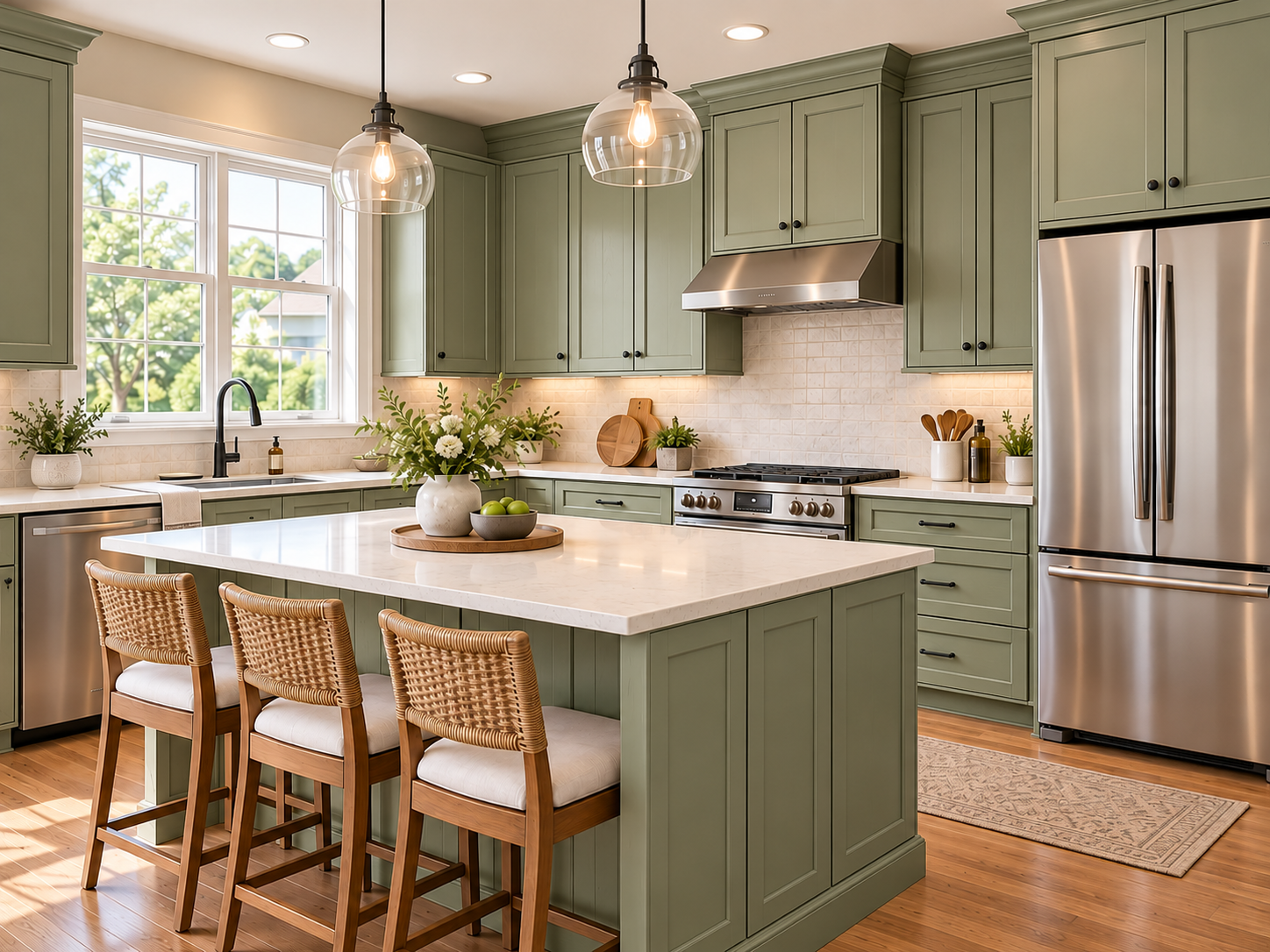
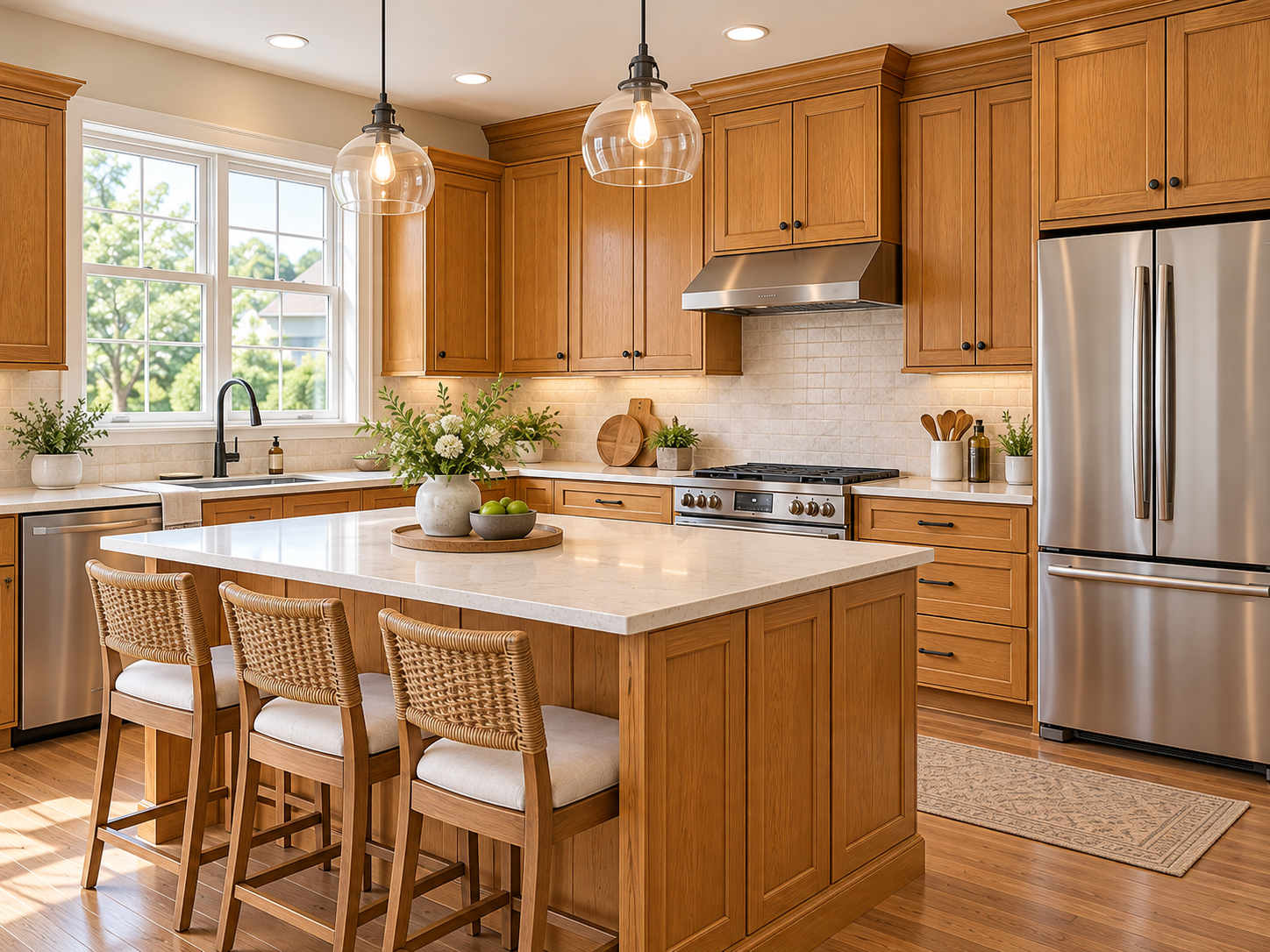
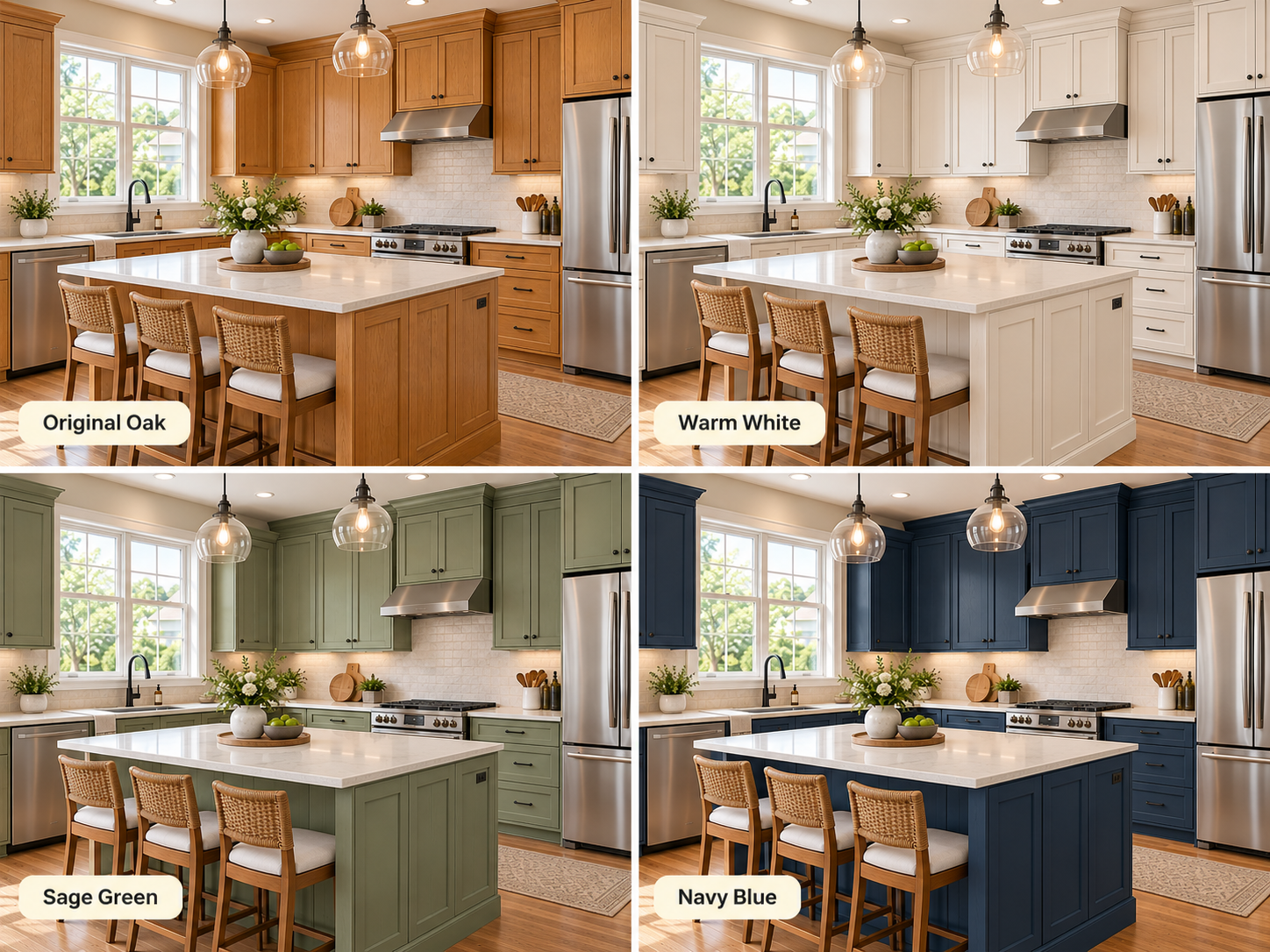
Thinking about painting your kitchen cabinets but can't decide between white, sage green, navy blue, or charcoal gray?
Choosing the wrong cabinet color can make your kitchen feel darker, smaller, or completely different from what you imagined.
Fortunately, you can change kitchen cabinet colors in a photo before picking up a paintbrush.
With an AI kitchen cabinet color visualizer like Renovate AI, you can upload a picture of your kitchen, explore different cabinet colors, and preview how your space could look before painting.
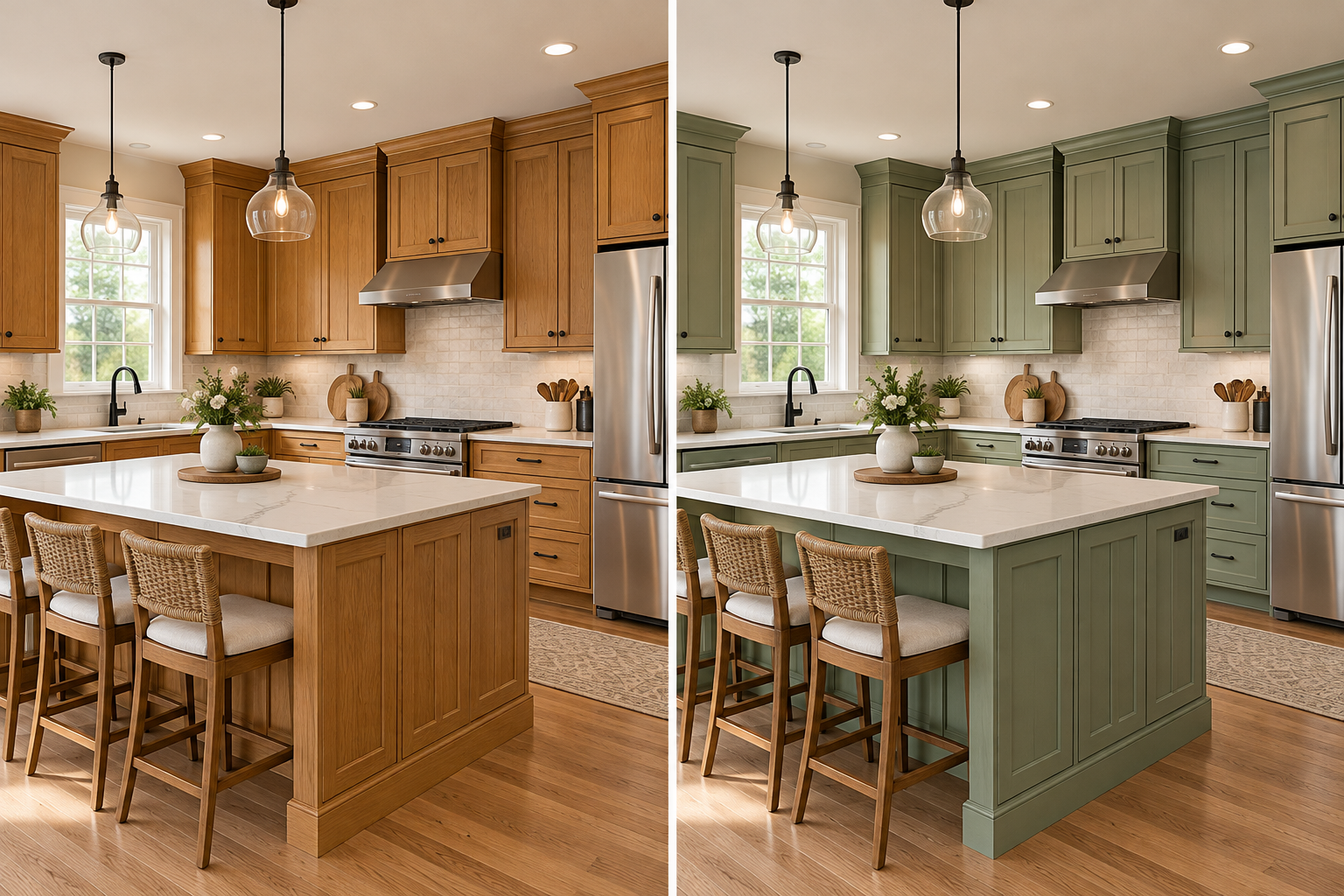
Can I Change the Color of My Kitchen Cabinets in a Photo?
Yes! AI paint visualization tools let you upload a photo of your existing kitchen and explore new cabinet colors without physically changing anything.
Instead of relying on small paint swatches or inspiration photos, you can see how different colors work with your actual countertops, backsplash, flooring, and lighting.
For example, you can compare white cabinets for a brighter look, sage green for warmth, or navy blue for a bold contrast.
This makes it easier to narrow down your favorite options before starting a kitchen makeover.
How to Change Kitchen Cabinet Colors Using AI
You don't need Photoshop or professional design experience to visualize a new cabinet color.
Here's how to get started with Renovate AI.
Step 1: Upload a Photo of Your Kitchen
Take a clear photograph showing your kitchen cabinets, countertops, backsplash, and surrounding walls.
Use natural daylight whenever possible, and avoid heavy shadows that make cabinet colors difficult to distinguish.
Step 2: Choose Your Cabinet Paint Color
Open Renovate AI's Paint Visualization tool and select Cabinets as the area you want to change.
Browse available paint colors or search for a shade that matches your preferred design.
Popular options include warm white, sage green, navy blue, charcoal gray, and greige.
Step 3: Preview Your New Cabinet Color
Select your preferred shade and tap Paint It to generate a visualization.
The preview helps you see how the new cabinet color works with your kitchen's existing surfaces.
Compare the result with your original photograph to evaluate the overall look.
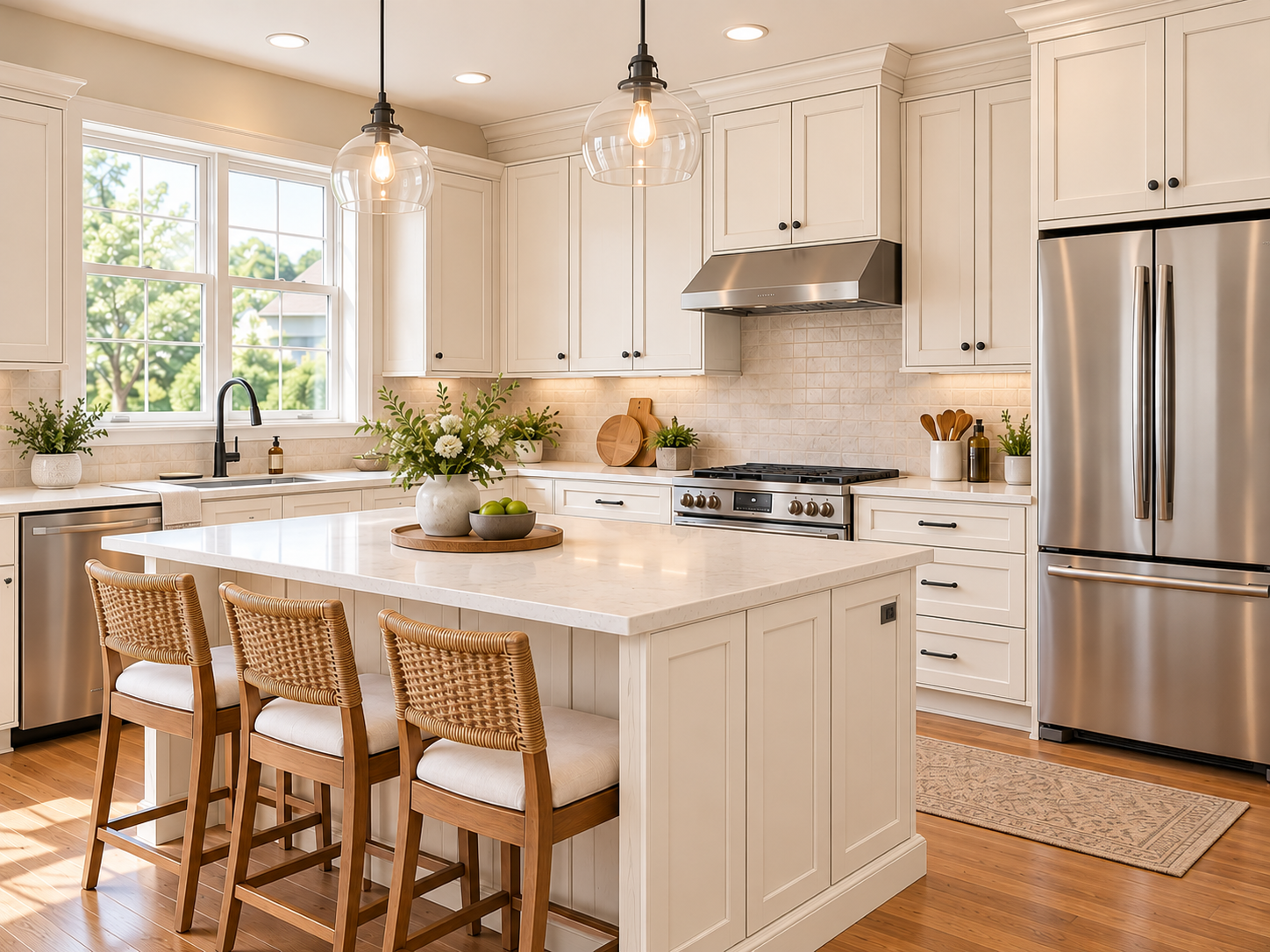
Step 4: Compare Different Cabinet Colors
Don't settle on the first color you try.
Experiment with lighter and darker shades to see how each option changes the mood of your kitchen.
Save your favorite visualizations to compare before making your final choice.
5 Kitchen Cabinet Colors to Try Before Painting
The right cabinet color can refresh your kitchen without requiring a complete remodel.
1. Warm White — Bright and Timeless
Warm white cabinets create a clean, inviting look and pair well with wood flooring, stone countertops, and neutral backsplashes.
Best for: Traditional, farmhouse, and transitional kitchens.
2. Sage Green — Soft and Natural
Sage green adds subtle color while maintaining a calm, welcoming atmosphere.
It works especially well with brass hardware, natural wood accents, and white countertops.
Best for: Farmhouse, cottage, and organic-modern kitchens.
3. Navy Blue — Bold and Classic
Navy blue cabinets create a sophisticated contrast with white countertops and light-colored backsplashes.
Try navy on lower cabinets or a kitchen island for a balanced two-tone design.
Best for: Coastal, transitional, and contemporary kitchens.
4. Charcoal Gray — Modern and Elegant
Charcoal gray creates a dramatic appearance, particularly in kitchens with plenty of natural light.
Pair it with warm wood details or light countertops to balance the darker finish.
Best for: Modern and industrial-inspired kitchens.
5. Greige — Warm and Versatile
Greige combines gray and beige undertones for a softer alternative to cool gray.
It's a useful choice when you want a neutral cabinet color that complements both warm and cool materials.
Best for: Contemporary and transitional kitchens.
What Cabinet Color Looks Best With Your Countertops?
The right cabinet color can make your countertops stand out and bring your entire kitchen together. Here are five combinations worth exploring before painting.
1. White Quartz Countertops
Try: Sage green, navy blue, or charcoal gray.
White quartz creates a clean, bright foundation. Pair it with colorful cabinets for contrast or darker shades for a modern look.
2. Black Granite Countertops
Try: Warm white, greige, or light gray.
Lighter cabinet colors balance dark countertops and help create a brighter, more open kitchen.
3. Beige Granite Countertops
Try: Cream, warm white, or muted green.
Warm cabinet colors complement the natural tones in beige granite, creating a cozy and timeless appearance.
4. Gray Quartz Countertops
Try: White, navy blue, or natural wood tones.
Gray quartz pairs well with both modern neutrals and richer cabinet colors for a sophisticated look.
5. Butcher Block Countertops
Try: Sage green, cream, or warm white.
Natural wood countertops work beautifully with soft, earthy colors, creating a warm farmhouse or organic-modern kitchen.
Not sure which combination works best? Upload a photo of your kitchen to Renovate AI and visualize different cabinet colors alongside your existing countertops.
FAQ
- Can I upload a picture of my kitchen and change the cabinet color?
- Yes. With Renovate AI, you can upload a kitchen photo and use Paint Visualization to explore different cabinet colors on your existing space.
- Is there an app to see what my kitchen cabinets would look like painted?
- Yes. Renovate AI lets you preview cabinet color changes using a photo of your kitchen, helping you compare options before painting.
- Can AI change cabinet colors without changing the countertops?
- Yes. Renovate AI's Paint Visualization tool allows you to select cabinets as the surface to recolor, so you can focus on cabinet color changes while retaining the surrounding kitchen as a reference.
- What is the most popular kitchen cabinet color in 2026?
- Warm white remains a versatile choice, while sage green, greige, and navy blue are also popular design directions. The best option depends on your kitchen's lighting, materials, and overall style.
- Can I try two-tone kitchen cabinet colors with AI?
- You can explore two-tone cabinet combinations, such as white upper cabinets with navy blue lower cabinets, using suitable visualization options or design instructions.