


























Give the space a visual direction
Use staging or renovation concepts to discuss how a room could be used. Review the result alongside original photos and the property information your team can confirm.
Use staging and renovation concepts to discuss a property. Start with your agents. Or plan a website visualizer that buyers can find, use and contact your team from.

A visual direction helps when buyers can understand what changed, find the experience and continue with the right person.
Use staging or renovation concepts to discuss how a room could be used. Review the result alongside original photos and the property information your team can confirm.
Include everyday agents in the evaluation. Try typical listings on normal devices, explain the available tools and agree on review guidance before a wider rollout.
Plan where buyers find the experience on listing or search pages. Decide how a useful concept leads to an agent conversation with the relevant property context.
A deployed visualizer still needs a clear entry point and people who know how to use it. Review the whole journey with your team.

Make it clear how someone reaches the tool and what to do after exploring. Check the agent experience as well as the buyer experience.
Test from the listing, search and landing pages that buyers visit. Add clear navigation and instructions. Help buyers find the visualizer from your campaigns.
Keep internal tests separate from customer use. Count image usage and unique visitors separately. Track completed explorations and inquiries. An image or click does not count as a sale.
Existing Studio tools support agent-led exploration. A customer-facing listing or brokerage website experience receives its own scope, with integration, inquiry and photo-handling requirements.
Try a typical property in Studio and review the concepts together. Current Studio access follows its own plans; branded team workflows or custom requirements are scoped separately.
Try the existing StudioDiscuss how buyers find listings, which photos they can use and how they contact an agent. Confirm mobile use, image allowances and the details your team receives.
Explore the Website VisualizerStart where the property conversation already happens. Agent-led use helps you evaluate typical listings and practical guidance. A website journey needs its own discovery path, mobile review and inquiry destination before inviting buyers to use it independently.
Review every output against the original photos and confirmed property facts. Clearly distinguish conceptual changes from current conditions and follow your brokerage and listing-platform requirements. Keep originals available and agree on who reviews images before publication.
No outcome is guaranteed by an image or a deployed widget. Define what your pilot should learn about discovery, agent adoption and the next customer action. Keep usage, inquiries and completed transactions distinct when reviewing results.
Review the actual listing, search and landing pages buyers visit. Add a clear entry point and explanation, test the mobile journey and include agents in the rollout. Promotion and discoverability are part of the pilot plan, not automatic results of embedding a tool.
Those are integration requirements to review separately. Identify the systems, image permissions, volume, delivery needs and review steps. Confirm supported behavior and operating terms rather than assuming automated MLS or batch delivery is included in a standard website package.
Agree on photos, image review, agent training, navigation and inquiries. Confirm photo processing, usage rules, support, billing start and integration work. Website packages, Studio access and custom or API projects have separate terms.
A real property, typical buyer questions and your current discovery path make a useful starting point for a brokerage evaluation.
Book a product demoExplore material, paint and room concepts for your customer workflow.
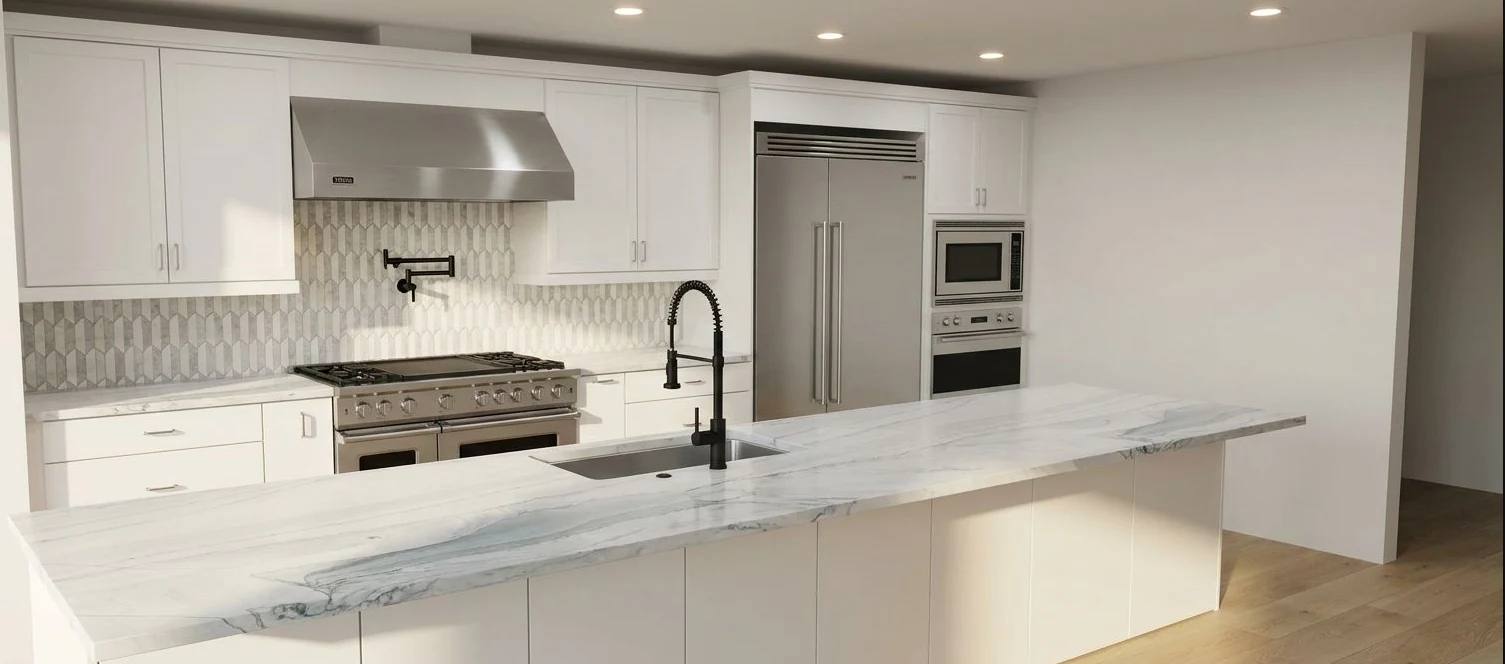
Kitchen design concept.

Tile and surface concept.

Room staging concept.

Exterior paint concept. Confirm colors with physical samples.
Concept examples. Confirm products, measurements and final specifications with your team.